
Do you want an easy way to accept online payments for your nonprofit? Looking for a platform that works without hiccups – one that offers the best rates and plays nice with WordPress?
Over the years, I’ve tried and tested tons of gateways. Plus, the team and I have worked closely with these payment gateways in our development of Charitable. So I can give you the real scoop from the inside out.
The right gateway means smooth donor checkouts. Low fees keep more money for your mission. Recurring gifts build steady support.
With that in mind, I’ll share my top 11 picks of payment gateways for non-profits. See fees, features, setup steps, and fit for nonprofits.
If you haven’t set up your non-profit charity website, head to our guide on How to Create and Launch a Non-Profit Website in Minutes »
What’s in This Guide?
The Best Non-Profit Payment Gateways
1. PayPal
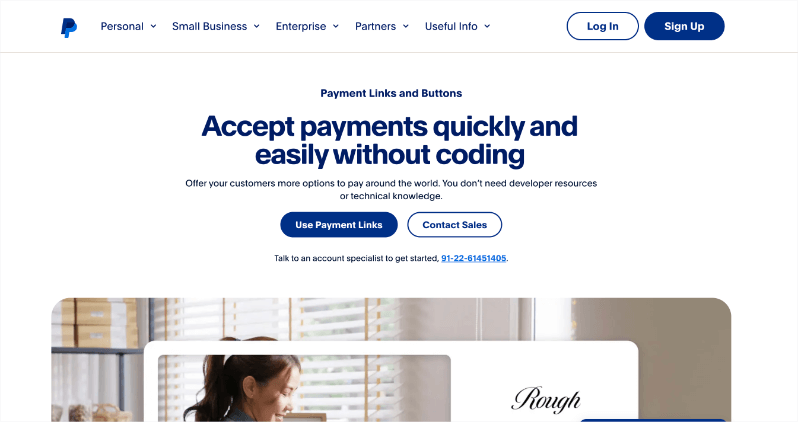
PayPal sits at the top of my list for nonprofits because donors already know and trust it. I’ve used it across dozens of WordPress campaigns, from small church fundraisers to global relief efforts.
It’s easy to set up and handles everything from one-time gifts to monthly pledges without drama.
You get discounted transaction rates if you’re a 501(c)(3) charity. For all other nonprofits, they offer competitive rates. You won’t incur any platform fees, so you only pay when you receive donations.
Once you add PayPal to your site, you can start collecting donations through online payments. Your donors can use their credit cards, wallets like Apple Pay, and PayPal balances in over 200 countries.
You also get a mobile app that lets you track deposits on the go. It shines for events or quick appeals where speed matters.
That said, you’ll find the fees quite exorbitant on tiny gifts under $10.
Highlights of PayPal for Non-Profits
- Lower Fees for Nonprofits: You get special low rates as a verified 501(c)(3) charity – down to 1.99% + $0.49 per gift. Other nonprofits pay close to that, too. No setup or monthly fees. You only pay when money comes in.
- Safe and Secure Payment: PayPal screens for fraud on every gift. It meets PCI rules, so your data stays safe. Donors trust it, and you sleep better at night.
- Track Gifts with Ease: Download reports fast. Search any transaction in seconds. Give team members safe access without handing over full control.
- Quick Cash in Hand: Gifts come into your account in minutes so you can move funds to your bank for free anytime. No waiting games that slow your work.
See how you can maximize donations with PayPal »
2. Stripe
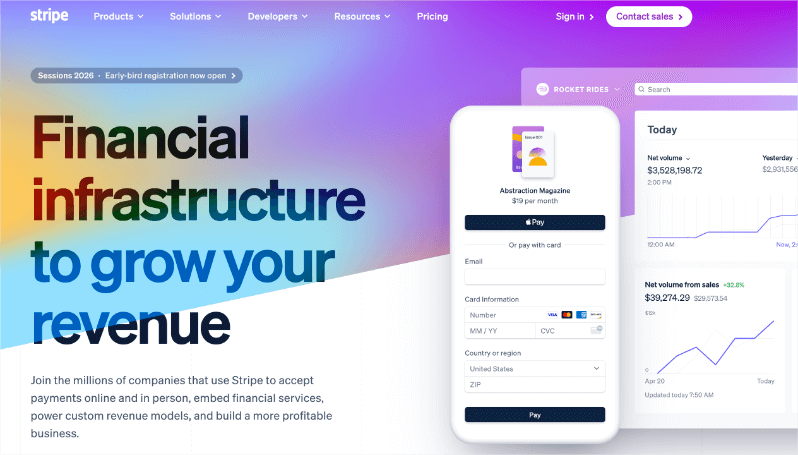
Stripe works great for nonprofits because it handles payments smoothly across the world.
It sits at the top of my list for nonprofits right after PayPal. Your donors will love its clean and fast checkout.
Optimized checkouts help turn more visitors into donors. Billing makes monthly giving reliable. It even retries failed payments so you don’t lose support. Tools like Radar spot fraud early and keep things safe.
You get nonprofit pricing if you reach out to their sales team. It’s around 2.2% + $0.30 or better. No monthly fees, just pay per successful donation.
Donors can give from mobile, desktop, or at events. Stripe recovers failed payments automatically and powers smooth monthly programs.
The dashboard gives real-time insights, and API uptime stays rock-solid even on GivingTuesday rushes. It shines for growing orgs with big ambitions.
That said, custom support can lag for tiny teams, and advanced features need developer tweaks sometimes.
Highlights of Stripe for Non-Profits
- Lower Fees for Nonprofits: Nonprofits can reach out to secure special rates, such as 2.2% + $0.30 per donation, when verified. There are no setup or monthly fees, so you only pay when you receive donations.
- Safe and Smart Payments: The system includes built-in fraud protection tools like Radar, which identify risks early, and is fully compliant with PCI standards to ensure all transactions are secure.
- Track and Grow Gifts Easily: You can access real-time reports and donor insights, which help in understanding donor behavior. The platform also supports recovering failed payments and managing recurring donations with ease.
- Reliable Funds Fast: Deposits are processed and usually reach you within two days. There are paid options for instant payouts if needed.
See how you can maximize donations with Stripe »
3. Square
Square works well for nonprofits that do both online and in-person giving. You can use it at events like street fundraisers and galas where quick cash flow matters. Donors swipe, tap, or dip cards right there, and funds show up fast.
Square offers an essential plan for free. You get all the basic payment features your non-profit needs to either collect donations or sell in-person, online, over the phone, or out in the field. You’ll only pay when you take a payment.
In Person: You can accept donations at events with dependable, easy-to-use hardware. Square provides top-notch payment processing software that ensures reliability.
Online: Set up a free online donation page or share secure donation links. With Square, you get trusted online payment processing, and it’s simple to connect with your existing website through their APIs.
Remote: Send donors invoices they can pay with a credit card or ACH transfer. Taking donations over the phone is also straightforward with Square’s Virtual Terminal or app.
Donate Now, Pay Later: Offer your donors the option to make pledges or spread their contributions over time with Afterpay. Your organization receives the full donation immediately, while donors pay in four interest-free installments.
Payment transfers will come to you the next day for free or instantly for a fee.
You’ll also see real-time donor data that you can sort. So for instance, you can filter and view loyal givers or lapsed givers.
Highlights of Square for Non-Profits
- Clear, Flat Fees: Pay 2.6% + 15¢ per transaction for swipes, dips, or taps. There are no monthly fees with the free plan. Online payments are charged at 3.3% + 30¢.
- Secure Payments: Benefit from built-in fraud protection, data security, dispute management, and PCI compliance.
- Easy Tracking Tools: Access real-time donor data with breakdowns by source, sort donors, manage email groups, and gain 24/7 insights.
- Fast Funds Flow: Receive free next-day deposits, or choose instant payouts for a small fee.
See how you can maximize donations with Square »
4. Braintree (PayPal Enterprise Payments)
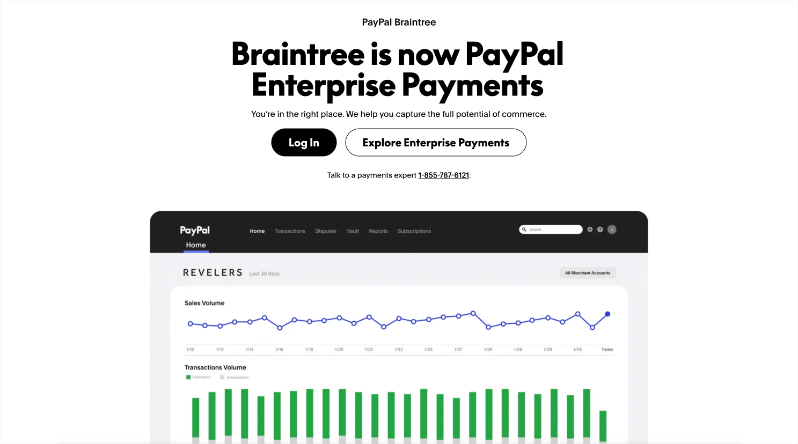
Braintree ranks strongly on my list for nonprofits that need global reach and advanced control. I’ve integrated it into WordPress sites for international campaigns, where you handle multiple currencies and methods without headaches. It’s now PayPal Enterprise Payments, backed by massive scale – $1.53 trillion in volume last year across 200+ markets.
Setup with Charitable takes about 15 minutes via their plugin. It supports cards, PayPal, Venmo, Pay Later, and local options in 50+ currencies. No setup fees, just standard rates around 2.9% + $0.30—talk to sales for nonprofit tweaks.
There’s also a sandbox that lets you test everything risk-free before launch.
Once live, donors pay seamlessly from anywhere. You get single-touch checkouts, mobile SDKs, and orchestration to route payments smartly. Braintree also includes fraud protection tool and is PCI compliant.
You can share payment data with your CRM or other tools easily.
It fits organizations scaling up with complex needs, like multi-country appeals.
That said, it leans toward larger teams – the dashboard suits high volume over simple events.
Highlights of Braintree for Non-Profits
- Global Payment Power: Accept donations using cards, PayPal, Venmo, and other options in over 200 markets and 50 currencies – all on one platform.
- Top Security: Enjoy peace of mind with PCI compliance and adaptive fraud management, protecting donations without any hassle.
- Easy Operations: Share data effortlessly across tools, test safely in a sandbox, and access real-time payouts anywhere in the world.
- Scale Without Limits: Handle up to 25 billion transactions a year, benefiting from PayPal’s 20 years of expertise.
See how you can maximize donations with Braintree »
5. Authorize.net
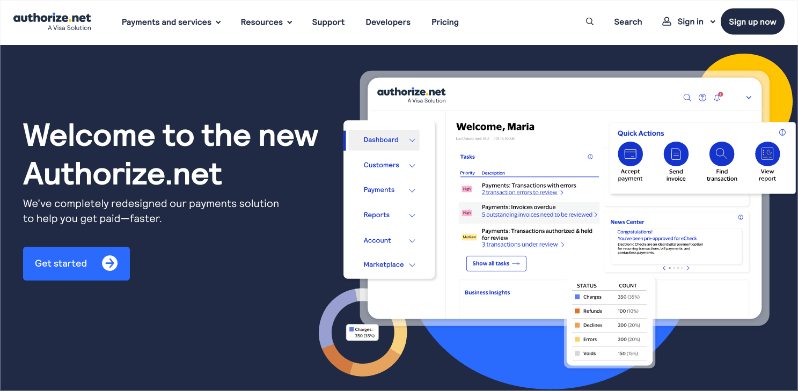
Authorize.net lands on my list for nonprofits handling high-volume or recurring gifts with tight security needs.
You get flexible online payments with credit cards, debit cards, eChecks, and major digital wallets like Apple Pay, Google Pay, and PayPal.
You can quickly add Buy Now or Donate buttons to your site for fast checkout. It also supports recurring donations.
For security, there are fraud tools like AIM block risks upfront.
You get reports to track everything, and your funds are settled in 1-2 days.
For customer service, there’s an AI agent + 24/7 live support.
The All-in-One pack costs $25 per month + 2.9% + 30¢ per transaction. The Gateway only pack costs $25 per month + 10¢ per transaction + a daily batch fee 10¢.
Highlights of Authorize.net for Non-Profit
- Robust Recurring Payment Options: Authorize.Net provides robust tools for setting up and managing recurring donations with options to automatically update expired card details, ensuring a consistent donation stream without interruption.
- Advanced Fraud Detection Suite (AFDS): Authorize.Net offers an Advanced Fraud Detection Suite that allows nonprofits to customize fraud filters to minimize risk and protect donor transactions effectively.
- Secure Card Processing: Comes with Advanced Fraud Detection Suite (AFDS) that helps identify, manage, and prevent suspicious and potentially fraudulent transactions.
- Flexible Payment Options: Accept donations through cards, eChecks, mobile, phone orders. Virtual Terminal for manual entry.
- Strong Reporting Tools: Detailed logs, exports, and CRM hooks. Track recurring and one-time donations with ease.
See how you can maximize donations with Authorize.net »
6. Mollie
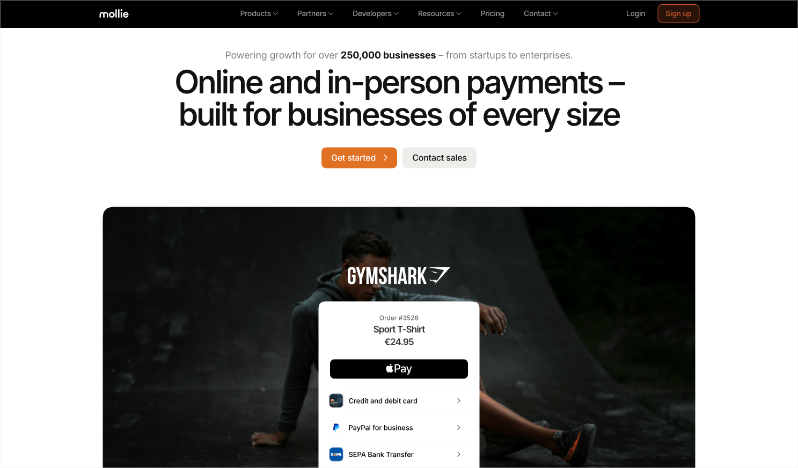
Mollie stands out for nonprofits seeking efficient, user-friendly, and versatile payment solutions. It’s perfect for organizations aiming to streamline their donation processes and expand their donor base across Europe and beyond.
Mollie offers a simple API that integrates easily with your existing website or platform, allowing for seamless online donation acceptance. Their flexibility in handling different payment methods makes it an attractive option for reaching a global audience.
You can accept a wide array of payment methods, including credit cards, major local payments, and digital payments like Apple Pay and PayPal. This allows donors to contribute using their preferred method, thus broadening your potential donor pool.
Mollie operates on a pay-per-transaction model without monthly fees, charging fees based on successful transactions. This ensures you only pay when donations are processed.
Key Features of Mollie for Non-Profits:
- Easy Integration: With Mollie’s clear and straightforward API, integrating into your website is simplified, making the setup process quick and easy. This integration ensures that you can start accepting donations smoothly and efficiently.
- Scalable Solutions: Whether you are a small nonprofit or a large international organization, Mollie’s platform scales with your needs. Their technology is built to handle high-volume transactions, ideal for organizations aiming to grow their operations.
- Comprehensive Security: Mollie adheres to strict PCI-DSS compliance, providing secure payment processing and reducing the risk of fraud, which is crucial for maintaining donor trust and confidence.
- Insightful Dashboard: Monitor all your transactions with Mollie’s intuitive dashboard, providing real-time insights. This feature helps you track donor activity and financial flows, aiding in strategic decision-making and financial planning.
See how you can maximize donations with Mollie »
7. Windcave
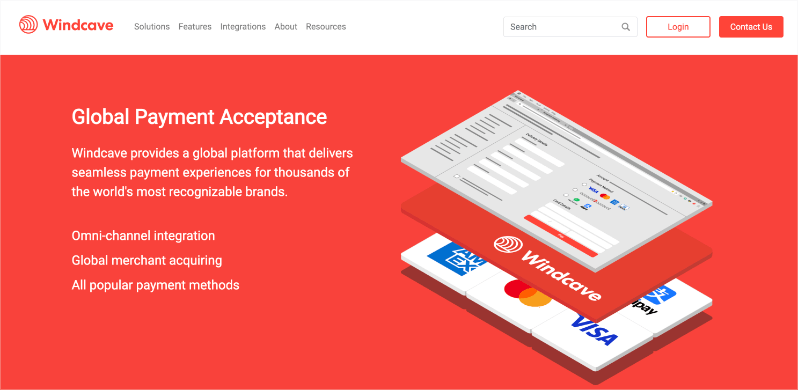
Windcave is an excellent choice for nonprofits looking to streamline their payment processing efficiencies, both online and offline. Known for its robust, secure, and flexible payment solutions, Windcave supports organizations in managing donations with ease.
Windcave offers a wide range of payment services that support different ways to process transactions. This helps organizations like yours gather donations effectively through various channels.
Windcave allows nonprofits to accept different types of payments, like credit and debit cards and digital wallets. This flexibility lets donors choose their preferred payment method, making it easier for them to donate.
Whether your nonprofit collects donations online, through a mobile app, or at events, Windcave easily connects with these platforms. This means you can process payments safely and smoothly, no matter how you receive donations.
Key Features of Windcave for Non-Profits:
- Global Reach: Accept donations internationally, helping you grow your donor base beyond local areas.
- Robust Security Measures: Keep transactions safe with advanced fraud protection and PCI DSS compliance, ensuring donor information is secure.
- Real-time Reporting and Analytics: Get detailed reporting tools that help you understand donation trends and donor behavior, making it easier to track and analyze data.
- Integrated EFTPOS Systems: Windcave uniquely offers integrated EFTPOS solutions that work seamlessly within existing retail environments, making it particularly useful for nonprofits with physical donation sites or charity shops.
- Customizable Solutions: Get solutions tailored to the unique needs of each nonprofit, providing the tools necessary for efficient operations whether your organization is large or small.
See how you can maximize donations with Windcave »
8. Paystack
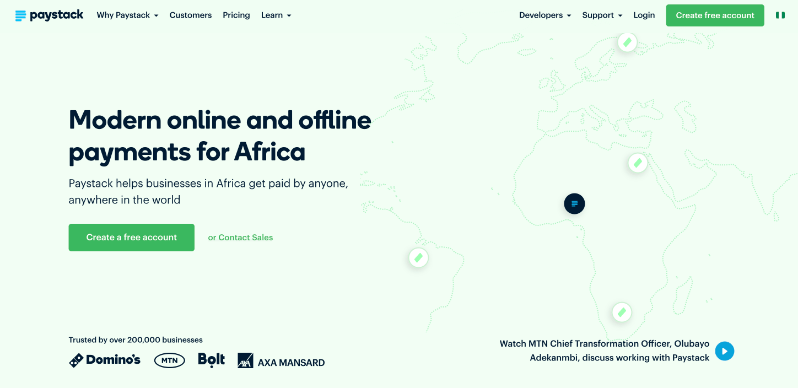
Paystack is a great option for nonprofits looking to accept donations both online and offline in Africa. It is designed to make payment processing smooth and reliable, making it easier for organizations to collect funds.
Since Paystack is specifically designed to meet the unique needs of the African market, it supports a wide range of local payment methods. This is particularly beneficial for nonprofits operating in or targeting donors in Africa. It becomes easier to navigate and address the region’s specific payment landscape effectively.
Your nonprofit can accept different payment types, including credit and debit cards, bank transfers, mobile money, and more. This makes it easy for donors to contribute in the way they prefer.
You can also set up regular donations, allowing donors to support your cause on a weekly, monthly, or yearly basis. This helps ensure a steady stream of support for your organization.
The integration process is easy whether you have a website, mobile app, or need to accept payments in person, Paystack integrates easily with your existing systems, ensuring a consistent donation experience.
Plus, you’ll get a dedicated support team that understands the local payment landscape.
And one more thing, Paystack is known for its developer-friendly APIs, which make it easy for nonprofits to customize and integrate payment solutions into their existing systems. This flexibility is particularly useful for organizations that require tailored solutions to meet specific operational needs.
Key Features of Paystack for Nonprofits:
- Secure Transactions: Paystack ensures payment security with advanced fraud detection tools. This keeps donor information safe and maintains their trust.
- Real-time Reporting: Use Paystack’s tools to see all your transactions as they happen. This helps you keep track of donations and understand donor habits.
- Custom Solutions: Paystack provides flexible tools to fit the specific needs of your nonprofit, helping you operate efficiently whether you are a small community group or a large organization.
- Automatic Payment Recovery: Paystack features automated tools to retry failed transactions, which helps nonprofits maintain donor contributions without manual follow-up efforts.
- Scalable Infrastructure: Paystack is designed to handle high transaction volumes, providing robust support for nonprofits of various sizes, from grassroots initiatives to large-scale organizations expanding their reach.
See how you can maximize donations with Paystack »
9. Payfast
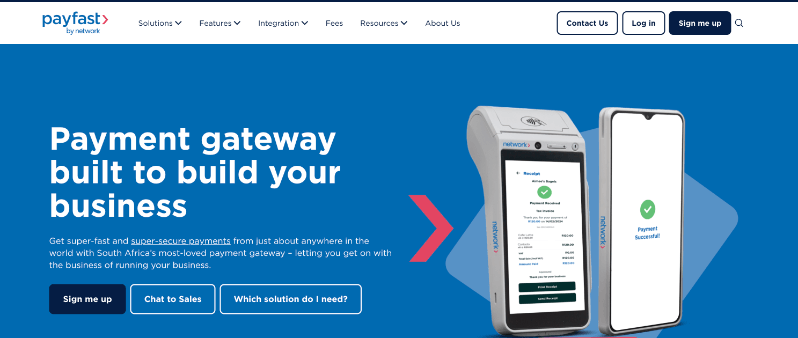
PayFast is another popular payment solution for nonprofits in South Africa, making it easy to accept donations online securely and efficiently.
It offers all the essential payment methods you’ll need including credit and debit cards, EFT (Electronic Funds Transfer), and mobile wallets.
It’s easy to integrate with your website, including popular platforms like WordPress, WooCommerce, Shopify, or if you have custom-built solutions. So you can set up and start accepting donations quickly.
One standout feature of PayFast is its Instant EFT option, which allows donors to make bank transfers that are processed immediately. This feature conveniently bypasses the usual delay of traditional EFTs, making it a popular choice for South African donors who prefer direct bank payments.
PayFast does not charge monthly or setup fees, meaning nonprofits only pay per transaction. This cost structure is attractive for organizations looking to minimize overhead costs while maximizing the funds available for their missions.
Key Features of PayFast for Nonprofits:
- Instant EFT Payments: PayFast offers Instant EFT, a feature that allows for immediate bank transfers without the typical EFT delay, making it easier for donors in South Africa to contribute quickly and conveniently.
- Zero Monthly Fees: PayFast charges no monthly or setup fees, operating instead on a pay-per-transaction basis. This cost structure is beneficial for nonprofits looking to minimize overhead expenses.
- Comprehensive South African Payment Support: PayFast is optimized for the South African market, supporting local payment methods such as SnapScan and Mobicred, which cater specifically to the preferences of South African donors.
- Enhanced Security Features: PayFast provides robust security measures, including PCI DSS compliance, safeguarding donor transactions and information, thereby maintaining trust and security with supporters.
See how you can maximize donations with Payfast »
10. Payrexx
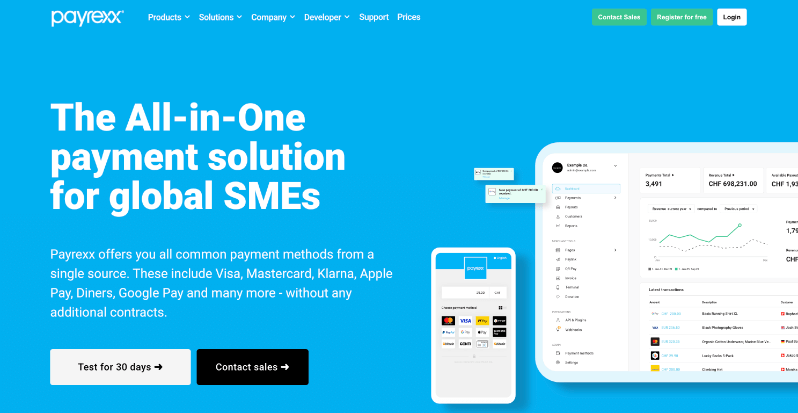
Payrexx deserves a spot on my list for nonprofits in Europe, especially Switzerland, where you need Swiss-specific payments like TWINT or PostFinance without jumping through hoops. I’ve hooked it up to WordPress sites for orgs running cross-border campaigns, and it pulls in donors who favor local options over cards alone.
Donors pay via Visa, Mastercard, PayPal, Apple Pay, Google Pay, TWINT, PostFinance, Klarna, invoices, and 20+ more, all on a mobile-optimized page. No setup fees; nonprofits get 50% off subscriptions, with per-transaction costs like 1.95% + CHF 0.30 for cards. Payouts land fast, often same-day after approval.
Once running, recurring donations and custom forms match your branding perfectly. QR codes, payment links, and digital invoices speed one-offs or events. Plus, Swiss customer service is ever ready to help you with any issues you may face.
It fits smaller-to-mid orgs scaling donations with minimal admin – fewer contracts, more cash for your cause.
Payrexx stands out for its no-code environment, which means you can set up and customize your payment solutions without needing any programming skills. This makes it accessible for nonprofits of all sizes.
Highlights of Payrexx for Non-Profits
- Swiss & Euro Payment Power: Get TWINT, PostFinance, Klarna, cards, PayPal, 20+ methods to cater to hyperlocal audiences.
- Nonprofit Discounts: Grab a 50% discount on subscriptions + low per-transaction fees.
- Recurring & Custom Forms: Make it easy for donors to set up monthly pledges. Publish branded donation pages and send QR links and invoices.
- Fast, Secure Swiss Service: You get same-day payouts post-approval. Plus, Payrexx is PCI safe with fraud minimized.
See how you can maximize donations with Payrexx »
11. RazorPay for India
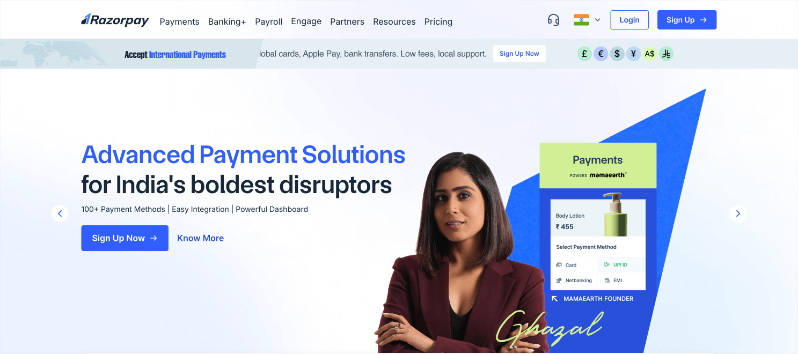
Razorpay claims its bonus spot on my list as the go-to for nonprofits in India. I’ve integrated it into WordPress sites for local campaigns where UPI, netbanking, and wallets dominate. Donors can give instantly without card friction, and 80G receipts are auto-generated. This saves you tons of time on admin tasks.
Razorpay integrates smoothly, allowing nonprofits to quickly start accepting donations without complex setups.
Donors pick from cards, UPI, wallets, EMI, PayLater, or bank transfers, all on a mobile-first page. Fees are at about 2% flat, with zero setup costs and fast daily settlements for quick mission use.
Once live, you can also set up recurring pledges for monthly support. You can create tailored payment pages for your campaigns, making it easy to collect donations through a simple and user-friendly interface.
With robust security measures in place, Razorpay ensures that all transactions are safe and secure, protecting donor data and building trust.
Beyond donations, Razorpay offers a full suite of financial solutions, including loan management and vendor payouts, which can be beneficial for nonprofits managing comprehensive financial operations.
Highlights of Razorpay for Non-Profits
- Comprehensive Indian Market Focus: Razorpay is specifically tailored for the Indian market, offering localized payment solutions like UPI and supporting a wide array of regional payment methods.
- End-to-End Financial Suite: Beyond payment processing, Razorpay provides additional financial services like loan management and vendor payouts, offering a complete financial solution for nonprofits.
- Instant Activation: Razorpay offers quick account setup and activation, enabling nonprofits to start receiving donations rapidly without lengthy delays.
- Smart Automation: Razorpay features automated features like payment reminders and retries for failed transactions, enhancing donor retention and ensuring a smoother donation experience.
That’s the list of the top payment gateway solutions for non-profits. Each one has unique features so I recommend choosing the right one and always reading reviews, features, and pricing.
Next, I’ll show you how you can easily set up these payment gateways on WordPress. First, we need the right tool that makes payment integration a breeze.
Charitable: The Ultimate Payment Integration Solution for WordPress
Charitable is the top-rated WordPress donation plugin with 1+ million downloads. You get everything needed to launch campaigns without coding or high fees.
With Charitable, you can quickly create appealing, fully customizable fundraising campaigns directly on their WordPress sites.
It transforms your WordPress site into a full fundraising machine, without code, without hassle, without limits. I’ve launched hundreds of campaigns, from local food drives to million-dollar global pushes, and it always delivers more donations with less work.
You can launch campaigns, donation forms, and donate buttons. You get readymade templates + a visual drag and drop builder. Settings can be configured in a dedicated page. All with just a few clicks. There’s no coding needed.
Here’s a sneak peek at one of the fundraiser campaigns you can create:
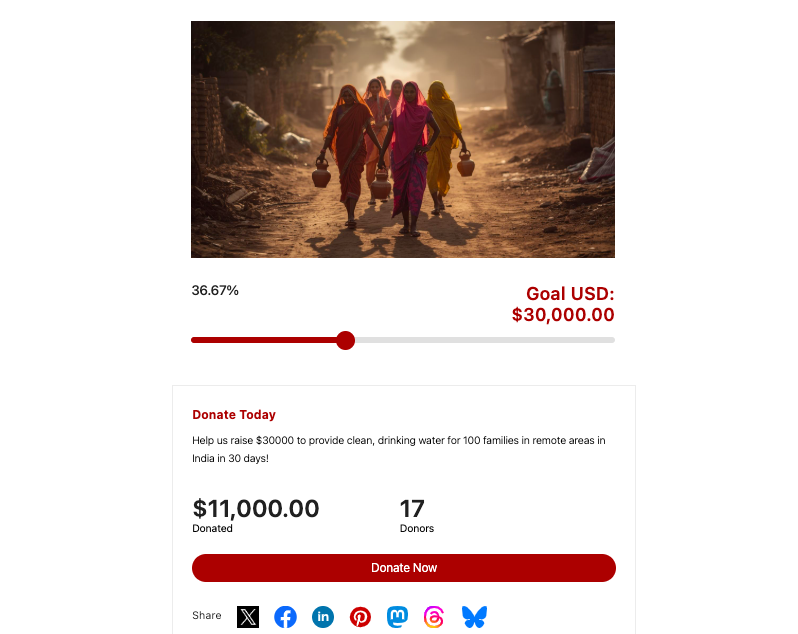
The plugin supports seamless integration with major payment gateways, allowing you to accept donations via credit cards, PayPal, and other popular methods effortlessly.
Now here’s the best part. You can include specific payment options and tailor the donor experience for every campaign you create. So if you’re targeting an African market, you can enable Payrexx or Paystack for that campaign only.
All payments processed through Charitable are protected by industry-standard security protocols, including SSL encryption and compliance with PCI standards. This ensures that donor data is kept confidential and secure.
Need one-time or recurring donations? Set it up with just a few clicks. After that, your donors can pick their contribution amount and frequency. The rest runs automatically. Payments are charged on schedule, receipts are generated instantly, and donation records and reports are created for you.
Added to all this, you get valuable insights from real-time reporting and analytics tools. Charitable offers detailed transaction reports, helping you track campaign performance and donor engagement efficiently.
There’s a lite version you can try out for free, which gives you access to all the essential fundraising tools that include
- Unlimited Campaigns and Forms
- Templates + Visual Builder
- Stripe, PayPal, Square, and Offline Donations
- Donation Management
Get the Lite version here. It’s great for small non-profits or if you’re testing the waters.
Our Charitable Pro plugin gives you access to premium features that include:
- Readymade Reports
- PDF Receipts
- Custom Emails
- Donor Dashboard
- Comments & Leaderboards
- Recurring Donations
- Fee Relief
- Email Integrations
- Peer-to-Peer & Crowdfunding
…and so much more! See Charitable Pro vs Lite to get the full picture.
Ready to give Charitable Pro a try?
Sign up today and get up to 50% off on your plan. We’re confident you’ll love raising funds with Charitable. If, for any reason, Charitable is not the right fit for you, we’ll refund your purchase with our 14-day money-back guarantee.
Using another fundraising software and want to make the switch? It’s easy. See our guide on migrating to Charitable »
How to Integrate Payment Gateways with Charitable (Code-Free)
Charitable integrates seamlessly with all the gateways on this list – PayPal, Stripe, Square, Authorize.net, Braintree, Mollie, Windcave, Paystack, Payfast, Payrexx, and Razorpay, plus offline donations. No coding required. I’ve launched dozens of campaigns this way, and donors start giving within 15 minutes of setup.
First, you need to make sure Charitable is installed and activated on your site. Prefer a video tutorial? Watch our YouTube guide:
Now, under Charitable » Settings » Payment Gateways, you’ll see all the gateway options available to you. You can turn on test mode with just a click. This ensures you can safely set up and test your gateway before making it live.
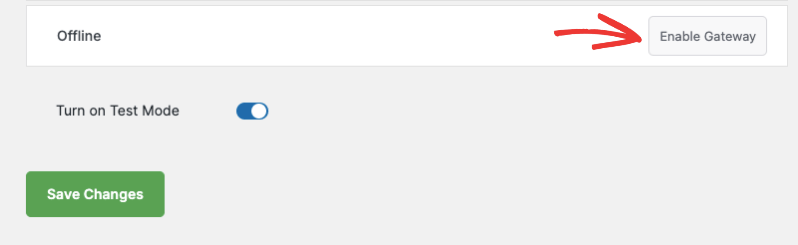
Now simply click on ‘Enable Gateway’, then use the Gateway Settings button to go to the settings page.
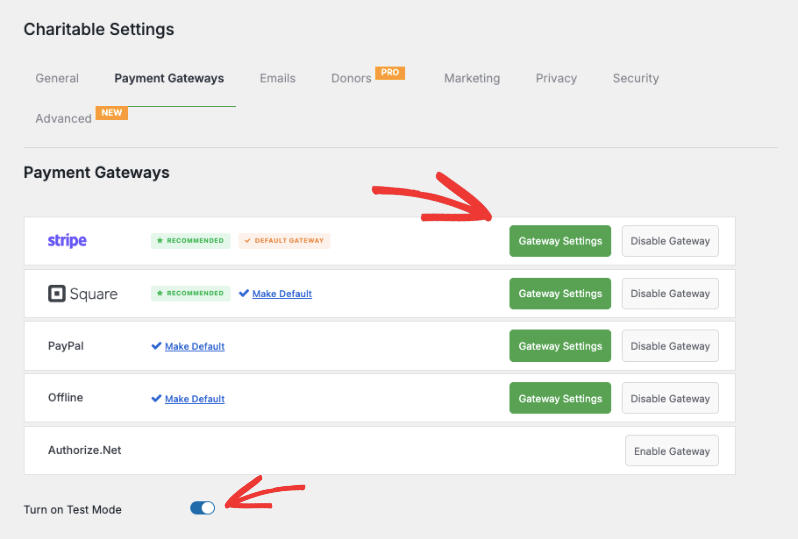
Here, you can follow the onscreen instructions. This usually asks you for your API keys that you can get inside your payment gateway account.
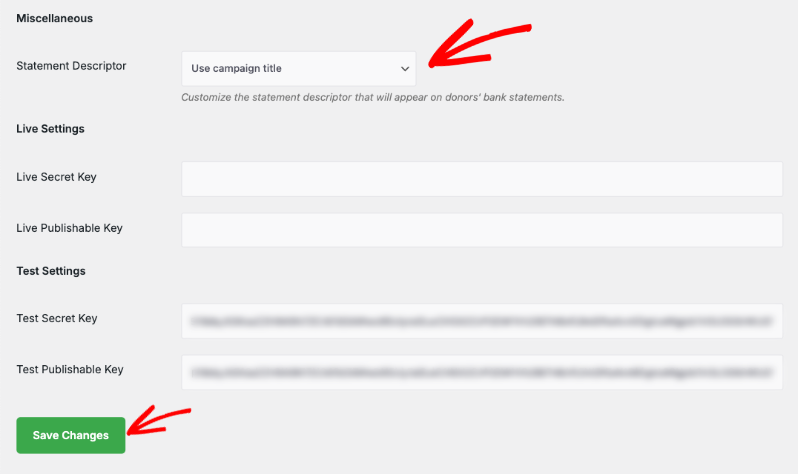
It’s that easy. See the full guide on Setting Up Payment Gateways »
Need gateway-specific documentation? Choose your gateway from the list below:
- PayPal
- Square
- Stripe
- Authorize.Net
- Gocardless
- Braintree
- Windcave
- Payfast
- PayUMoney
- Payrexx
- Paystack
- Mollie
Bonus: Enable Offline Donations
Offline donations keep your fundraising alive when the internet drops, or donors prefer cash and checks at events. I’ve managed hybrid campaigns where online forms fed into manual tracking, and tools like Charitable make the handoff seamless without double-entry headaches.
In Charitable, you can enable Offline Donations and add instructions on how the donor can mail you a check or pay through a different channel.
Enable Offline Donations in your payment gateway settings.
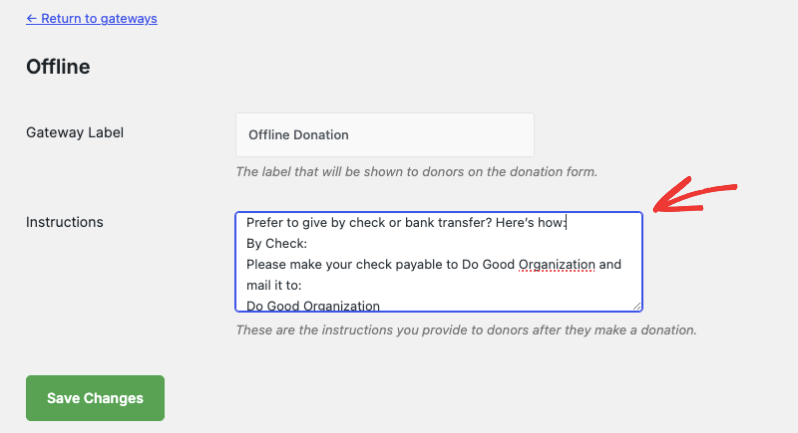
Use the Gateway Settings button to go to the next page, where you can clearly explain how donors can give by check or bank transfer directly on the donation form.
You can add custom instructions (e.g., who to make checks payable to, where to send them, or bank details for wire transfers).
Once you receive an offline donation, add it manually in your Charitable dashboard so it’s counted toward your goals and included in your reports.
When you record an offline donation, Charitable can send a personalized email receipt (just like with online donations), making every supporter feel appreciated.
All your donations – online and offline – will appear in your reports, so you always have a complete view of your fundraising progress.
Learn how to set up Offline Donations here »
I hope you found this guide helpful. You may also want to explore more of our free resources.

Charitable Has 1+ Million Downloads!
Trusted by over a million downloads to power successful fundraising campaigns.
Try Charitable risk-free today.
✅ 14-day moneyback guarantee ✅ Transparent pricing ✅ Code-free setup
Stay Connected for More Nonprofit Resources
For more tutorials and videos tailored to nonprofits, subscribe to our YouTube channel. We regularly publish expert tips, step-by-step guides on fundraising strategies, and practical resources to help your organization succeed.
🗞️ Get weekly tips and exclusive guides in your inbox
Join our newsletter →
🎥 Watch step-by-step tutorials and success stories
Subscribe to our YouTube channel →
👩🏽💻 Connect with our community and get daily nonprofit insights
Follow us on LinkedIn →
🥳 Fun reels and non-profit insights
Follow us on Instagram →
👀 Insightful & fun videos to help you grow your cause
Follow us on TikTok→
🌎 Subscribe and follow for general fundraiser tips
Get Fundraiser Tips on TikTok →
You’ll also definitely want to download our free fundraising kit that’s packed with tips, campaign ideas, strategies, recommended tools, and free resources.
Download The Ultimate Fundraising Kit Now »
FAQs on Payment Gateways
How do I choose the best payment gateway for my non-profit?
Nonprofits should consider factors such as transaction fees, ease of integration, security features, and the ability to support multiple currencies and payment methods.
What are transaction fees and monthly fees?
Transaction Fees: These are charges applied by payment gateways each time a donation or transaction is processed. Typically, transaction fees are structured as a percentage of the transaction amount plus a fixed fee. For example, a payment gateway might charge 2.9% + $0.30 per transaction. These fees cover the cost of processing payments and managing transaction security.
Monthly Fees: These are regular charges that some payment gateways may apply for using their services. Monthly fees can cover access to certain features, such as enhanced support, advanced reporting tools, or higher transaction limits.
Not all payment gateways charge monthly fees; many offer plans without them, especially those targeting small businesses and nonprofits seeking to minimize overhead costs.
How long does it take for funds to be transferred to a nonprofit’s account?
Transaction settlement times can vary depending on the payment gateway and the donor’s payment method. Typically, funds are transferred to a nonprofit’s bank account within 1-3 business days, though some gateways offer instant payout options, sometimes at an additional fee.
Which payment gateways does Charitable support?
Charitable includes Stripe, Square, PayPal, and Offline Donations by default. For additional options, there’s Authorize.Net, Braintree, Mollie, GoCardless, Windcave, Payfast, Payrexx, Paystack, and PayUMoney to match your donors’ preferred payment methods.
What’s the difference between Charitable Lite and Pro?
Charitable offers a Lite version, which is free to use. There’s no upfront fee but you’ll only incur a 3% fee on your transactions from our end. We also offer a Charitable Pro plugin that starts at $69 per year. There’s no transaction fees, just the annual fee. It comes with advanced features such as recurring donations, donor management, donor portal, and much more. See the difference between Charitable Lite vs Pro »
How do I upgrade to Charitable Pro?
It’s easy. follow our guide here: How to Upgrade to Charitable Pro.
How do I enable or disable a payment gateway?
Navigate to the Charitable » Settings » Payment Gateways tab. Click “Enable Gateway” to activate a payment method or “Disable Gateway” to turn it off. We recommend enabling multiple gateways to give donors more payment options and reduce cart abandonment.
What’s involved in configuring my payment gateway settings?
After enabling a gateway, click the green “Gateway Settings” button to connect your account. You’ll typically need to authenticate with your payment provider or enter API keys. Test your setup with a small donation before launching your campaign to ensure everything works smoothly.
How do offline donations work with Charitable?
Enable Offline Donations to accept checks, cash, or bank transfers. Add clear instructions on your donation form explaining payment methods, mailing addresses, and bank details. When you receive offline gifts, manually record them in your dashboard to maintain accurate fundraising totals and send proper receipts.
Will my fundraising reports include both online and offline donations?
Yes, all donations, regardless of payment method—, ppear in your reports and count toward campaign goals. This gives you a complete picture of your fundraising progress and helps with donor stewardship and tax reporting.
What if I’m already using Easy Digital Downloads for payments?
Charitable’s EDD Connect extension integrates seamlessly with your existing EDD setup. All donations process through EDD’s checkout system using your current payment gateways, while Charitable handles the fundraising campaign management and donor tracking.
Are there video tutorials available?
Yes! Subscribe to the Charitable YouTube channel for step-by-step tutorials and success stories.
Have more questions? If you are a Lite/free user of Charitable, you can reach out to our team on the WordPress.org support forums. If you have an active license, feel free to reach out to us directly for priority support.







Leave a Reply