
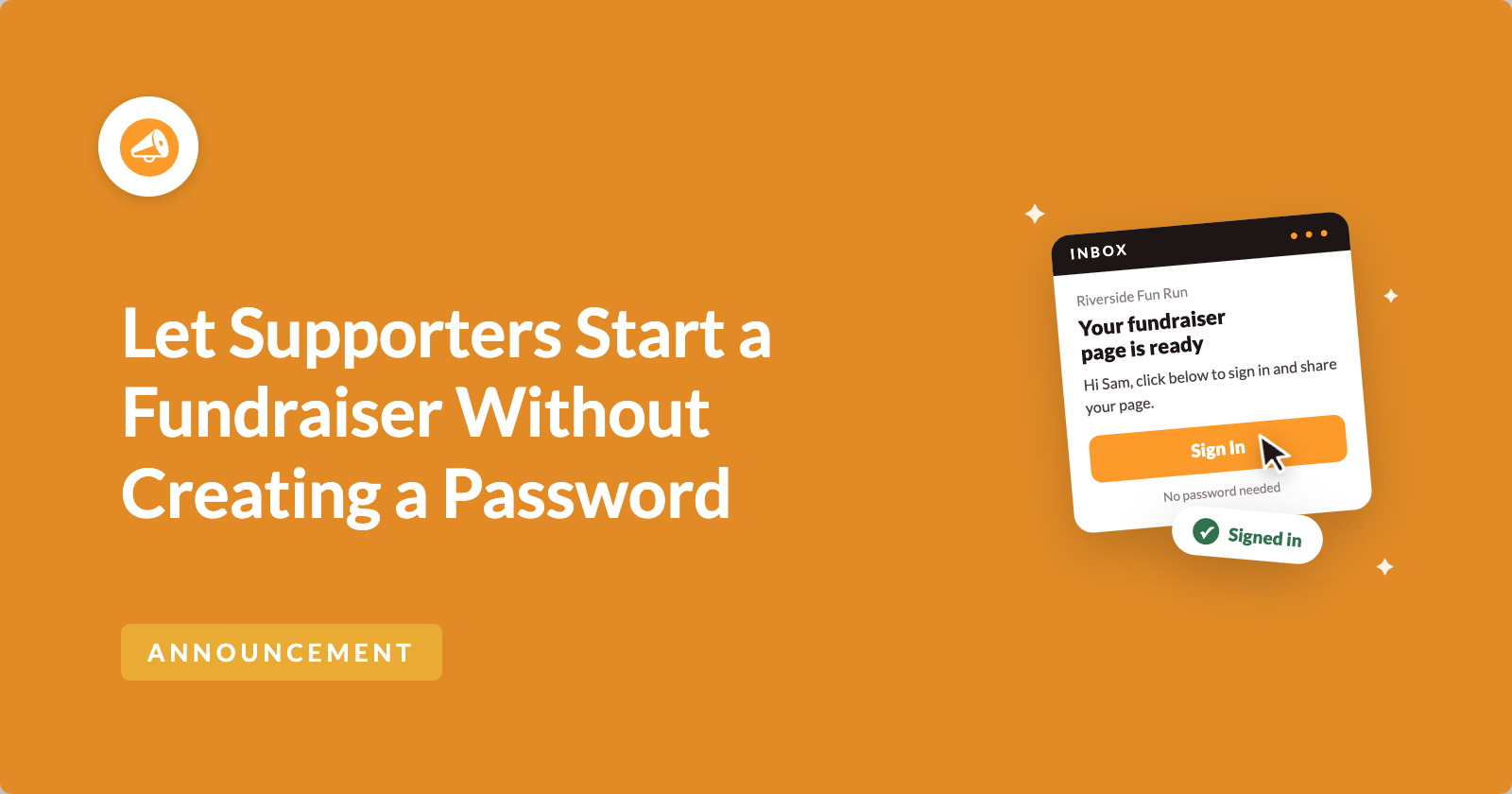
Do you lose would-be fundraisers at the password step?
They arrive wanting to help. It might be a parent signing up for a class read-a-thon, or a runner who said yes to a colleague. They type their name, their email and the title of their page.
Then the form asks them to make up a password for a website they may only visit twice. This is where a lot of people stop, and many of them never come back to finish.
So we’ve removed that step! Passwordless Fundraiser Accounts, new in Charitable Ambassadors 3.5.0, let supporters start a fundraiser with just their email address.
They get one email, click the link inside, and land on their page already signed in. 🔑
Here’s What Passwordless Fundraiser Accounts Look Like
It all starts with one setting on your Submit Form screen.

When it’s on, the create-fundraiser form has no password field. Your fundraiser gets one email with one link in it.
That link confirms their email address and signs them in, then takes them straight to My Campaigns with their fundraiser page ready. Their account is created the moment they click it.
See It in Action
If you’d rather watch than read, here’s the short version of everything below.
It’s Still a Real WordPress Account
“Passwordless” means different things on different websites, so here’s exactly what happens in Charitable.
A real WordPress account is still created for your fundraiser. It just never has a password they had to choose. That account is what lets them come back later to edit their story, change their photo and see who has donated.
Returning fundraisers, meaning people who already have a fundraiser page with you, sign in the same way. They ask for a new sign-in link and click it. There’s no “forgot password” email to wait for, and no support request lands in your inbox.
Passwordless Fundraiser Accounts are part of Charitable’s peer-to-peer fundraising feature, in the Charitable Pro plugin, Pro plan and higher.
When You’ll Feel the Difference
Some campaigns bring in supporters who didn’t come looking for your website. These are the ones where a shorter sign-up helps most.
- 🏫 School and youth programs. Families often sign up on a phone, and often for a child rather than themselves. The password step is where many of those sign-ups stop.
- 💼 Workplace and team campaigns. Colleagues sign up because someone at work asked them to. A short form makes it easy for them to say yes.
- 🕯️ Memorial and tribute fundraisers. Someone organizing a memorial fundraiser shouldn’t have to manage another login.
- 📱 Campaigns with a QR code. Someone scanning a code at an event is usually standing up with a phone in one hand. A form with no password field is much easier to finish there.
You Decide for Each Campaign
Most organizations want one answer for the whole site. But some need a mix.
A school might want passwordless sign-up for families and accounts with passwords for staff. And if a campaign pays fundraisers out through Stripe Connect, they’ll need an account with a password, because Stripe Connect asks them to confirm who they are.

Each peer-to-peer campaign can follow your site default, or turn passwordless sign-up on or off for that campaign alone. You’ll find the choice in the campaign’s own Peer to Peer Fundraising panel, and the default option tells you what your site setting is right now.
See Who Hasn’t Clicked Their Link Yet
A couple of days into a campaign, most organizers want to know if their fundraisers actually got in.
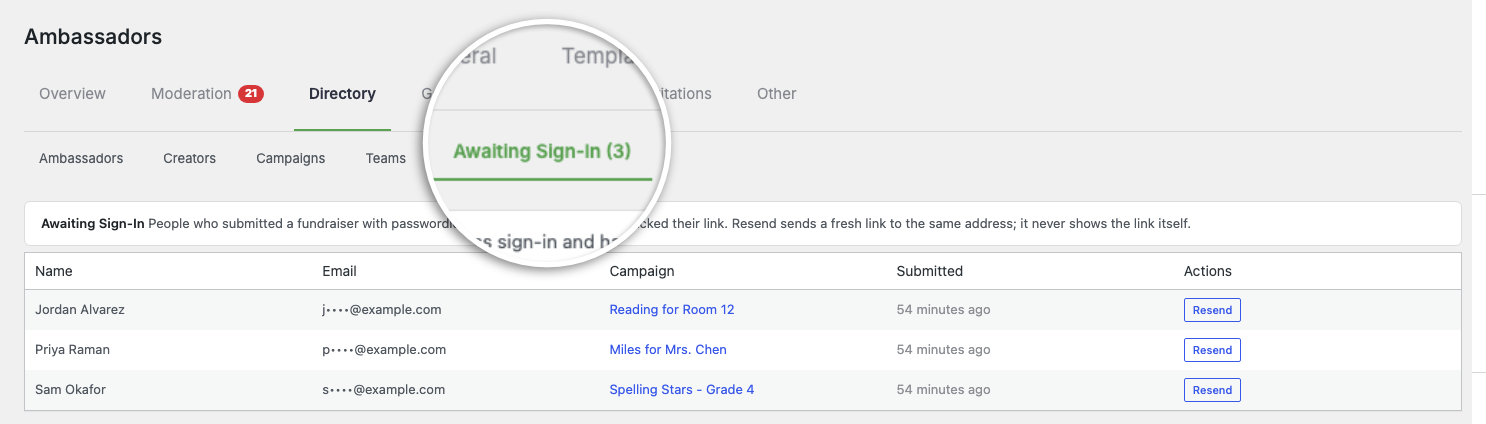
The Charitable » Ambassadors » Directory » Awaiting Sign-In tab answers that. It lists everyone who submitted a fundraiser but hasn’t clicked their link yet, along with the campaign they signed up for and a Resend button.
If someone typed their address wrong or the email landed in spam, you’ll spot it here and can send a fresh link. Email addresses are partly hidden by default, so the screen stays useful without showing everyone’s full address.
Your Moderation Settings Still Decide What Goes Live
What happens after your fundraiser clicks depends on the moderation settings you already have.
If the parent campaign needs approval, the fundraiser goes into your moderation queue when they click. That’s the same place a sign-up with a password would land. If the campaign approves fundraisers automatically, their page goes live straight away.
Your review step stays exactly as it is. Passwordless sign-up only changes how your fundraiser proves who they are.
Built-In Checks for Your Site’s Email
The whole sign-up depends on one email arriving. So Charitable checks your email setup and tells you when something is wrong.
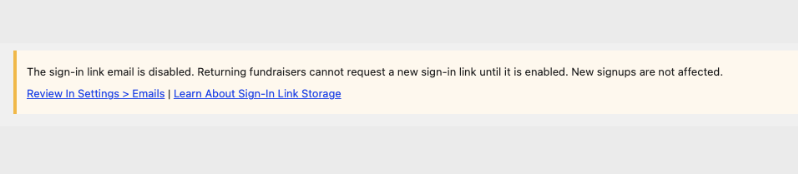
If something would stop a fundraiser getting in, a notice appears on the Submit Form screen. It tells you if the sign-in link email is switched off, or if the database table that holds sign-in links is missing.
Each notice says what the problem means and links to the screen where you can fix it.
Sign-In Links That Email Scanners Can’t Use Up
Many work email systems and link previews open every link in a message before the person reads it. That could use up a one-time link before your fundraiser ever sees it.
So opening the link only shows a page. Your fundraiser is signed in when they press the button on that page, and a scanner never presses it.
Each link works once and expires on its own. It’s stored only in scrambled form, called a hash, never as the link itself. Asking for a new link cancels the old one, so each person only ever has one working link.
You can read the full detail in How Sign-In Link Data Is Stored.
Set Up Passwordless Fundraiser Accounts in a Few Minutes
There’s one setting to switch on, and one test to run.
Step 1: Update Charitable Ambassadors
To get started, update Charitable Ambassadors to 3.5.0 from Plugins » Installed Plugins.
Step 2: Switch On Passwordless Accounts
Next, head over to Charitable » Ambassadors » Templates » Submit Form and switch on Passwordless Accounts.
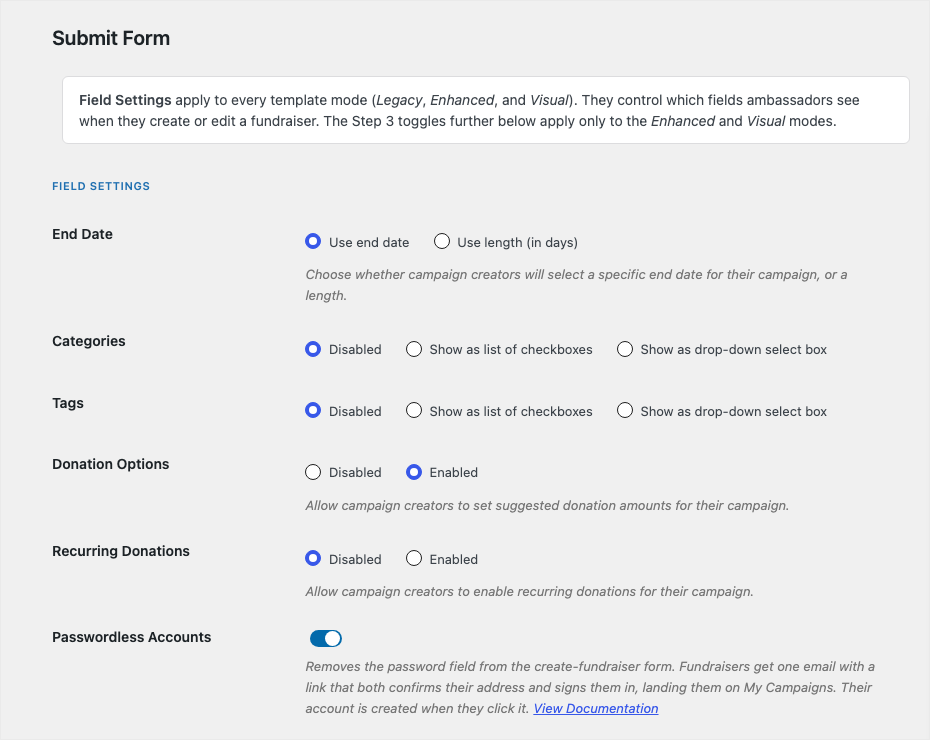
The first time you switch it on, Ambassadors creates one small database table to hold sign-in links. It tells you when that’s done.
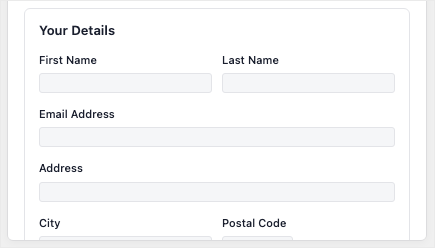
Step 3: Send Yourself a Test Sign-Up
Then submit a test fundraiser with an email address you can read. It takes about 2 minutes, and it’s the quickest way to check your site’s email works before real supporters rely on it.
Once the email arrives and the link signs you in, you’re ready to share your campaign!
Read the Full Passwordless Fundraiser Accounts Guide →
For Agencies and Developers
Filters, Actions and Template Overrides
Return false from the charitable_ambassadors_awaiting_mask_email filter to show full email addresses on the Awaiting Sign-In tab. The charitable_ambassadors_passwordless_storage_docs_url filter changes the documentation link shown in the settings help text and the email notices.
The charitable_ambassadors_passwordless_redeemed action runs after a sign-in link is used and the account is resolved. It receives the user ID, the purpose of the link and the campaign ID.
Both public screens can be overridden in your theme, at your-theme/charitable/charitable-ambassadors/passwordless/redeem.php and notice.php in the same folder.
Account Role and Rate Limits
Accounts created this way get the campaign_creator role, which carries only edit_campaigns and read. There’s deliberately no filter to change that.
New links are rate limited per email address, not per IP address. A whole school or office often shares one IP address, and a limit per IP would lock out real families. The token’s 256 bits of randomness protect against guessing instead.
FAQs on Passwordless Fundraiser Accounts
Which Plan Do I Need for Passwordless Fundraiser Accounts?
You’ll need the Charitable Pro plugin 1.8.16+, Pro plan and higher, with Charitable Ambassadors 3.5.0.
Does This Replace Passwords for Everyone?
No. It covers fundraiser sign-up and sign-in only. Donors never needed an account, and your own admin login doesn’t change.
What Happens to Fundraisers Who Already Have Passwords?
Nothing changes for them. They keep their passwords and sign in the way they always have.
What If a Supporter Would Rather Have a Password?
You can switch passwordless sign-up off for that campaign, or for the whole site. The choice is yours for each campaign.
What If the Email Doesn’t Arrive?
Check the Awaiting Sign-In tab and press Resend. If other emails from your site are missing too, the notices on the Submit Form screen will usually tell you why.
Is Passwordless Sign-In Secure?
Yes. Links work once, expire on their own, are stored as a hash, and can’t be used up by an email scanner. The account created is a standard fundraiser account with no extra permissions.
Get Started With Passwordless Fundraiser Accounts
Passwordless Fundraiser Accounts are available now in the Charitable Pro plugin 1.8.16+, Pro plan and higher, with Charitable Ambassadors 3.5.0. Update Ambassadors, switch on the setting, and send yourself one test sign-up.
Read the Passwordless Fundraiser Accounts Documentation →
Not Yet on a Charitable Paid Plan?
Charitable Has 1.2+ Million Downloads!
Trusted by millions to power successful fundraising campaigns. Try Charitable risk-free today.
✅ 14-day money-back guarantee
✅ Transparent pricing
✅ Code-free setup
What’s New in Charitable
We also launched several powerful features and improvements recently.
🖨️
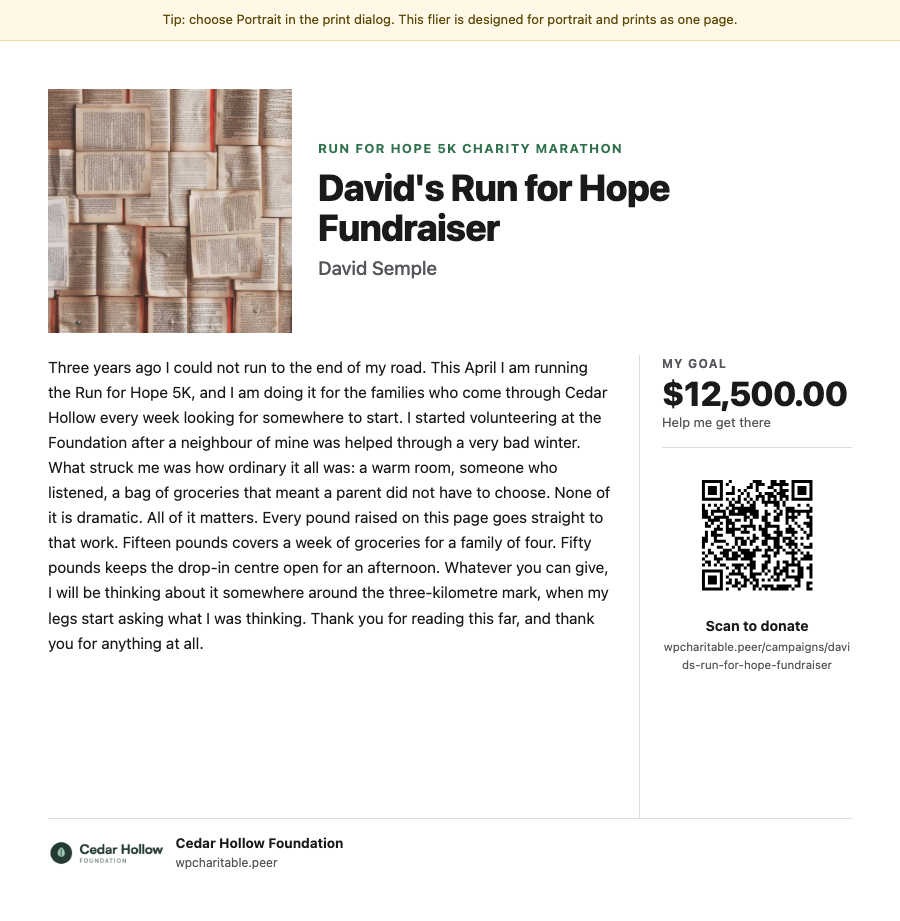
Print a flier or poster with a fundraiser’s own story and QR code to raise money away from the screen.
📊
Compare periods, export your numbers and see which change could help you raise more.
🎟️
Sell event tickets through the same donation forms and payment gateways you already use.
🤖
Ask your AI assistant to build, edit and manage your fundraising campaigns for you.
💰
Donors set up a monthly gift once on Windcave, and Charitable bills every renewal on schedule.
We’ve been adding to Charitable constantly, with features and improvements designed to help you raise more and serve your donors better. See everything we’ve shipped at the Charitable Changelog.
Not yet a Charitable Pro user? Sign up today and get up to 50% off on your plan. We’re confident you’ll love raising funds with Charitable. If, for any reason, Charitable is not the right fit for you, we’ll refund your purchase with our 14-day money-back guarantee. Get Charitable Pro Now »
Stay Connected for More Nonprofit Resources
For more tutorials and videos tailored to nonprofits, subscribe to our YouTube channel. We regularly publish expert tips, step-by-step guides on online donations, fundraising strategies, and practical resources to help your organization succeed.
🗞️ Get weekly tips and exclusive guides in your inbox
Join our newsletter →
🎥 Watch step-by-step tutorials and success stories
Subscribe to our YouTube channel →
👩🏽💻 Connect with our community and get daily nonprofit insights
Follow us on LinkedIn →
🥳 Fun reels and non-profit insights
Follow us on Instagram →
👀 Insightful & fun videos to help you grow your cause
Follow us on TikTok→
🌎 Subscribe and follow for general fundraiser tips
Get Fundraiser Tips on TikTok →
Powerful Fundraising Resources
🤖 Use Charitable with Your AI Assistant
⬇️ Download proven strategies, campaign ideas, and expert tools
Get the Fundraising Kit →
💸 Get Free Fundraising Resources
Head to the Charitable Fundraising Hub →
🤔 Got questions about Charitable?
Charitable FAQs →
🏎️ Take Charitable for a spin
Create your Charitable Demo →
Understand non-profit terms and jargon
Non-Profit Glossary →
% Looking for non-profit deals and discounts?
Best Non-Profit Deals and Discounts →






Leave a Reply