
Requires: Charitable Pro 1.8.16+
Charitable Ambassadors 3.0.0+
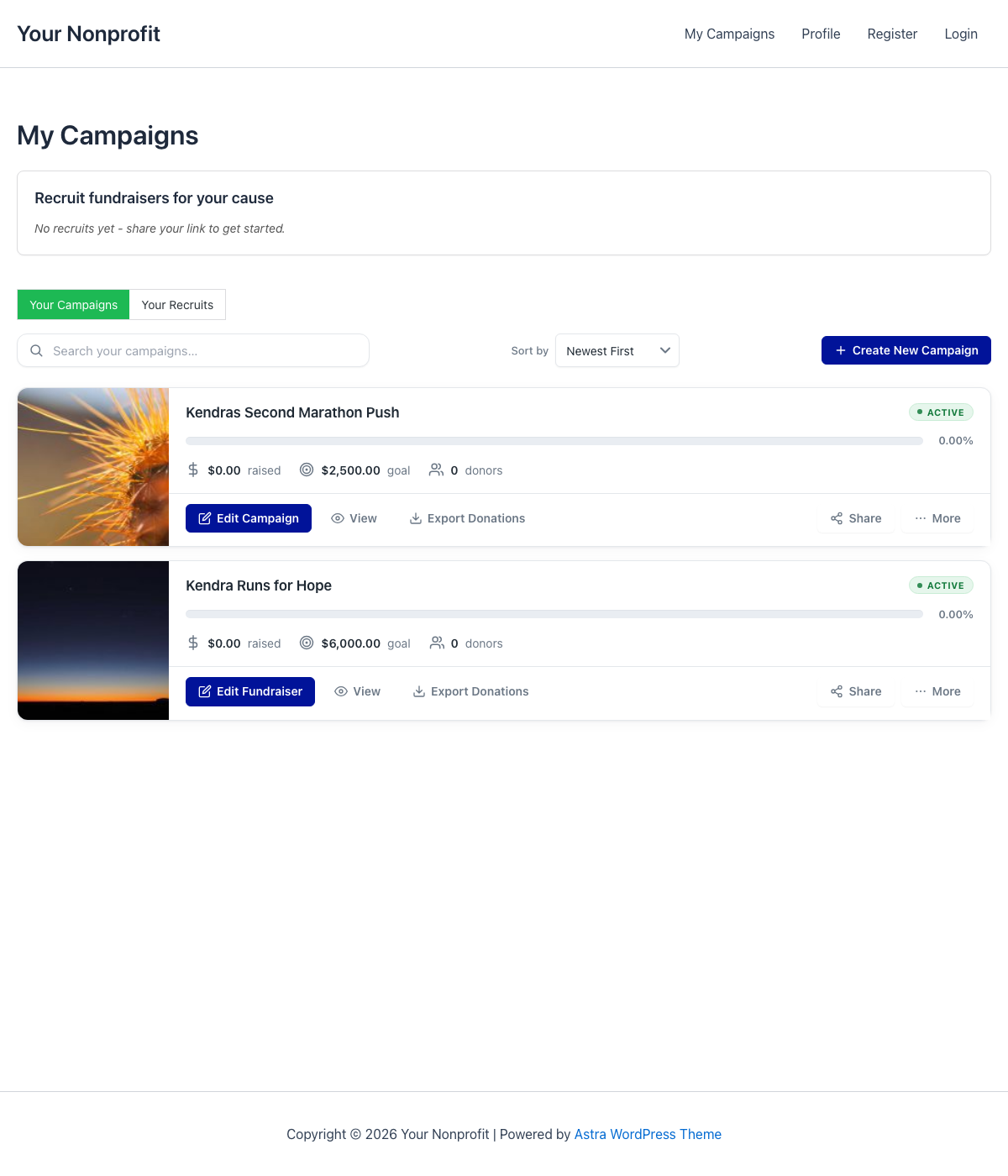
My Campaigns is the page each ambassador lands on after they sign in – their personal dashboard for the fundraisers they’ve created. It’s where they see how much they’ve raised, edit a fundraiser, copy a share link, recruit new ambassadors (if Invitations is on), and pop into editing mode.
The page is rendered by a single shortcode ([charitable_my_campaigns]) and styled by the same template chooser as the Fundraiser Page – so a site running enhanced templates gets an enhanced My Campaigns; a site running legacy gets the legacy view.
When You’d Use It
- Setting up onboarding – the Setup Wizard’s Pages step creates a
/my-campaigns/page automatically. Visit it once to confirm the shortcode rendered. - Tuning the layout – hide the thumbnail, hide the share button, default to “most raised” sort, etc. – all without touching code.
- Adding to an existing page – if you already have an “Account” page, drop
[charitable_my_campaigns]inside an existing section.
Where to Find My Campaigns in Ambassadors
In your WordPress admin, go to Charitable » Ambassadors » My Campaigns.
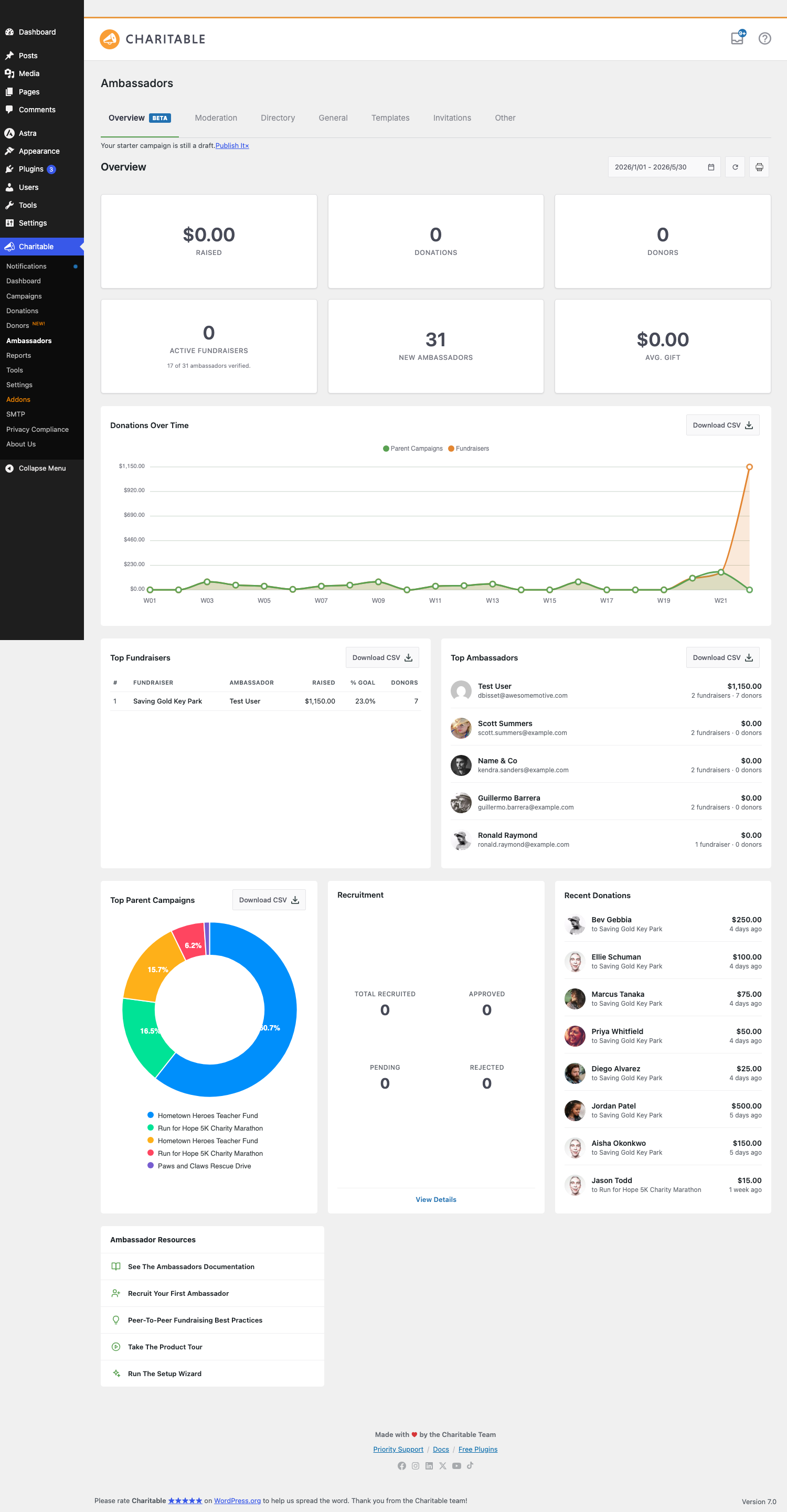
The sub-tab has two halves: a settings column on the left, a live preview of the visitor-facing page on the right. The preview updates as you toggle settings so you can see the effect without flipping browser tabs.
The My Campaigns Settings
| Setting | Default | What it controls |
|---|---|---|
| Show Search Bar | On | The search input above the campaign list. |
| Show Sort Dropdown | On | The sort dropdown above the list. |
| Default Sort Order | Newest First | The initial sort the page loads with. Options: Newest First, Oldest First, Most Raised, Closest to Goal, Ending Soon. Applies even if the dropdown is hidden. |
| Show Campaign Thumbnail | On | The featured image on each campaign card. |
| Show Progress Bar | On | The fundraising progress bar on each card. |
| Show Share Button | On | The share button on each card. |
| Show QR Code | On | A “QR code” link in each row that opens a downloadable PNG of the fundraiser URL. Only renders if the global QR Codes toggle is enabled. |
The preview pane includes a Populated / Empty state switcher so you can see how the page looks when an ambassador has fundraisers and when they don’t.
The Shortcode
The whole page is rendered by:
[charitable_my_campaigns]
It takes no required attributes. Drop it into any page or post; it shows the current user’s fundraisers, or an empty state if they have none.
Logged-out visitors see a “Please log in” prompt instead. The login link respects whatever login flow you’ve configured (Charitable’s built-in login screen by default).
What Renders When
The shortcode’s render depends on the UI version setting (Charitable > Ambassadors > General > UI Version):
| UI version | What the page looks like |
|---|---|
| Legacy | The original 1.x rendering. Plain list, minimal styling. |
| Enhanced | The 3.0 rendering: card grid, modern layout, share menu, recruit card. |
| Visual | Same as Enhanced for My Campaigns; the difference is only on the fundraiser pages themselves. |
The settings sub-tab and live preview reflect whichever UI version you’re on. If you’re still on legacy, you’ll see a banner pointing you to the upgrade.
The Recruit Card
If Invitations is enabled and the signed-in user is eligible to recruit, a “Recruit Fundraisers” card appears at the top of the page above their campaign grid. The card has their personal invite URL, share buttons, a stats line, and a “Your Recruits” toggle.
See Invitations – Recruit Fundraisers with Personal Links for the full rundown.
Per-Campaign Actions
Each campaign card has a row of actions across the bottom:
| Action | What it does |
|---|---|
| Edit | Opens the campaign in the Charitable visual builder (or the appropriate editor for the campaign’s UI version). |
| Share | Opens the share menu with the same social networks the fundraiser page itself uses. |
| Donations | If the Creator Donations Report is enabled, lists every donation to this campaign. |
| QR Code | Opens a modal with a downloadable PNG of the fundraiser URL. |
| Recruit | (Parent campaigns only) Opens a campaign-scoped invite URL popover. |
Whether each action shows up follows the visibility toggles in the settings – hide the share button site-wide, and it disappears from every card.
Campaign Creator Donations Report
A long-running feature on My Campaigns: ambassadors can see and download a CSV of every donation to their fundraiser. The section lives at the bottom of the My Campaigns settings sub-tab (it was on the General sub-tab in 2.x, moved here in 3.0).
| Setting | Default | What it controls |
|---|---|---|
| Allow Export of Donation History | On | Whether the Donations action button appears on each card. |
| Include personal details for anonymous donors | Off | Whether anonymous donors are shown with their real name in the export (use only if your privacy policy allows). |
| Include child campaign donations | Off | For parent campaigns: roll up donations to underlying fundraisers in the export. |
Theme Overrides
The whole template is overridable from your theme:
your-theme/charitable-pro/charitable-ambassadors/my-campaigns.php
The default template lives at wp-content/plugins/charitable-ambassadors/templates/my-campaigns.php. Copy it to your theme to make site-wide layout changes that survive plugin updates.
Tips
- Keep search and sort on. Once an ambassador has more than 3-4 fundraisers, both controls become useful.
- Default to “Most Raised” for established programs. New ambassadors should land on their highest-performing fundraiser first, not their oldest.
- The empty state matters. Visit
/my-campaigns/as a user who has zero fundraisers and confirm the empty-state copy points clearly at your submission page.
Developer reference
The rest of this page is for developers customizing My Campaigns.
Shortcode
[charitable_my_campaigns]
Class: Charitable_Ambassadors_My_Campaigns_Shortcode. Display callback returns the rendered HTML directly. The output is filterable via charitable_my_campaigns_shortcode_output:
add_filter( 'charitable_my_campaigns_shortcode_output', function ( $html, $args, $atts ) {
    return $html . '<p>Need help? Email [email protected]</p>';
}, 10, 3 );
Settings storage
charitable_settings > ambassadors > my_campaigns_show_search
charitable_settings > ambassadors > my_campaigns_show_sort
charitable_settings > ambassadors > my_campaigns_default_sort
charitable_settings > ambassadors > my_campaigns_show_thumbnail
charitable_settings > ambassadors > my_campaigns_show_progress
charitable_settings > ambassadors > my_campaigns_show_share
charitable_settings > ambassadors > qr_codes_show_in_my_campaigns
charitable_settings > ambassadors > allow_creators_donation_export
charitable_settings > ambassadors > include_anonymous_donor_details
charitable_settings > ambassadors > creators_donation_export_include_child_campaigns
Read with charitable_get_option( 'my_campaigns_default_sort', 'newest' ).
UI version
charitable_ambassadors_ui_version() returns 'legacy', 'enhanced', or 'visual'. The shortcode renders the appropriate template based on this value. Force the value for testing:
add_filter( 'pre_option_charitable_settings', function ( $v ) {
    // ...inject ambassadors.ambassadors_ui_version into the option array.
} );
Filters
| Filter | Default | Purpose |
|---|---|---|
charitable_my_campaigns_shortcode_output | computed HTML | Filter the entire shortcode output before return. Receives ($html, $args, $atts). |
charitable_ambassadors_my_campaigns_default_sort | setting value | Override the default sort programmatically. |
charitable_ambassadors_my_campaigns_show_search | setting value | Force search visibility on/off. |
charitable_ambassadors_my_campaigns_show_sort | setting value | Force sort dropdown visibility on/off. |
charitable_ambassadors_my_campaigns_show_thumbnail | setting value | Force thumbnail visibility on/off. |
charitable_ambassadors_my_campaigns_show_progress | setting value | Force progress-bar visibility on/off. |
charitable_ambassadors_my_campaigns_show_share | setting value | Force share-button visibility on/off. |
charitable_ambassadors_my_campaigns_card_actions | array of actions | Modify the inline actions on each card. (Same action hook fires for both the page and the recruit-card flow.) |
charitable_my_campaigns_query_args | computed | Modify the WP_Query args used to fetch the current user’s campaigns. |
Actions
| Action | Args | Fires when |
|---|---|---|
charitable_ambassadors_my_campaigns_before_grid | $campaigns, $user_id | Just before the campaign grid renders. The recruit card mounts here when Invitations is enabled. |
charitable_ambassadors_my_campaigns_after_grid | $campaigns, $user_id | Just after the grid. Use for an additional footer block. |
charitable_ambassadors_my_campaigns_card_actions | $campaign_id, $context | Inside each campaign card’s action row. |
Template
templates/my-campaigns.php                                           # Legacy
templates/my-campaigns-enhanced.php                                  # Enhanced + Visual
Theme override path: your-theme/charitable-pro/charitable-ambassadors/<filename>.php. The template chooser uses Charitable’s standard charitable_template_name + charitable_locate_template filters.
Capabilities
The shortcode renders for any logged-in user. There’s no admin capability gate – if you’re signed in, you see your own fundraisers. To hide My Campaigns from specific user roles, gate the shortcode at render time via charitable_my_campaigns_shortcode_output.
Customization examples
Always sort by Most Raised, regardless of setting:
add_filter( 'charitable_ambassadors_my_campaigns_default_sort', function () {
    return 'most_raised';
} );
Inject a “Start a New Fundraiser” CTA at the top of the grid:
add_action( 'charitable_ambassadors_my_campaigns_before_grid', function ( $campaigns, $user_id ) {
    $url = home_url( '/submit-campaign/' );
    echo '<p class="my-campaigns-cta"><a class="button" href="' . esc_url( $url ) . '">Start a new fundraiser</a></p>';
}, 10, 2 );
Hide the Share button from non-verified ambassadors:
add_filter( 'charitable_ambassadors_my_campaigns_show_share', function ( $show ) {
    $user_id = get_current_user_id();
    if ( '1' !== get_user_meta( $user_id, '_charitable_ambassadors_verified', true ) ) {
        return false;
    }
    return $show;
} );
Add a custom inline action (“Email Donors”) to each card:
add_action( 'charitable_ambassadors_my_campaigns_card_actions', function ( $campaign_id, $context ) {
    $url = add_query_arg( 'campaign_id', $campaign_id, home_url( '/email-donors/' ) );
    echo '<a class="my-campaigns-action" href="' . esc_url( $url ) . '">Email donors</a>';
}, 10, 2 );
Filter the campaigns shown to exclude charitable-rejected:
add_filter( 'charitable_my_campaigns_query_args', function ( $args ) {
    $args['post_status'] = [ 'publish', 'pending', 'draft' ]; // omit charitable-rejected
    return $args;
} );
Related
- Submit Campaign – the submission form ambassadors use to create a fundraiser.
- Fundraiser Page – the public side of an ambassador’s fundraiser.
- Invitations – the recruit card that appears at the top of this page.
- QR Codes – the per-card QR code modal.
- Hooks & filters in Ambassadors – full reference.
Helpful Links
🤝 Get help when you need it
Connect with Customer Support →
📑 Find the guide you need
Browse the Documentation Hub →
⬇️ Download proven strategies, campaign ideas, and expert tools
🔗 Let your AI Assistant do the fundraising work for you.
Connect Charitable to your AI assistant →
💸 Get Free Fundraising Resources
Head to the Charitable Fundraising Hub →
🤔 Got questions about Charitable?
Charitable FAQs →
Need help understanding non-profit terms and jargon?
See our Non-Profit Glossary →





