

We’re rolling out exciting new updates in Charitable Pro that make creating and customizing campaigns easier than ever.
From fresh, ready-to-use templates for schools, churches, and holiday fundraisers to a brand-new List Block that helps you organize and present campaign details beautifully—this update is all about helping you launch impactful campaigns faster and with more creativity.
Introducing Charitable Pro 1.8.8.9 with new features and improved security that make it easier to craft campaigns that inspire support.
Let’s take a closer look at what’s new in this release and how these updates can help you create more effective fundraising campaigns.
New Campaign Templates
We’ve added three new campaign templates to help you create beautiful, effective fundraisers in just a few clicks.
Each one is designed with a specific audience and purpose in mind, so you can launch faster and connect better with your supporters.
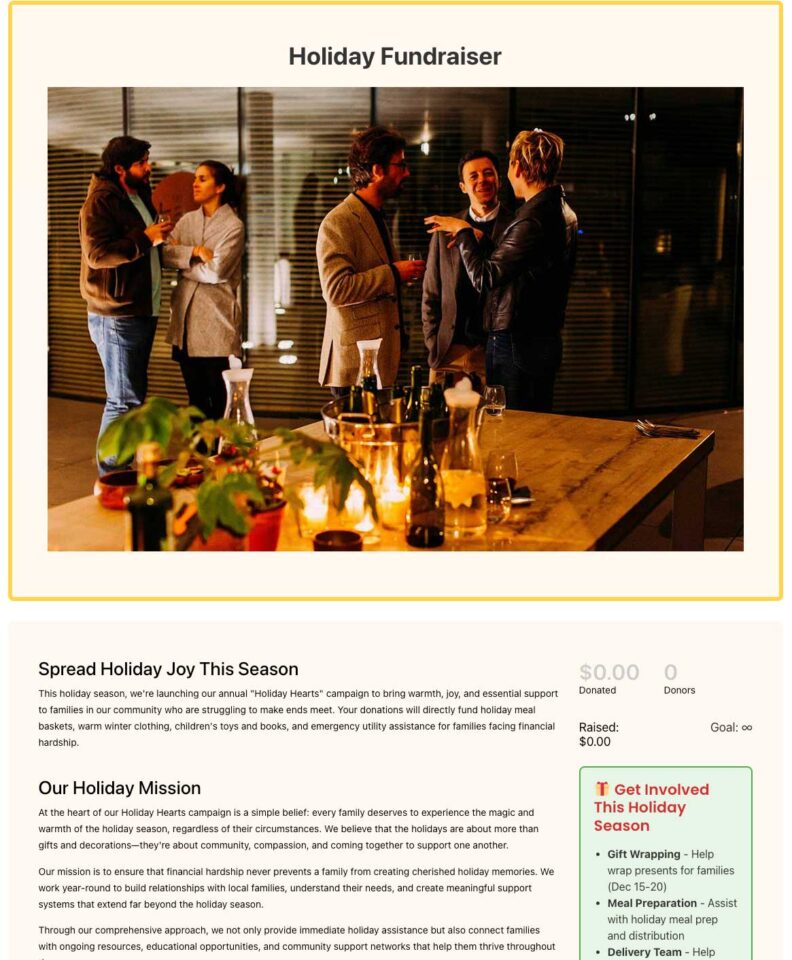
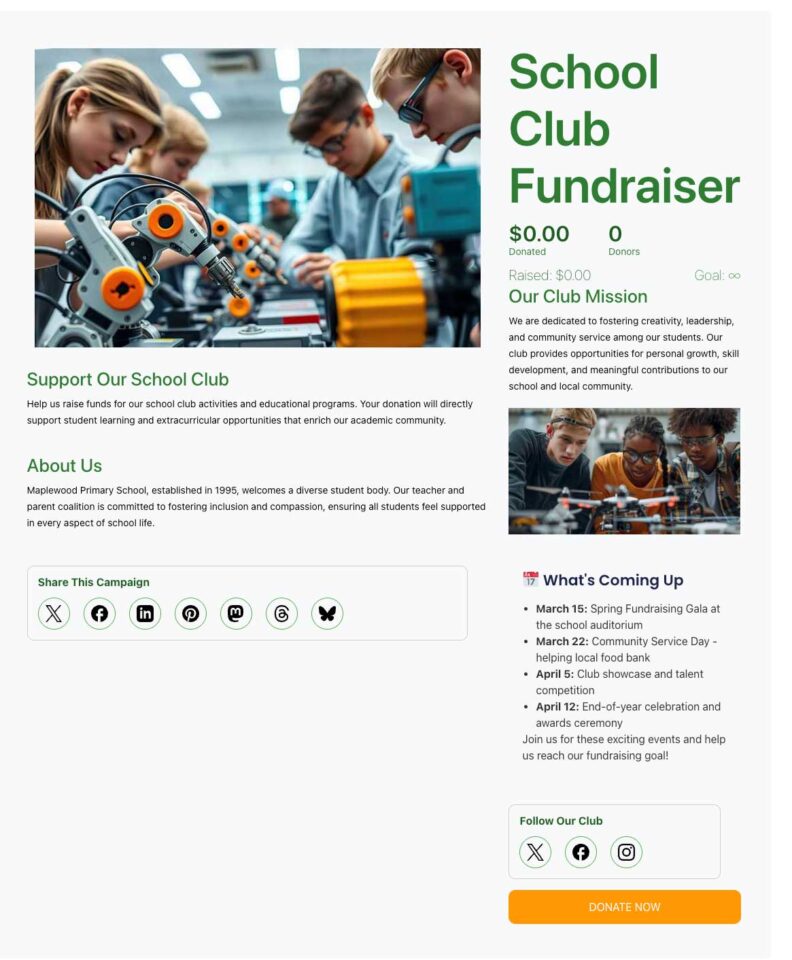
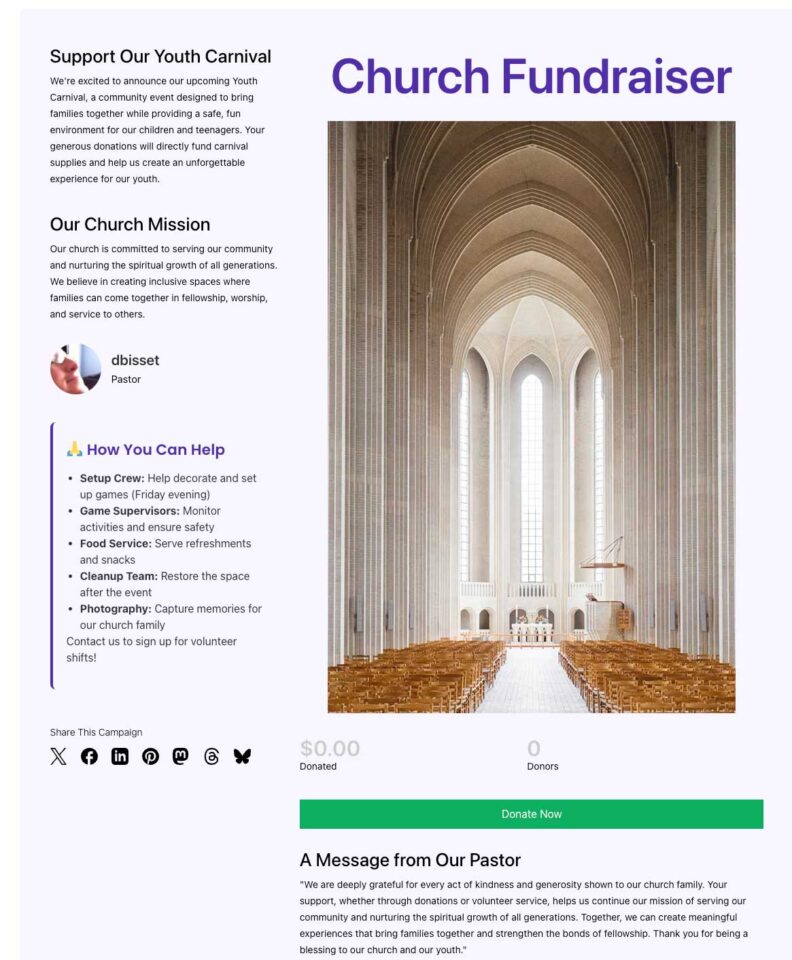
Holiday Fundraiser Template
Make the most of the giving season with a festive template built for holiday appeals. Ideal for year-end giving, toy drives, or food pantry fundraisers, it helps you capture the warmth and generosity of the season while keeping your goals front and center.
School Fundraiser Template
Quickly launch your next PTA drive, sports team fundraiser, or back-to-school campaign. This template rallies parents, faculty, and the local community around a clear, school-focused goal—perfect for funding playground upgrades, classroom technology, or student trips.
Church Fundraiser Template
Perfect for your congregation’s next big project, whether it’s a building fund, mission trip, or outreach program. The layout helps communicate your ministry’s goals and build trust with your community. It’s also great for managing ongoing tithes and offerings digitally.
New Campaign Block: Lists
We’re excited to introduce the new List Block, a simple yet powerful way to organize and highlight information on your campaign pages.
With flexible styles and customization options, this block makes it easy to break down your goals, donation perks, or sponsorship levels—no coding required.
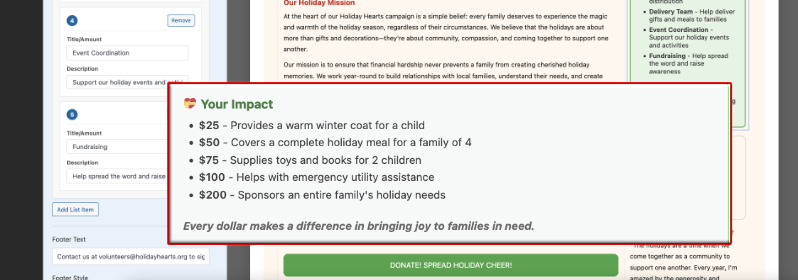
Here’s why we added this feature for you — The List Block lets you grab attention instantly with a colorful headline (emoji support included), add unlimited items to detail exactly what matters most, and choose from three distinct layout styles. You can also include a footer for extra context or a call-to-action, making your lists even more effective.
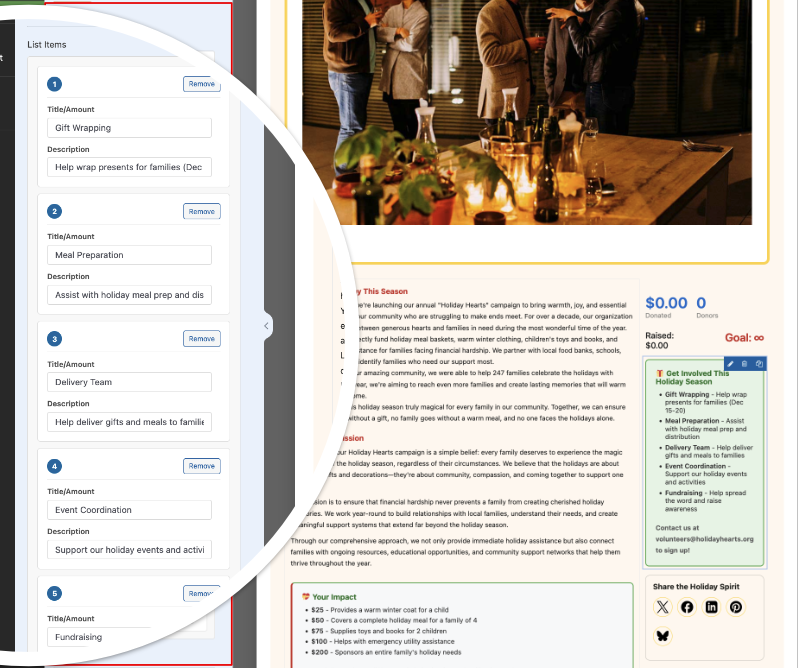
If you’re looking to make your campaigns more visually engaging and informative, the List Block helps you do it—all while streamlining the setup process.
Security Enhancements for Smarter Campaign Protection
We’ve added two new security features to help protect your fundraising campaigns and keep spam out.
You’ll see better filters and smarter checks to block suspicious donations, so you don’t have to worry about bad actors slipping through. We’ll keep improving these protections and stay alert for new threats, making sure you can spend less time on headaches—and more time helping your cause.
Global Minimum Donation Setting
We’ve heard from many of you about a recent spike in spam $1 donations and unwanted attacks on your campaigns. To eliminate that, Charitable Pro now comes with stronger security tools to keep your fundraisers safe and your donation records clean.
Why would fraudsters send $1 donations and how does it affect you?
They do this as part of a practice called “card testing.” They use donation forms to test whether stolen or fake credit card numbers are still active and can be used for transactions. By sending small amounts, they check if the card goes through without raising alarms. If the small donation succeeds, they know the card is valid and may attempt larger fraudulent purchases later.
Nonprofits and donation platforms are often targeted because donation forms typically require less detailed information compared to online stores, making them easier to test cards on. These fake donations can cause problems like chargebacks, fees, and damage to your payment processor reputation. Setting a minimum donation amount (like $2 or more) helps reduce this spam by making it less profitable and more difficult for bots to test cards with small amounts.
Now Charitable makes it easy to set a minimum donation amount for all your campaigns at once. Just head to Settings » Security to pick your default minimum. Charitable automatically turns it on and sets it to $2—no more manual setup for every campaign, and no more $1 spam.
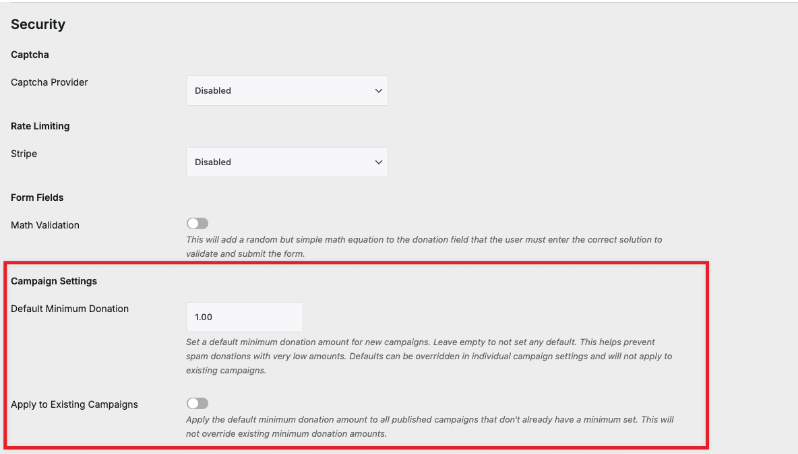
Already running campaigns? You can update them individually or flip a switch to apply the new minimum to all at once.
Want something different for a specific campaign? You can override the minimum inside the campaign builder. Here, you set any minimum amount—like $20 for a special project—while all other campaigns use your default.
Learn how to set minimum donation amounts for individual campaigns here »
Advanced Email Validation
Stop fake donors before they reach your campaign. Turn on email validation and decide exactly which domains, patterns, or keywords you want to block.
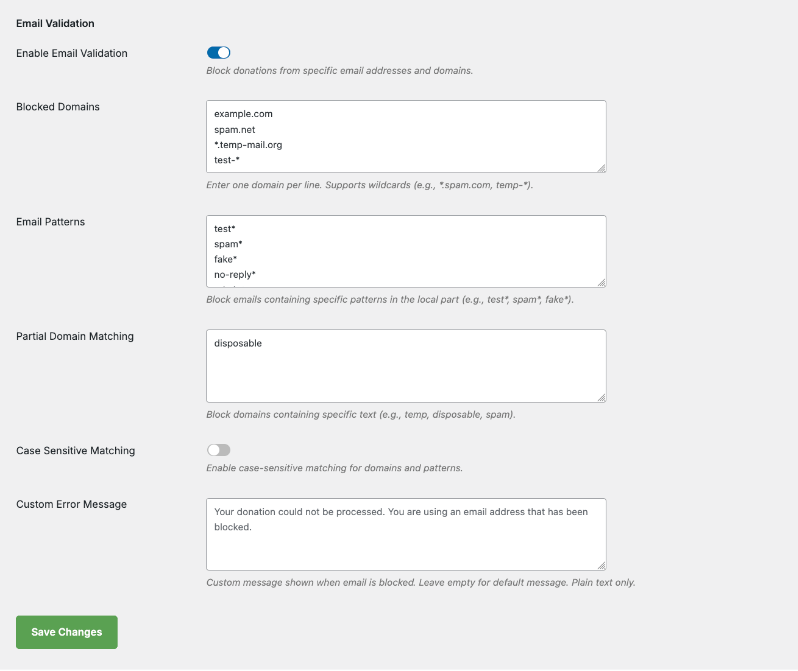
You can even block emails that match part of a domain name, so if you’re seeing spam from a specific group of domains, you can block them all at once.
For example, blocking “spamdomain” will block emails like [email protected], [email protected], or [email protected].
There’s also a toggle for case sensitivity, so you can choose whether to block “SpamDomain.com” differently from “spamdomain.com” depending on your preference.
Plus, you can add your own custom error message that donors will see if their email is blocked. For instance: “Your donation could not be processed. You are using an email address that has been blocked.”
This way, donors understand why their donation didn’t go through and can take steps to use a different email address if needed.
New Dashboard and Onboarding
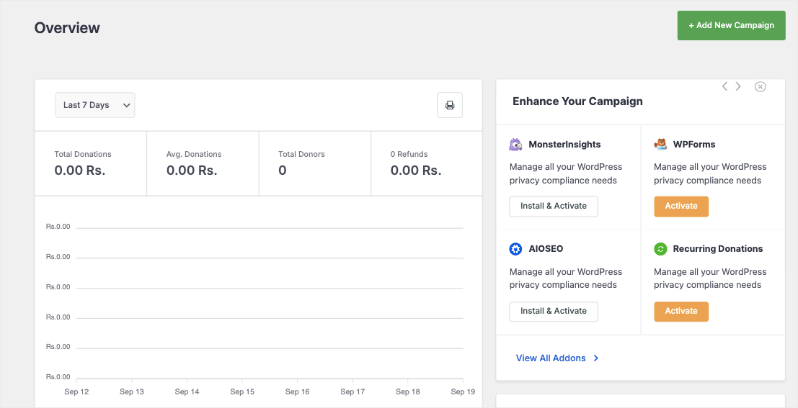
A few weeks ago, we rolled out a fresh dashboard and onboarding experience for Charitable Lite users—giving you a clear view of your campaign stats, smarter navigation, and step-by-step help right inside WordPress.
Now, these features are available in Charitable Pro too! We’ve made it so much easier to access everything right off the bat—from instant donation reports and trend graphs to quick access support and a handy Getting Started Checklist—all in one place.
Want the full scoop? Read all about it here.
We hope these new features help you run smoother, safer, and more successful fundraisers. They’re designed to save you time, reduce hassle, and protect your campaigns from spam and abuse—so you can focus on making an impact.
Ready to Try Everything Out?
These features are available right now in the latest version of Charitable Pro. Simply update to the latest version of Charitable.
Not yet a Charitable Pro user? Sign up today and get up to 50% off on your plan. We’re confident you’ll love raising funds with Charitable. If for any reason Charitable is not the right fit for you, we’ll refund your purchase with our 14-day money back guarantee
We’d love to hear how you’re using these new features! Stay connected with us:
- Join our newsletter – Get weekly tips and exclusive guides in your inbox
- Subscribe to our YouTube channel – Watch step-by-step tutorials and success stories
- Follow us on LinkedIn – Connect with our community and get daily nonprofit insights
- Follow us on Instagram – Fun reels and non-profit insights
- Follow us on TikTok – Insightful & fun videos to help you grow your cause
- Get Fundraiser Tips on TikTok – Subscribe and follow for general fundraiser tips.
Your feedback keeps Charitable moving forward. Let’s keep building better fundraising tools—together.








Leave a Reply