
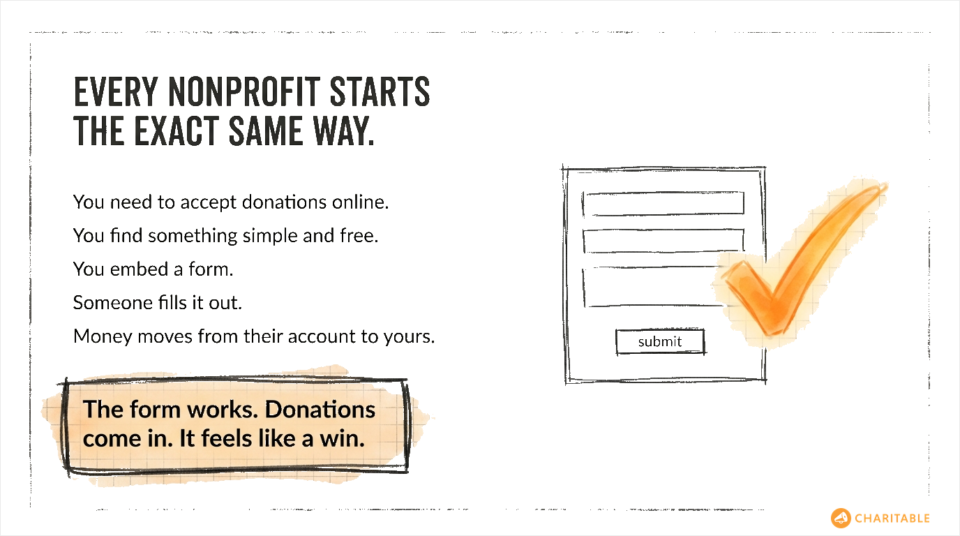
Every nonprofit starts the same way. You need to accept donations online, so you search for a plugin, find something simple and free, install it, and you’re done. The form works. Donations come in. It feels like a win.
But a few months in, a board member asks for a giving report. A donor calls wanting proof of their contributions for their taxes. You want to launch a second campaign and have no idea how the first one actually performed. Suddenly, a form that “just works” doesn’t work at all.
The truth is, accepting a donation is the easy part. Everything that comes after it is where nonprofits either build something sustainable or stay stuck, scrambling.
Donor records, giving history, tax receipts, campaign performance, board-ready reports: none of that lives in a simple donation form plugin. You added a payment field to your website. That is not a fundraising system.
This is the gap that costs nonprofits time, credibility, and donor trust. And it is entirely avoidable if you choose the right tools from the start.
A Simple Donation Form Does Exactly One Thing
To be fair, simple donation form plugins do what they say. You embed a form, someone fills it out, and money moves from their account to yours. For a lot of nonprofits, that is enough to feel like the job is done.
And in the very beginning, it might be. If you are brand new, running your first campaign, and just need to prove the concept works, a basic form gets you there. There is nothing wrong with starting simple.
The problem is what comes next.
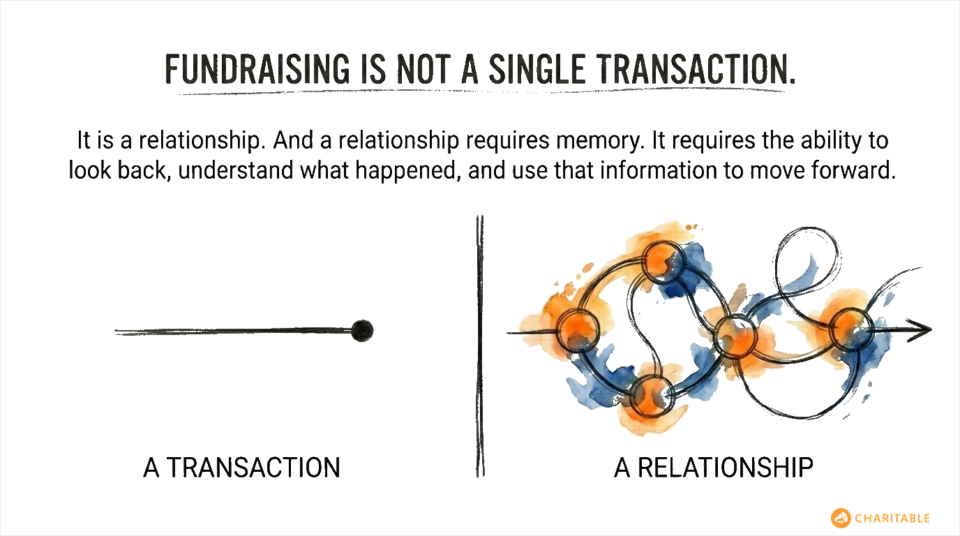
Because fundraising is not a single transaction. It is a relationship. And a relationship requires memory. It requires history. It requires the ability to look back, understand what happened, and use that information to move forward. A donation form has none of that. It is stateless. Once the payment clears, the form forgets everything.
You are left with a Stripe or PayPal dashboard full of transactions, no connection to your website, no donor profiles, and no way to answer even the most basic questions about your own fundraising.
The Wall Every Nonprofit Hits
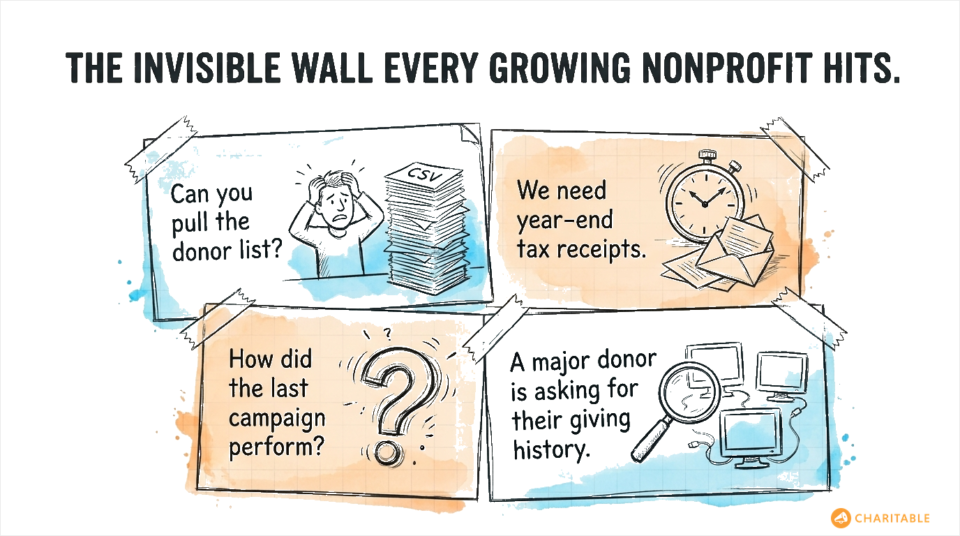
It usually does not take long before the limits become obvious. Here is what that looks like in practice.
“Can you pull the donor list for this campaign?”
With a simple form plugin, there is no donor list to pull. There are payment records in your payment processor, but they are not organized by campaign, they do not include custom fields you collected on your form, and they are not searchable in any meaningful way. You spend an afternoon exporting CSVs and piecing things together manually.
“We need to send year-end tax receipts.”
Tax acknowledgment letters are a legal requirement for donations over a certain amount in the US. A basic form plugin does not generate them. You need to go back through every transaction, match names to emails, and either write individual emails or figure out a mail merge. It is hours of work that should take minutes.
“How did our last campaign perform?”
You raised some money. Beyond that, it gets fuzzy. You do not know how many unique donors gave, how many were repeat donors, what your average gift size was, or which campaign page converted better. You have a number. You do not have insight.
“We have a major donor asking about their giving history.”
You have no centralized place to look this up. You check your payment processor, maybe cross-reference some emails, and hope you have not missed anything. It is not a great look in front of someone who has been supporting your mission for years.
These are not edge cases. These are the normal, recurring demands of running a nonprofit. A simple donation form cannot meet any of them.
The Real Work of Running a Nonprofit Requires Real Data
There is a version of nonprofit fundraising that lives entirely in spreadsheets, manual processes, and hope. A lot of organizations run this way longer than they should, patching things together because they started with the wrong tools, and it never felt like the right time to switch.
But here is what sustainable nonprofit operations actually require on a regular basis.
Donor records you can trust
Every donation should be attached to a donor profile. Not just a transaction in a payment processor, but a real record that includes the donor’s name, contact information, giving history across every campaign, and any notes or communication you have had with them. This is the foundation everything else is built on.
Without it, you do not have donors. You have a list of one-time credit card transactions.
Tax documentation that does not take all day
Year-end giving statements, individual receipt emails, documentation for your accountant: these should be generated automatically from your donation records. The data is already there. Your tools should do the work.
Reports your board can actually read
Your board needs to see progress. That means campaign totals, donor counts, recurring giving rates, and year-over-year comparisons. If you have to manually compile this before every board meeting, you are burning hours on administrative work instead of mission-driven work. And if the numbers are wrong because something slipped through your manual process, you lose credibility at the worst possible time.
Donor communication that feels personal
Donors want to know their money is doing something. The organizations that retain donors long-term are the ones that can follow up with specifics: here is what your gift helped accomplish, here is where we are heading, and here is what we need next. That kind of communication requires knowing who gave, how much, and when. A form plugin cannot give you that.
What Scalable Donor Management Actually Looks Like
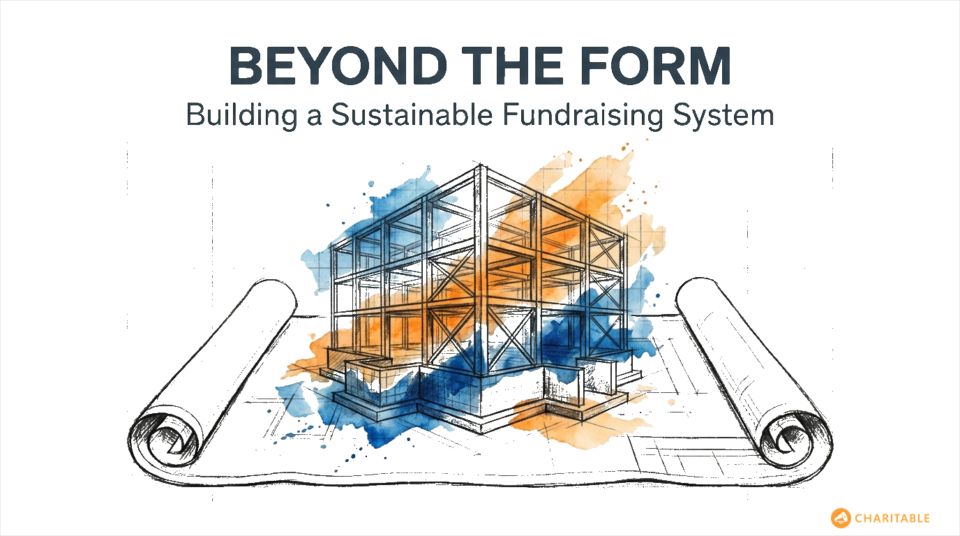
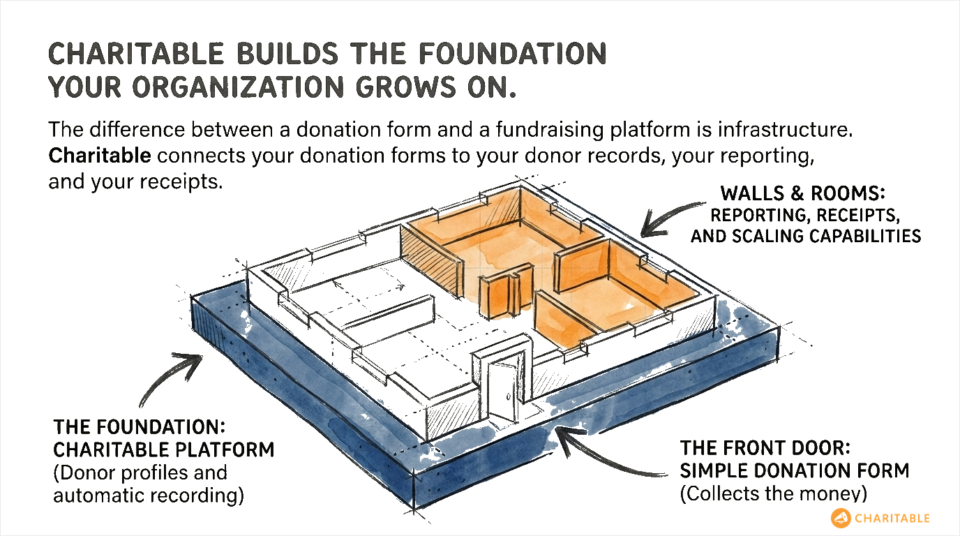
The difference between a donation form and a fundraising platform is infrastructure. One collects money. The other builds the foundation your organization grows on.
Here is what that infrastructure looks like when it is working properly.
- Every donation connects to a donor profile automatically. When someone gives for the first time, a profile is created. When they give again, their history updates. You can see every campaign they have contributed to, their cumulative lifetime giving, and any communication you have had with them, all in one place.
- Your campaigns generate real reporting. How many donations came in? The total raised. Average gift size. Donor retention from one campaign to the next. You should be able to answer these questions in seconds, not after a spreadsheet session.
- Receipts and tax documentation are handled automatically. Donors get immediate confirmation emails. Year-end statements can be generated in bulk. Your accountant gets clean, exportable records. Nobody is doing this by hand.
- Your data lives where you can use it. Not locked inside a payment processor you have to log into separately. Not scattered across three different tools. On your own website, attached to your own records, available to export whenever you need it.
- The system grows with you. Whether you are running one campaign a year or twenty, managing a hundred donors or ten thousand, your tools should scale without requiring you to upgrade your own processes manually.
Why Charitable Is Built for the Long Game
Charitable was built specifically for nonprofits and fundraisers who need more than a payment form. It is a complete fundraising platform that connects your donation forms to your donor records, your reporting, your receipts, and everything else that makes a fundraising operation actually function.
When someone donates through a Charitable form, that donation is recorded automatically. A donor profile is created or updated. A receipt goes out. The campaign totals update. You do not have to do anything extra.
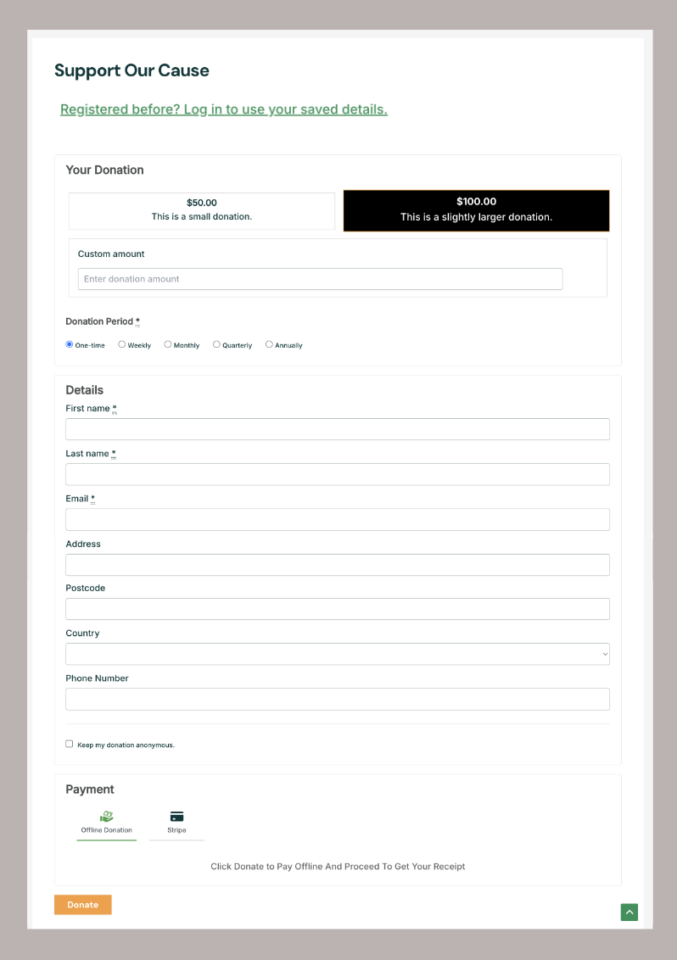
First, you can add simple donation forms like this:
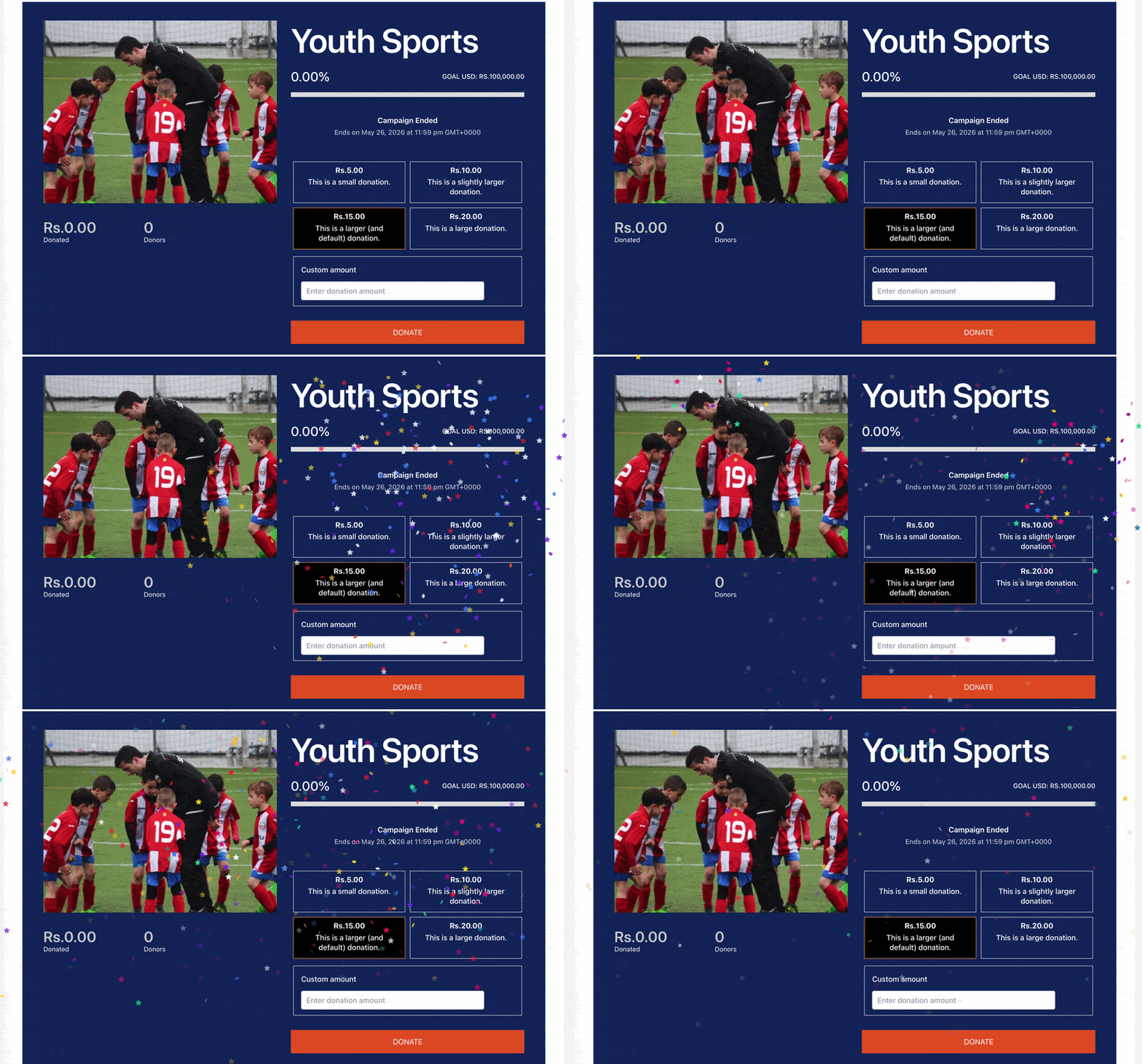
Or you can launch stunning campaigns with images, backgrounds, descriptions, along with a goal, campaign countdown, and progress bar. When your campaign ends, you can even display cool fireworks.
All of this can be done by clicking buttons. There’s zero coding involved. This is just the front end.
On the back end, Charitable does everything for you. When a donation is collected, a receipt (that you can customize) goes out to the donor instantly.
Then a record is created, neatly organized, and stored for you. You can access them on one page like this:
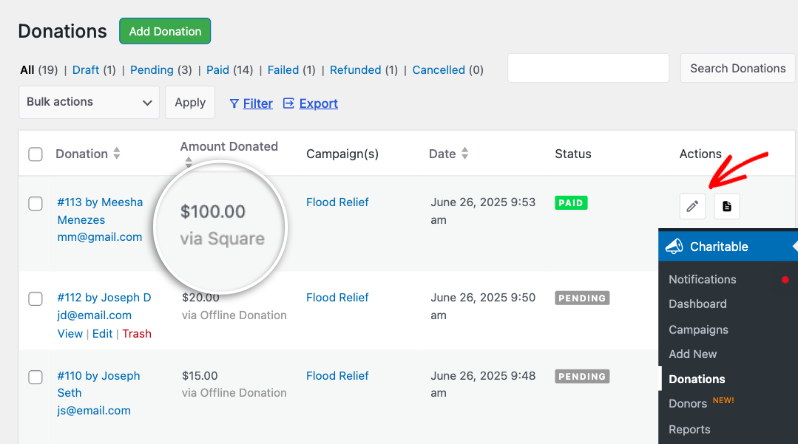
Every record can be edited or deleted. You can even manually add new records. So, for instance, you received a donation via cash. Charitable lets you enter a record for it. That way, you have a centralized dashboard for all donations. Your reports and records are complete and ready to export when you need them.
From your dashboard, you can see exactly how your fundraising is performing:
- Total donations
- Donor counts
- Campaign breakdowns
- Recurring gift reports
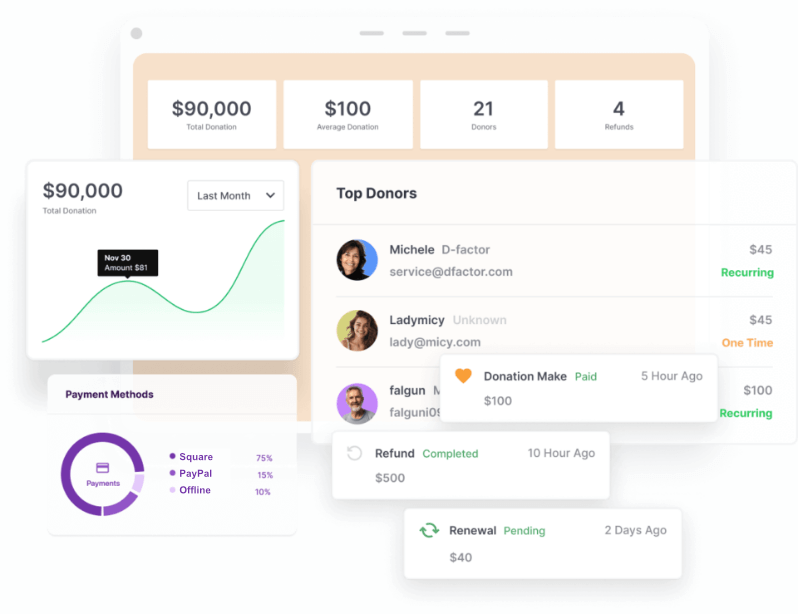
When you sit down to prepare for a board meeting or file your year-end documents, not only is the data there. It’s organized, it’s in professional layouts, and it’s ready for you to just export and send.
Charitable also gives you the flexibility to run the kind of fundraising your organization actually does. Here are just a few advanced features:
- Multiple campaigns
- Donor profiles
- Donation management
- Annual receipts
- Donor dashboard
- Peer-to-peer fundraising
- Recurring donations
- Fee relief options
- Donation recovery
- Custom form fields to collect the information you need
- Payment gateways that work in your country
It is built to handle the real complexity of nonprofit fundraising, not just the simplest possible version of it.
And because Charitable runs on WordPress, your data stays on your own website. You are not locked into a proprietary platform, paying platform fees on every donation, or handing over control of your donor relationships to a third party.
What You Are Really Choosing Between
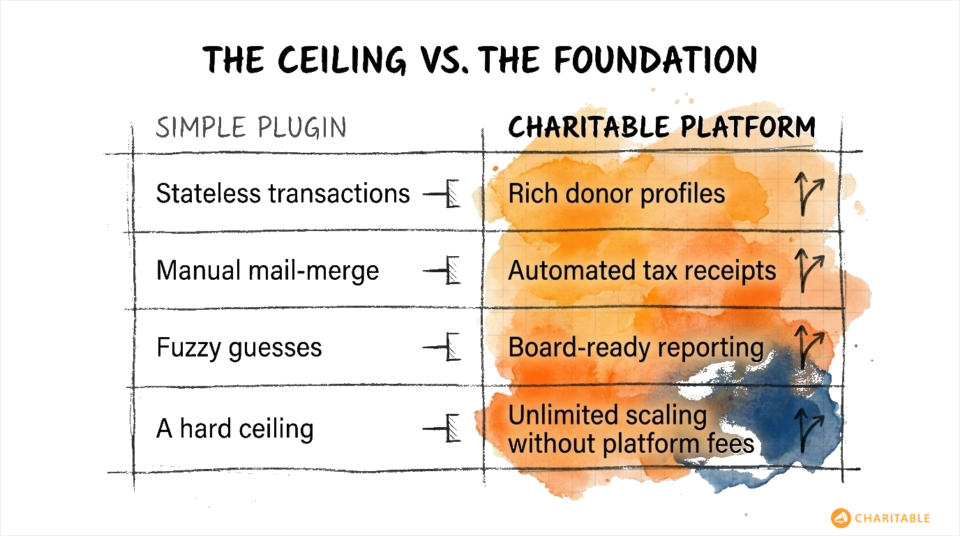
When you choose a donation form plugin over a platform like Charitable, you are not just choosing simpler tools. You are choosing a ceiling.
Simple donation forms are fast to set up and easy to understand. That is genuinely valuable at the very beginning. But they do not grow with you. Every new need, whether it is a tax receipt or a donor report or a repeat giving campaign, becomes a manual process you have to figure out on your own.
Charitable takes a little more setup upfront because it is doing more. But every hour you invest in the beginning pays back many times over in hours you do not spend on manual work later. More importantly, it gives you the foundation to actually grow your donor base, retain the donors you have, and run campaigns that build on each other instead of starting from zero every time.
You are not just choosing between two plugins. You are choosing between a fundraising operation that scales and one that stays small.
Get Started With Charitable
If you are still running your nonprofit on a basic donation form, now is the right time to make the switch. Not because your current setup is broken, but because you deserve tools that actually support the work you are doing.
Charitable gives you donation forms, donor management, campaign reporting, automatic receipts, and the flexibility to grow. Everything you need to run a real fundraising operation, without the manual work that comes from stitching together tools that were never meant to work together.
Get started with Charitable today »
Charitable Has 1+ Million Downloads!
Trusted by millions to power successful fundraising campaigns. Try Charitable risk-free today.
✅ 14-day money-back guarantee
✅ Transparent pricing
✅ Code-free setup
Stay Connected for More Nonprofit Resources
For more tutorials and videos tailored to nonprofits, subscribe to our YouTube channel. We regularly publish expert tips, step-by-step guides on online donations, fundraising strategies, and practical resources to help your organization succeed.
🗞️ Get weekly tips and exclusive guides in your inbox
Join our newsletter →
🎥 Watch step-by-step tutorials and success stories
Subscribe to our YouTube channel →
👩🏽💻 Connect with our community and get daily nonprofit insights
Follow us on LinkedIn →
🥳 Fun reels and non-profit insights
Follow us on Instagram →
👀 Insightful & fun videos to help you grow your cause
Follow us on TikTok→
🌎 Subscribe and follow for general fundraiser tips
Get Fundraiser Tips on TikTok →
Powerful Fundraising Resources
🤖 Use Charitable with Your AI Assistant
⬇️ Download proven strategies, campaign ideas, and expert tools
Get the Fundraising Kit →
💸 Get Free Fundraising Resources
Head to the Charitable Fundraising Hub →
🤔 Got questions about Charitable?
Charitable FAQs →
🏎️ Take Charitable for a spin
Create your Charitable Demo →
Understand non-profit terms and jargon
Non-Profit Glossary →
% Looking for non-profit deals and discounts?
Best Non-Profit Deals and Discounts →





Leave a Reply