
Requires:
- Charitable Pro 1.8.16+
- Charitable Tributes 1.0.0+
Every tribute campaign comes with its own page, and six purpose-built blocks let you make it beautiful without touching code. You can drop them onto the tribute page the wizard created, or onto any page or post on your site.
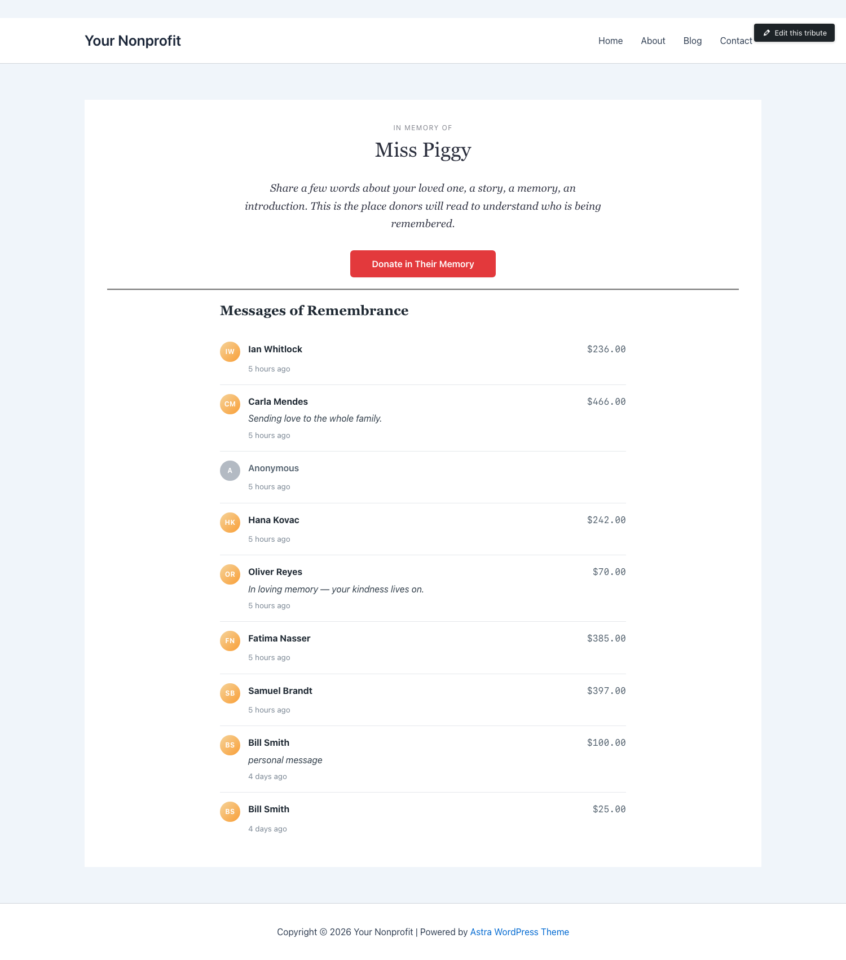
Where the blocks live
When you edit a tribute campaign in the block editor, you will find the Tributes blocks grouped under their own Tributes category in the block inserter. Tribute pages keep the inserter focused: only the Tributes blocks and core layout blocks (paragraph, heading, image, columns, and so on) are available, so it is easy to build a clean page.
You can also add any Tributes block to a normal page or post. Blocks that show data for a specific honoree have an honoree setting in the block sidebar, so the block knows whose information to display.
The six blocks
Honoree Card
Displays the photo, name, tribute label, and date range for an honoree. This is usually the top of a memorial page.
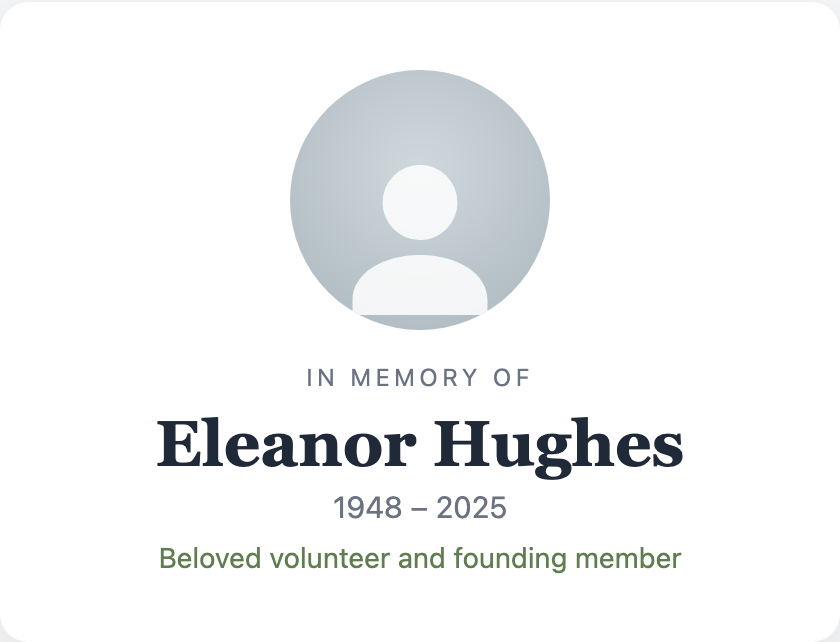
Options include the image shape (circle, rounded, or square), image size and alignment, and whether to show the photo, the tribute label, and the dates.
Tribute Goal Meter
Shows progress toward a goal, with the amount raised, the goal, and the donor count.
Options let you show or hide the donor count and goal, switch to a compact layout, and set the bar colors to match your design.
Tribute Donor Wall
Lists who gave, with privacy-respecting names and tribute messages. This is the social heart of a tribute page.
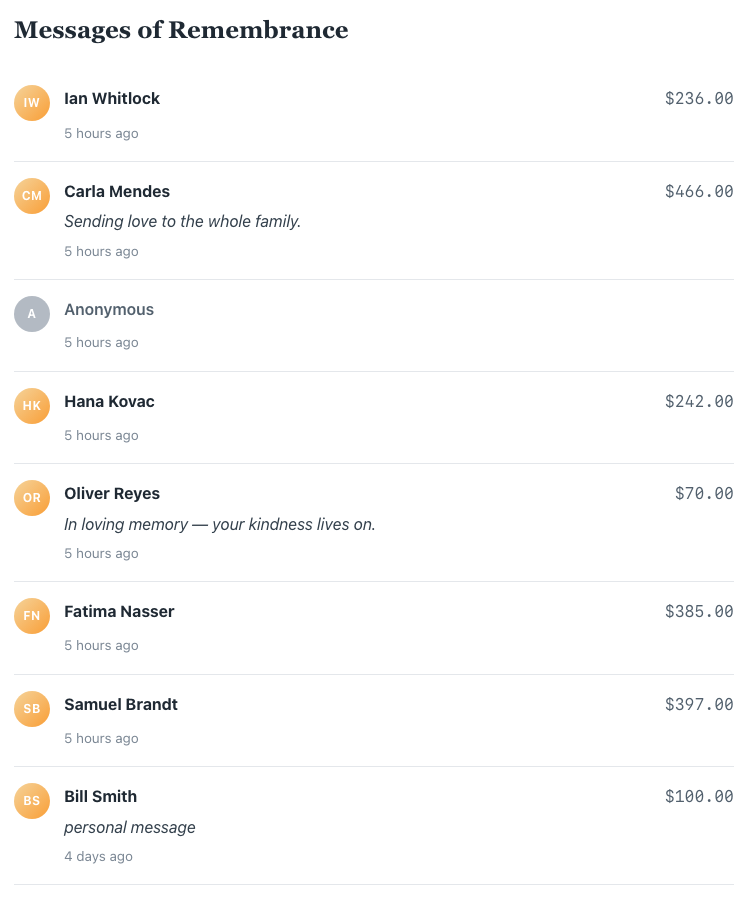
Options include a heading, the maximum number of entries to show, whether to show amounts, whether to include anonymous gifts, and the order (most recent or largest first). The wall automatically respects each donor’s anonymous and hide-from-honoree choices, so you never have to police it manually.
Personal Message
Highlights a message in a styled container, such as a few words from the family or your organization. The emphasis option offers a default, a serif, or a quote style.
Service Details
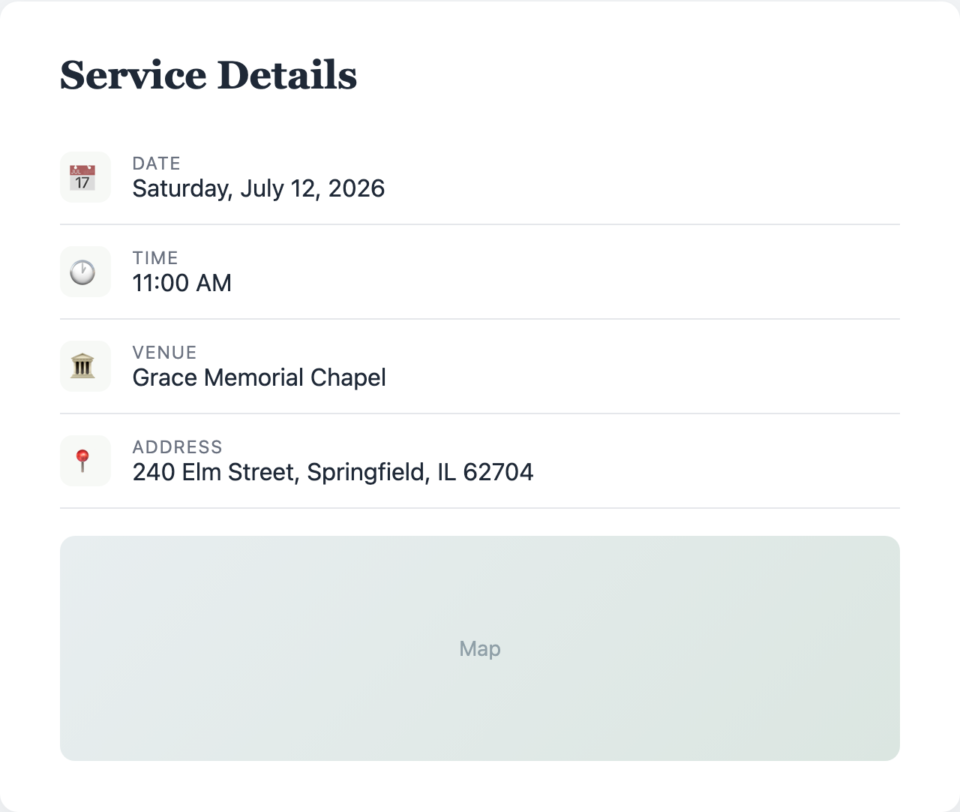
Shares memorial service details: date, time, venue, address, and an optional embedded map. Ideal for “in lieu of flowers” pages where attendees need the where and when.
Tribute Donate Button
Drops a clean call to action anywhere on the page, linked to the right donation form. The button can point at the honoree’s campaign or one you specify, and offers default, outline, and pill styles.
Block patterns
To save you from assembling a page block by block, Tributes ships with block patterns, pre-arranged layouts that combine these blocks into a ready-made tribute page. Insert a pattern, swap in your honoree, and you have a polished page in seconds.
The single tribute page
Each tribute campaign is published at a clean URL under /tribute/, for example https://yournonprofit.org/tribute/in-loving-memory-of-jordan/. The page renders the blocks you arranged in the editor. You can share that link with the family directly.
Embedding a tribute anywhere with the shortcode
To show a tribute somewhere other than its own page, use the shortcode:
[charitable_tribute id="123"]Replace 123 with the ID of the tribute campaign. It renders the same block content the tribute page shows, so you can feature a tribute inside a blog post, a sidebar, or a landing page. The wizard gives you the exact shortcode for each campaign on its final step.
Tips
- Start from a block pattern, then delete the blocks you do not need. It is faster than building from an empty page.
- The Donor Wall updates itself as gifts come in. You do not need to edit the page when new donations arrive.
- For a memorial with a service, the Service Details block plus a map embed answers the questions families get asked most.
Developer reference
Block names and key attributes
All blocks live under the charitable-tributes/ namespace and render server-side via a render.php file, so they always reflect current data.
| Block | Name | Key attributes |
|---|---|---|
| Honoree Card | charitable-tributes/honoree-card | honoreeId, showPhoto, showLabel, showDate, imageShape, imageSize, imageAlign |
| Donate Button | charitable-tributes/donate-button | honoreeId, campaignId, label, buttonStyle |
| Goal Meter | charitable-tributes/goal-meter | honoreeId, campaignId, showCount, showGoal, compact, barColor |
| Donor Wall | charitable-tributes/donor-wall | honoreeId, heading, maxItems, showAmounts, showAnonymous, orderBy |
| Personal Message | charitable-tributes/personal-message | content, align, emphasis |
| Service Details | charitable-tributes/service-details | date, time, venue, address, showMap, mapEmbedUrl |
Restricting the editor
On tribute_campaign posts, the block inserter is limited to the Tributes blocks plus a curated set of core layout blocks. This is configured in the block registry. The honoree shown by a block is resolved server-side via the honoree data resolver, with a fallback filter:
add_filter( 'charitable_tributes_honoree_context_fallback', function ( $context, $block_attributes ) {
    // Provide honoree context when a block has no explicit honoreeId.
    return $context;
}, 10, 2 );
The shortcode
[charitable_tribute id="123"] renders the tribute_campaign post content. The single page template is templates/single-tribute_campaign.php, overridable in your theme.
See Settings, Integrations, and Developer Reference »
Related
- The Tribute Donation Experience: What Donors See
- How to Create a Tribute Campaign in Charitable
- Charitable Tributes Emails, E-cards, and Receipts
- Honoree Records and the CRM
- Charitable Tributes Guide
Helpful Links
🤝 Get help when you need it
Connect with Customer Support →
📑 Find the guide you need
Browse the Documentation Hub →
⬇️ Download proven strategies, campaign ideas, and expert tools
🔗 Let your AI Assistant do the fundraising work for you.
Connect Charitable to your AI assistant →
💸 Get Free Fundraising Resources
Head to the Charitable Fundraising Hub →
🤔 Got questions about Charitable?
Charitable FAQs →
Need help understanding non-profit terms and jargon?
See our Non-Profit Glossary →




