
Enabling ACH payments provides your donors with a convenient and secure way to donate directly from their bank accounts
This tutorial will guide you through the process of setting up ACH (Automated Clearing House) Direct Debit payments in Charitable.
ACH Direct Debit can be enabled through the Stripe payment gateway within Charitable.
Table of Contents
Step 1: Enabling Stripe Payments
Before you can enable ACH Direct Debit, you must first ensure that Stripe is enabled within Charitable.
In your WordPress dashboard, navigate to Charitable » Settings » Payment Gateways tab.
If Stripe is not already enabled, activate it. Then follow our guide to connect your Stripe account to Charitable »
After enabling Stripe and saving your changes, click the ‘Gateway Settings’ button.
This will open the Stripe configuration page where you can manage various payment methods, including ACH Direct Debit.
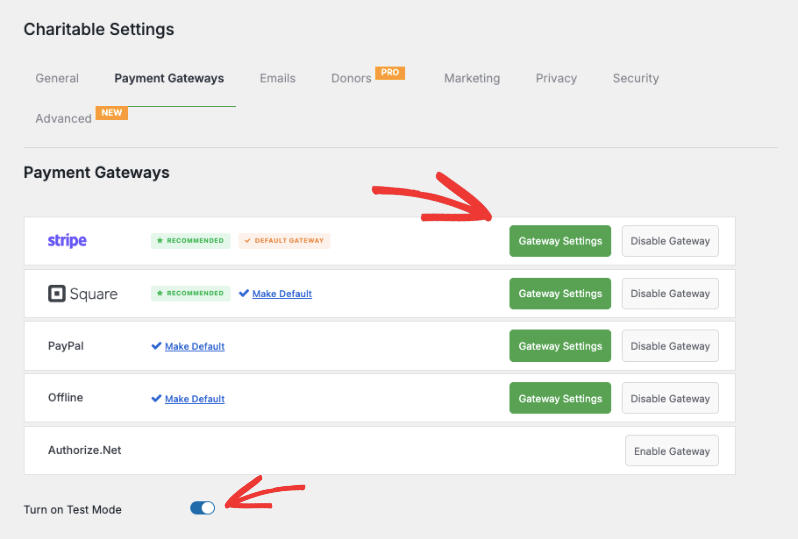
We recommend turning on Test Mode and saving your changes. This will allow you to thoroughly test the payment process without processing real transactions.
Step 2: Accessing Gateway Settings
Inside the Gateway Settings page, enable ACH Direct Debit from the list of available payment methods. It’s as simple as one click.
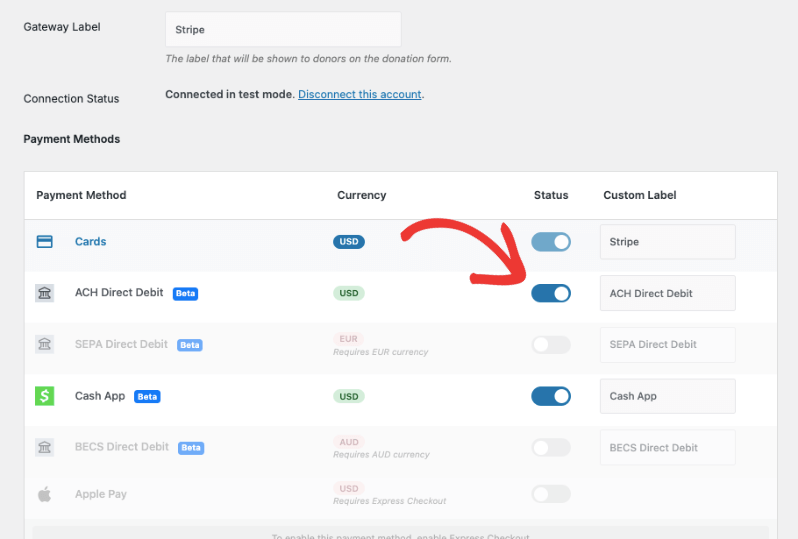
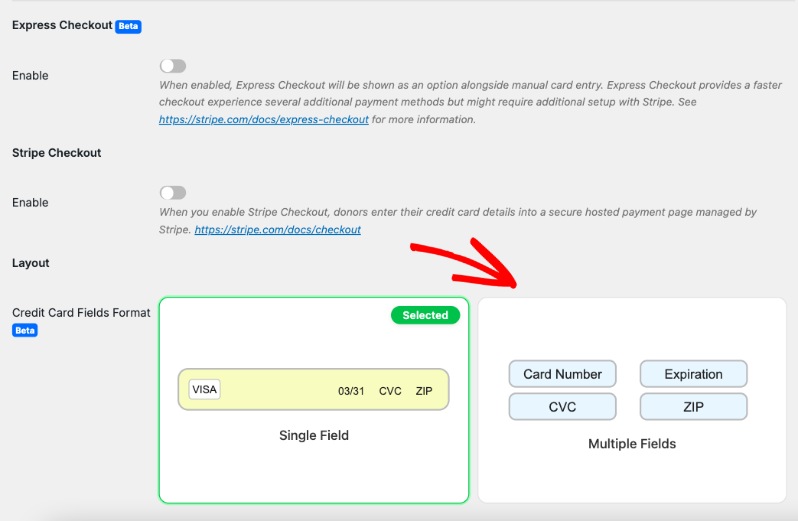
On the same page, you can also configure other Stripe settings like Express Checkout and Stripe Checkout.
You can also choose the layout of your credit card fields and how they appear on your donation form.
Next, you’ll need to add your statement descriptor. This is the description that will appear on your donors’ bank statements. By default, it shows the campaign title.
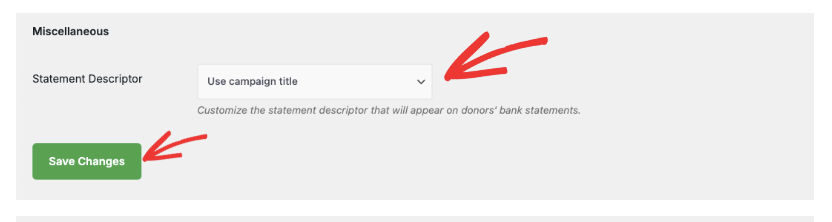
Remember to save your settings by clicking the ‘Save Changes’ button after making any modifications.
Step 3: Testing Your ACH Direct Debit Setup
Once you’ve saved your settings, it’s time to test your ACH Direct Debit integration!
Navigate to a campaign page on your website. Initiate a donation to access the donation form.
In the Payment section, you should now see ACH Direct Debit as a payment option.
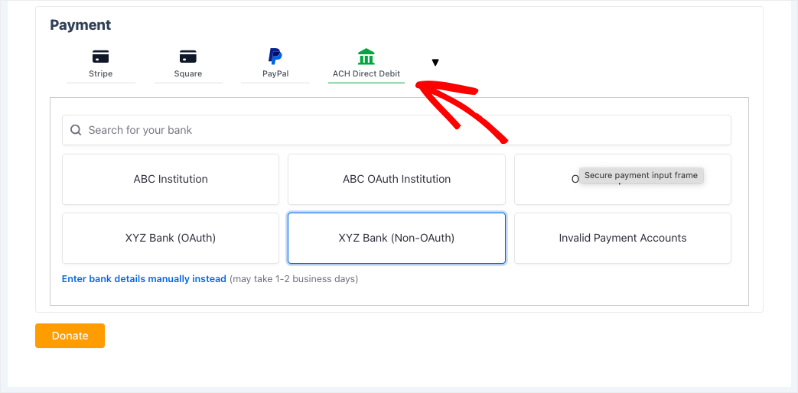
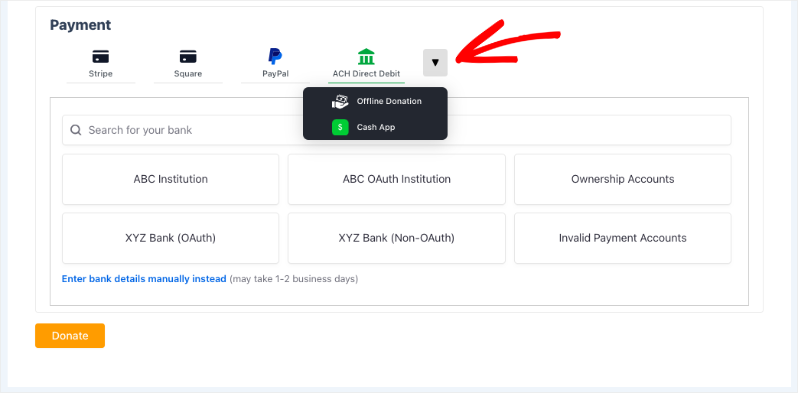
If you don’t see it immediately, a dropdown menu with additional payment options will be available.
Select ACH Direct Debit and choose your bank.
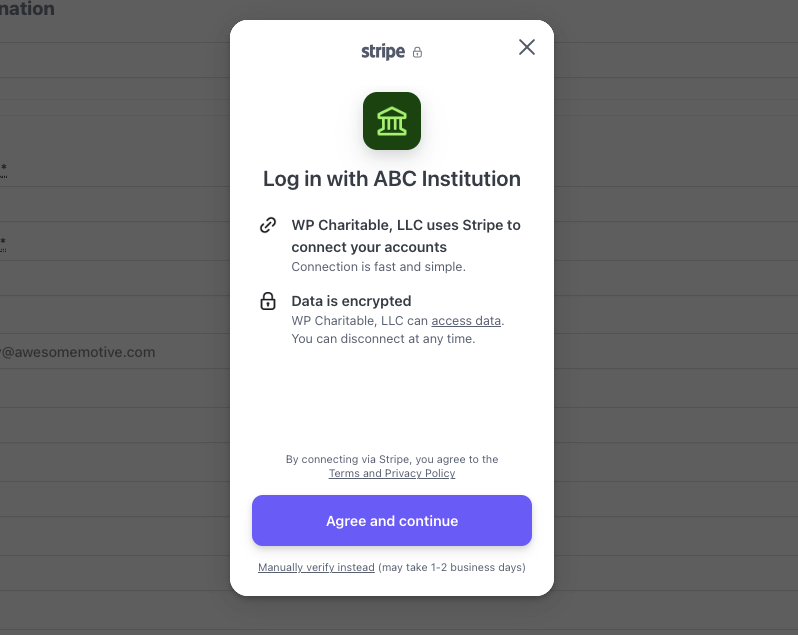
A Stripe popup will appear, prompting you to log in to your bank account. Follow the on-screen instructions to grant permission to link your account.
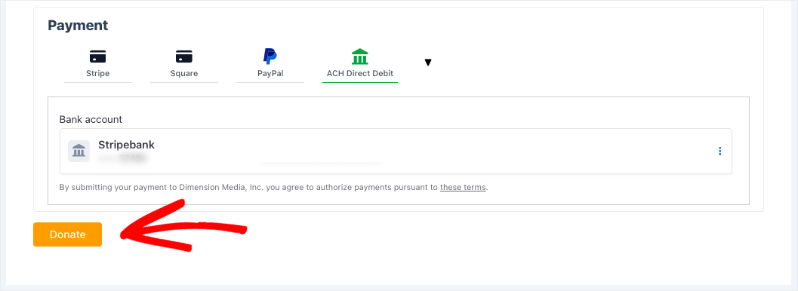
Once your bank account is linked, you’ll see it appear in the donation form.
Make sure it is selected and click the ‘Donate’ button’.
Upon successful payment, a receipt will be generated and displayed on the screen.
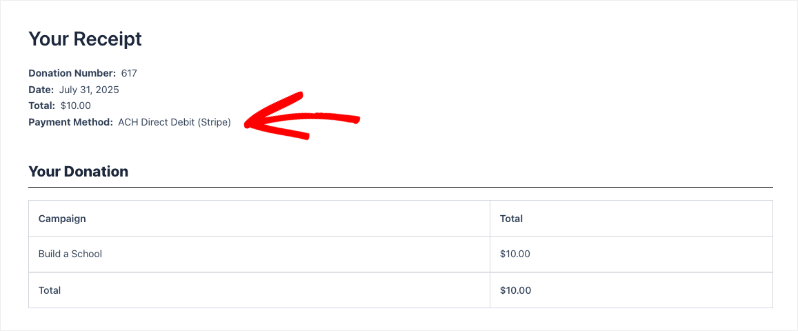
Congratulations! You have successfully set up and tested your ACH Direct Debit via Charitable!
Viewing Your ACH Direct Debit Donations
Now that you’ve successfully set up ACH Direct Debit, let’s explore how to view and manage your donations.
You can find all your donation records under Charitable » Donations. Here, all donations are organized neatly for easy access.
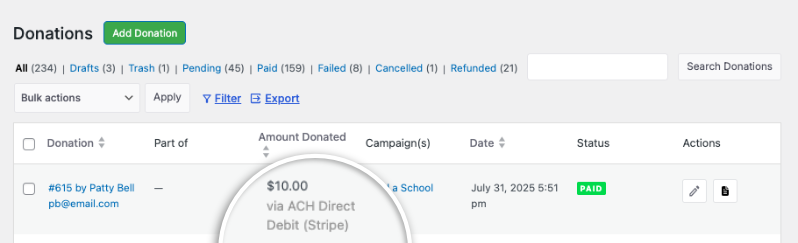
You’ll see key information like the donor’s name, the donation amount, the payment gateway used – in this case, ACH Direct Debit (Stripe), the campaign name, the date of the donation, and the payment status.
If you click to view or edit a specific donation record, you’ll find detailed payment method information, including the specifics of the ACH Direct Debit transaction. This allows you to easily review and track payments received via this method.
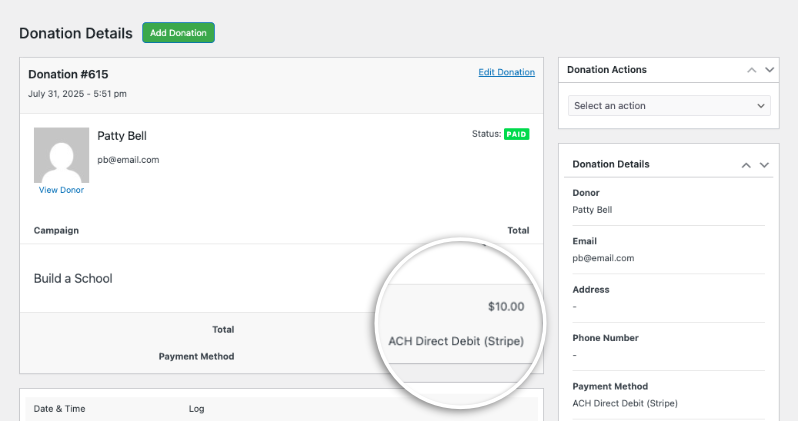
That’s it! You now know how to set up and view your ACH Direct Debit donations within Charitable.
FAQs – ACH Direct Debit in Charitable
Here are some frequently asked questions regarding setting up and using ACH Direct Debit with Charitable:
What is ACH Direct Debit?
ACH (Automated Clearing House) Direct Debit is a secure payment method that allows donors to make donations directly from their bank accounts.
Do I need a separate account to process ACH Direct Debit?
No, you can process ACH payments through your existing Stripe account.
What information do I need to provide to enable ACH Direct Debit?
You can use Stripe Connect within Charitable to connect your Stripe account. However to accept donations via ACH Direct Debit, you first need to activate this payment method within your Stripe account. Log in to your Stripe Dashboard, navigate to Settings, and then select Payment Methods. Scroll down to the “Bank debits” section, find US bank account (ACH), and click the “Turn on” button. Stripe may require you to verify your business information before activation is complete, as this is necessary for processing direct debit payments.
What is the statement descriptor?
The statement descriptor is the description that will appear on your donors’ bank statements, helping them identify the donation.
What security measures are in place to protect donor information?
Stripe provides a secure payment gateway to protect donor’s banking information. All data is securely encrypted.
Can I test ACH Direct Debit before going live?
Yes, we highly recommend enabling Test Mode in Stripe to test ACH Direct Debit payments without processing real transactions.
Where can I view my donation records?
You can view all donations under Charitable » Donations.
Interested in offering more payment options to your donors? See our list of payment integrations »


