Charitable Blog

Everything you need to know about Charitable and our team.

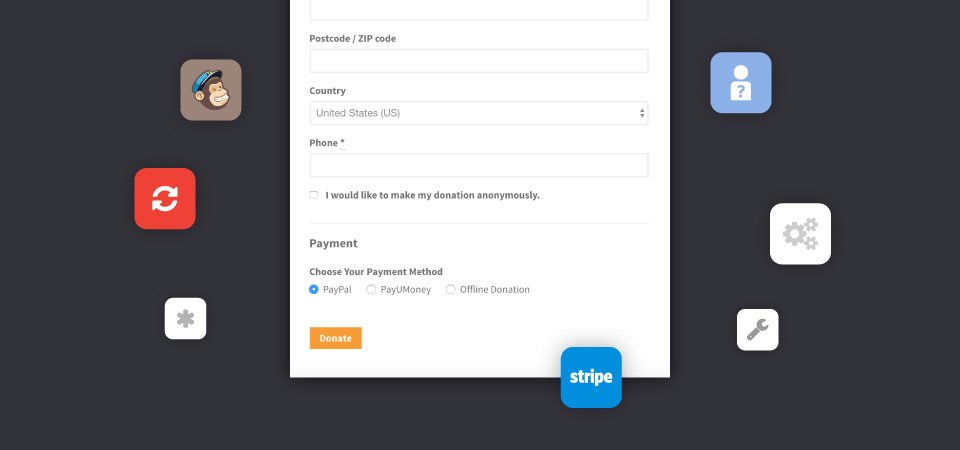
Graphic showing various ways the donation form can be customized.

Customize Your WordPress Donation Form — Without Code

Last updated on

  • By

When I started chatting to nonprofits about their online fundraising system, many mentioned the same problem: the fundraising platform they used did not give them enough control.

Too often, they were set up as a one-size-fits-all solution.

As we began developing Charitable, we knew that we wanted to give users a way to tailor it to their needs. A year and a half on, we have seen that decision validated again and again.

In this post, I’ll show you six easy ways you can customize the donation form that is added by Charitable — all without writing any code.

Charitable is the top-rated WordPress donation plugin. Best of all, you can get it for free! Click here to start now.

6 Code-Free Ways to Tweak Your WordPress Donation Form

1. Only show required fields

By default, the donation form includes a few required fields for the donor’s name and email address, and a bunch of non-required fields for the address. Did you know you can completely remove those non-required fields from the donation form? Here’s how.

  1. Open the WordPress Customizer by clicking the paintbrush icon in the admin bar or by going to Appearance Customize in the WordPress dashboard.
  2. Click on the Charitable tab.
  3. Next, click on Donation Form. If you don’t see this listed, try navigating to a Charitable donation form in the preview window.
  4. Set the “Only show required fields” option to “Yes”.

2. Change any field’s label

Sometimes, the label used for a particular field in the donation form isn’t right for your needs. Need the “State” field to be a “Province” field? Or want to replace “Postcode / ZIP code” with just one or the other?

You can change this with a little bit of code (I’ll show you how further on), but for now I’d like to show you a sneaky way you can do this without writing any code.

Meet Loco Translate. As the name suggests, it’s a translation plugin; but even if you’re using WordPress as an English speaker, it gives you an easy way to change the default text added by plugins like Charitable. All you need to do is activate the plugin and create a “translation” of Charitable into English. You will be able to easily change any text added by Charitable, without leaving your WordPress dashboard.

3. Allow donors to subscribe to your newsletter

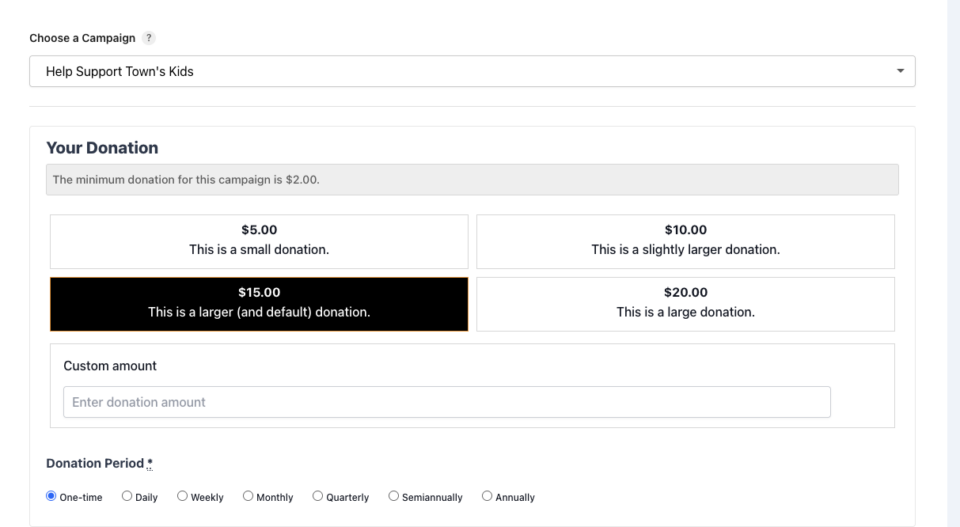
Another easy one. With our Newsletter Connect plugin, you can connect your MailChimp or MailPoet newsletter list to Charitable. Once you have linked your newsletter, donors can opt in to start receiving your newsletter when they make their donation.

4. Allow donors to remain anonymous

This one’s easy. All you need is our Anonymous Donations plugin. Buy it, download it, install it, activate it — you’re done.

Read more about anonymous donations here.

5. Accept credit card donations directly on your website

PayPal is great, but it does result in donors being redirected away from your website — and unfortunately that can lead to donor confusion or even drop-off. Adding a credit card form to your website is a smart way to avoid that problem, while giving you a more professional donation experience.

To start accepting credit card donations, you can use either our Stripe or Authorize.Net extension. You will also need an SSL certificate if you don’t have one already.

6. Allow your donors to pay the donation fee

This is a great way to boost your online fundraising revenue, and it’s easy to get set up.

The Fee Relief extension gives you all the tools you need. Install the plugin, then set up how the fee should be calculated, and your donors will be ready to start pitching in to cover the fees charged by your payment gateway.

Customizing your WordPress donation form, the easy way

With Charitable you can customize your WordPress donation form easily, without writing code, using off-the-shelf tools that are designed to help your non-profit collect donations.

Using WordPress and want to start collecting donations with Charitable for free?

[ninja_form id=’48’]

author avatar
Eric Daams

Disclosure: Our content is reader-supported. This means if you click on some of our links, then we may earn a commission. We only recommend products that we believe will add value to our readers.

22 responses to “Customize Your WordPress Donation Form — Without Code”

  1. Hi there – Are we able to add our own custom fields to the donation form to collect specific information we need outside if the standard details built in?

    1. ericnicolaas Avatar
      ericnicolaas

      Yes, the donation form can be completely customized with code. We have a library of code snippets available at https://github.com/Charitable/library which shows various ways to change the donation form (amongst other things).

  2. Leoleroi Avatar
    Leoleroi

    I am using the free version. Can I remove the checkbox that says monthly donation?

    1. ericnicolaas Avatar
      ericnicolaas

      Hi Leoleroi,

      The monthly donation option is not included in the free core version of Charitable. It’s part of the Recurring Donations extension.

      Cheers,
      Eric

  3. Hi!

    I, too, am using the free version of Charitable, for now, but may be upgrading soon.

    For the free version (Or paid, for that matter): Is there a way to just place a Donation Form on a page, without having to create a “Campaign” for it??

    I have the Campaigns working, and the form pops up in the modal, as I specified, BUT… I would also like a generic Donation Page with a generic Donation Form, so users can just Donate, without having to specify a particular Campaign.

    Is that possible with the Free, or Paid, version of Charitable?

    Thanks!
    Shane

    1. Wes Franklin Avatar
      Wes Franklin

      Hi Shane,
      Charitable always uses campaigns, but you can create a generic campaign with no end date and no goal, and you can bypass the campaign page by adding the donation form to a different page using a shortcode, see: https://www.wpcharitable.com/documentation/add-your-donation-form-to-a-page/

  4. Shehroz Asmat Avatar
    Shehroz Asmat

    Hello, I want to make phone field to be required on donation form but i cannot find it anywhere can you please tell me where i can do this so? I am code guy so you can tell me if i can do it in the code as well ?

    1. ericnicolaas Avatar
      ericnicolaas

      Hi Shehroz,

      You can make the phone field required with just a little bit of code:

      https://github.com/Charitable/library/blob/master/donation-form/make-single-field-required.php#L37

      On that highlighted line, just swap ‘address’ for ‘phone’ and you’re done 🙂

      Cheers,
      Eric

  5. smackqueenyaqueen Avatar
    smackqueenyaqueen

    Hi

    I am using free Charitable.
    Can I add a campaign from my own page instead from wp-admin?

    1. ericnicolaas Avatar
      ericnicolaas

      Hi @smackqueenyaqueen,

      Sorry for missing your comment! With the free Charitable plugin, you can create campaigns in the admin area. If you want people to be able to add campaigns from the front-end, you’ll need our Ambassadors extension:

      https://www.wpcharitable.com/extensions/charitable-ambassadors/

      Cheers,
      Eric

  6. cathryn wade Avatar
    cathryn wade

    is it possible to manually add mailed check donations as an admin without having an e-mail address for the donor? It would be great to have all of the donations in once place for year end statements.

    1. ericnicolaas Avatar
      ericnicolaas

      Hey Cathryn,

      This isn’t possible out of the box, but it requires just a single line of code to add support for creating donations in the admin donation form without an email address:

      https://github.com/Charitable/library/blob/master/admin-donation-form/allow-manual-donations-without-email.php

      See https://www.wpcharitable.com/documentation/3-ways-to-add-code-customizations-to-your-site/ for a guide to adding bits of code like this — it’s easier than you’d imagine!

      Cheers,
      Eric

      p.s. So sorry for missing your comment until now! We just discovered a bunch of comments that were stuck in our approval queue.

  7. Shripad Avatar
    Shripad

    Any user who is not registered in website, the campaign donation page displays in the top
    “Registered before? Log in to use your saved details.”

    Also, after the donation flow completes, final page displays the text on top
    “you must be logged in to access your donation receipt.”

    How to disable these texts and avoid any confusion to users on the registration process

    1. ericnicolaas Avatar
      ericnicolaas

      Hi Shripad,

      Those are great questions! Sorry for not responding sooner. We just came across a number of comments stuck in our approval queue.

      To remove the prompt to log in at the top of the campaign donation page, you can use a little bit of code:

      https://github.com/Charitable/library/blob/master/donation-form/remove-login-form.php

      See https://www.wpcharitable.com/documentation/3-ways-to-add-code-customizations-to-your-site/ for a guide to adding bits of code like this.

      After a donor completes their donation, the donation receipt should automatically show for them. One thing that can affect this however is if your site/server is doing a lot of caching; it may be blocking Charitable’s cookies from working correctly, and without the cookies the user is not able to see their donation receipt until they log in. If the user doesn’t have an account yet, there is a “Register” link at the bottom of the login form so they can create an account straight away.

      That said, if you are having problems with the donation receipt not showing automatically, please reach out to us via our support page so we can help you resolve that problem.

      Cheers,
      Eric

      1. Thank you Eric, this has resolved the Login issue. The code snippet is doing wonders now.

        Now, the next issue is donation receipt is not shown automatically after completing the donation. page shows the message “You must be logged in to access your donation receipt.”, but I don’t want user to create their account. Will you please help

        1. ericnicolaas Avatar
          ericnicolaas

          Hi Shripad,

          Sorry for missing your comment. This is an issue that comes up with certain hosts and is usually related to aggressive caching. If you’re still having problems with this, please get in touch with us through our support page.

          Cheers,
          Eric

  8. Youssef Avatar
    Youssef

    Hi,
    I want to hide donation amount and total donation amount in forms in the frontend, because we use the plugin only to let people join the causes not for donations. I added this filtre :
    function ed_remove_donation_amount_field_from_profile_form( $fields ) {
    unset( $fields[‘donation_amount’] );
    return $fields;
    }
    add_filter( ‘charitable_donation_form_donation_fields’, ‘ed_remove_donation_amount_field_from_profile_form’ );

    But it’s not working.
    Any idea what i can do?
    Thanks,
    Youssef

    1. ericnicolaas Avatar
      ericnicolaas

      Hi Youssef,

      Interesting question! To be honest, Charitable’s not really ideal if you’re not collecting donations. A form plugin like Ninja Forms might be a better way to go.

      If you do definitely want to use Charitable, I think you can use a combination of these two code snippets:

      That should do the trick!

      Cheers,
      Eric

  9. Yusuf Abdul-Alim Avatar
    Yusuf Abdul-Alim

    Hello, is there a way to have guest donations where people do not have to register to give donations?

    1. ericnicolaas Avatar
      ericnicolaas

      Hi Yusuf,

      Yep, that’s available right out of the box when people go to make a donation.

      Cheers,
      Eric

  10. Hi,

    I need to change the words Phone Number to Local Phone

    I tried doing it in Loco Translate, I can see the new words, but Charitable doesn’t see the update.

    Is there another way to do this?

    1. ericnicolaas Avatar
      ericnicolaas

      Hi Gene,

      It should work through Loco Translate. I would suggest double-checking that you don’t have any page caching running on the site that may be resulting in the old text still showing.

      Otherwise, if the only reason you have Loco Translate installed is to change this text, an alternative approach might be to use some code to change this. There’s an example of how to change a field label here (see the second-to-last line):

      https://www.wpcharitable.com/documentation/donation-fields-api/#change-existing-field

      There are a few ways to add code customizations like this to your site:

      https://www.wpcharitable.com/documentation/3-ways-to-add-code-customizations-to-your-site/

      Cheers,
      Eric

Leave a Reply

Your email address will not be published. Required fields are marked *

Get free tips and resources right in your inbox, along with 60,000+ others

Join our Newsletter

We won’t spam you. We only send an email when we think it will genuinely help you. Unsubscribe at any time!

Featured Video:

Watch more videos on our YouTube channel.

What's New In Charitable

🔔 Subscribe to get our latest updates
📧 Subscribe to Emails

Email Subscription

Join our Newsletter

We won’t spam you. We only send an email when we think it will genuinely help you. Unsubscribe at any time!

Addon New

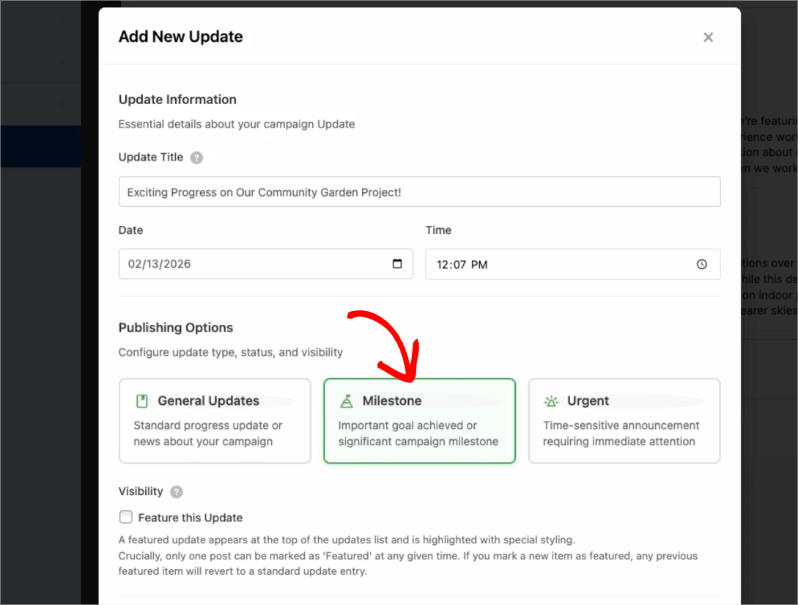
🤯 New Addon: Campaign Updates

Keep your supporters informed and engaged with every step of your progress! Share the ongoing impact of your mission and build lasting trust with your donor community!

The Ultimate Engagement Tool

Fundraising is a journey, not a one-time event. Now, you can easily provide real-time updates directly on your campaign pages, ensuring your donors stay connected to the causes they care about most.

📣 Easy Storytelling: Quickly post text updates, milestones, or field reports to show exactly how donations are being put to work, keeping the momentum alive throughout your fundraiser.

🏗️ Visual Builder Integration: Seamlessly add the Updates block anywhere on your page using our drag-and-drop builder, or use a simple shortcode to display news in widgets and sidebars.

📩 Build Donor Trust: By consistently sharing progress and success stories, you create a transparent giving experience that encourages recurring support and deeper community involvement.

author avatar
Eric Daams
Integration New

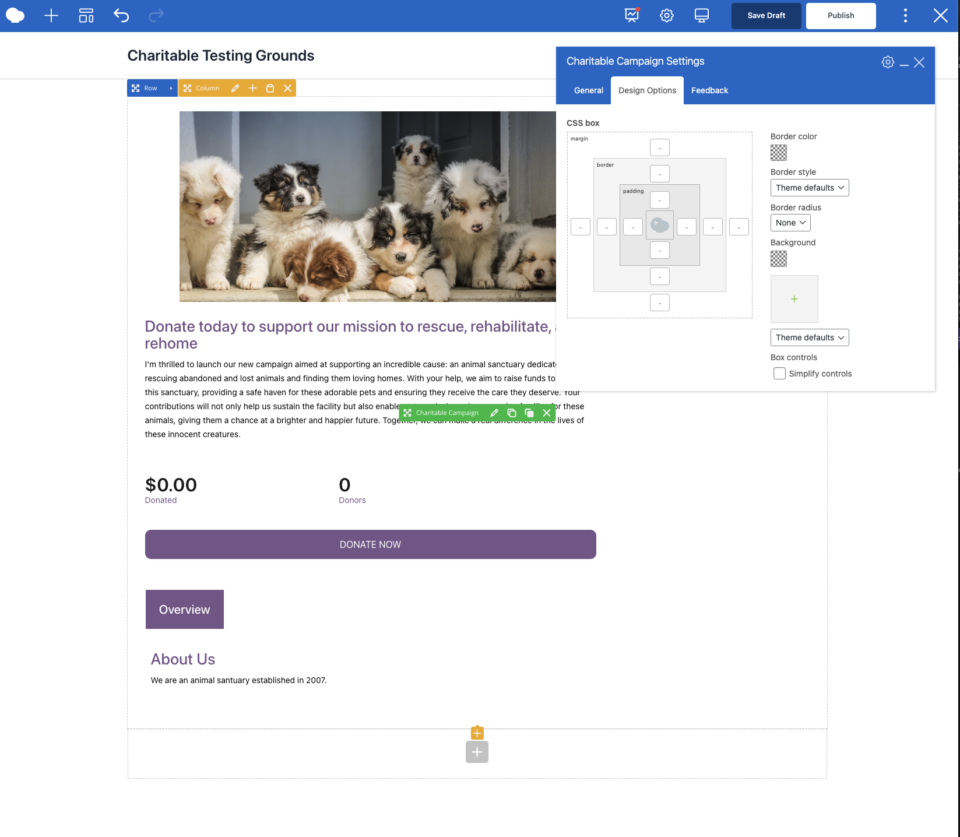
Build Beautiful Fundraising Pages Visually with WPBakery Integration

We are excited to announce our brand-new integration with WPBakery, one of the most popular WordPress page builders, designed to help you create stunning layouts for your campaigns without touching a single line of code.

The Ultimate Design Experience

Designing your nonprofit’s website should be as simple as your mission is powerful. Now, you can bring Charitable functionality directly into your WPBakery workflow, using native elements to build high-converting donation pages and campaign grids in seconds.

🖱️ Drag-and-Drop Building: Easily add donation forms, campaign progress bars, and “Donate Now” buttons to your layouts using the WPBakery elements you already know and love.

🎨 Total Creative Control: Customize the look and feel of your fundraising elements using WPBakery’s native design options. Adjust margins, padding, and borders to ensure your campaigns fit perfectly with your site’s branding.

📱 Seamlessly Responsive: Every element is built to be fully responsive and mobile-friendly, ensuring your donors have a smooth, professional experience whether they are giving from a phone, tablet, or desktop.

author avatar
Eric Daams
Integration New

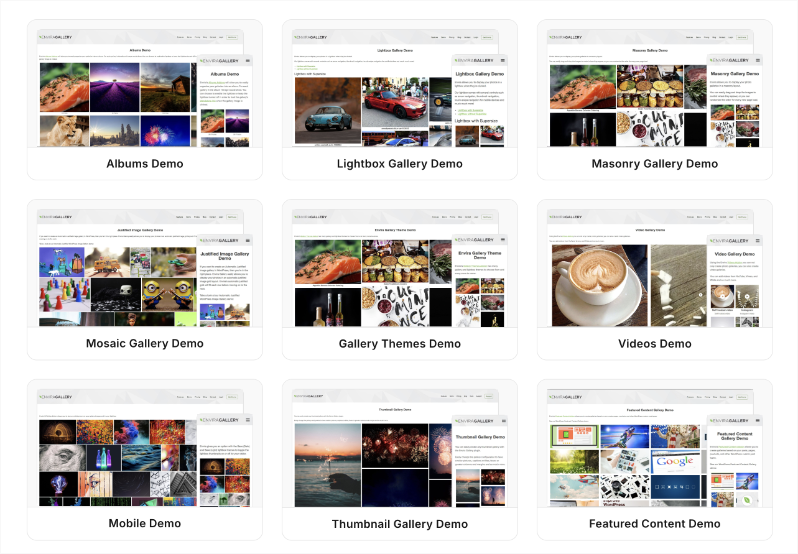
🖼️ Add Image Galleries to Fundraising Campaigns With Envira Gallery

Showcase the impact of your mission like never before. We are excited to announce our brand-new integration with Envira Gallery, the best WordPress gallery plugin, designed to help you tell your story through powerful, high-performance visuals.

The Ultimate Storytelling Experience

A picture is worth a thousand words – and now, it’s worth even more for your fundraising. Connect your visual impact directly to your cause by creating stunning, responsive galleries that engage donors and drive contributions.

🖼️ Visual Impact: Easily create beautiful, fast-loading galleries to show your nonprofit’s work in action, from field reports to event highlights.

🔗 Seamless Connection: Link gallery images directly to your fundraising campaigns, making it effortless for inspired visitors to go from viewing a photo to making a donation.

📱 Perfectly Responsive: Whether your donors are on a phone, tablet, or desktop, your galleries will look professional and load lightning-fast, ensuring a smooth experience on every device.

author avatar
Eric Daams
Integration New

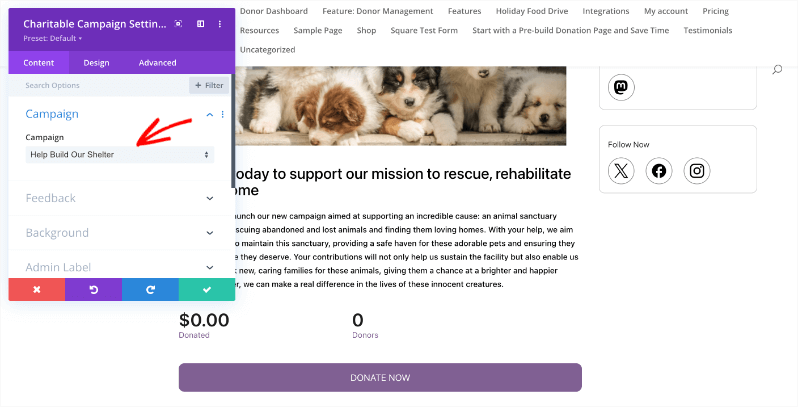
👉🏻 New Divi Integration In Charitable Pro

Bring the power of Charitable directly into your favorite page builder and maintain total creative control with our brand-new Divi integration.

The Ultimate Design Experience

No more switching back and forth or relying on complex shortcodes. Use dedicated Divi modules to build, style, and launch high-converting donation pages without ever leaving the Divi Builder.

⚡ Native Divi Modules: Effortlessly drag and drop your donation forms, progress bars, and campaign details exactly where you want them.

⚙️ Visual Customization: Tweak colors, fonts, and spacing using Divi’s familiar design settings to ensure your fundraiser matches your brand perfectly.

🚀 Live Visual Editing: See your changes in real-time. What you see in the builder is exactly what your donors will see, ensuring a seamless giving experience every time.

author avatar
Eric Daams
donation form New

👉🏻 New Campaign Selector For Donation Forms

Take your campaign management to the next level. Find the perfect fundraiser for any page and stay in your creative flow with our new Campaign Selector integration.

The Ultimate Selection Tool

No more hunting for IDs or creating one page for every donation form. Use the new Campaign Selector to allow users to switch to a campaign with no code.

⚡ Instant Search: Quickly find any campaign leaving your page or post.

⚙️ Editor Agnostic: Whether you’re using the Block Editor, Elementor, or WPBakery, selecting your campaigns is now a unified experience.

🚀 Real-Time Previews: See exactly which campaign you’ve selected instantly, ensuring your donors always see the right cause.

author avatar
Eric Daams