
With Anonymous Donations, people can support your cause without having their name publicly displayed. Donors can choose to remain anonymous when they donate.
It’s easy to set up and takes under a minute!
How to Enable Anonymous Donations
Installing Charitable Anonymous Donations is the same as installing any other Charitable extension.
If you’re not sure how to do that, we recommend first reading our guide to installing Charitable extensions.
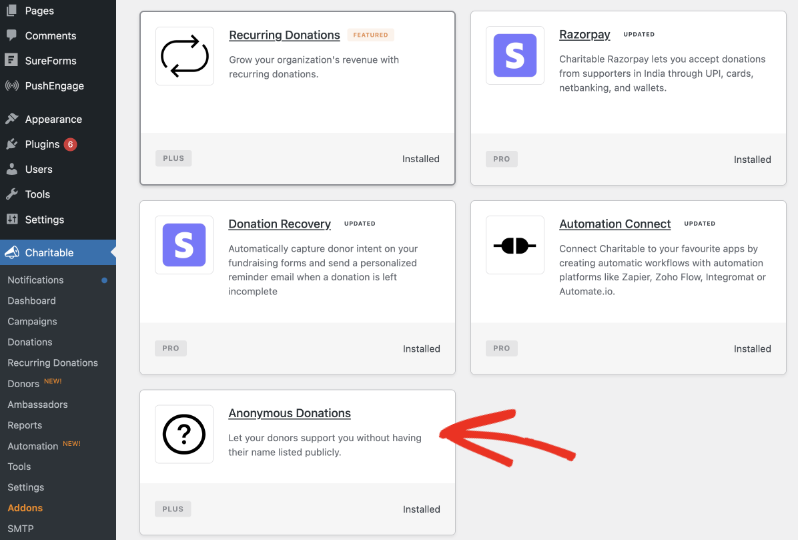
In your WordPress admin, head to Charitable » Addons. Enable the Anonymous Donations add on here. Activate it and that’s it.
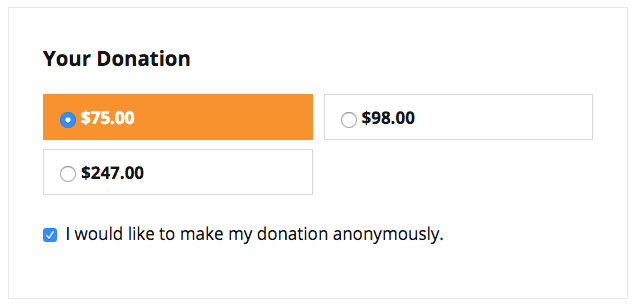
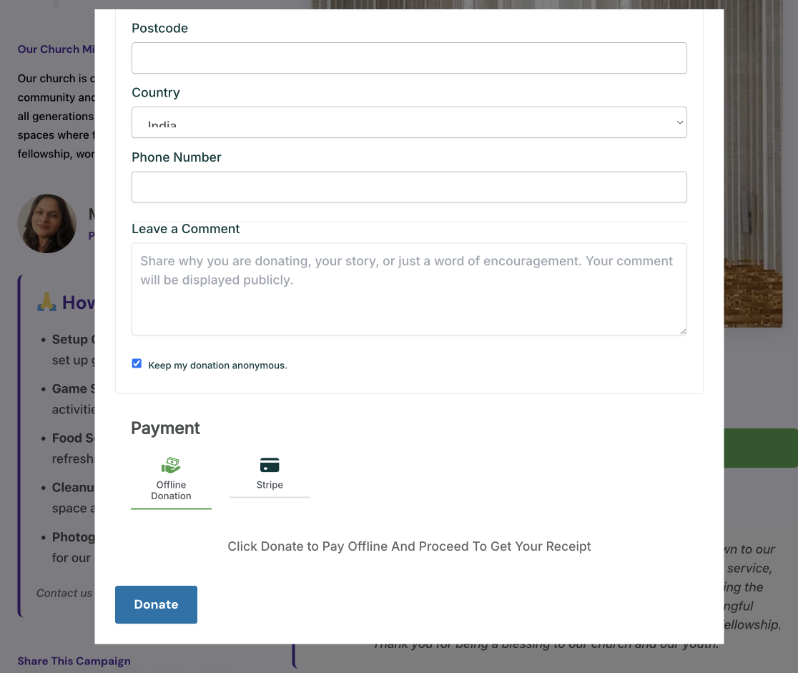
Now, on your donation form, donors will see a checkbox to keep their donation anonymous.
How It Appears on The Front End
With Anonymous Donations, people can support your cause you without having their name publicly displayed. Donors can choose to remain anonymous when they donate.
Anonymous Donations in the Donors Block
If you’re using the Donor’s block from Charitable in any page or post, you can show anonymous donors as “Anonymous” or hide them completely.
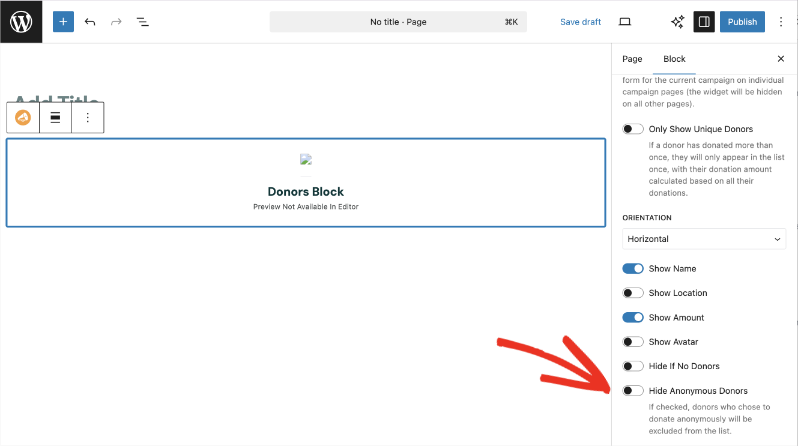
Note: If you have chosen to group donations by the same person, the donor will still be shown if they have made at least one public donation.
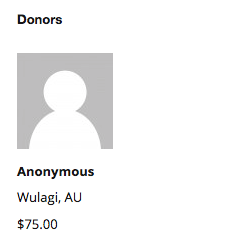
Their name and photo will be hidden when displayed in the Donors widget. Here’s a sample of what that can look like on the front end:
Anonymous Donations in Comments
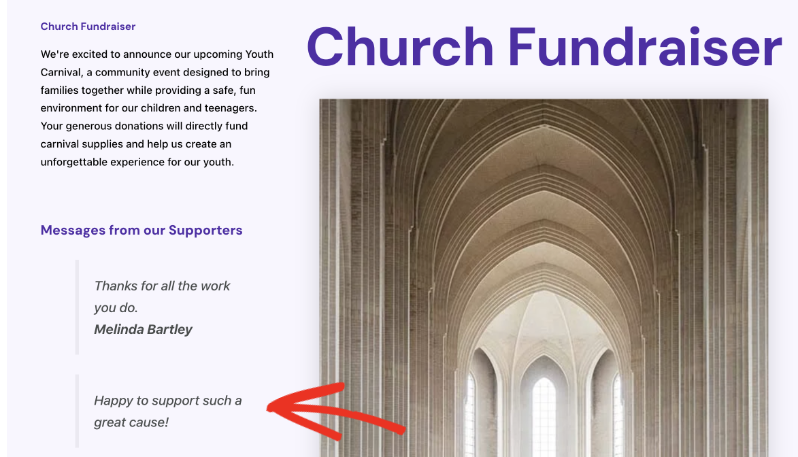
If the “Keep my donation anonymous” box is checked, the donor’s details will not be shared to the general public but they can still leave a comment.
On the front end, their name and photo will automatically not be displayed in the comments section. But their message will still appear like so:
Viewing Anonymous Donor Details
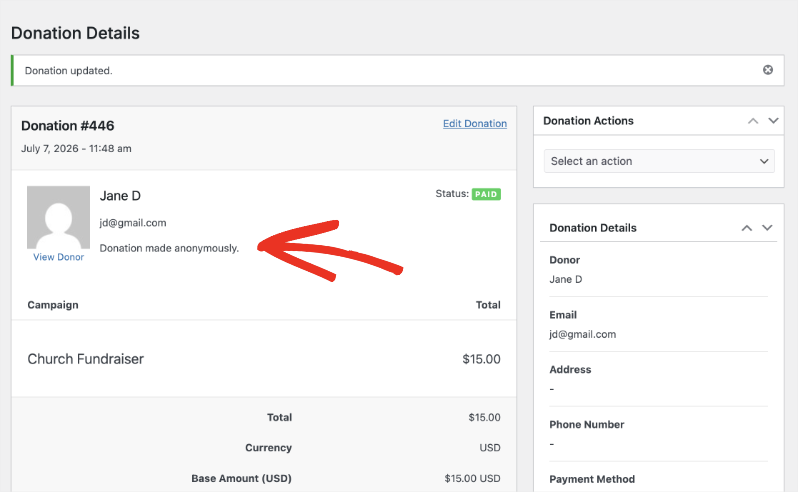
While your donor remains anonymous to others, you still gather the data you need for tax purposes and your internal records.
Go to Charitable » Donations. Open up the donation record and you’ll see the donor’s name, email, and donation details. There’s a note for all anonymous donors that reads “Donation made anonymously.”
That’s it. Anonymous Donations is that simple.
See more about Anonymous Donations »
For Developers
If you’d like to change the text that appears on the donation form, use.
add_filter( ‘gettext’, function ( $translated, $text, $domain ) {
if ( ‘charitable-anonymous’ === $domain
&& ‘I would like to make my donation anonymously.’ === $text ) {
return ‘Make my gift anonymous’; // <– your wording
}
return $translated;
}, 20, 3 );
Helpful Links
🤝 Get help when you need it
Connect with Customer Support →
📑 Find the guide you need
Browse the Documentation Hub →
⬇️ Download proven strategies, campaign ideas, and expert tools
🔗 Let your AI Assistant do the fundraising work for you.
Connect Charitable to your AI assistant →
💸 Get Free Fundraising Resources
Head to the Charitable Fundraising Hub →
🤔 Got questions about Charitable?
Charitable FAQs →
Need help understanding non-profit terms and jargon?
See our Non-Profit Glossary →
Charitable Has 1.2+ Million Downloads!
Trusted by millions to power successful fundraising campaigns. Try Charitable risk-free today.
✅ 14-day money-back guarantee
✅ Transparent pricing
✅ Code-free setup




