CUSTOM RECEIPTS
Your Thank-You Page Is Your Best Fundraising Asset
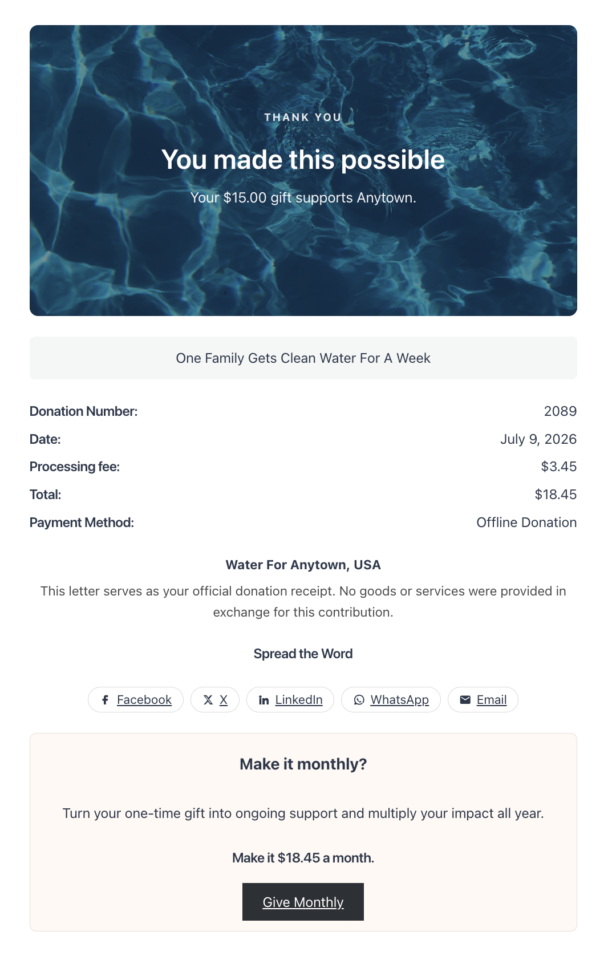
The screen a donor sees the instant their donation goes through is the most attention you will ever have from them. Custom Receipts replaces the plain “payment received” page with a branded receipt you design per campaign, one that thanks donors, shows their impact, and invites the next gift. Built into Charitable, with no code and no per-donation fees.






Most nonprofits spend everything to win the first gift, then drop the donor onto a gray confirmation line and go quiet. That page is prime real estate. It is the one moment a donor has already proven they believe in your cause and is still paying attention. A generic confirmation wastes it. A receipt built for the relationship says thank you, proves the gift mattered, and points the donor to the very next thing you want them to do, whether that is giving monthly, sharing with friends, or checking if their employer will match. Custom Receipts lets you own that moment, on every campaign, inside the WordPress dashboard you already use.
Key Features
- A visual receipt builder with more than a dozen purpose-built blocks, no code required
- A recurring “make it monthly” upgrade that turns a one-time gift into a repeating one right on the receipt
- Social share buttons that turn happy donors into advocates the moment they are most excited
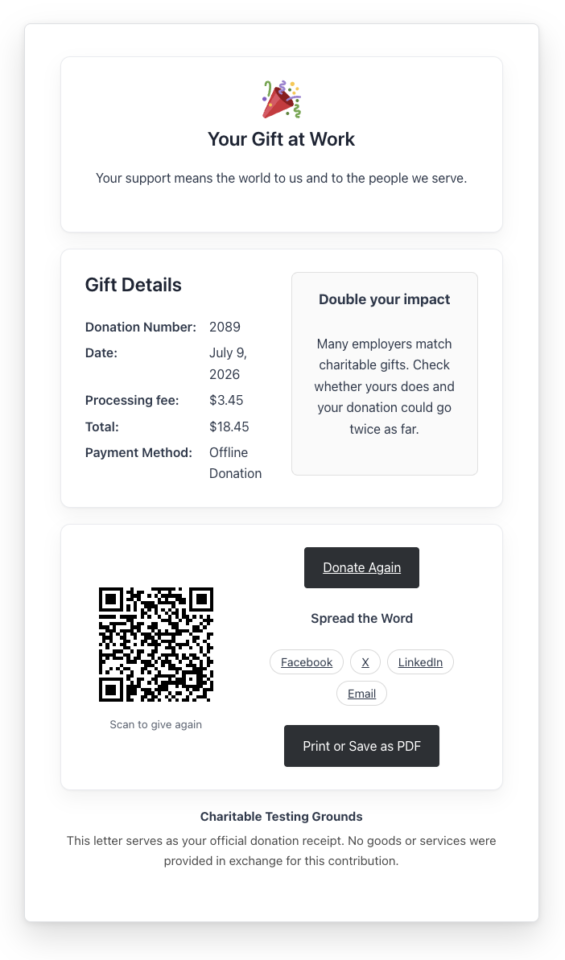
- A matching-gifts prompt that nudges donors to double their impact through their employer
- Impact blocks that translate the dollar amount into the outcome it funds
- Donor dashboard access, so donors can log back in passwordless and see their giving history
- Tax-ready receipt sections with your organization details, the donor’s details, and the deductible amount
- A different receipt design for every campaign, or one default you set once and reuse
- Ready-made receipt designs you can apply in a click, plus save-your-own templates
- Personalized content rules that show the right message to the right donor
- A redirect mode to send donors to any page or URL you already built
- Print and save-as-PDF, so donors can keep a copy of any receipt
Turn One Gift Into a Monthly One, Right on the Receipt
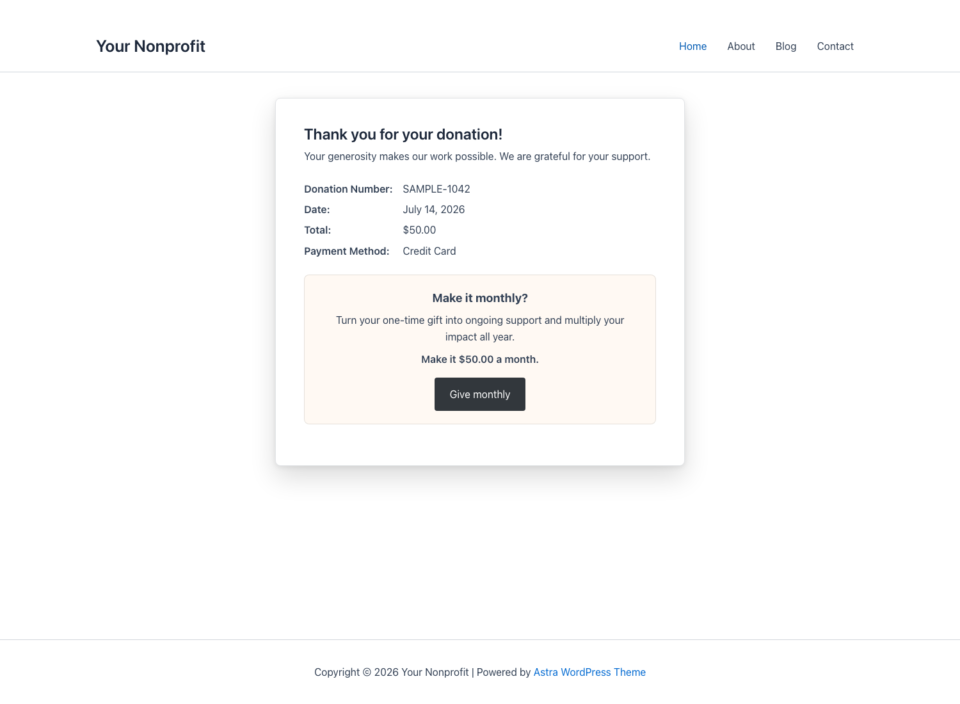
A donor is never more convinced than in the seconds after they give. Custom Receipts puts a “make this monthly” upgrade on the receipt itself, so the ask lands while enthusiasm is highest, not weeks later in an email they may not open. One tap takes the donor to your campaign form with recurring giving ready to go. Nothing appears for donors who already gave monthly, so the prompt only shows when it can actually convert.
- 🔁 A monthly upgrade prompt that appears only on eligible one-time gifts.
- 🎯 You pick the framing: keep the same amount, annualize it, or offer suggested tiers.
- 🔗 One tap to the campaign form with recurring giving pre-selected.
Help Donors Double Their Gift Through Their Employer
Thousands of companies match employee donations, and most donors never think to check. A matching-gifts block on your receipt asks the simple question at the perfect time: “Does your employer match donations?” With a prompt and an optional link to your matching resource, you can turn a $50 gift into $100 without asking the donor for another cent.
Turn Happy Donors Into Advocates
The moment a donor gives is the moment they are most proud to tell people. Add share buttons to the receipt and let donors post their support to Facebook, X, LinkedIn, WhatsApp, or email in one click, each link pointing back to your campaign. It is the cheapest new-donor acquisition you will ever run, powered by the supporters you already have.
- 📣 One-click sharing to Facebook, X, LinkedIn, WhatsApp, and email.
- 🔗 Every share links to your campaign, so a proud donor becomes a referral.
- 🎨 Styleable share pills with your colors and optional brand icons.
Build Your Receipt Visually, With No Code
Every receipt is built in the WordPress block editor you already know. Drop in purpose-built blocks, set your colors and type, and see it come together as you go. A first-run guide walks you through it, and a “Preview as” switcher lets you see how the receipt looks for a first-time donor, a returning donor, a recurring donor, and more.
Block highlights (more than a dozen in all):
- 🧾 Donation Summary shows the amount, date, campaign, and payment method.
- 💚 Impact translates the gift into the outcome it funds.
- 🙏 Thank-You greets the donor with a heading, message, and optional icon.
- 🔁 Recurring Upgrade, 🤝 Matching Gifts, and 📣 Share drive the next action.
- 🏢 Organization, 🧑 Donor Details, and 🧮 Tax Details cover compliance.
- 🖨️ Print / Save PDF, 🔗 Donate Again, 🔒 Dashboard Access, and a 📱 QR Code.
A Different Receipt for Every Campaign
Your year-end appeal, your memorial fund, and your monthly-giving drive are not the same, so their thank-you pages should not be either. Custom Receipts lets you design a receipt per campaign, or set one default and reuse it everywhere. Start from a ready-made design, apply it in a click, tweak it, and save your own as a template you can drop onto the next campaign.
- 🎨 Ready-made designs you can apply in one click and customize.
- 🗂️ Save your own templates and reuse them across campaigns.
- ⚙️ Set once, reuse everywhere, or go bespoke where it counts.
Show Donors Exactly What Their Gift Does
“$75” is a number. “$75 feeds a family for a week” is a reason to give again. The Impact block turns the amount into the outcome it funds, pulling from the suggested amounts and descriptions you already set on the campaign. Donors leave the receipt knowing their money became something real.
Receipts That Are Ready for Tax Time
Donors keep receipts for a reason. Custom Receipts includes blocks for your organization’s name, address, and contact details, the donor’s own details, and a tax-details block that calculates the deductible amount and states it clearly. Donors can print the page or save it as a PDF in one click, so they always have a copy that reflects exactly what they gave and to whom.
- 🗓️ Donor-chosen date for the annual gift.
- 🔗 Tribute details preserved on every renewal, so the honoree keeps getting credit.
- 👤 Donor self-service, managed from their Charitable profile.
Show the Right Message, or Skip the Build Entirely
Personalized content rules let you show different blocks to different donors, a bigger thank-you for a major gift, a monthly-giving nudge only for one-time donors, a message just for first-timers. And if you already have a beautiful thank-you page built, you do not have to rebuild it here at all. Redirect mode sends donors to any page or URL you choose, so Custom Receipts fits whether you want to design from scratch or point somewhere you already made.
- 🎯 Conditional blocks based on amount, gift type, donor history, and more.
- 👀 Preview as any donor type before you publish.
- ↪️ Redirect mode to any page or URL, no receipt build required.
More information
Get started with the Charitable Custom Receipts documentation.
Minimum requirements:
- PHP 7.4+
- Charitable Pro 1.8.17+