
We’re excited to introduce a brand new Donor Management System designed to revolutionize your fundraising experience and help you efficiently manage and track your donor relationships. We’ve integrated this into your WordPress platform, acting as a centralized hub for all donor-related activities.
We’ve brought together everything you need to nurture donor relationships, track contributions, and grow your impact. Our new system adapts to your needs, whether you’re a small nonprofit or a large charitable organization. We’ve kept it simple and easy to use no matter your level of expertise!
The new donor management system is available in any of our Charitable Pro plans. Learn more about Charitable Pro here »
What’s New?
We’ve been working hard behind the scenes to bring you a more powerful way to streamline your fundraising, get more donations, and manage it all with ease.
Focusing on managing your donors, we’ve launched the new Donor Management System. This gives you a comprehensive overview of your donor base that you can view, edit, and export with ease.
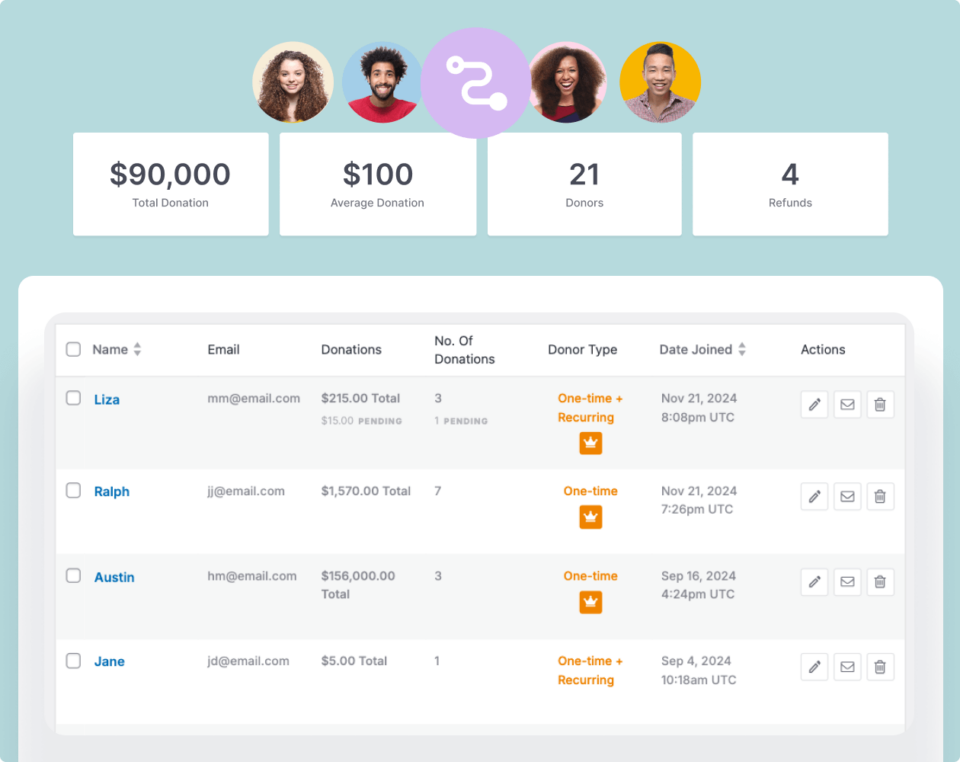
It’s designed to be powerful yet simple for you to use so that you can save time and make your donation management more efficient.
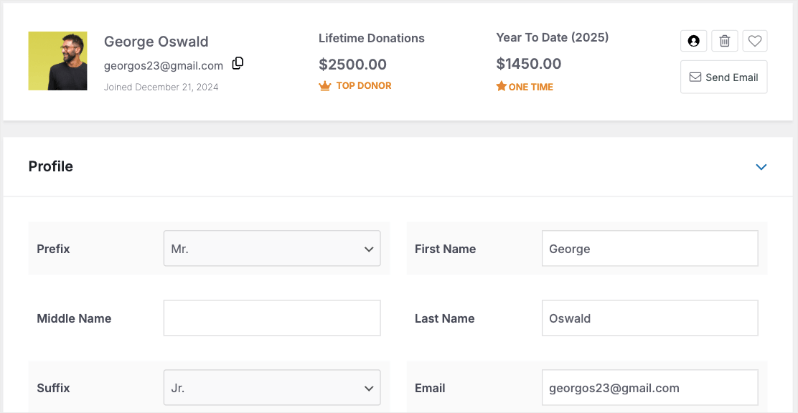
Every time a person makes a contribution on your website, Charitable will automatically create a donation record, a donation receipt, and set up a donor profile like this:
Here are a few highlights of the new Donor Management System:
🎯 Centralized Management: Access all your donor information, track donations, and manage relationships from one intuitive dashboard.
📊 Smart Analytics: Gain valuable insights into your fundraising efforts with detailed reporting and donor tracking.
🔄 Seamless Integration: Works perfectly with your existing WordPress setup and favorite marketing tools.
👤 Donor Profiles: Comprehensive donor profiles with giving history, communication preferences, and custom fields for detailed tracking.
📝 Donation Records: Keep track of all donations with detailed records, including payment status, campaign information, and downloadable receipts.
📋 Manual Records: Easily create new donor profiles to keep all your donation data in one place.
📤 Quick Export: Download detailed reports and records for accounting, tax purposes, and offline data management in multiple formats.
📧 Automated Communications: Send automatic receipts, thank you messages, and customized donor communications with ease.
🔍 Smart Search: Quickly find and filter donor records, donations, and campaigns with the powerful search feature.
All these features work together seamlessly to create a powerful, yet easy-to-use donor management experience.
Let’s dive deeper into the new donor management system and explore how it can help streamline your fundraising operations.
Everything You Need to Manage Donors & Donations
The Donor Management System gives you access to the Donor Database and Donation Records. Let’s explore each one.
The Donor Database
The donor database is your command center for managing supporter relationships. It provides a complete view of your donor base and powerful tools to maintain detailed records of every supporter.
See the donor database live in action:
Let’s go through this step by step.
You can access the database via the Charitable Pro » Donors tab in your WordPress admin panel like so:
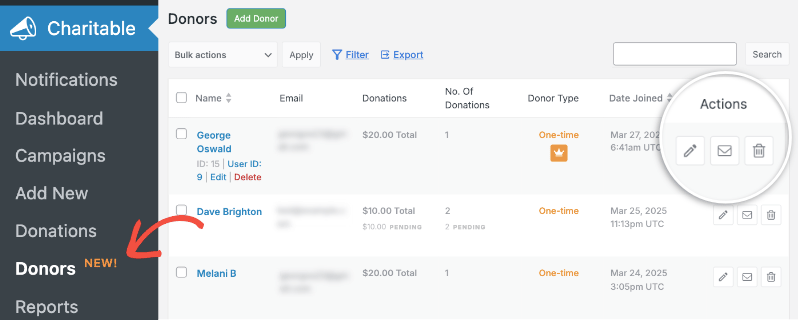
Here, you can:
- View a clean, organized interface with a complete donor list including name, email address, total donations, frequency, and join date.
- Easily identify donor types (one-time, recurring, top donor).
- Use icons for quick actions: edit profiles (pencil), send emails (envelope), or delete records (trash bin).
- Access dedicated donor profile pages for comprehensive records.
- Manage basic information such as personal and professional details, contact info (including multiple addresses and emails), and communication preferences.
- Organize donors using Tags and Custom Fields. You can create and assign tags like “important” and add various custom field types such as text boxes, checkboxes, dropdowns, date fields, range selectors, and star ratings.
Inside every individual donor’s profile, you can see an overview of their donations and history with your organization. We’ve also made it easy to view and manage advanced details of each donor like this:
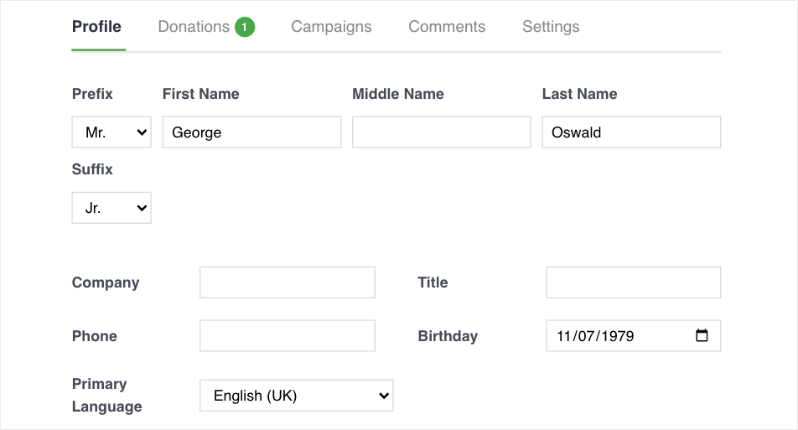
Here, you can view, edit, and delete information such as:
- Donations: View chronological giving history, including amounts, dates, campaigns, and payment statuses. Edit records, generate/download PDF receipts instantly, and export history
- Campaigns: See campaigns the donor created or participated in.
- Comments: Review and manage comments left by the donor if comments are enabled.
- Social Media: Add and manage various social media profiles.
- Activity Logs: Maintain a detailed audit trail of all changes made to the donor profile.
- Notes: Store important information about donor relationships for personalized communication.
Want to watch how this works? See our video walk through of donor profile details »
The best part? We’ve made it easy to filter your donor database by date range, campaigns, search terms, and favorite donors.
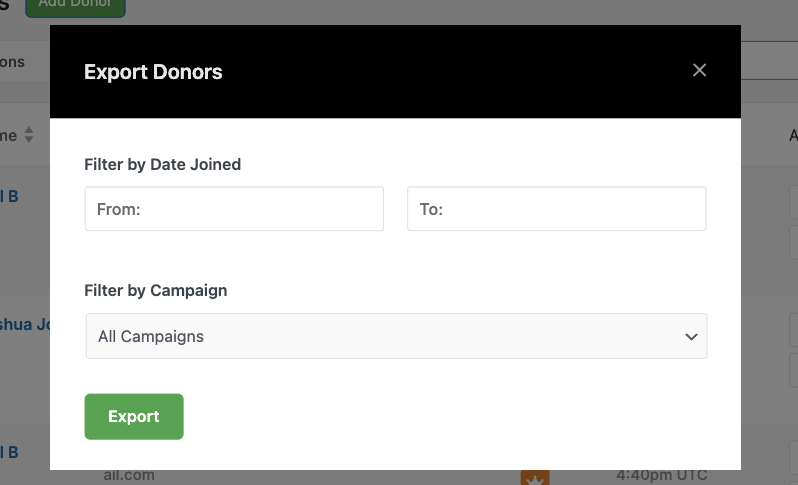
Simply click a few buttons to export your entire donor database or filtered views as a CSV file. See our video tutorial on this »
Now, when a donor makes another contribution, their profile will automatically be updated with the new donation details. A new donation record will also be created. The Donor Database and Donation Records go hand in hand so let’s explore donation records as well.
Centralized Donation Records
You can access records via the Charitable » Donations tab in your WordPress dashboard. When a donor makes a contribution, a donation record is automatically created and will appear here.
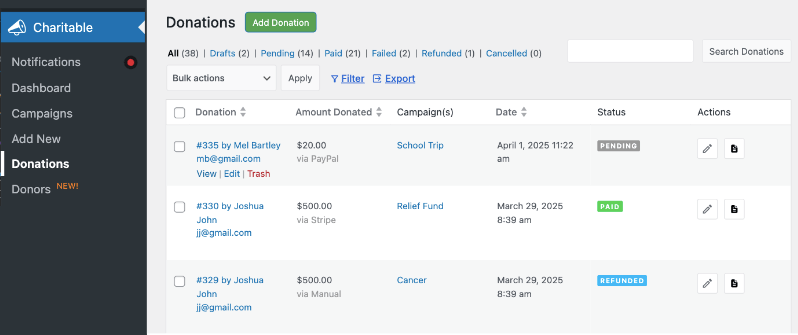
Here’s what you’ll get on the Donations page:
- See an overview of the donor name, email, amount donated, campaign, date, and status.
- View the payment status, including paid, pending, refunded, or cancelled.
- Use actions like Add Donation to create new records, View Only Tabs for specific statuses, Filter by date, campaign, and status, Export CSV files, and Search for specific records.
- Edit donation records to update payment status, send receipt copies, trigger admin notifications, and download PDF receipts. Changes are tracked in a donation log.
- Manually add new donation records, which is helpful for offline donations. You can select a campaign, amount, and add a new or existing donor.
All donation records are stored securely and can be accessed anytime. The system automatically maintains a complete audit trail of changes, making it perfect for accountability and reporting. You can handle online donations through your website and manually enter offline contributions – all your donation data stays organized in one central location.
Charitable works smoothly with other popular tools, including email services and marketing apps, allowing you to create a streamlined workflow. It is built to grow as your organization gets bigger and is flexible to fit your needs.
We REALLY think you are going to like this… and we’ve also created something that enables you to give your donors an awesome experience – the new Donor Dashboard. This lets your donors log in to their own accounts and manage their contributions, edit profiles, update contact details, download donation receipts, and more. Learn more about the Donor Dashboard here »
Or you can also watch our video walkthrough below:
How To Get Started
To access the Donor Management System, you will need Charitable Pro.
If you are an existing customer with a Charitable Pro plan, you can download the latest version of the plugin from your account’s Downloads page. Upload it to WordPress and ensure your license key is verified.
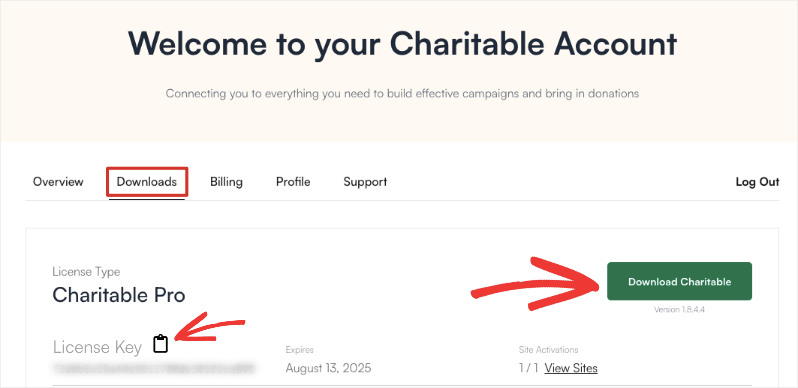
Here’s a complete guide to updating to Charitable Pro for existing customers »
If you are new or on the Lite version (free), you can visit the plans page to choose the best fit for your organization.
Once you have the Pro plugin, install and activate it in your WordPress dashboard. Then, paste your license key in the Pro dashboard settings to verify and install.
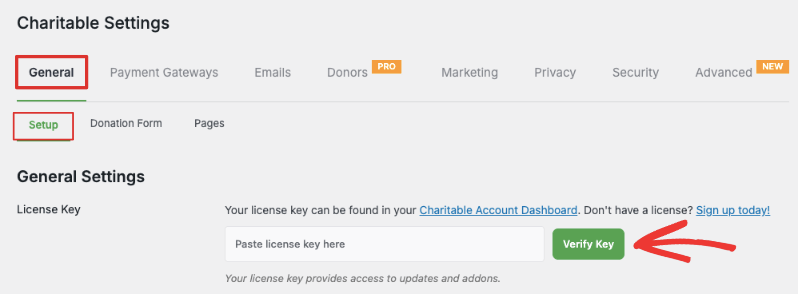
Note: Your existing data, campaigns, and donation records will stay as they are during the transition.
You’re ready to use the new Donor Management System!
For more detailed, step-by-step instructions, follow this guide on how to use the Donor Management System.







Leave a Reply