

“Unprecedented times” is how governments across the world are describing the COVID-19 pandemic, and it’s affecting communities, businesses and organizations — including non-profits.
As the pandemic makes it harder to organize events, how can your organization adapt?
The COVID-19 challenge for non-profits
Charities have experienced a huge shift in light of new restrictions, especially as it’s becoming much more difficult to mobilize event fundraisers and people are focused on the immediate dangers of the virus, rather than donating to charitable causes.
Programs and events scheduled to happen in the next few months are getting cancelled and unfortunately, that directly impacts donations.
On top of this, non-profits who depend on volunteers to run their events are having to ask volunteers to stay at home rather than provide important support to raise funds at events.
Needless to say, many initiatives and processes non-profits are used to have been turned upside down during this time.
On the other hand, we’re seeing new opportunities to become more creative through virtual fundraising. People are realizing that a global pandemic is no reason to halt fundraising altogether.
In fact, during this critical time of need, many are coming together and putting their efforts and resources behind causes through alternative digital means. From social media “takeovers” to virtual quizzes, read on for some ideas to keep your fundraising campaigns active — even if you can’t set them up as traditionally planned.
Why virtual fundraising?
Apart from being easily accessible to anyone with an internet connection, virtual fundraising helps non-profits save time and lower costs in their campaign efforts. Unlike a “real-life” fundraiser, where you have to wait for emails to be sent out, see who responds, and go through the time and effort of hiring a venue and account for all the other admin, creating a virtual fundraiser cuts out a lot of those middlemen and overhead costs.
One of the other great benefits of virtual fundraising is its ability to build on your relationship with your supporters organically. Rather than simply receiving a flyer or brochure asking for a donation, you can engage them through your networks or emails and ask for them to take part in fun activities for a good cause.
Plus, as online platforms become more agile and flexible to ad-hoc needs, you can set up a virtual peer-to-peer fundraising event on your WordPress website. They can come to your page to be reminded of what’s coming up, and your peer-to-peer supporters can help spread the word, too. There are countless ways for people to get involved. Read below for some of our ideas on what you can do to bolster non-profit causes and needs through virtual fundraising.
1. Create a social media takeover

Do you have a partner or a local community sponsor — with an active following — that is willing to partner up for a social media takeover? This is a great way to “borrow” their audience and show them how worthwhile your causes are. You can share your campaign all day on their social media account which will help increase visibility and spread awareness of the work you’re doing.
You can also encourage users to like, share or retweet your content for a specific incentive, like a product you offer, or use a live stream video to tell the audience what your non-profit is all about.
2. Create a peer-to-peer fundraising initiative

Peer-to-peer fundraising is a great way to keep your causes going strong.
It’s a type of online fundraising that enables your non-profit to raise more money, increase awareness and acquire more donors as you go along. As your supporters reach out to their networks, peers can introduce more people to your cause and mission.
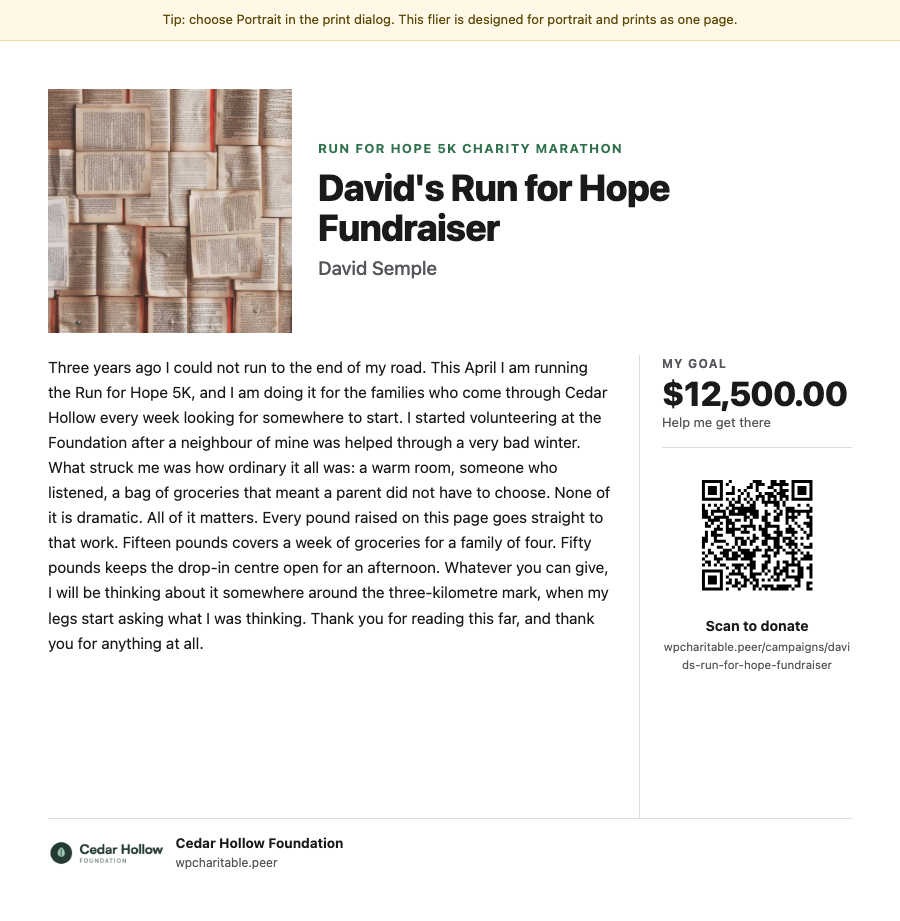
Using your WordPress page as a central hub as well as our native platform, Charitable Ambassadors, each participant can set up their own mini-goal and encourage people to get involved.
Take the NHS 5k run, for example, which has been going viral across Instagram. This is a great example of a peer-to-peer initiative that’s quickly spread due thanks to the easy accessibility of social media and people’s shared support of wanting to do something for NHS front line workers during the COVID-19 crisis.
Discover the benefits of peer-to-peer fundraising through our own Charitable Ambassadors.
3. Create a donate matching initiative

A great virtual fundraiser idea is to get a major donor to match every donation your online supporters give. Donors will feel especially good knowing they’re getting two for the price of one when they contribute.
Before launching, make sure you have a clear agreement with the other party. You need to be on the same page with the matching terms and what their role is in the campaign. See if one of your bigger supporters can donate a significant contribution if your non-profit can raise an equivalent or higher amount!
4. Choose (or create) a social media celebration day

Getting involved in a social media celebration day is a great way to raise awareness of your campaign. Choose a day that’s relevant to your cause, such as International Day of Women and Girls in Science for non-profits supporting women in STEM.
On the day of the celebration, send out a series of emails requesting donations in its spirit. Include a story about where your donations are going, and a call to action that expresses urgency, such as a “Donate Now” button attached to a Facebook post that will go straight to your website’s donation form. You can use a specific, searchable hashtag that others can post about and share to keep the momentum going.
After the day has passed, you can follow up with your supporters to show how many people got involved, where donations went and how they helped your cause.
5. Set up an online auction

Online auctions have been a long-standing virtual fundraising technique. It’s a powerful way of raising money online and it gets people interested in second-hand goods. There are a few ways you can go about running virtual auctions.
- Live auction: an auctioneer oversees the auction and people virtually bid in real-time, with the highest bidder winning.
- Silent auction: Participants write bids up and place bids (virtually) next to displays of the items up for auction. They can return to items to see if they’ve been outbid, and they’re welcome to then submit even higher bids.
- Platform auction: items are displayed, with photographs, on an auction site. Bidders register, enter and place bids within a set period of time, ideally one to three weeks, and the winner is notified when the auction ends.
6. Create a virtual quiz

The virtual quiz craze is all over social media during this lockdown period, with groups of friends around the world getting together on video platforms to share a couple of drinks and spend a few hours answering questions and competing against each other. And non-profits are starting to tap into this trend, too. You can easily set up a virtual quiz on your WordPress page and spread the word through social media networks and direct mail, asking for a donation from each participant which will go to your cause.
7. Create a TED Talk-style event

Do you have an inspiring speaker, or a few of them, that can make for a great online event with their insights? Hosting a livestream presentation where each community member or supporter pays a small fee to listen. Depending on how you set it up, you can have a new set of speakers each week, and offer viewers the opportunity to get involved with a virtual Q&A session at the end. If you are going to go with this route make sure you include links to call-to-actions for fundraising requests to solicit donations both before and after each presentation.
8. Stream a gaming tournament

Using platforms like Twitch, people are tuning in to catch the action of real-time gamers playing their favorite video games. Nowadays, many non-profits are realising the opportunity to raise money, grow awareness, and engage with donors in real time. You can ask users to pay an upfront cost to enter a Twitch tournament (or similar) and set up teams to compete against each other — even two would work in this case. Then, you can ask viewers to donate to the cause as they’re watching.
9. Offer a virtual cooking class

Lots of people have rediscovered the joys of cooking (and baking!) during the lockdown period. You can easily use Facebook Live to broadcast a cook-in and ask for donations to your charity’s cause through your fundraising page. You can also use the opportunity of broadcasting to speak about the hard work your charity is doing and why it’s so important, now more than ever, to keep support strong and active.
Virtual fundraisers can help you adapt during COVID-19
The global pandemic is dramatically transforming all of our lives — but it doesn’t mean that fundraising efforts should simply stand still. Technology is an excellent tool for keeping the word about your charity and all the work it’s doing alive, and encourage donors to stay active in their support and offerings. With the ideas we’ve listed here, and others you might be inspired to come up with on your own, you can still create a valuable fundraising stream and get creative with virtual fundraising.
Start collecting donations with WordPress today
Join 10,000+ non-profits raising more money online with Charitable.





Leave a Reply