
I’ve worked with nonprofits that install a push notification tool, send three donation asks in a row, watch their unsubscribe rate spike, and conclude that “push doesn’t work for us.” It’s rarely the channel. It’s almost always the message pattern.
Push notifications are one of the few marketing channels left that show up directly on a screen instead of getting buried in a crowded inbox, and they cost nothing per message to send. But most organizations use them the way they’d use a retail app: constant purchase prompts.
A nonprofit isn’t selling a product. It’s asking someone to make a commitment, and a donation is only one form that commitment can take.
Volunteering, signing a petition, showing up to an event, becoming a monthly donor, sharing a campaign, joining an ambassador program – these are all commitments, and push notifications can move a supporter toward any of them.
Below, I’ve gathered 19 push notification campaign ideas organized by where a supporter sits in their relationship with your cause, each with example copy you can adapt today.
If you haven’t set up push notifications on your WordPress site yet, start with our step-by-step setup guide first – this post picks up from there and focuses on what to actually send once the plumbing is in place.
Pick the handful that fit your organization this quarter. You don’t need all 19 running at once.
Why “Ask, Ask, Ask” Doesn’t Work Anymore
Open a lot of nonprofit push notification feeds and you’ll see the same cadence, over and over:
- Ask.
- Ask.
- Ask.
- Ask.
- Ask.
Every message is a request for money. Nothing in between. A subscriber who opted in because they cared about your mission starts to feel like a wallet with a browser attached, and eventually they hit “unsubscribe” or start ignoring the notification the moment it appears. Compare that to a healthier cadence, one built around what I call the Impact Over Asks ratio:
- Impact update
- Story
- Thank you
- Educational content
- Volunteer opportunity
- Then, a donation request
Five out of six touches give the supporter something before the sixth one asks for anything. That balance is what reduces donor fatigue and builds the kind of trust that makes the eventual ask land instead of getting swiped away.
Here’s an example of the ask-heavy pattern in the wild – the kind of urgent-only notification that trains subscribers to tune out:
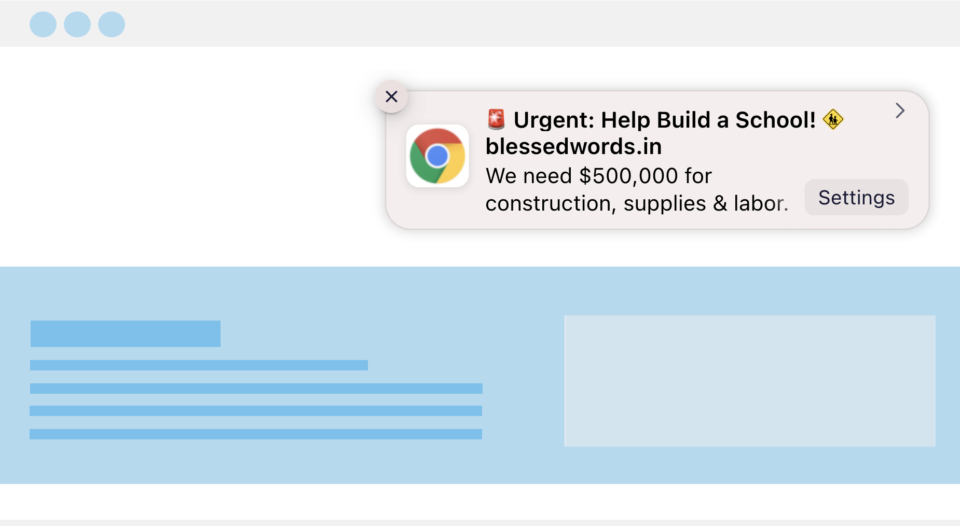
That notification isn’t wrong on its own. The problem shows up when it’s the only kind of message a subscriber ever gets.
The 19 ideas below give you the other five-sixths of the ratio, organized by where a supporter sits in their relationship with your cause: donor lifecycle moments, momentum and urgency, commitments beyond money, storytelling and education, and community recognition.
Donor Lifecycle Notifications: Building Loyalty From the First Gift Onward
Most of a donor’s relationship with your organization happens quietly, between campaigns, with no ask attached at all. The four notification types below are built for exactly those moments – the ones that decide whether a first-time donor becomes a second-time donor, and whether a recurring gift lasts two months or two years.
1. First-Time Donor Nurturing
A single “Thank you for your donation” push does the bare minimum. A first-time donor just made a decision to trust your organization with their money, and what happens in the next few days determines whether that trust deepens or fades. Instead of one notification, run a short drip: gratitude, then proof, then an invitation to go further.
- ❤️ Thank you, Sarah! You just helped provide 3 meals today. (See your impact)
- Meet Ravi, one of the children your donation is helping.
- Want to make your impact last all year? Become a monthly donor.
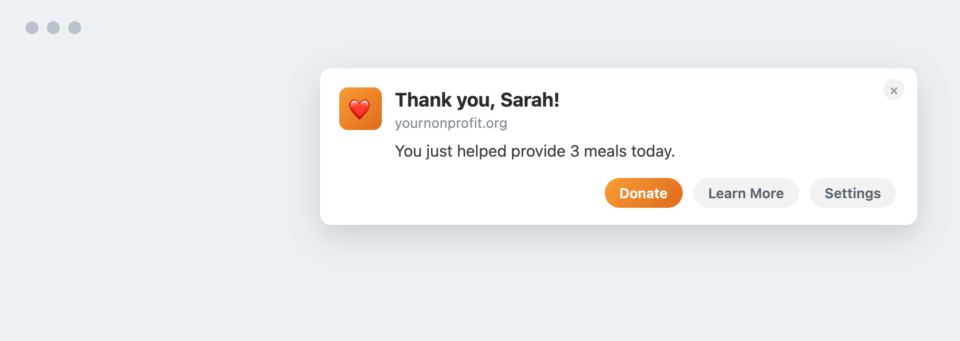
These work because they mirror how real relationships form – you don’t ask a new acquaintance for a favor before you’ve shown them who you are. Space the three messages a few days apart so the sequence feels like a conversation, not a countdown. This is a natural extension of your donor communication strategy beyond the inbox.
2. Donation Anniversary (“Giversary”) Campaigns
People remember birthdays. Almost no nonprofit reminds a donor of the anniversary of their own generosity, which is strange, because it’s one of the highest-emotion touchpoints available and it costs nothing to send.
- One year ago today, you helped rescue wildlife.
- You’ve been changing lives for 3 years. (Celebrate your giversary)
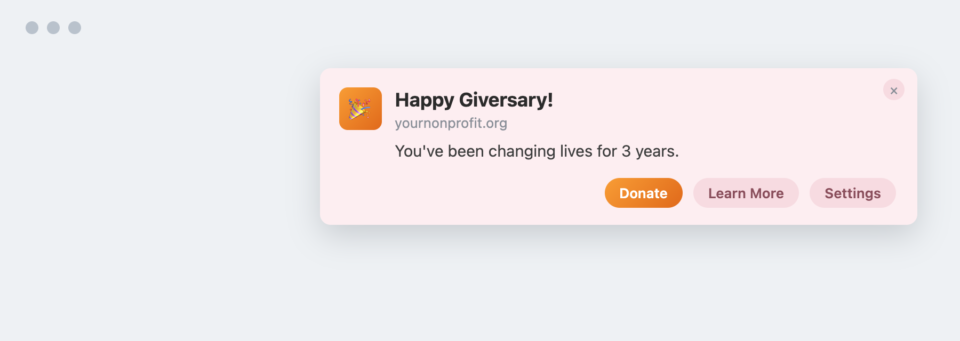
A giversary notification tells a donor their specific act of generosity is still remembered, not just their name on a spreadsheet. Trigger it off the original donation date stored for that donor, and let the message stand on its own without a donation ask attached – the ask can come later, in a different notification.
3. Recurring Donor Retention
Recurring donors are the backbone of stable fundraising, and they churn quietly. There’s rarely a dramatic exit; a card just expires, or a donor stops noticing the monthly charge means anything, and cancels. Retention notifications keep the meaning visible.
- You’ve helped every month for 2 years.
- This month’s donation just reached our shelter.
- Here’s what your monthly gift achieved.
- You’re among our top 5% longest supporters.
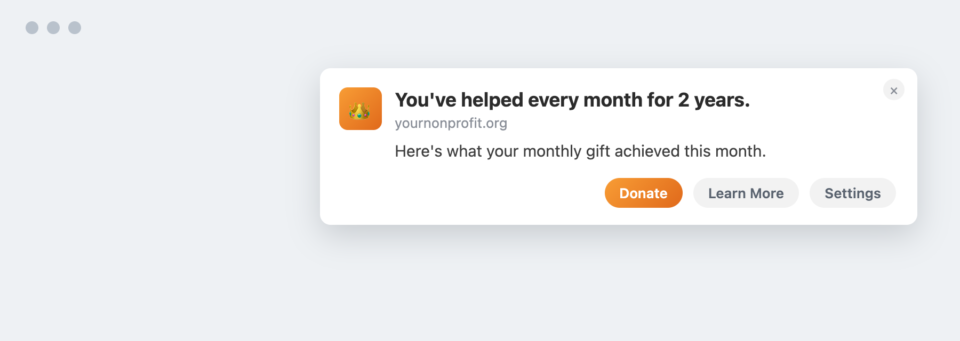
A recurring donor who can see exactly where last month’s gift went is far less likely to cancel this month’s. If you’re running recurring donations through Charitable Pro, this is a low-effort addition. The data on tenure and cumulative giving already exists in your donor records; the notification just needs to surface it.
4. Re-Engaging Lapsed Donors
The instinct with a lapsed donor is to ask again. That’s the wrong opening line. A donor who hasn’t given in a while responds better to being reminded what they already accomplished before you ask them to accomplish more.
- We haven’t seen you in a while, but here’s everything your past generosity helped accomplish.
- Ready to help again?
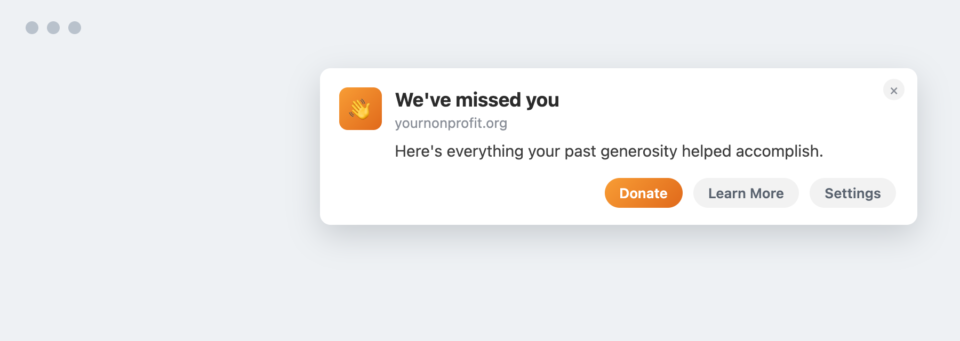
Leading with cumulative impact instead of a cold ask reframes the message from “we need something from you” to “look what you already did.” Send the impact recap on its own, then follow up with the invitation a few days later rather than combining them into one notification.
Momentum, Urgency & Emergency Campaigns
Urgency is one of the few places where push notifications genuinely outperform every other channel, because a message can land on a screen within seconds of the moment it matters. The four ideas below lean into that speed without leaning into manipulation – the urgency is real, not manufactured. (Currency examples below use ₹ as illustrative; swap in whatever currency fits your donor base.)
5. Impact Milestone Notifications
Supporters don’t want updates about your organization. They want updates about what their specific contribution helped build, even when the milestone is a collective one.
- Thanks to supporters like you, we’ve planted 50,000 trees.
- We just completed the school you helped fund.
- Your donations have now provided 8,400 meals.
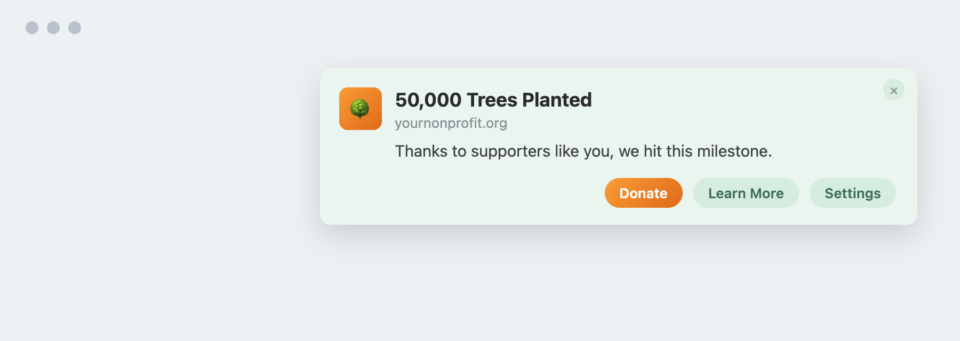
“Your donations have now provided” reads completely differently than “we have now provided” – the first sentence includes the reader, the second one reports on the organization from a distance. Write every milestone notification in the second person and address it to the group of donors who actually funded that outcome, not your entire list.
6. Live Fundraising Momentum
This is one of the best uses of web push, period. A live campaign page paired with real-time momentum notifications creates social proof and urgency at the same time, and neither works nearly as well through email, where delivery is delayed and the moment has usually passed by the time someone opens it.
- 🔥 We’re 72% toward our emergency relief goal.
- Only ₹4.2 lakh left to raise.
- 93 donors joined today.
- Just 4 hours remaining.
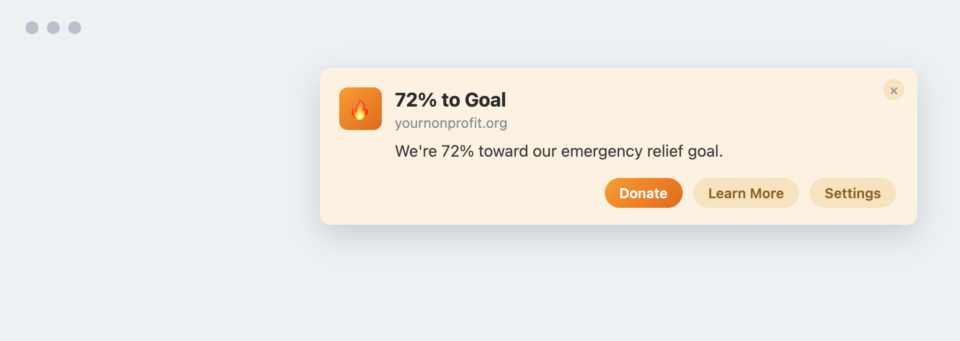
Watching a goal fill up in real time is what turns a bystander into a participant. Send these in a tight cluster during the campaign’s final push rather than spreading them evenly across the whole fundraising window. Momentum notifications lose their power outside of a genuine crunch.
7. Matching Gift Campaigns
Matching gifts convert exceptionally well because they answer the one objection every donor silently has: “will my small gift actually matter?” A matching notification says yes, immediately and concretely.
- Your donation will be doubled today.
- Anonymous donor matching every ₹1 until midnight.
- Only ₹35,000 of matching funds remain.
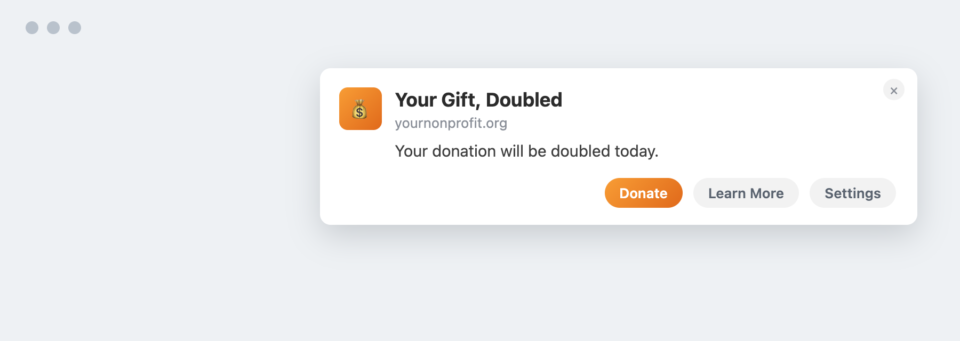
A matching pool with a visible ceiling gives a donor a reason to act today instead of “sometime this week.” If a matching gift has a hard deadline or a capped pool, that deadline and remaining amount should appear in the notification itself. Don’t make the reader click through to find out if they’re too late.
8. Emergency Response Alerts
Floods, earthquakes, wildfires, medical emergencies – this is the category where push notifications have no real substitute. Email gets delayed in queues and buried under everything else in an inbox; a push notification can reach a subscriber within seconds of an event breaking.
- Emergency response teams deployed. Help us reach 5,000 families.
- Relief trucks leave in 6 hours. Every donation helps.
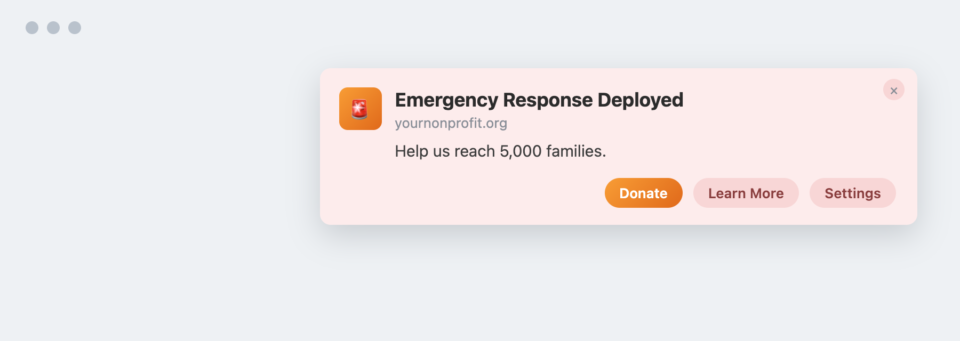
Speed is the entire value proposition here – a well-written emergency notification sent six hours late has lost most of its power no matter how good the copy is. Draft a small library of emergency-notification templates in advance, before a crisis hits, so you’re editing details under pressure instead of writing from a blank page.
Beyond the Donation: Volunteering, Advocacy & Peer Fundraising
A donation is only one type of commitment a supporter can make, and treating it as the only one leaves real capacity on the table. Some of your most valuable supporters would rather show up, sign something, or fundraise on your behalf than write a check, and push notifications are well-suited to activating exactly that kind of support.
9. Volunteer Activation
Volunteer attendance is a chronic headache for most nonprofits – people say yes weeks in advance and then don’t show up. A short sequence around the event date closes a lot of that gap.
- Need 12 volunteers this Saturday.
- Last chance to register.
- Weather looks perfect! See you tomorrow.
- Thank you for volunteering ❤️
- Tell us how you felt while volunteering and we’ll feature you in our monthly newsletter.
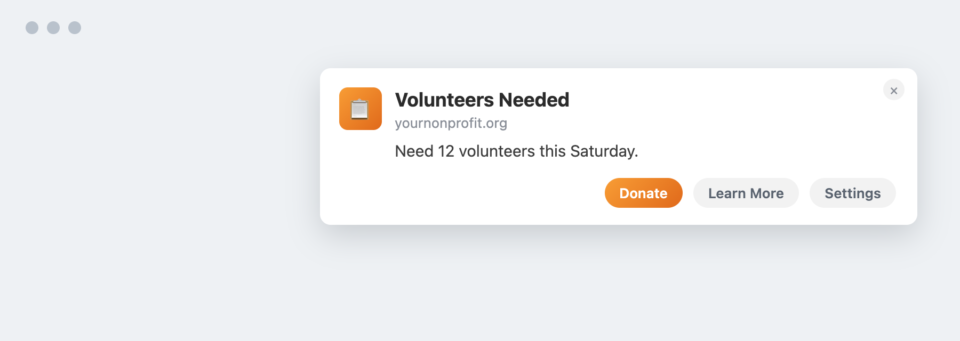
The day-of and post-event messages matter as much as the recruitment message – they’re what turns a one-time volunteer into a repeat one. Build this as a standing sequence in your volunteer notification list, not a one-off, so it fires automatically around every event date going forward.
10. Petition Campaigns
Advocacy-focused nonprofits have a channel most fundraising-only organizations don’t use at all: the petition. Push notifications are a strong fit because petitions live and die on timing – a vote date, a deadline, a closing window.
- Parliament votes tomorrow. Sign before midnight.
- 14,000 supporters have signed. Join them.
- Your signature has been delivered. See what happens next.
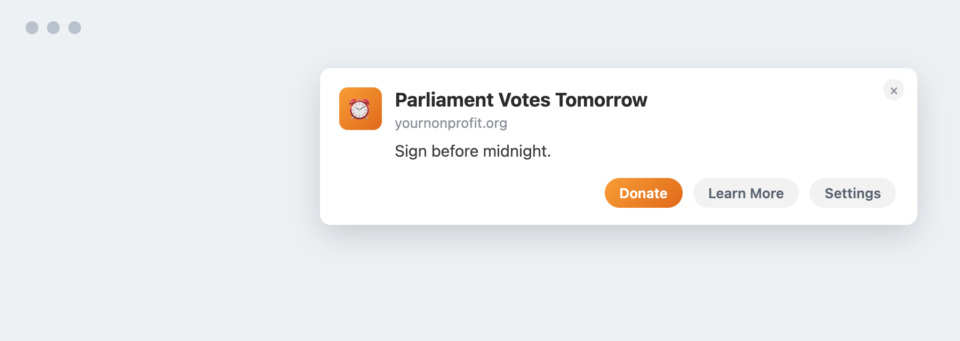
Telling a signer what happened after they signed closes a loop most advocacy campaigns leave open, and an open loop is where supporters quietly disengage. Always send that closing notification, even if the outcome wasn’t the one you wanted – it’s what makes someone sign the next petition.
11. Peer-to-Peer Fundraising
Every peer-to-peer fundraiser running a Charitable peer-to-peer campaign is really running their own mini-campaign inside yours, and they need the same encouragement a nonprofit staffer would want: proof they’re making progress and a reason to push a little harder.
- Your birthday fundraiser has raised ₹18,000.
- Two more donations and you’ll hit your goal.
- Thank your supporters with one click.
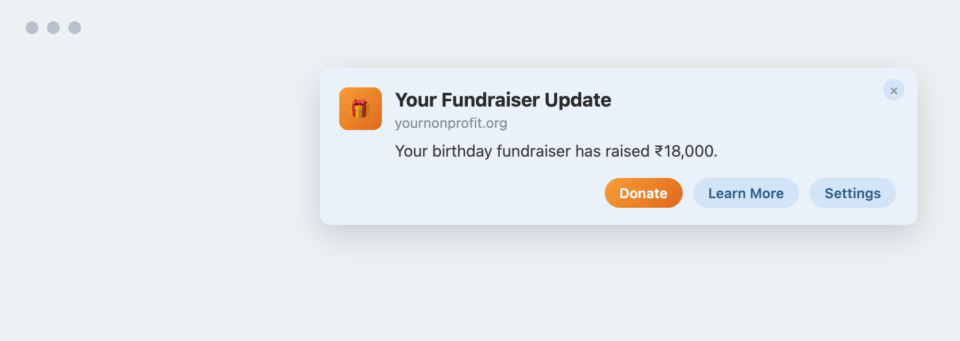
A peer fundraiser who gets nudged to thank their own supporters ends up recruiting your next round of donors for you, at no additional cost. Route these notifications to the individual fundraiser, not your full subscriber list. They only make sense addressed to the person actually running that campaign.
Storytelling, Education & Personalization
Not every notification should ask for something, and not every supporter cares about the same part of your mission. The three ideas below are built to be sent with no request attached at all, and to route the right message to the right person instead of the same message to everyone.
12. Campaign Progress Storytelling
Instead of asking for money repeatedly across a long project, narrate the project itself in stages. A school build, a well, a shelter renovation – any multi-week project can become a serialized story instead of a repeated request.
- Week 1: Foundation poured.
- Week 3: Walls completed.
- Week 6: Roof installed.
- Week 10: Students moved in.
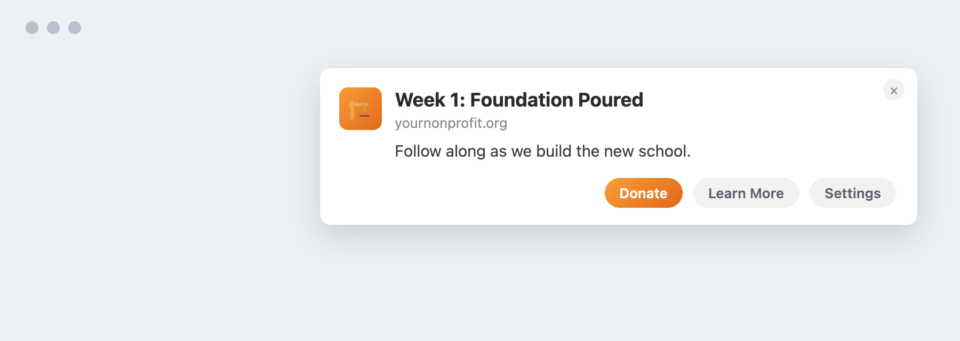
A donor who’s followed four progress updates feels invested in the outcome the same way a reader feels invested in a story they’ve followed chapter by chapter. Photograph or note each phase as it happens so you have real material for the notification when the milestone arrives, rather than writing generic progress copy after the fact.
13. Educational, Non-Ask Content
Some of the most trust-building content you can send has nothing to do with a request at all. It simply shows your supporters how the work actually happens, including the parts that don’t go perfectly.
- Why clean water projects fail, and how we’re fixing it.
- Behind the scenes from our field hospital.
- Meet the doctors your donations support.
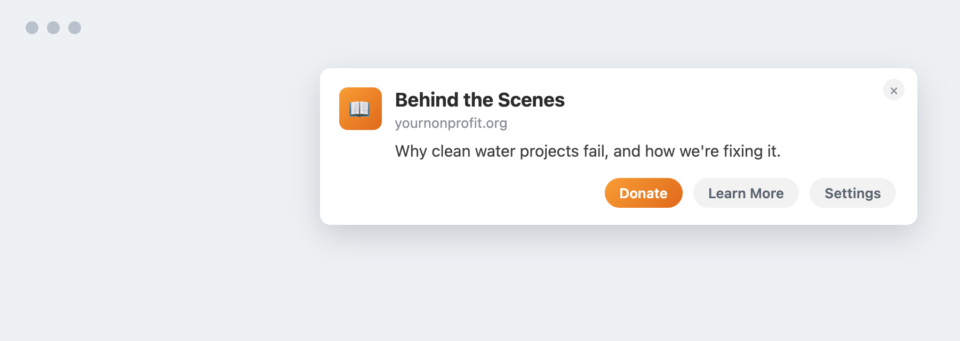
A nonprofit willing to admit what doesn’t work reads as more credible than one that only ever reports wins. Slot at least one educational, no-ask notification into every campaign cycle. It’s what makes the eventual donation request feel like it’s coming from an organization you actually understand, not a stranger with their hand out.
14. Personalized & Segmented Causes
If a subscriber has only ever given to your animal rescue campaigns, sending them a notification about your education fund wastes the moment. Segmentation lets you route the message that actually matches their known interest.
- Three rescued elephants need immediate medical care.
- A new litter of puppies just arrived.
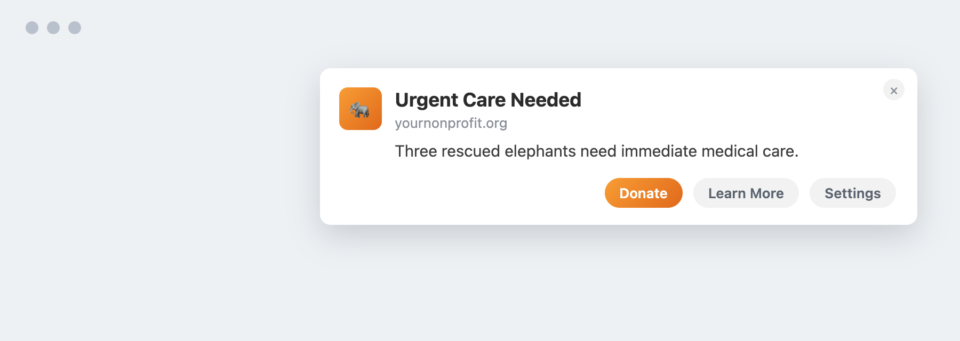
A subscriber who only ever hears about the cause they already care about is far less likely to unsubscribe than one who gets every campaign you run. Tag subscribers by the campaign category they’ve engaged with in the past, and build separate segments in your notification tool for each cause area before you scale this up across campaigns.
Community, Recognition, Seasonal & Special Occasions
The last five ideas cover the moments that make supporters feel like they belong to something, plus the calendar dates and events that give you a natural, non-awkward reason to reach out.
15. Community Recognition
People like belonging to something bigger than their individual gift. Recognizing the group, not just the individual, reinforces that a supporter is part of a community, not just a line item in a donor database.
- Welcome our newest Champions Circle members.
- Over 500 people joined our monthly giving program this month.
- Together we’ve crossed 100,000 volunteer hours.
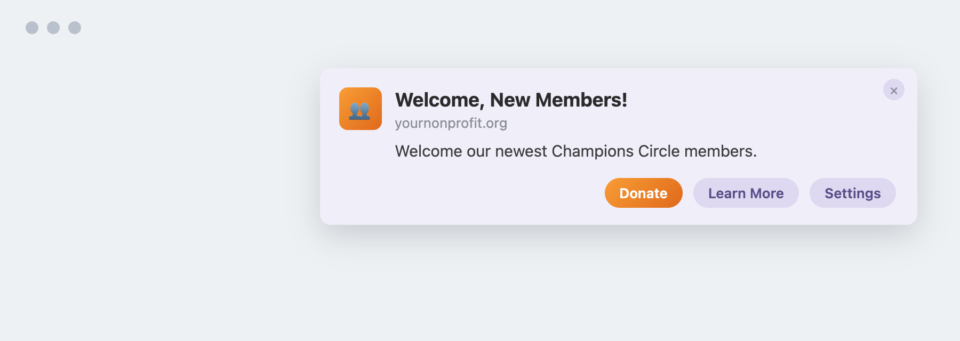
A collective milestone like 100,000 volunteer hours belongs to every person who contributed to it, and telling them so is what turns individual supporters into a community that talks to each other about your cause. Send community-recognition notifications on a predictable rhythm – monthly or quarterly – so they read as a genuine update, not a reaction to a slow fundraising week.
16. Gamified Fundraising
A little game mechanic goes a long way with supporters who respond to progress bars and status more than they respond to appeals. Tiers, badges, and referral unlocks give a donor a reason to act that has nothing to do with guilt.
- You’re only ₹850 away from Bronze Supporter.
- Invite one friend to unlock Community Champion.
- You’ve supported 5 campaigns this year.
- 98% of your annual impact goal reached.
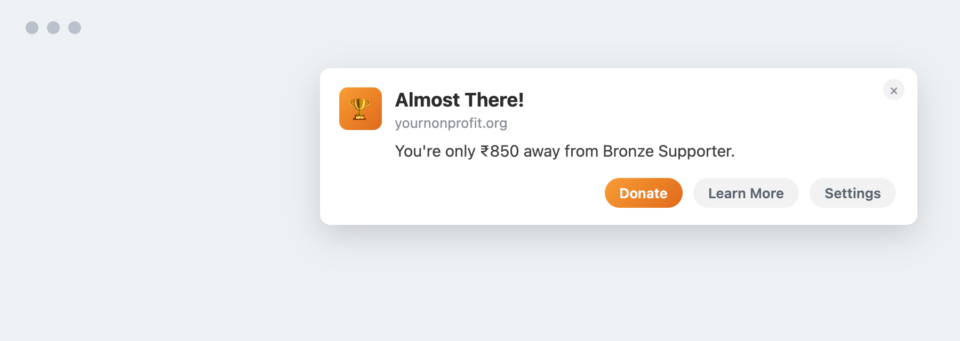
“Only ₹850 away” activates the same completion instinct that makes a progress bar satisfying to fill, regardless of the cause behind it. Keep the tiers and thresholds genuinely achievable – a badge that’s realistically out of reach demotivates instead of motivating.
17. Legacy & Planned Giving
Legacy giving is a high-value fundraising channel that’s rarely promoted well, largely because it feels like an awkward topic to bring up. Push notifications, sent occasionally and gently to an older donor segment, are a low-pressure way to plant the idea.
- Leave a legacy that lasts generations.
- Learn how planned giving changes lives forever.
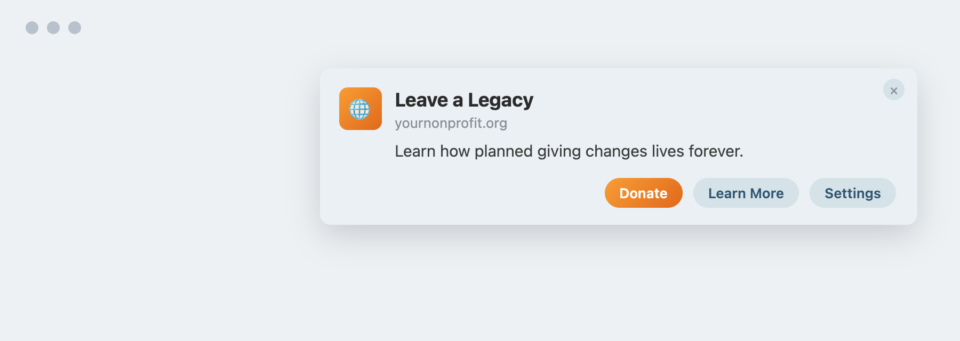
Most donors have simply never been asked to consider planned giving, not because they’d say no, but because no one brought it up. Segment this notification to your longest-tenured or oldest donor cohort rather than your full list, and link through to an informational page rather than a donation form – this is a conversation starter, not a transaction.
18. Holiday & Seasonal Giving Campaigns
Year-end isn’t the only calendar hook worth using. Any date that already carries emotional weight gives you a natural, non-awkward reason to reach out.
- Mother’s Day: Honor your mother by helping another family.
- Earth Day: Plant a tree today.
- Giving Tuesday: Join thousands of donors today.
- Christmas: Give someone hope this season.
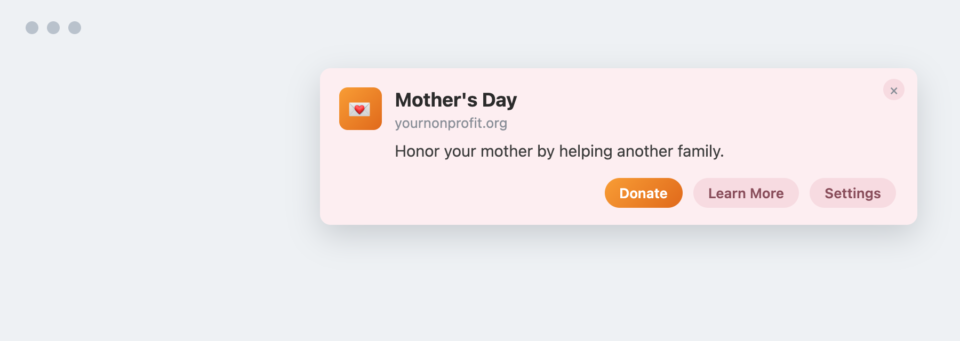
A seasonal notification borrows the emotional relevance the day already has – you’re not creating urgency from nothing, you’re attaching your mission to a feeling that’s already present. Build a simple annual calendar of the dates relevant to your cause and draft the notification copy in advance, so you’re not writing Giving Tuesday copy on Giving Tuesday.
19. Event Reminders & Countdowns
Fundraising dinners, charity runs, galas, webinars, volunteer training sessions – anything with a fixed start time benefits from a countdown sequence, because attendance drops off fast without a nudge close to the actual moment.
- Tomorrow.
- 3 hours.
- We’re live now.
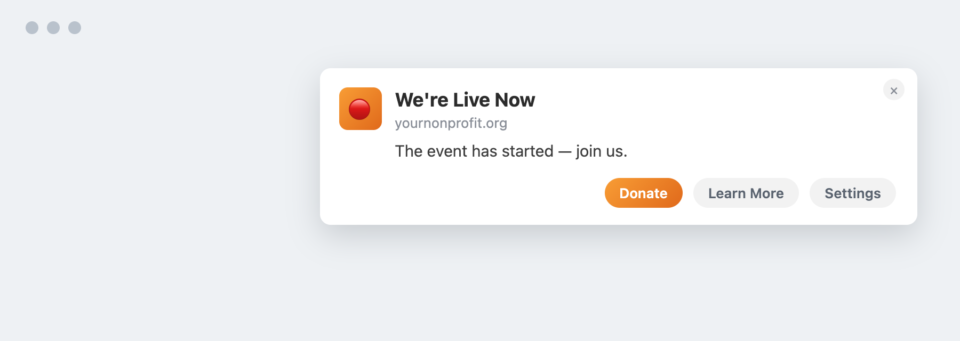
The closer the notification lands to the actual start time, the more it functions like a reminder from a friend rather than marketing. Schedule the full countdown sequence when you set up the event, not the week before. That way none of the reminders get missed in the last-minute scramble.
How Charitable’s PushEngage Integration Puts These Ideas Into Practice
Nineteen ideas are only useful if you actually have a way to send them. Most nonprofits I’ve worked with don’t have a developer on staff to wire up a push notification system from scratch, and that’s exactly the gap Charitable’s PushEngage integration was built to close.
PushEngage is the free plugin that handles the browser opt-in prompt and stores your subscriber list – no email address or phone number required from the supporter, and no per-message SMS fee for you. Charitable Pro connects to it and handles the campaign-specific logic: which trigger fires, what it says, and which campaign it’s tied to.
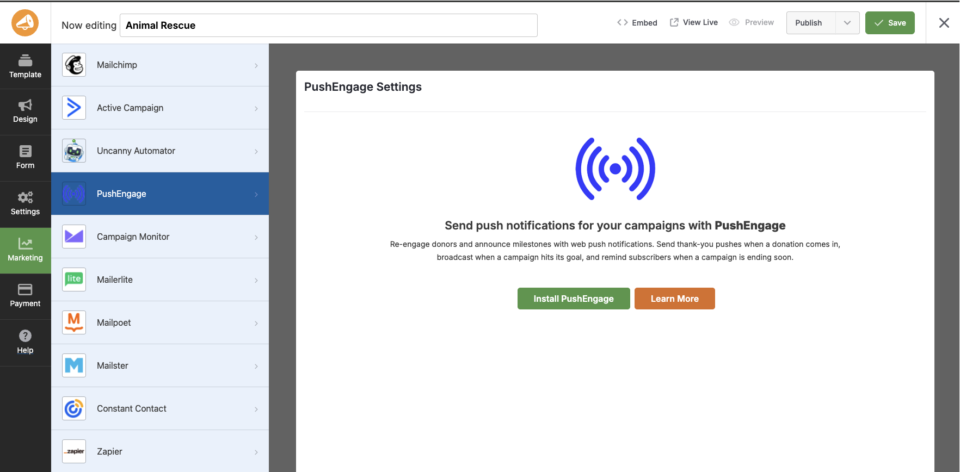
Four triggers are built into Charitable Pro, and they map directly onto several of the ideas above without any custom development:
- Donation Thank You: fires the instant a gift is completed. The opening notification in the first-time donor nurturing sequence (#1) and the recurring donor retention flow (#3).
- Goal Milestone Broadcast: announces when a campaign crosses 50%, 75%, and 100% of its goal. This is what powers impact milestones (#5) and live fundraising momentum (#6).
- Campaign Launch Broadcast: announces a new campaign to everyone who’s opted in. Useful for kicking off a seasonal campaign (#18) or the first notification in a campaign progress story (#12).
- Campaign Ending Soon: nudges subscribers when a campaign is about to close. The natural home for matching gift deadlines (#7) and last-chance urgency (#6).
Every trigger has an editable title and message, with placeholders for the donor’s name, donation amount, campaign title, and campaign URL, plus a Send Test button so you can see exactly what subscribers will see before anything goes live.
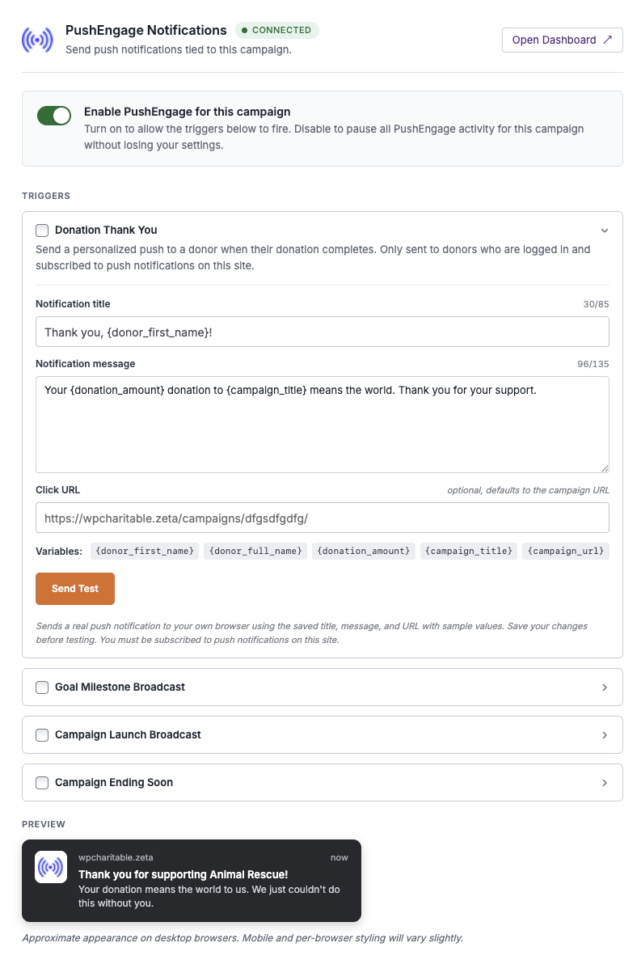
Everything else on this list – volunteer activation, petitions, gamified tiers, legacy giving, segmenting by cause area, peer-to-peer nudges, community recognition – lives outside those four donation-specific triggers. You build those directly inside the free PushEngage plugin’s own campaign and segmentation tools, using the same subscriber list Charitable is already growing for you through the donation triggers. Think of Charitable as automating the moments tied to a gift, and PushEngage as the workspace for everything else on this list.
The integration is a Charitable Pro feature, connected per-campaign at Campaigns » [your campaign] » Campaign Builder » Marketing » PushEngage.
If you’re currently on Charitable Lite, this feature isn’t available yet – Charitable Pro unlocks it, alongside recurring donations, peer-to-peer fundraising, and the full visual campaign builder. For the complete setup walkthrough, step-by-step, see how to set up push notifications for nonprofits.
Get Charitable Pro and set up your first trigger »
Every plan comes with a 14-day money-back guarantee, so there’s no risk in testing this against your own campaigns before committing.
Where to Begin This Week
Nineteen ideas is a lot to hold at once, so if you’re not sure where to start, begin with three notifications this week rather than trying to launch everything above at the same time.
- Turn on the Donation Thank You trigger if you haven’t already – it’s the fastest win and the foundation of the first-time donor drip (#1).
- Send one non-ask notification this week: an impact milestone (#5) or a piece of educational content (#13). Notice how it performs against a typical ask.
- Pick one commitment type beyond money – volunteering (#9), a petition (#10), or peer-to-peer fundraising (#11) – and build a single notification for it.
Once those three are running, layer in the rest of the Impact Over Asks ratio a piece at a time. The goal isn’t to run all 19 campaigns simultaneously – it’s to make sure your next donation ask isn’t the fifth ask in a row a subscriber has seen from you.
Not yet on Charitable Pro? You can get up to 50% off when you sign up for or upgrade to Charitable Pro. We want to ensure that you can try the advanced fundraising features like Recurring Donations, Donation Recovery, and more at a significantly reduced cost.
Join over a million satisfied Charitable Pro users today. Every purchase comes with a 14-day money-back guarantee, ensuring you’re supported every step of the way.
If you have any questions or need assistance, our support team is ready to help you make the most of these new features.
Frequently Asked Questions
What’s the difference between push notifications and email for nonprofit outreach?
A push notification appears directly on a subscriber’s screen the moment it’s sent, even if they’re not on your website, and it doesn’t compete with a crowded inbox the way email does. Email still has a place for longer-form storytelling and formal receipts; push is better suited to short, timely, high-urgency moments.
Do donors need to give an email address or phone number to receive push notifications?
No. A supporter opts in with a single click in their browser when they visit your site. There’s no email address, phone number, or app download required, which is part of why push notifications work well for supporters who’d never fill out a full contact form.
How many push notifications should a nonprofit send per week?
There’s no universal number, but the Impact Over Asks ratio matters more than raw frequency. A subscriber who gets two or three thoughtful notifications a week, mostly non-ask, tolerates that far better than one who gets a single weekly notification that’s always a donation request.
Can a small nonprofit with limited staff realistically run a push notification program?
Yes, and it’s arguably a better fit for a small team than email marketing is. Charitable’s built-in triggers automate the donation-specific notifications (thank-yous, milestones, campaign launches, ending-soon alerts) with no ongoing manual work once they’re configured, which frees up staff time for the handful of ideas above that benefit from a personal touch.
Does Charitable require PushEngage specifically, or can I use a different push notification service?
Charitable’s built-in triggers (Donation Thank You, Goal Milestone, Campaign Launch, Ending Soon) are built specifically for the free PushEngage plugin. Other push notification tools may work for general-purpose notifications on your site, but they won’t automatically fire from Charitable’s donation events the way the PushEngage integration does.
Do these notification ideas only work for large nonprofits with big subscriber lists?
No. Several of the strongest ideas here, giversary campaigns, recurring donor retention, lapsed donor re-engagement, actually work better with a smaller, more personal list, because the messages can feel individually meant rather than broadcast to thousands of strangers.
Charitable Has 1.2+ Million Downloads!
Trusted by millions to power successful fundraising campaigns. Try Charitable risk-free today.
✅ 14-day money-back
✅ Transparent pricing
✅ Code-free setup
Stay Connected for More Nonprofit Resources
For more tutorials and videos tailored to nonprofits, subscribe to our YouTube channel. We regularly publish expert tips, step-by-step guides on online donations, fundraising strategies, and practical resources to help your organization succeed.
🗞️ Get weekly tips and exclusive guides in your inbox
Join our newsletter →
🎥 Watch step-by-step tutorials and success stories
Subscribe to our YouTube channel →
👩🏽💻 Connect with our community and get daily nonprofit insights
Follow us on LinkedIn →
🥳 Fun reels and non-profit insights
Follow us on Instagram →
👀 Insightful & fun videos to help you grow your cause
Follow us on TikTok→
🌎 Subscribe and follow for general fundraiser tips
Get Fundraiser Tips on TikTok →
Powerful Fundraising Resources
🤖 Use Charitable with Your AI Assistant
⬇️ Download proven strategies, campaign ideas, and expert tools
Get the Fundraising Kit →
💸 Get Free Fundraising Resources
Head to the Charitable Fundraising Hub →
🤔 Got questions about Charitable?
Charitable FAQs →
🏎️ Take Charitable for a spin
Create your Charitable Demo →
Understand non-profit terms and jargon
Non-Profit Glossary →
% Looking for non-profit deals and discounts?
Best Non-Profit Deals and Discounts →





Leave a Reply