

Thank donors with something more than a receipt. Build a library of perks once, attach them to whichever campaigns need them, and Charitable works out who earned what, collects a shipping address when something needs mailing, keeps the tax math straight, and hands you a queue of things to fulfill. Built into Charitable, with no code and the payment gateways you already use.
Most nonprofits end up thanking donors twice. The receipt comes out of their donation plugin, and then the actual thank-you happens somewhere else: tote bags tracked in a spreadsheet, a digital download emailed by hand, and nobody entirely sure who is still owed a poster. The tax side is where it really bites. When a donor receives something of value, only part of that gift is tax-deductible, and a receipt that ignores the difference is a receipt someone has to correct later. Charitable Rewards closes that gap. Your donor perks become part of the fundraising you already run, inside the WordPress dashboard you already use.
Key Features
- A shared reward catalog you build once and attach to any number of campaigns
- Four reward types: recognition, digital, physical, and membership
- Automatic mode, where reward cards unlock as the donation amount goes up
- Levels mode, where giving-level cards set the donation amount
- Per-campaign mode selection, so one campaign can run levels while another runs automatic
- Fair market value recorded per reward, with the tax-deductible portion calculated for you
- The disclosed value frozen onto each claim, so old receipts stay accurate when prices change
- An option that lets donors decline a reward and keep the full deduction
- Protected digital delivery through signed, expiring download links
- Shipping addresses collected automatically for anything you mail
- Inventory caps with a hold that stops overselling, shared correctly across peer-to-peer
- A claims queue with bulk fulfillment, notes, an activity trail, and CSV export
Every Reward Lives in One Catalog
Rewards are a library, not a per-campaign setting. You create a reward once, give it a name, a type, and the amount that unlocks it, and then attach it to whichever campaigns need it. A tote bag you offer on three appeals is one reward in three places, not three near-duplicates drifting out of sync.
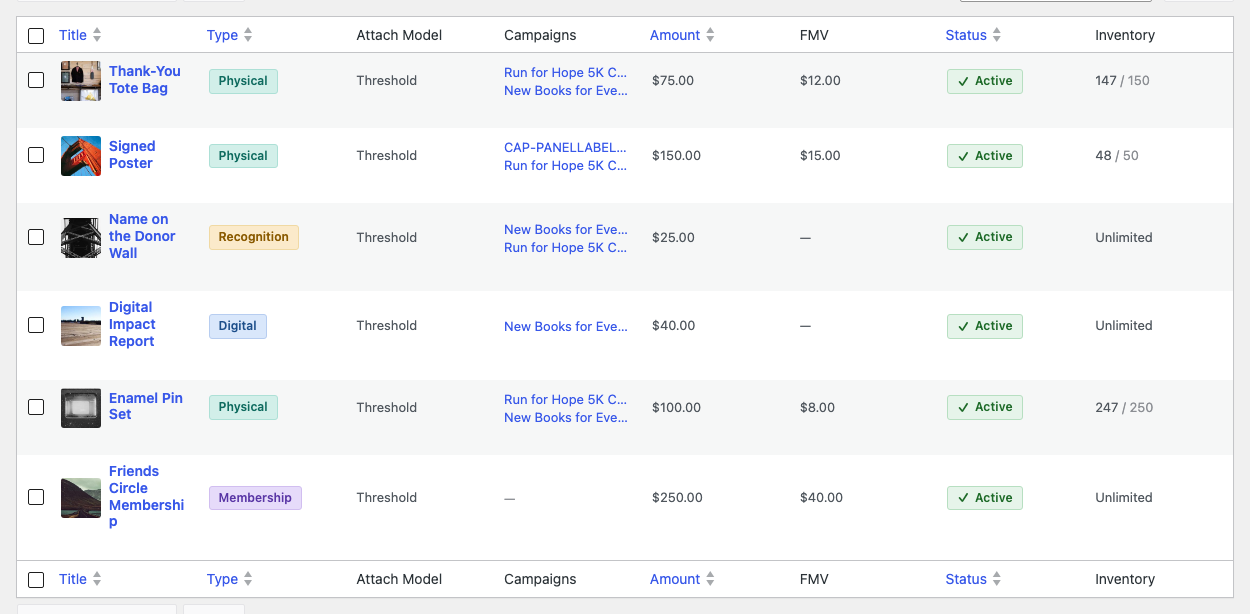
- 🎁 Build once, attach anywhere, with no duplicate rewards to keep in step.
- 🏷️ Four reward types cover recognition, digital files, shipped items, and membership perks.
- 📦 An optional inventory cap per reward, with a hold that prevents overselling.
Rewards That Unlock As the Gift Grows
In automatic mode the donor types any amount they like and the reward cards respond. Each card shows what it takes to unlock it and how much further there is to go, so a $50 donor can see that $75 earns them something. It is a nudge, not a gate: the donation still works at any amount.
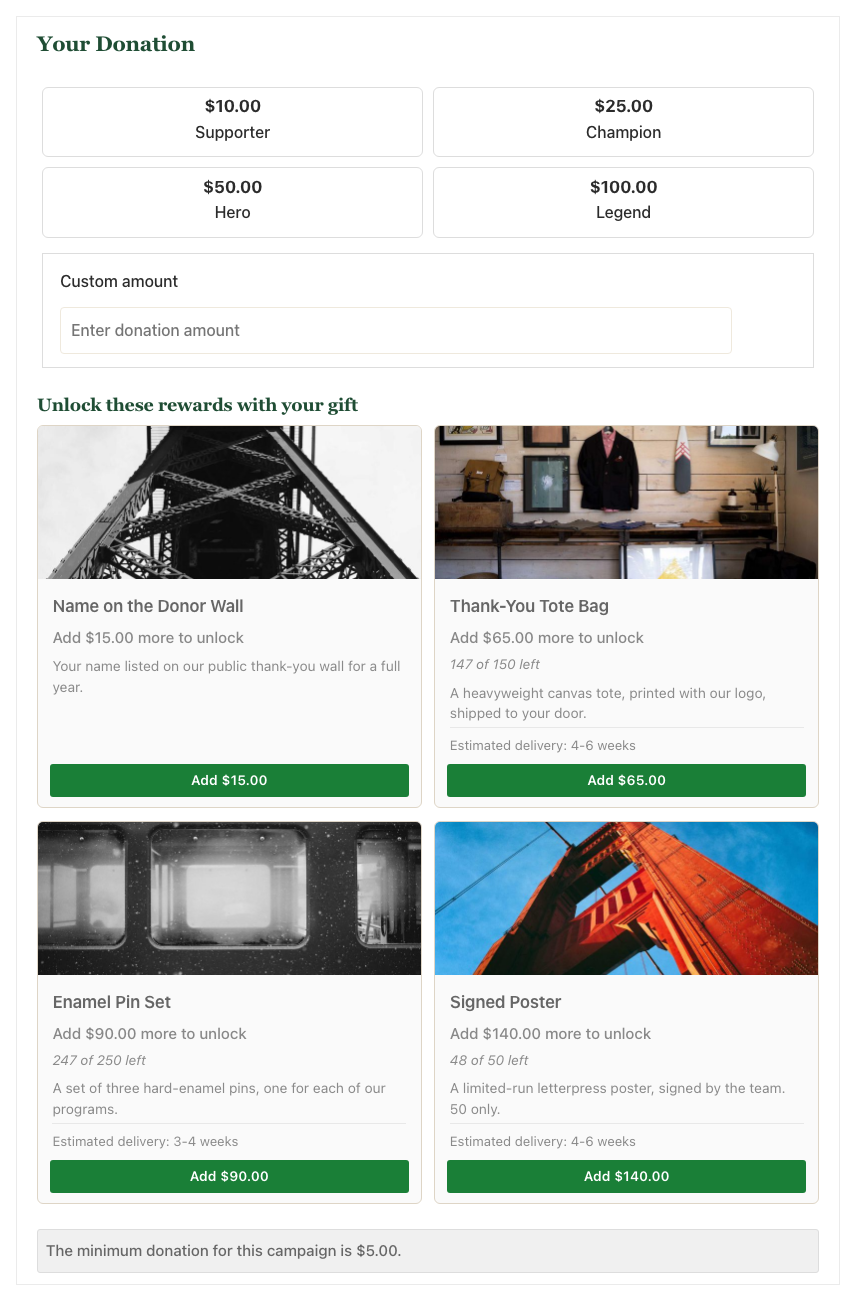
- 📈 Cards unlock live as the amount changes, with a clear “add $25.00 more” prompt.
- 🔓 The highest earned reward wins, so donors are never asked to choose.
- 🙅 Donors can decline and keep the whole gift deductible, if you enable the option.
Or Giving Levels That Set the Amount
Some campaigns are not a donation with perks attached, they are a set of tiers. Levels mode turns the rewards into the ask itself: the donor picks Friend, Champion, or Benefactor, and choosing the level sets the donation amount. This is the crowdfunding shape, and it is a per-campaign choice, so the same site can run both.
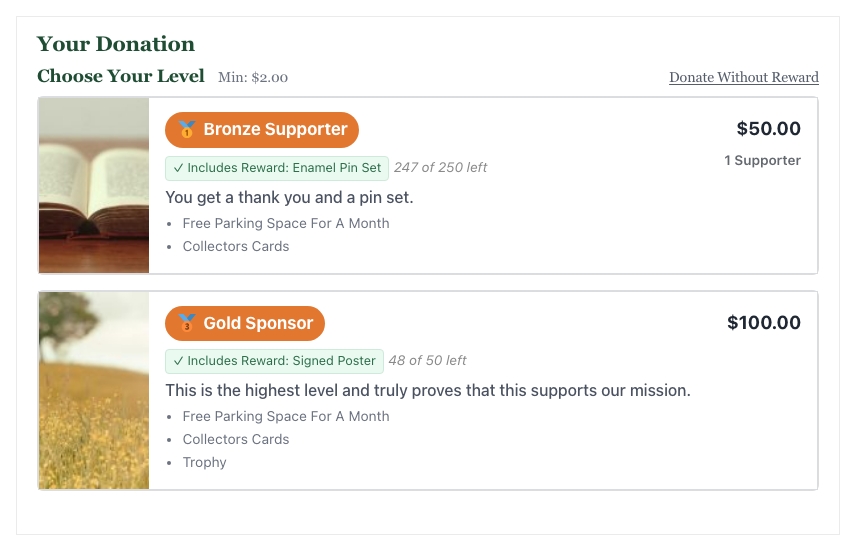
- 🎯 Picking a level sets the amount, the way backers expect on a crowdfunding page.
- 🔀 Mode is per campaign, not per site, so tiers and nudges can coexist.
- 💳 Recurring levels work, so a membership perk renews along with the gift.
Digital Files That Cannot Be Passed Around
A digital reward is not a link to your uploads folder. The file goes into protected storage, and the donor receives a link that is signed to them and that reward, expires after a set lifetime, and can be capped on total downloads. A link forwarded on after it lapses is simply dead.
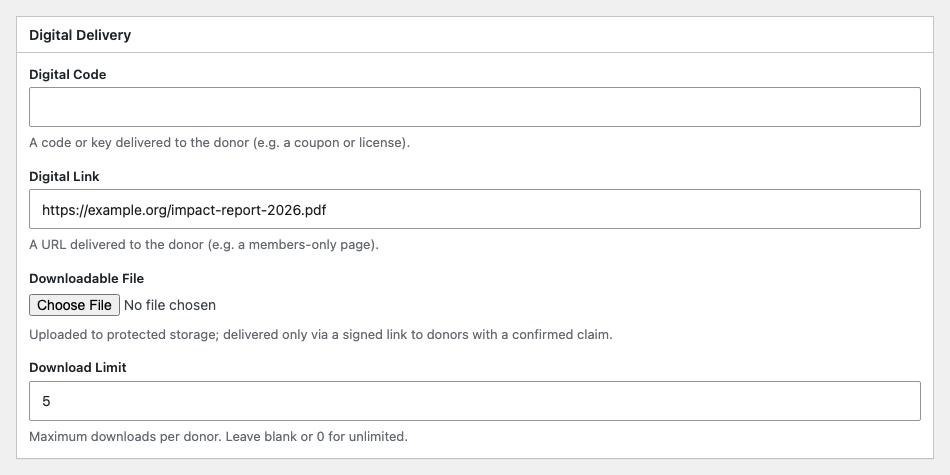
- 🔐 Signed URLs tied to the donor and the reward, invalidated by any edit.
- ⏳ Links expire, seven days by default, and you can cap total downloads.
- 📧 Delivery is automatic, by email, the moment the claim is recorded.
Ship Things Without a Spreadsheet
When a reward is something you mail, Charitable collects the shipping address on the donation form and drops the claim into a fulfillment queue. You work the queue, mark things fulfilled in bulk, and leave notes that stay attached to the claim. Every status change is recorded, so there is an activity trail rather than a memory of one.
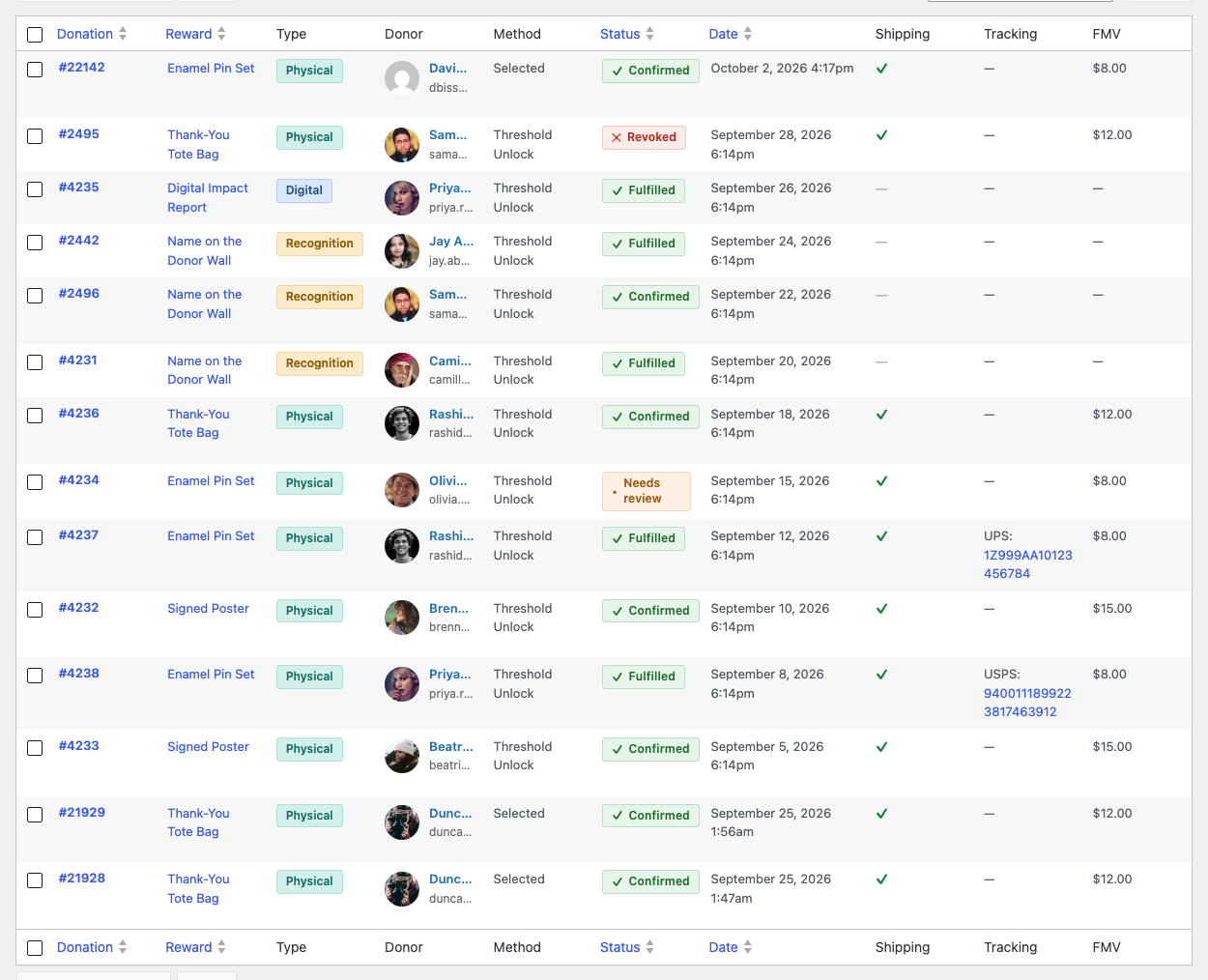
- 📮 Addresses are collected on the donation, not chased afterward.
- ✅ Bulk fulfillment for the whole queue, with notes and an activity trail per claim.
- 📤 Filter, search, and export to CSV when someone else does the packing.
Receipts That Are Ready for Tax Time
This is the part generic perk tools get wrong. When a donor receives something of value, only part of their gift is deductible. Record a fair market value on the reward and Charitable works out the deductible portion, discloses it to the donor, and puts it on the receipt. The value is copied onto the claim, so updating a reward’s price later never rewrites receipts donors already hold.
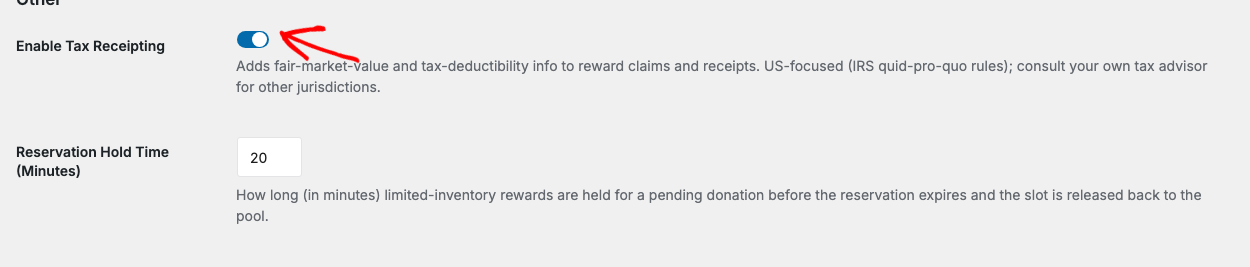
- 🧾 The deductible portion is calculated and disclosed, not left to the donor.
- 🧊 Disclosed values are frozen per claim, so historical receipts stay correct.
- 🙅 A decline option lets donors forgo the perk and deduct the entire gift.
One Stock Pool Across Peer-to-Peer
Set rewards once on the parent campaign and every fundraiser page under it inherits them. The inventory cap follows the reward, which is the behavior peer-to-peer actually needs: a cap of 50 means 50 in total, not 50 for each of your two hundred fundraisers. There is nothing to configure.
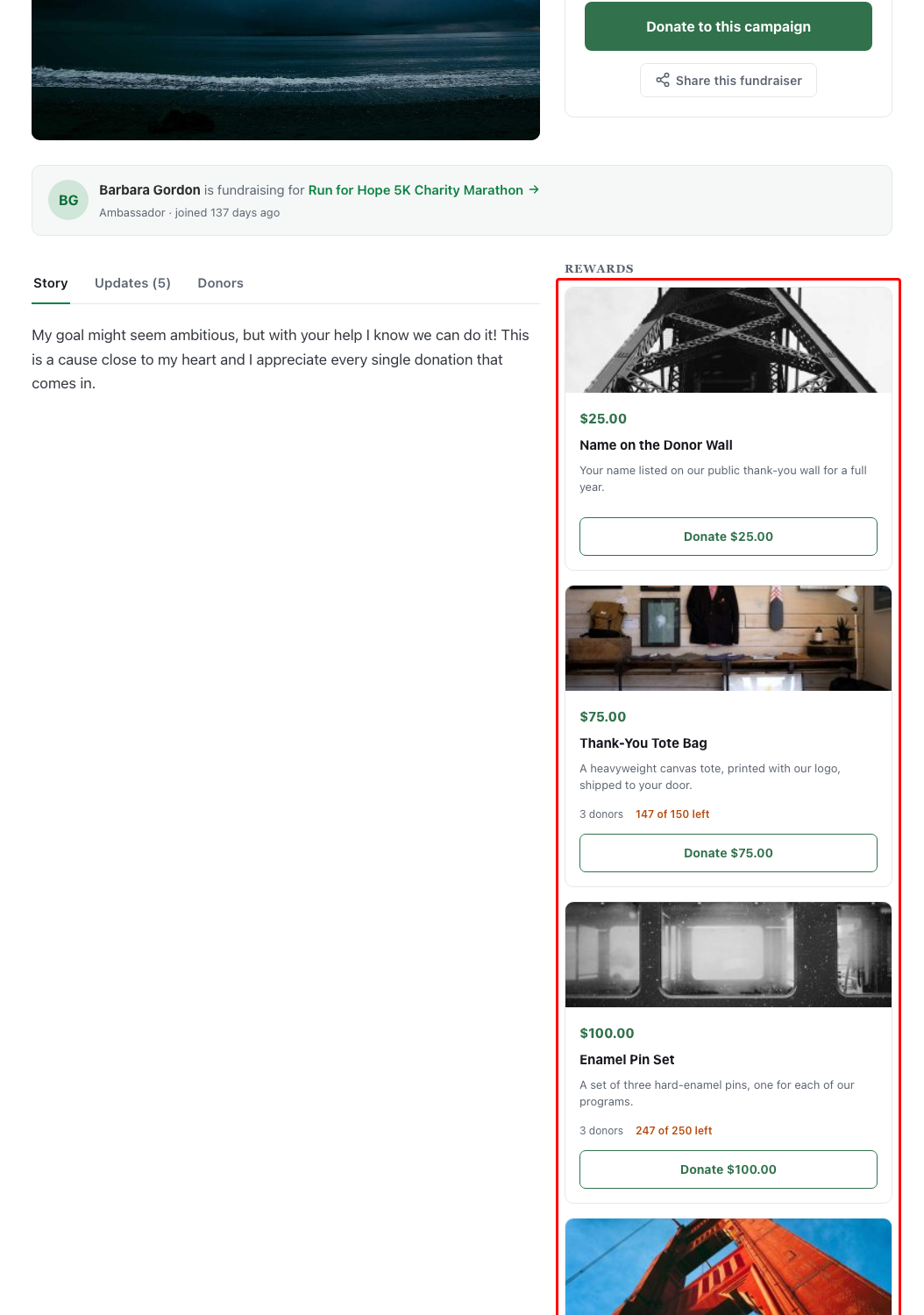
- 👥 Fundraiser pages inherit the parent’s rewards, set up once.
- 📦 One shared stock pool, counted across the parent and every child.
- 🎨 A dedicated Ambassadors rewards layout for crowdfunding-style pages.
Know Exactly What Is Working
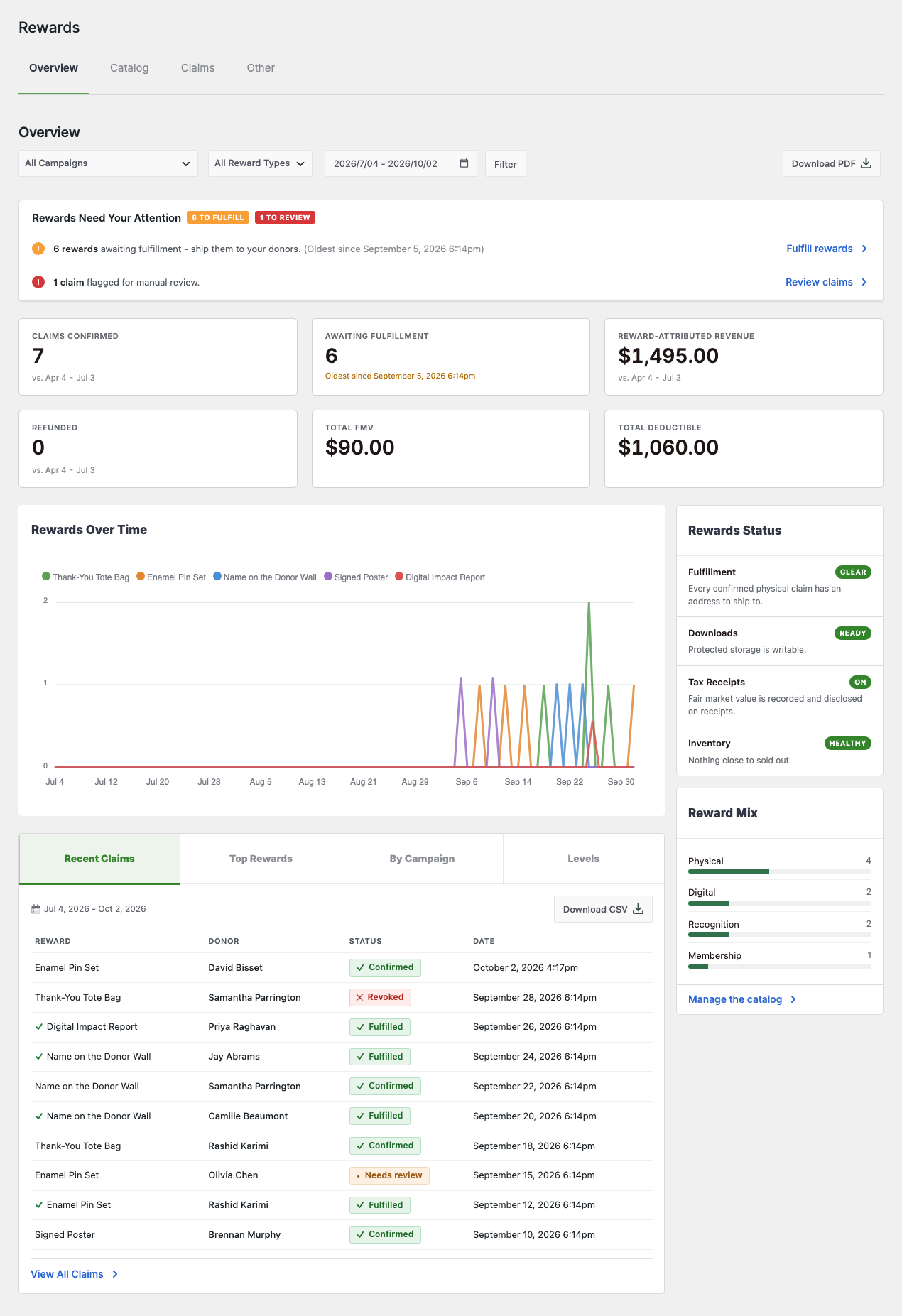
The Overview tab answers the questions you actually have: what has been claimed, what it earned, and what still needs fulfilling. A chart tracks rewards over time, a breakdown shows which rewards are carrying the campaign, and anything needing attention is surfaced rather than buried.
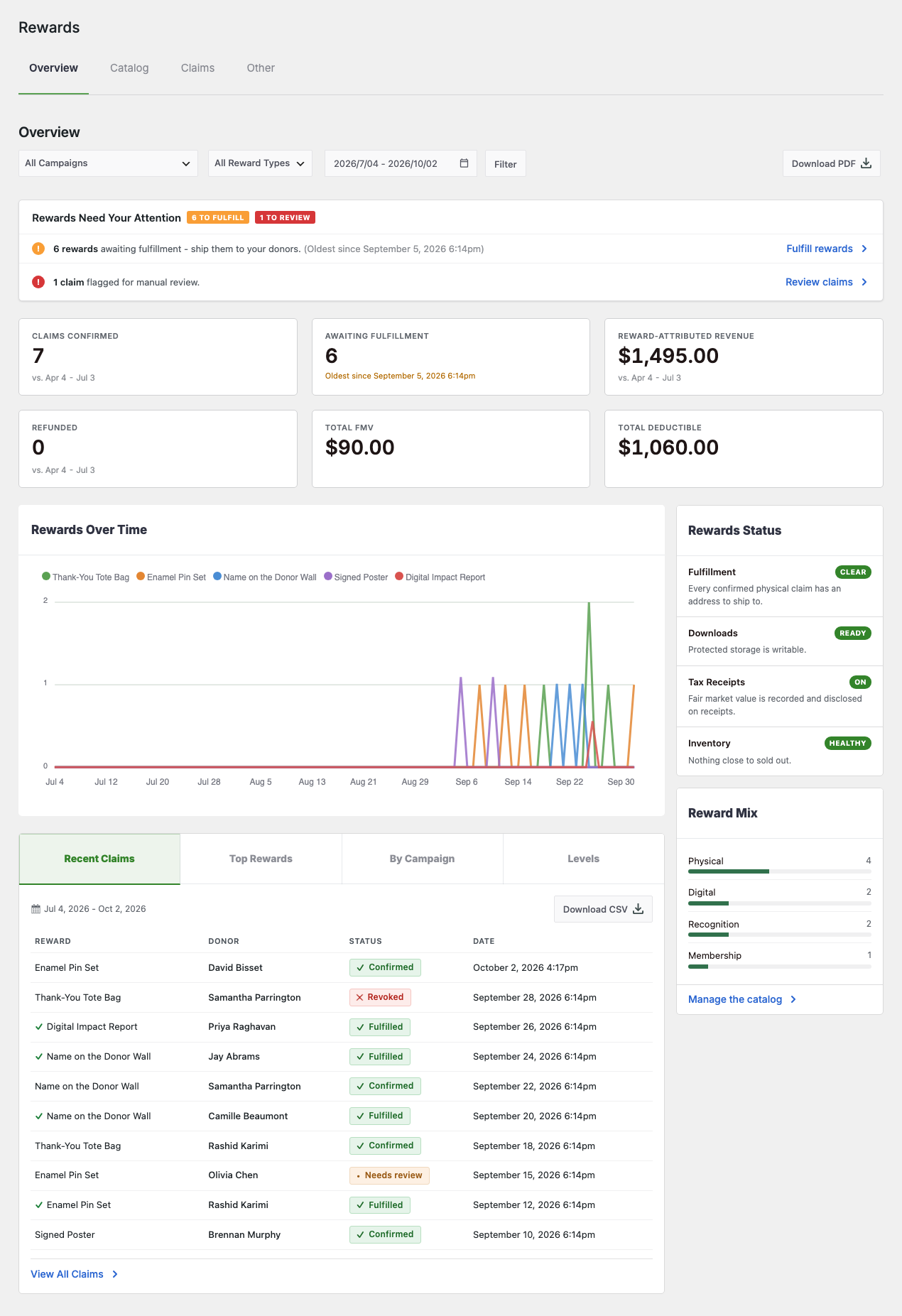
- 📊 Reward-attributed revenue, so you can see what the perks are actually raising.
- 🔎 Per-reward performance, to tell the tote bag from the poster.
- 📁 CSV and PDF export over any date range.
Donors See What They Earned
The thank-you does not stop at the confirmation page. Rewards appear on the donation receipt, in the donor dashboard, and in the My Donations shortcode, so a donor can come back later and see what they unlocked and what is on its way. A shortcode also renders your reward cards anywhere on your site, complete with remaining inventory.
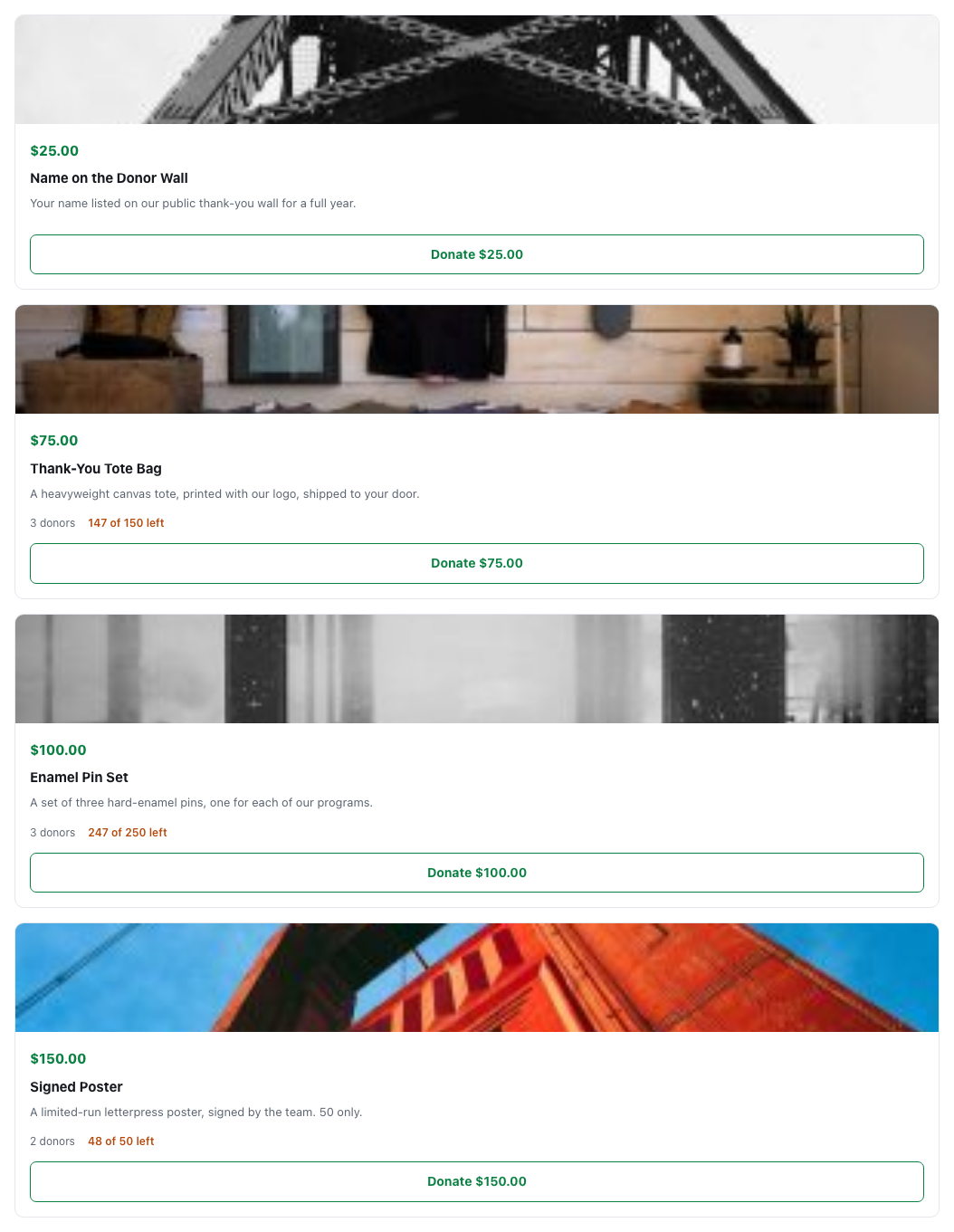
- 👤 Rewards on the receipt and in the dashboard, not just at checkout.
- 🧩 A reward cards shortcode to show perks anywhere on your site.
- 🔁 Recurring donations keep their rewards, renewing with the gift.
Set Up in About Three Minutes
A setup wizard runs the first time you open Rewards and walks you through creating your first reward, attaching it to a campaign, and choosing the mode. If you would rather not, every step is a normal screen you can do by hand.
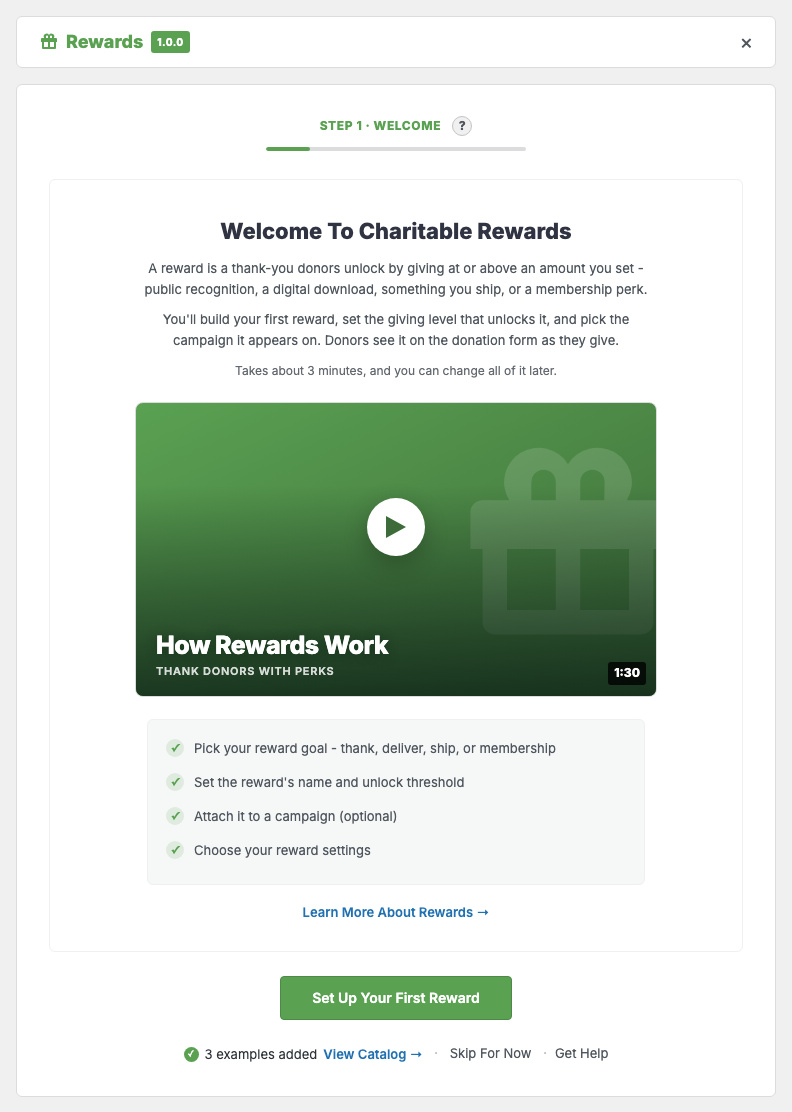
- 🚀 A guided wizard from zero to a live reward in about three minutes.
- 🧪 Optional example rewards you can look at and delete.
- ↩️ Re-run it any time from the Other tab.
More information
Get started with the Charitable Rewards documentation.
Minimum requirements:
- PHP 7.4+
- Charitable Pro 1.8.18+





