
Ever sent a donation receipt three weeks late because you got buried in other tasks? Or struggled to find a donor’s information when they called asking about their contribution?
Poor donor communication kills fundraising momentum. When supporters don’t hear back from you promptly – or worse, don’t hear from you at all – they start questioning whether their donation mattered.
The solution isn’t working longer hours. It’s working smarter with the right WordPress plugins.
These tools automate your donor communications, keep detailed records organized, and help you share impact updates that keep supporters engaged. No more manual thank-you emails or scrambling to create reports.
In this guide, you’ll find the best plugins that will transform your donor communication from chaotic to professional – starting with my top pick.
What Your Donor Communication Plugin Needs to Fix
Most charities struggle with three critical communication problems:
Manual everything. Sending thank-you emails one by one, manually tracking who donated to what campaign, and creating reports from scratch every month.
Scattered donor information. Donation records in one place, contact details in another, and no clear picture of each donor’s giving history when you need it most.
Zero follow-up system. Donors give once, then never hear from you again because there’s no system to keep them engaged with campaign updates or impact stories.
Lost donations from technical issues. Failed payments that donors don’t know about, leading to frustrated supporters and missed contributions.
No donor self-service. Supporters constantly emailing you for receipt copies, donation history, or to update their recurring gifts – eating up your valuable time.
The right plugin should eliminate these headaches by automating receipts, centralizing donor data, and making ongoing communication effortless.
Below are the plugins that actually solve these problems.
Charitable – The Complete Donor Communication Powerhouse
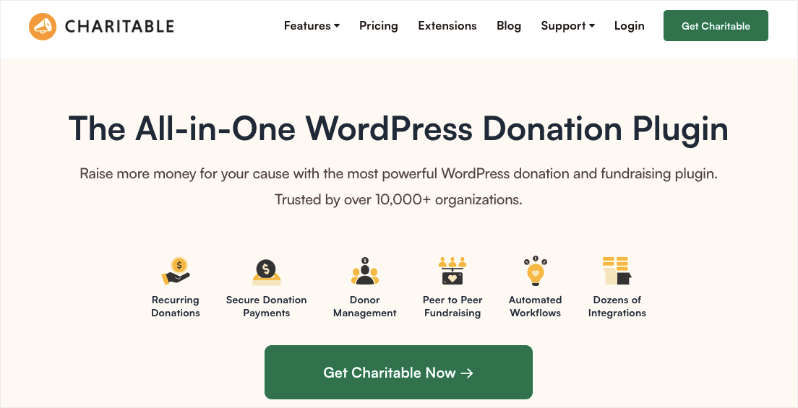
Charitable takes the top spot because it’s the only plugin that handles every aspect of donor communication without forcing you to juggle multiple tools.
Automated Email Communication That Actually Works
Stop manually sending thank-you emails. Charitable automatically sends customized receipts and acknowledgments the moment someone donates. You can enable these emails with just a click.
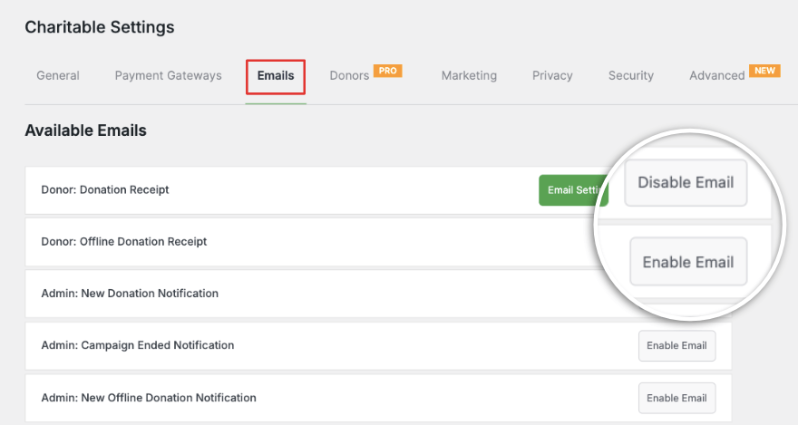
Then you can personalize them with your branding, custom messages, and even include donor comments to make each receipt feel personal.
The plugin also sends automated emails when donors update their recurring contributions, when payments fail, or when you need to follow up on specific actions.
Connect With Every Email Platform You Use
Charitable integrates with all the major email marketing platforms – Constant Contact, Mailchimp, AWeber, ConvertKit, Mailster, MailPoet, HubSpot, MailerLite, Campaign Monitor, and ActiveCampaign. With over 5,000 integrations available, you can connect it to virtually any tool in your workflow.
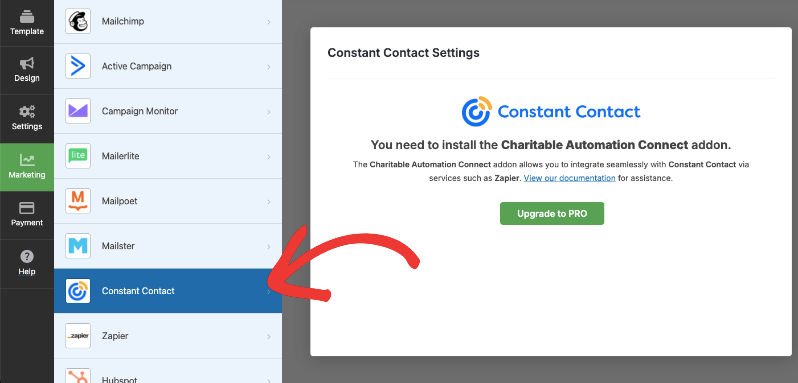
This means new donors automatically get added to your email lists, and you can create targeted campaigns based on their giving history.
Complete Donor Management in One Place
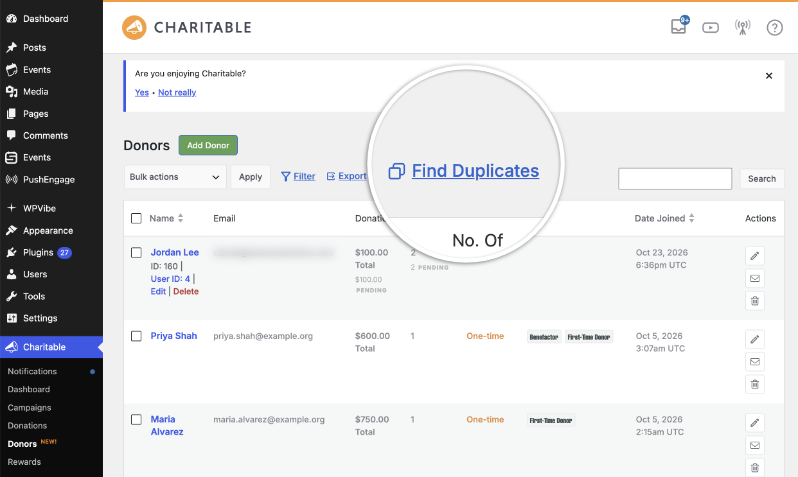
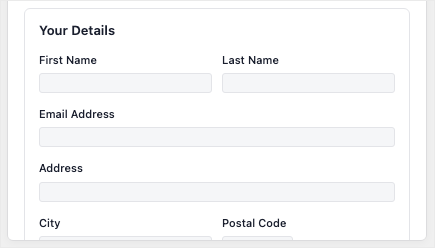
Every donor gets an automatic profile that tracks everything – which campaigns they’ve supported, how much they’ve given, their contact details, and payment history.
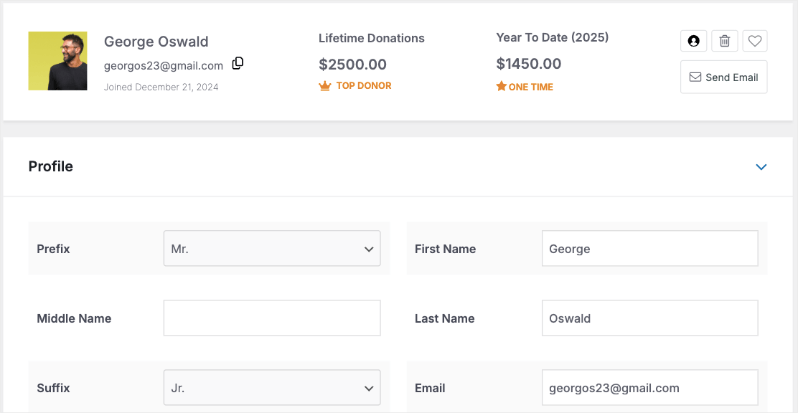
You can add custom notes (like “major donor” or “board member’s friend”) and create custom fields to track whatever matters to your organization.
Here’s a video that shows you how you can use custom fields to personalize donor relationships.
Need to resend a receipt? It’s one click. Want to process a refund? You can do it right from their profile (depending on your payment gateway options). The system even tracks failed payments and alerts you so you can reach out quickly.
Let Donors Help Themselves
Charitable includes a donor dashboard where supporters can log in and manage their own profiles, download receipts, and update their recurring donations.
Now you might think you need to hire a developer or use coding to set up a donor portal. Charitable changes that. All you have to do is click a button to enable it and then customize what features you want to add to the dashboard. That’s it!
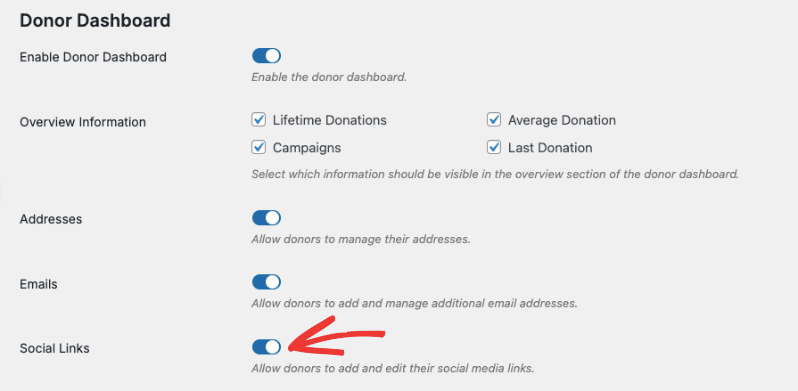
Having a donor portal eliminates most of those “can you send me my receipt again?” emails that eat up your time.
Watch a video walkthrough of how the Donor Dashboard works »
Keep Everyone Updated With Simple Updates
Share campaign progress, impact stories, and important announcements directly on your campaign pages.
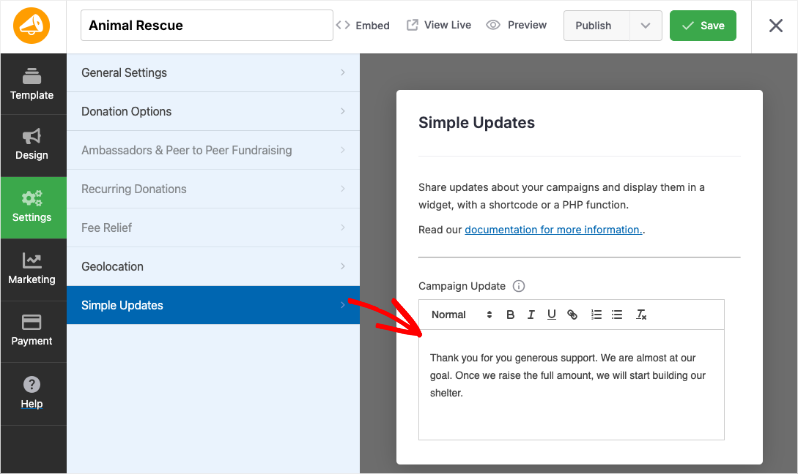
These updates appear automatically, keeping both existing donors and potential supporters informed about how their contributions are making a difference.
Social Proof That Brings in More Donations
The donor comments feature lets supporters share why they’re giving, creating powerful testimonials that encourage others to donate.
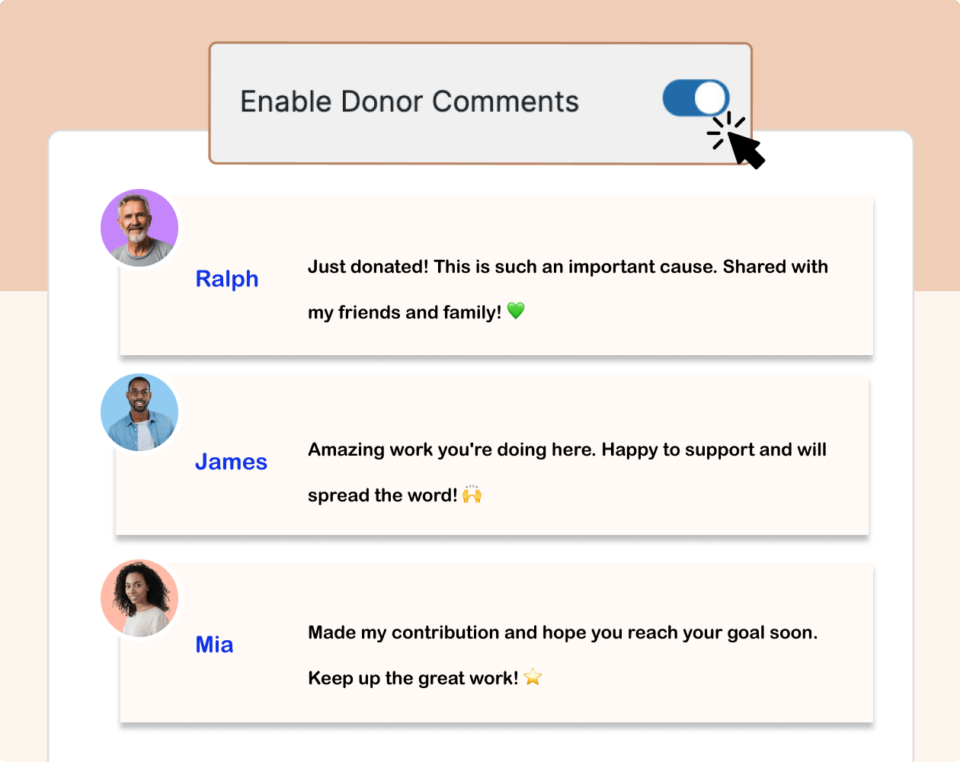
Added to that, built-in spam protection keeps the comments genuine, and you can moderate everything from your WordPress dashboard.
Explore more of Charitable’s social proof features »
Reports That Actually Help You Communicate Better
Charitable’s visual reports show you which donors to prioritize for follow-up, which campaigns are performing best, and when donors typically give. Use these insights to time your communications perfectly and identify supporters ready for re-engagement campaigns.
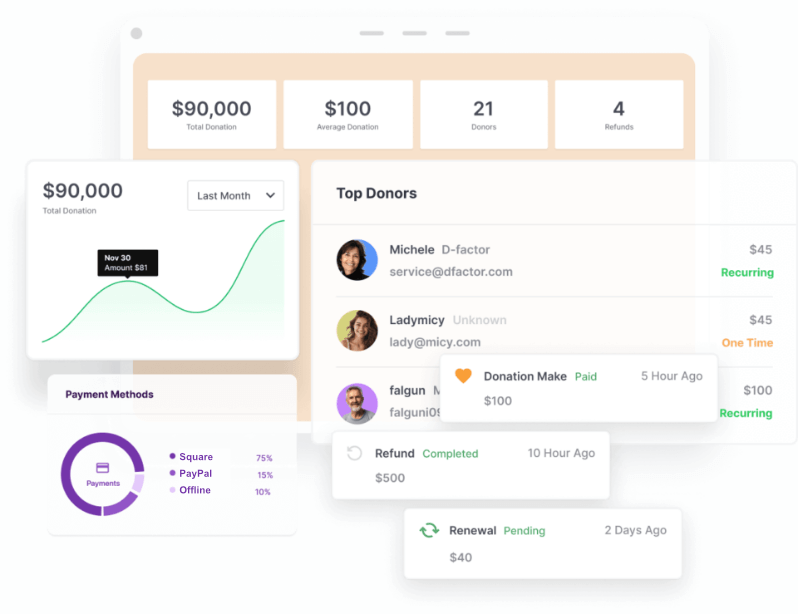
Export donor data anytime for annual statements, tax purposes, or to use with external tools.
More Than Just Communication – It’s Your Complete Fundraising Solution
Here’s what sets Charitable apart from other plugins: it’s not just a donor communication tool. It’s a complete fundraising platform that handles everything your nonprofit needs.
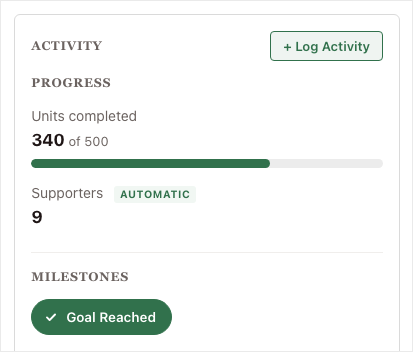
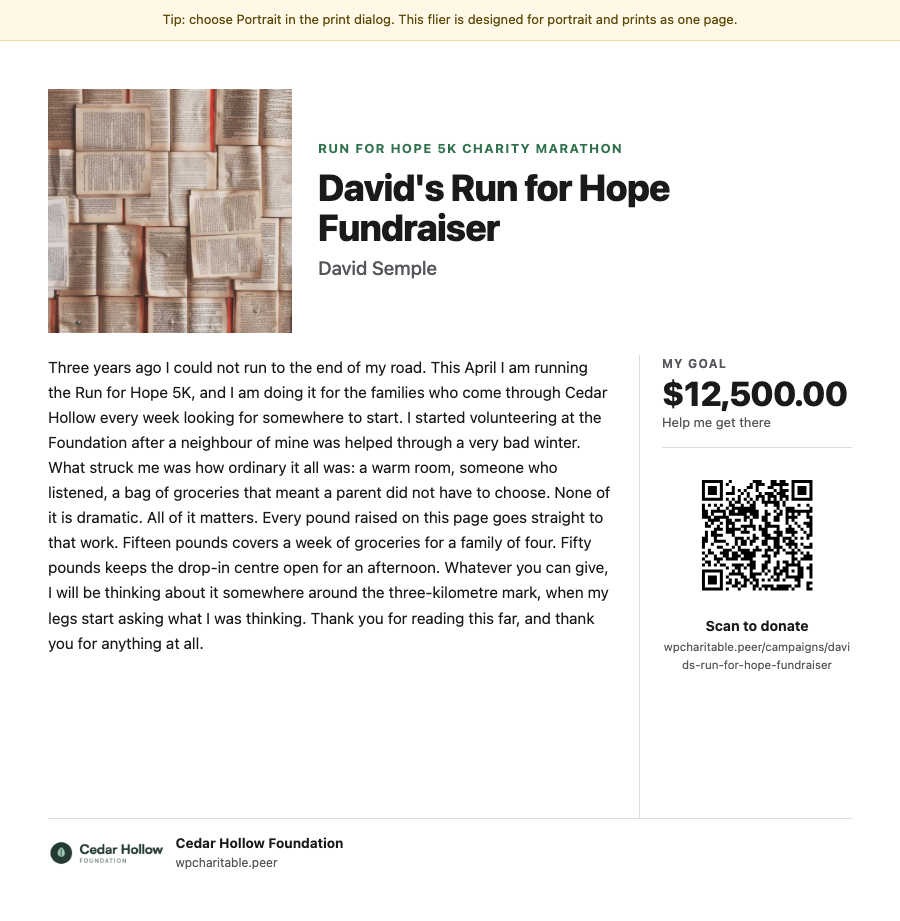
Create beautiful donation forms, manage multiple campaigns, process payments through various gateways, track goals and progress, and even handle peer-to-peer fundraising – all while maintaining seamless donor communication throughout the entire process.
See all Charitable Features here »
This means you don’t need separate plugins for donation forms, campaign management, payment processing, and donor communication.
Everything works together in one integrated system, saving you money on multiple subscriptions and eliminating the headache of making different tools talk to each other.
Clear, Honest Pricing That Actually Makes Sense
While other platforms are clunky, slow, and require multiple addons to be purchased, Charitable offers transparent pricing plans with no hidden costs.
Once you sign up, that’s it. You get access to all the features in your plan without any additional purchases needed. No surprise charges or mandatory add-ons that other platforms love to spring on you later.
Every pricing plan is carefully crafted for different budgets and growth levels. This comes from working with nonprofits for decades and understanding exactly what organizations need at each stage.
Just getting started? There’s a lite plan that gives you all the essential fundraising tools you need to create campaigns, launch them, and accept donations – completely free. Sign up for Charitable Lite here »
Ready to supercharge your fundraising and streamline donor communications? Get Charitable Pro here »
Why Charitable Wins: It’s the only plugin that combines automated communications, complete donor management, and powerful reporting in one easy-to-use system. Instead of patching together multiple tools, you get everything you need to communicate professionally with your supporters.
Other Donor Communication Plugins Worth Considering
While Charitable is my top pick for comprehensive donor communication, here are some other options you might want to explore:
GiveWP

GiveWP is probably the most well-known alternative to Charitable, and for good reason – it’s been around for years and has a solid reputation in the nonprofit space. The core plugin handles basic donation processing well and includes standard email receipts that get the job done.
However, here’s where it gets tricky: to match what you get with Charitable out of the box, you’ll need to buy several paid add-ons. Want donor profiles? That’s an extra add-on. Need recurring donations? Another add-on. Advanced reporting? You guessed it – more money.
- Strong donation form builder with good customization
- Reliable basic donor management
- Automatic email receipts included
- Requires multiple expensive add-ons for comprehensive communication features
- Can get costly quickly as your needs grow
Donorbox
Donorbox takes a different approach – it’s actually a hosted service that embeds into your WordPress site rather than a true plugin. This can be appealing if you don’t want to manage anything on your end, but it comes with limitations.
The donation process is smooth and mobile-friendly, which donors appreciate. However, since everything happens on their servers, you have less control over customization and data management. The monthly fees also add up over time, especially compared to one-time plugin purchases.
- Clean, mobile-optimized donation forms
- Handles all payment processing externally
- Basic automated thank-you emails
- Monthly subscription costs can become expensive
- Limited customization and data control
- Fewer integration options with other tools
FundEngine
If budget is your main concern, FundEngine (formerly WP Fundraising) might catch your eye. It’s significantly cheaper than other options and covers the absolute basics of online fundraising. For a small organization just dipping their toes into online donations, it can work.
But here’s the reality: you get what you pay for. The communication features are bare-bones, the interface feels dated, and you’ll quickly outgrow it as your organization expands.
- Very affordable pricing
- Covers basic donation collection
- Simple campaign setup
- Extremely limited communication and donor management features
- Outdated interface and limited support
- You’ll likely need to switch platforms as you grow
While these alternatives exist, most require multiple plugins, add-ons, or technical expertise to match what Charitable offers out of the box. For seamless donor communication without the complexity, Charitable remains the clear winner.
Make Your Choice: Stop Struggling With Donor Communication
Poor donor communication isn’t just frustrating – it’s costing you donations. Every late thank-you email, every missing receipt, and every silent period after someone gives is a missed opportunity to build lasting relationships with your supporters.
The good news? You don’t have to choose between spending hours on manual tasks or letting donor communication fall through the cracks.
Charitable eliminates the guesswork and automation headaches that plague most nonprofits. While other solutions require multiple plugins, expensive add-ons, or technical expertise you don’t have, Charitable gives you everything you need in one comprehensive package.
Your donors deserve professional, timely communication. Your organization deserves tools that actually work without breaking your budget or requiring a computer science degree to operate.
Ready to transform your donor communication?
Start with Charitable Lite for free or upgrade to Charitable Pro to unlock the full power of automated donor relationships.
Frequently Asked Questions
Can I use these donor communication plugins if I’m not technically savvy?
Absolutely. Charitable is designed specifically for nonprofits who need powerful features without technical complexity. The setup wizard walks you through everything, and most features work automatically once configured. You don’t need coding skills or a technical background.
Will switching donation plugins mess up my existing donor data?
It’s always smart to export your current data as a backup before making any changes. Charitable’s support team can also help with data migration if needed.
How much should I expect to spend on a donor communication plugin?
It depends on your organization’s size and needs. Most nonprofits find that investing $200-500 annually in a solution. Charitable Pro saves them thousands every year! Starting at just $69 per year, it saves you of hours in manual work and often pays for itself through improved donor retention.
Can I use my existing email marketing service?
Charitable integrates with all major email platforms (Mailchimp, Constant Contact, ConvertKit, etc.). Other plugins may have limited integrations, so check compatibility before buying. The goal is to enhance your existing workflow, not replace everything you’re already using.
Can I try Charitable before I buy?
Yes! Charitable offers a free lite version that lets you test the core functionality. There’s also a 14-day money back guarantee on the Charitable Pro plugin.



Leave a Reply