Charitable Documentation

Learn how to make the most of Charitable with clear, step-by-step instructions.

How to Switch Donation Form Templates

In Charitable, you can choose between two premade donation form templates. These templates are designed to have all the required fields you need in your donation form.

You can choose to display a standard template or a minimal view. This guide will show you how to find and switch your donation form templates.

Prerequisites

You need to have Charitable 1.8.3.6 version (or above) installed and activated on your WordPress site.

Switching Donation Form Templates

In your WordPress dashboard, open Charitable » Settings tab. Under the General tab, open the Donation Form page.
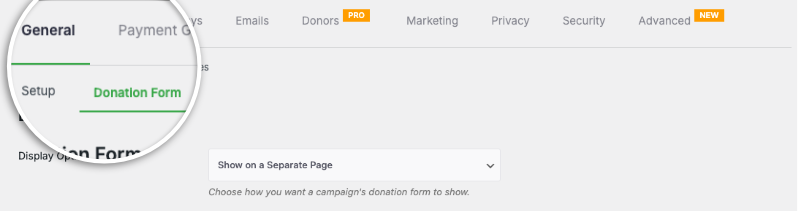
Find donation form settings page

Here, you’ll see the Form Template field where you can switch templates using the drop down menu.

By default, Charitable displays the Standard form template.

The Minimal view attempts to reduce the space taken up by the donation form. It is designed to give you a donation form that is more compact.

Donation form templates

The minimal look is best suited for when the donation form is on a separate page.

Once you’ve made your selection, scroll down and click on the Save Changes button.

How to Make The Donation Form Shorter

If you find the donation form longer than you’d like on your website, in the same settings page, right below the Donation Form template options, there is a field “Only show required fields”.

Set this to “Yes”.

This will make Charitable’s donation form a “short form”.

Not sure how to create a donation form?

Watch our tutorial here:

Fundraising Tips and Advice

We regularly share practical guides, proven strategies, and insider tips to help you raise more funds and build stronger donor relationships. Join thousands of nonprofits who get our best content delivered straight to them:

FAQs for Charitable Donation Form Templates

What are the available donation form templates in Charitable?

In Charitable, you can choose between two premade donation form templates: the Standard template and the Minimal view template.

How can I switch between donation form templates in Charitable?

To switch templates, navigate to the WordPress dashboard and go to Charitable » Settings. Under the General tab, open the Donation Form page, and use the Form Template dropdown menu to select your desired template.

What is the difference between the Standard and Minimal templates?

The Standard template includes all the required fields in a more expansive layout. The Minimal view is a more compact design, reducing space and is ideal for donation forms placed on separate pages.

What version of Charitable do I need to use these templates?

You need to have Charitable version 1.8.3.6 or above installed and activated on your WordPress site.

How can I make the donation form shorter?

In the same settings page where you choose the template, there is a “Only show required fields” option below the Donation Form template options. Set this option to “Yes” to convert Charitable’s donation form into a shorter version.

Can I customize the appearance of my donation forms? 

Yes. You can customize colors, form templates (standard or minimal), and field display options. You can also use custom CSS and code snippets.

I made changes to settings but they’re not showing up. What should I do? 

Always click “Save Changes” after making any modifications. If changes still don’t appear, try clearing your website cache if you’re using a caching plugin.

What’s the difference between displaying donation forms “on the same page” vs “on a separate page”?

  • Same page: The donation form appears directly on your campaign page
  • Separate page: Donors are redirected to a dedicated donation page
  • Modal: The form appears in a popup overlay

Choose based on your preference for user experience and page design.

I’m completely new to Charitable. Where should I start? 

Follow this Getting Started guide here and start with the Setup Wizard that appears when you first install Charitable. It takes about 5 minutes and will guide you through the essential configuration steps including payment setup and creating your first campaign. If you missed the wizard, you can access all these settings manually through Charitable » Settings.

Where can I get support if I have issues?

  • Free users: Use the WordPress.org support forums
  • Pro users: Contact support directly for priority assistance
  • Documentation: Check the comprehensive documentation library
  • CommunityJoin the newsletter and follow social channels for tips and updates

Are there video tutorials available? 

Yes! Subscribe to the Charitable YouTube channel for step-by-step tutorials and success stories.

We hope these FAQs help! 

Need support? Have a question? If you are a lite/free user of Charitable, you can reach out to our team on the WordPress.org support forums and our team will respond in a timely fashion. If you have an active license, feel free to reach out us directly for priority support.
Still have questions? We’re here to help!

Last Modified:

What's New In Charitable

View The Latest Updates
🔔 Subscribe to get our latest updates
📧 Subscribe to Emails

Email Subscription

Join our Newsletter

We won’t spam you. We only send an email when we think it will genuinely help you. Unsubscribe at any time!

New Payments

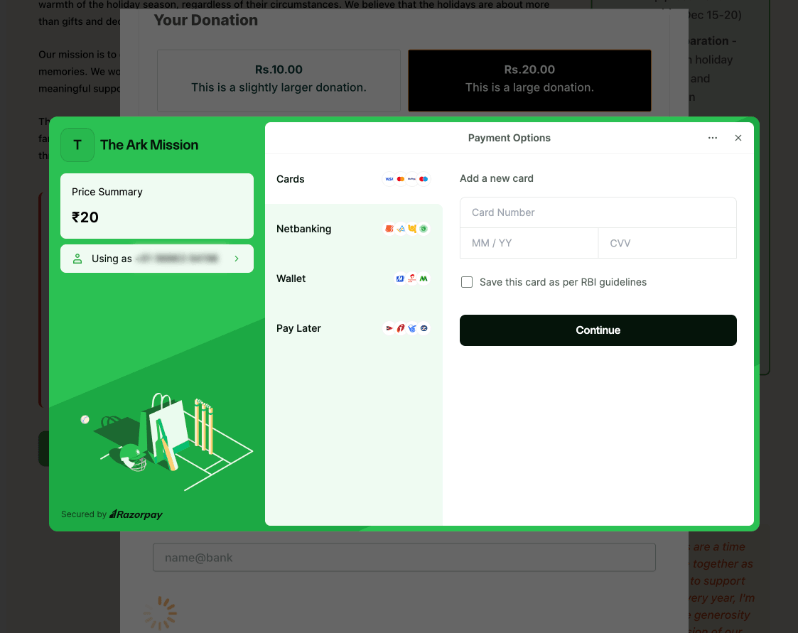
⚡ Unlock India-Based Donations: Meet Charitable’s Native Razorpay Integration

Trying to collect donations in India? Charitable’s native Razorpay integration features:

⚡ Instant UPI Integration: Accept fast, local donations directly inside your form via apps like PhonePe, Google Pay, Paytm, and BHIM without sending donors away from your site.

📲 Auto-Generated Campaign QRs: Instantly render scannable QR codes encoding a UPI deep link directly on your public campaign pages and sidebars for an effortless “scan-to-give” experience.

💰 Dual Local & Global Reach: Headline your campaigns in INR while seamlessly accepting major international currencies like USD, EUR, GBP, and CAD to maximize global support.

🔁 Seamless Recurring Giving: Fully integrates with the Charitable Recurring addon to manage automatic monthly subscriptions directly through Razorpay without extra code.

↩️ Automatic Two-Way Sync: Keep your books perfectly clean with two-way refund syncing—issue a refund inside WordPress or your Razorpay dashboard and both sides update automatically.

🔒 Webhook-Verified Security: Automatically protect your donation records using HMAC-signed webhook verification to ensure every status update represents real money cleared on the rails.

Visit this page to learn more.

Integration New

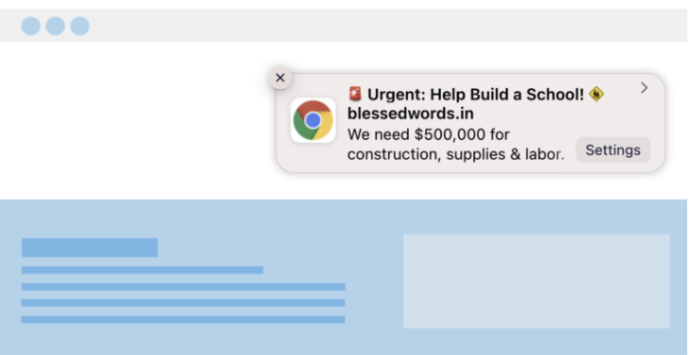
🎉 New Built-in PushEngage Integration

Struggling with falling email open rates and rising ad costs just to keep your supporters engaged? Charitable’s built-in PushEngage integration features:

🔔 Zero-Fee Direct Messaging: Deliver crisp, instant pop-up notifications straight to your donors’ desktops and mobile devices.

⏱️ Four Smart Automated Triggers: Automatically send updates for immediate donation thank yous, full-list campaign launches, urgent “ending soon” alerts, and goal milestone celebrations.

📈 Group Momentum Broadcasts: Turn private milestones into public wins by automatically broadcasting alerts to your entire subscriber list the moment a campaign hits 50%, 75%, or 100% of its goal.

📊 Automatic Analytics Tracking: Monitor exactly where your incoming notification traffic is coming from with built-in attribution that requires zero complex configuration.

Visit this page to learn more.

New Security

💂‍♂️ New DonationGuard 🛡️ Automatically Protects Your Donations!

Worried about card testing attacks or spam bots flooding your donation forms, but don’t want to ruin the giving experience for your real supporters? Charitable’s DonationGuard features:

🛡️ Real-Time Bot Detection: Actively monitors every donation submission for five distinct attack signals without slowing down your human donors.

📊 Smart Traffic Scoring: Instantly evaluates activity against a learned baseline of your site’s normal donation rhythms to catch sneaky, slow-drip card testing.

🚨 Severity-Tiered Alerts: Immediately opens structured “Attack Records” and notifies you via email and admin alerts the moment a campaign starts taking fire.

🎯 Single-Click Defense: Deploy instant security using the “Recommended Settings” preset to turn on Honeypot, Time Trap, and Rate Limit modules all at once.

🚫 Automated Blocklists: Permanently stop repeat offenders by automatically blocking suspicious email addresses based on your customized rules.

Visit this page to learn more.

GiveWP Migrations New

🧤 White Glove Migration Service for GiveWP

Thinking about switching your fundraising platform from GiveWP to Charitable, but don’t want to risk losing your data or handle a complex technical setup yourself? Charitable’s White Glove Migration Service features:

👥 Flawless Donor Mapping: Safely transfer your entire supporter database with zero data loss.

📊 Complete Financial History: Meticulously preserve every historical transaction for continuous, accurate reporting.

🔄 Seamless Recurring Giving: Safely transfer active sustaining subscriptions without disrupting your incoming revenue or requiring your donors to update their information.

💳 Zero Gateway Disruptions: Keep using Stripe, PayPal, or any other GiveWP-compatible processor you already love.

🚀 Expert Technical Setup: Relax while our team handles the heavy lifting to install and configure your forms—plus, qualifying users get a full year of Charitable Pro completely free.

Visit this page to learn more.

automation Improvement

📢 New Feature Alert: Automation Connect 2.0 Is Here! 🚀

Thinking about connecting your fundraising data to tools like Mailchimp, Slack, or Google Sheets, but don’t want to hire a developer or write custom code? Charitalbe’s new automation addon has:

⚡ 17 Event Triggers: Instantly fire webhooks for a donor’s first gift, renewal payments, or reached campaign milestones.

🎯 Smart Conditional Logic: Use powerful AND/OR logic across 11 fields to only send data when it meets your exact criteria, like newsletter opt-ins.

📊 Custom Payload Control: Select from 80+ clean data fields across donor, donation, and campaign metadata so your apps get exactly what they need.

🚀 Pre-Built Platform Templates: Skip the setup from scratch with ready-to-go templates for Zapier, Make.com, n8n, HubSpot, and Slack.

🛡️ Reliable Developer Tools: Power your workflows with signed HMAC-SHA256 payloads, complete WordPress filters, and automatic retry logs.