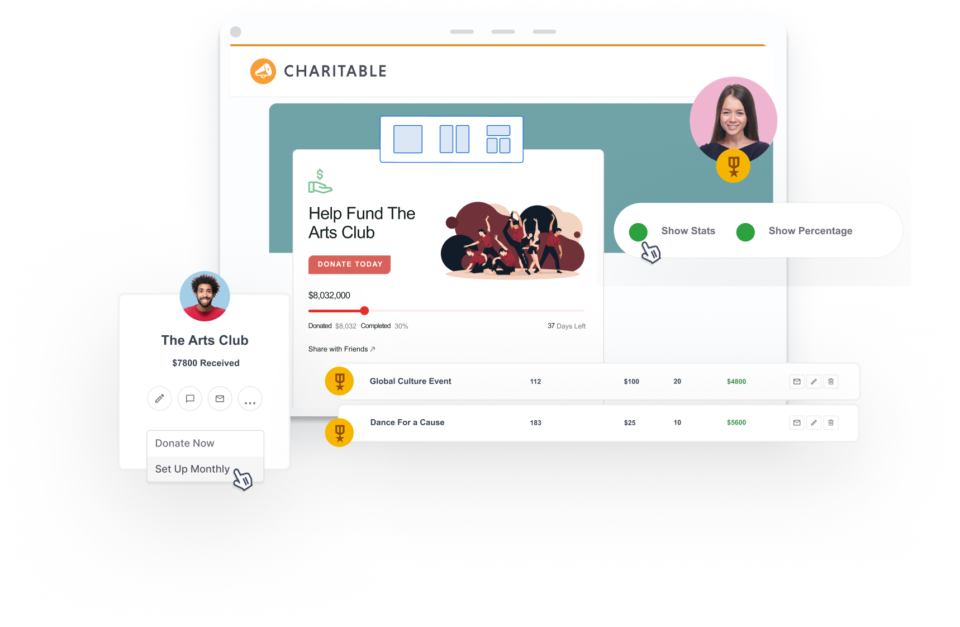
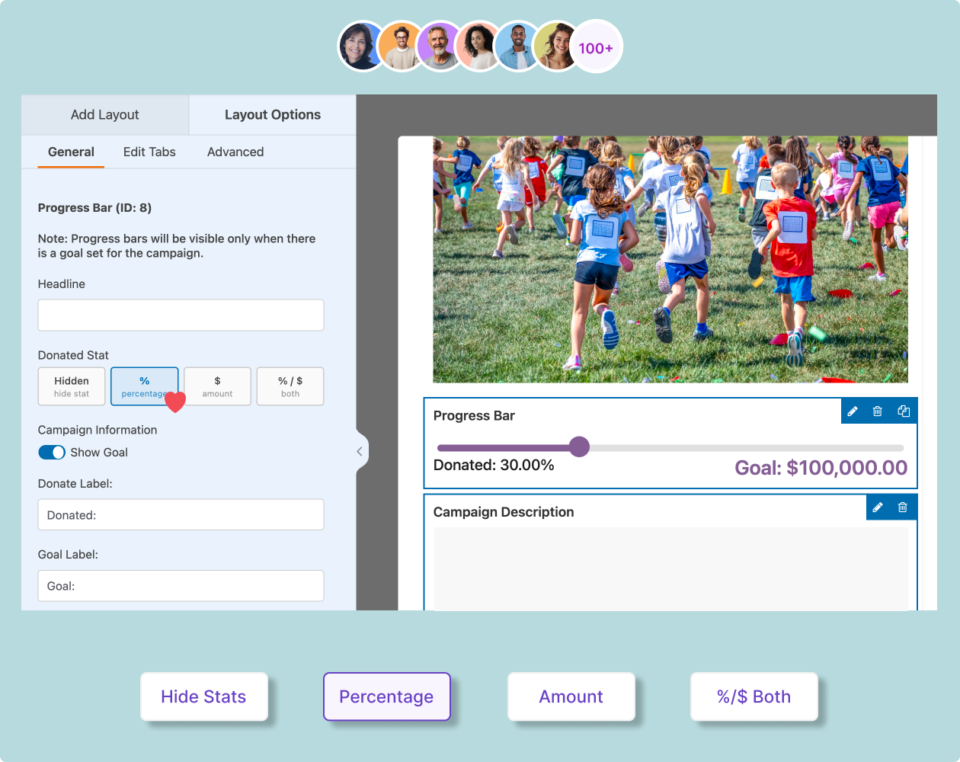
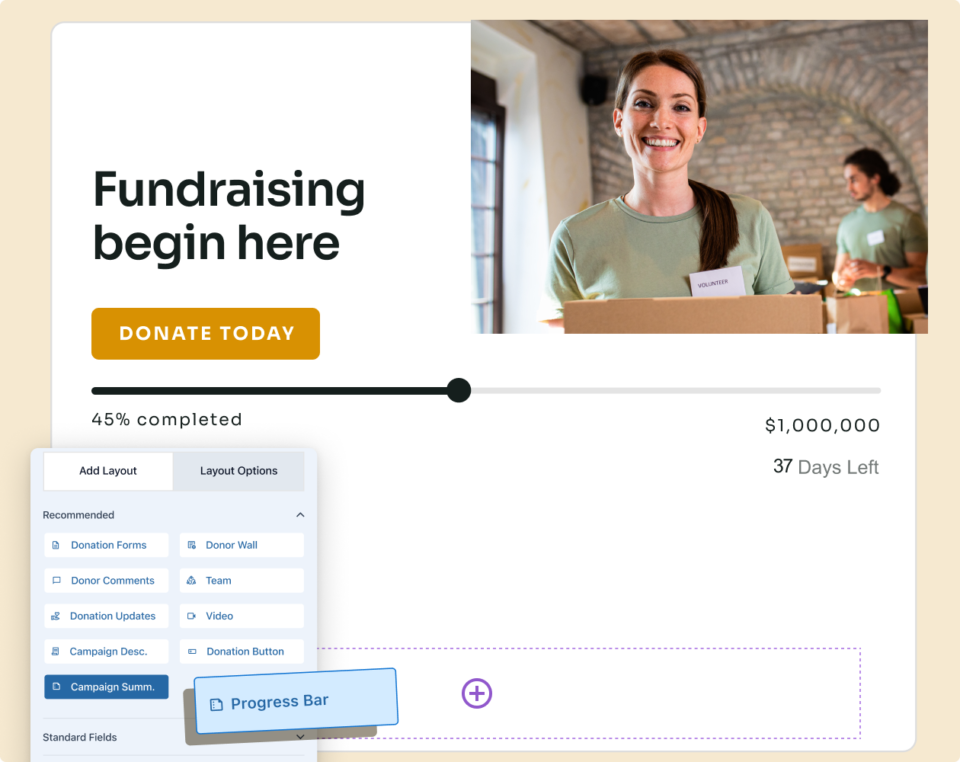
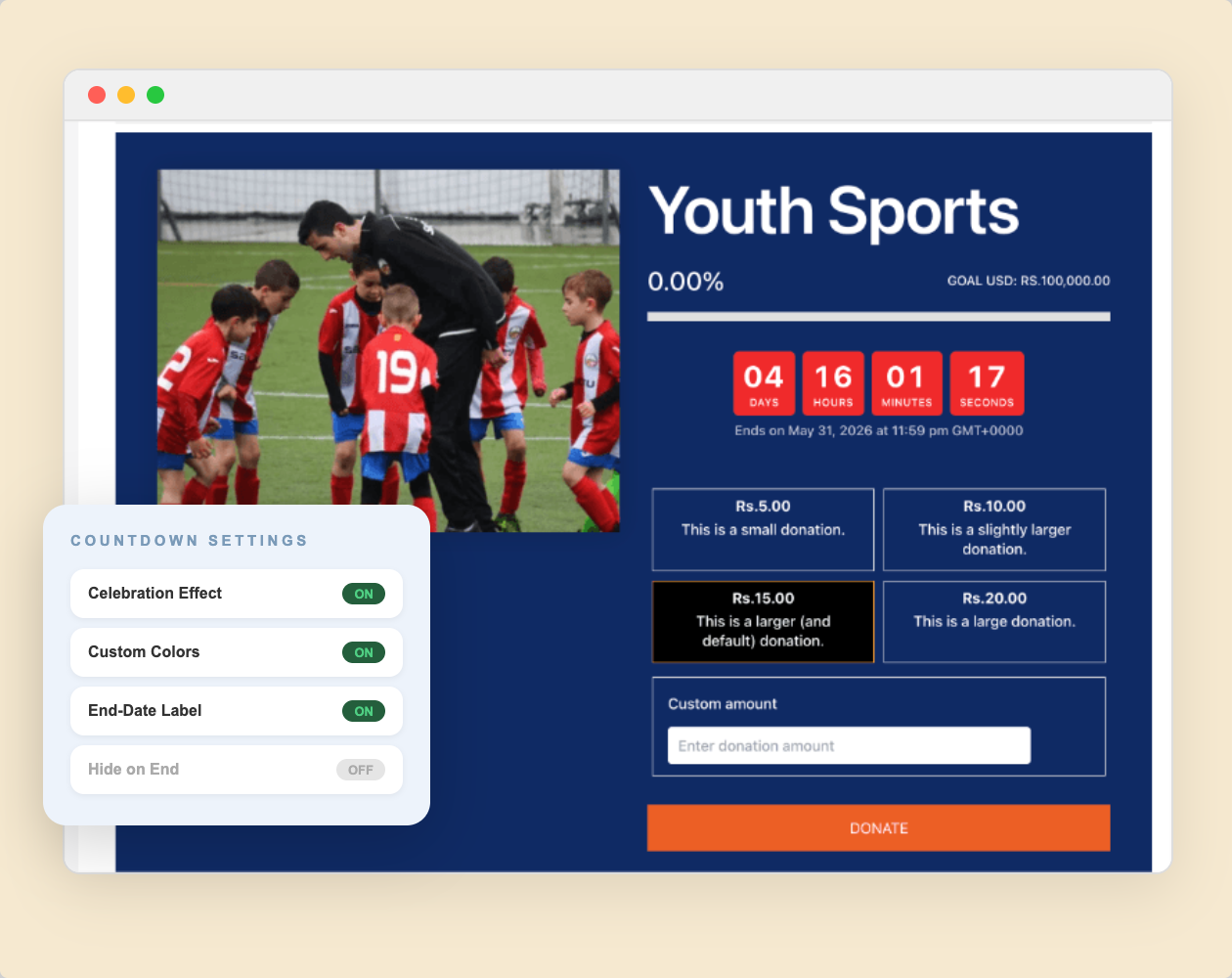
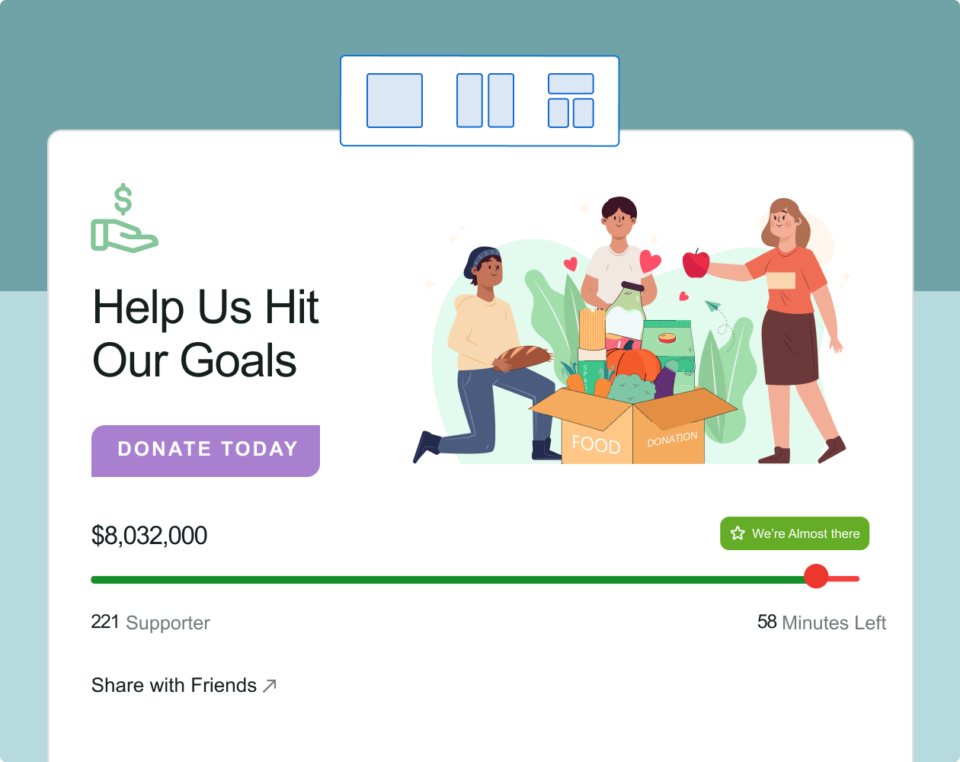
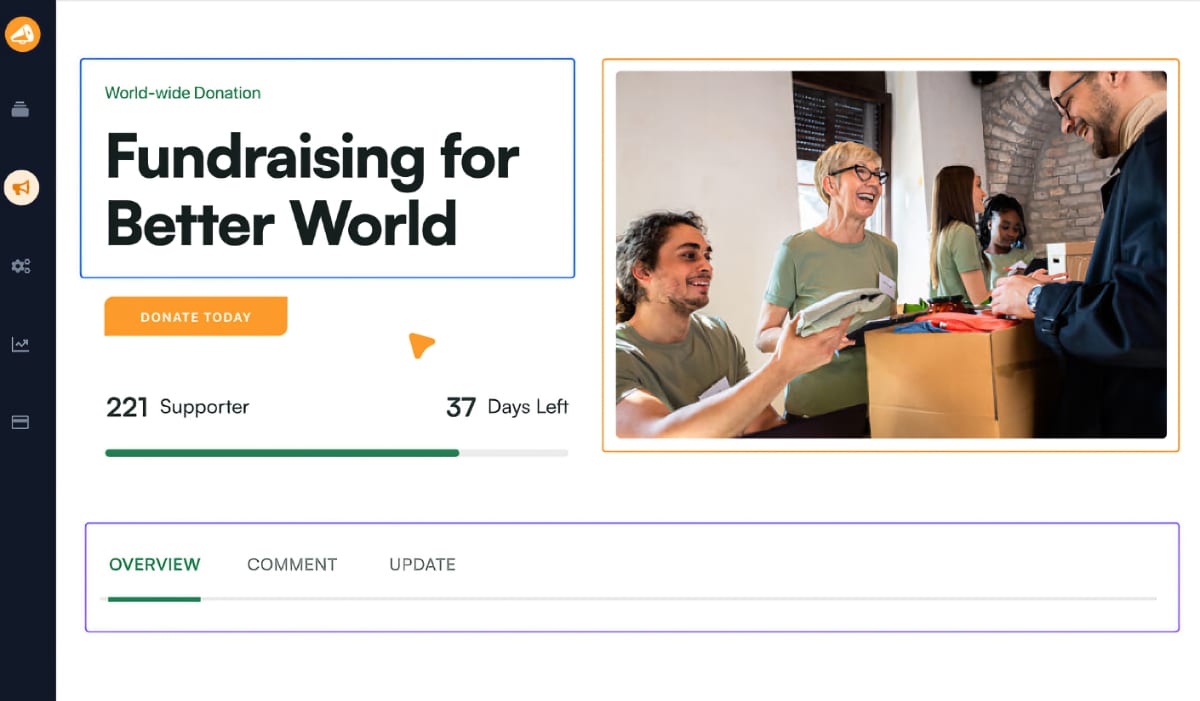
When donors land on a campaign page, they’ll see a bold fundraising progress bar that puts your goal, amount raised, donor count, and days remaining front and center – updating in real time with every donation.

Everything in Charitable’s Fundraising Progress Bar
Here’s a look at what’s packed into Charitable’s fundraising progress bar – ready to work the moment you publish your first campaign.
Live Goal Tracking
Your progress bar reflects real-time donation totals the moment a gift comes in.
Animated Progress Bar
A smooth animated fill draws donors’ eyes to your goal and communicates momentum.
Donor Count Display
Show how many donors have given. Social proof that drives more gifts.
End Date Countdown
Add an optional deadline and let a live countdown create natural urgency.
Drag-and-Drop Setup
Place the progress bar anywhere on your campaign page with no code required.
Works With Any Theme
Compatible with every WordPress theme. Zero conflicts, no custom CSS needed.
Mobile-Optimized Display
Fully responsive – looks great on phones, tablets, and desktop screens.
Free to Get Started
The progress bar is included in Charitable Lite. No paid plan required to launch.
Multi-Campaign Support
Run as many campaigns as you need. Each gets its own goal, bar, and countdown.
Why You’ll Love Charitable’s Fundraising Progress Bar
Your donors are mission-driven. They give more when they can see their impact. These are the features that turn a passive campaign page into an active fundraising engine.
Real-Time Progress Display
Watch Live as Every Gift Brings You Closer to Your Goal
Progress bars work because they make progress visible. The moment a donation comes in, Charitable’s progress bar moves forward. No manual refreshes, no admin work, no delays on your part.
Your donors see exactly where you stand and how much is left to raise, right on your campaign page as they’re deciding whether to give.
The closer you get to your goal, the more urgency builds on its own.
Progress Updates Automatically
All in One View
Motivates Late-Campaign Giving
Drag-and-Drop Setup
Add a Professional Progress Bar to Any Campaign in Minutes
You don’t need a developer or a design background to build a campaign page that looks polished and converts. Charitable’s visual builder lets you drag the progress bar block anywhere on your campaign.
Place it above the fold, below the description, or wherever it drives the most attention. Customize your goal, adjust the style, and reposition it at any time without touching a single line of code.
Works with any WordPress theme. No conflicts, no custom CSS, no developer needed.
Drop the Bar Anywhere on Your Page
Edit Goal and Copy Any Time
Works With Any WordPress Theme
Campaign Goal Setting
Set a Clear Goal That Turns Browsing Into Giving
Every great fundraising campaign answers the same question: what are we raising money for, and how much do we need? Setting a specific dollar goal gives donors a compelling reason to act today rather than “later.”
A visible progress bar and an optional ticking countdown create the kind of urgency that moves campaigns from stalled to fully funded. Charitable handles both in the same setup screen.
Set your goal once and let the bar and countdown do the motivating for you around the clock.
Set Any Dollar Amount as Your Goal
Optional End Date for Built-In Urgency
Remaining Amount Calculated Automatically
Mobile-Optimized Display
Reach Every Donor on Every Device Without Extra Configuration
Most donors now give on their phones. Your progress bar should look just as compelling on a 5-inch screen as on a desktop – and with Charitable, it does, automatically.
The progress bar is fully responsive: it resizes, adjusts, and renders cleanly on smartphones, tablets, and desktops without any extra setup from you.
Every donor gets the full emotional impact of seeing your goal in motion, wherever they find your campaign.
✓ 14-day money-back guarantee ✓ No transaction fees ✓ Keep 100% of your donations
Keep Using All Your Favorite Apps
Charitable connects with the tools your organization already uses — email marketing platforms, CRMs, Zapier automations, and more. When a campaign hits its goal, your workflows keep moving and your donors stay engaged.
“…others were charging 5% and more for every donation, but with Charitable there are no fees for donations, so we were able to run a number of fundraising campaigns with all the money going to the charity.”

Stuart Robinson
“Really useful plugin. I wanted to extend the functionality of it a wee bit and the code was very easy to work with and adapt. Really great response from the developer and it looks like fantastic updates are being added all the time.”

Paul Lawley-Jones
“I’d like to thank you both for making such a great tool at such a great cost. It’s literally 24 times cheaper than the platform we were using before I came on board.”

Stephen Weinberg
“This plugin is exactly what our small, parent-run organization needed… Easy to set up. Easy to customize (as long as you can handle just a tiny bit of code). And superior support! Thanks so much for this full-featured software.”
Fundraising Progress Bar Frequently Asked Questions
Do you have a question about Charitable’s Fundraising Progress Bar? See the list below for our most frequently asked questions. If your question is not listed here, please contact us.
Is the fundraising progress bar available in the free version of Charitable?
Yes. The fundraising progress bar is fully included in Charitable Lite, the free version of the plugin available on WordPress.org. Create a campaign, set a goal, and your progress bar is live immediately. No paid plan required. Upgrading to a paid plan unlocks additional fundraising tools like recurring donations, donor management, PDF receipts, and email marketing integrations. Upgrade here »
Does the progress bar update in real time?
Yes. Charitable updates the progress bar automatically whenever a donation is recorded – no page refresh needed and no manual updates required from you. Your campaign page always reflects the current total.
Can I use the progress bar without setting an end date?
Absolutely. Setting an end date is optional. If you add one, Charitable will display a countdown alongside the progress bar to create urgency. If you prefer an open-ended campaign, the bar simply tracks goal progress without any time pressure. You can add or change an end date at any time from your WordPress admin.
How much does Charitable cost?
Charitable Lite is completely free to get started. Charitable Pro plans begin at an affordable annual rate of $69 with no transaction fees ever. You can choose the plan that fits your organization’s needs and budget.
Does Charitable offer a money-back guarantee?
Sure. We are confident you’ll be delighted with Charitable. But, if you’re unhappy for any reason or have a rare issue we can’t resolve, you’ll get a full refund within 14 days of the purchase date.
How long is my Charitable license valid for?
All Charitable purchases are for a one-year license. It gives you access to support and our frequent product updates. Annual renewals are automatic and you’re free to cancel any time.
For more tutorials and videos tailored to nonprofits, subscribe to our YouTube channel. We regularly publish expert tips, step-by-step guides on online donations, fundraising strategies, and practical resources to help your organization succeed.
📝 Donation Form Block: Embed a Working Donation Form Anywhere
With the new Donation Form Block for Charitable Pro, you can drop a fully working donation form directly onto any page or post in the WordPress block editor. No redirects, no page reloads, and zero friction between reading your story and making a contribution.
📝 Drop Forms Anywhere: Place a working form directly onto your homepage, inside a story-driven blog post, on a dedicated landing page, or within a campaign announcement.
🎯 Dynamic Campaign Binding: Easily choose a specific campaign from the block sidebar or set it to automatically bind to whichever campaign is currently being viewed.
📐 Full vs. Minimal Form Views: Switch between a full layout or a compact minimal view to perfectly fit sidebars, narrow columns, or wide landing pages.
🎨 Scoped No-Code Styling: Customize typography, container spacing, border radius, amount buttons, and accent colors independently for every form instance without touching a line of CSS.
👤 Creator Profiles: Put a Face to Every Peer-to-Peer Campaign
Ambassadors 3.3.0 now provies Creator Profiles — giving your supporters a permanent, shareable public home that turns one-time fundraisers into ongoing relationships.
👤 Public Creator Pages: Give every fundraiser an instant, clean landing page at /creator/their-name/ to showcase their custom avatar, bio, and a browsable grid of their campaigns.
📊 Proof of Impact: Boost donor trust by displaying site-wide milestones on the profile—like total funds raised and total donor counts.
💳 Interactive Hover Cards: When donors hover over a creator’s name on a campaign page, a compact card expands with their bio and social handles right at the moment of decision.
📍 Responsible Location Sharing: Allow creators to safely show local supporters where they are based using only city, state, and country details.
🛠️ Self-Serve Customization: Fundraisers can update their own profiles and link up to six social networks directly from the My Campaigns hub, saving you admin time.
Ready to empower your advocates? Update to Ambassadors 3.3.0 and turn on “Enable Public Creator Page” today!
✓
Thanks for your feedback!
Improvement
Payments
📱 Turn Mobile Scrollers Into Donors: Meet Charitable’s Mollie Upgrade
Losing mobile supporters because they hate typing out long card numbers on their phones? Charitable’s updated Mollie integration features:
⚡ One-Tap Wallet Checkout: Enable donors to complete their gifts instantly using Apple Pay or Google Pay with a simple face scan, fingerprint, or tap.
💰 No Extra PCI Burden: Skip complex domain verification and security compliance since all wallet transactions run safely through Mollie’s hosted checkout.
🛠️ Custom Cancel Routing: Keep the experience predictable by automatically sending donors who back out to your cancellation page, or use developer filters to route them to a custom page.
Visit this page to learn more.
✓
Thanks for your feedback!
ambassadors
improved
New
Moderation and Directory Screens In Ambassadors 3.0
Ambassadors 3.0 has new features: moderation and directory screens… now easily see those who are earning donations on your peer to peer network – including campaign creators that might need to be verified – all in one place. Generate reports, email ambassadors and campaign creators directly and more.
🚀 See when campaign creators and ambassadors have updated their campaigns, what donors/donation they have brought in and more.
🎉 Manually add ambassadors and campaign creators, and approve them in one-click!
Trying to collect donations in India? Charitable’s native Razorpay integration features:
⚡ Instant UPI Integration: Accept fast, local donations directly inside your form via apps like PhonePe, Google Pay, Paytm, and BHIM without sending donors away from your site.
📲 Auto-Generated Campaign QRs: Instantly render scannable QR codes encoding a UPI deep link directly on your public campaign pages and sidebars for an effortless “scan-to-give” experience.
💰 Dual Local & Global Reach: Headline your campaigns in INR while seamlessly accepting major international currencies like USD, EUR, GBP, and CAD to maximize global support.
🔁 Seamless Recurring Giving: Fully integrates with the Charitable Recurring addon to manage automatic monthly subscriptions directly through Razorpay without extra code.
↩️ Automatic Two-Way Sync: Keep your books perfectly clean with two-way refund syncing—issue a refund inside WordPress or your Razorpay dashboard and both sides update automatically.
🔒 Webhook-Verified Security: Automatically protect your donation records using HMAC-signed webhook verification to ensure every status update represents real money cleared on the rails.
Cloudflare's bot products identify and mitigate automated traffic to protect your site from bad bots. Cloudflare places the __cf_bm cookie on End User devices that access Customer sites that are protected by Bot Management or Bot Fight Mode. The __cf_bm cookie is necessary for the proper functioning of these bot solutions.
session
__cflb
When enabling session affinity with Cloudflare Load Balancer, Cloudflare sets a __cflb cookie with a unique value on the first response to the requesting client. Cloudflare routes future requests to the same origin, optimizing network resource usage. In the event of a failover, Cloudflare sets a new __cflb cookie to direct future requests to the failover pool.
session
_cfuvid
The _cfuvid cookie is only set when a site uses this option in a Rate Limiting Rule, and is only used to allow the Cloudflare WAF to distinguish individual users who share the same IP address.
session
cf_clearance
Whether a CAPTCHA or Javascript challenge has been solved.
session
__cfseq
Sequence rules uses cookies to track the order of requests a user has made and the time between requests and makes them available via Cloudflare Rules. This allows you to write rules that match valid or invalid sequences. The specific cookies used to validate sequences are called sequence cookies.
session
cf_ob_info
The cf_ob_info cookie provides information on: The HTTP Status Code returned by the origin web server. The Ray ID of the original failed request. The data center serving the traffic
session
cf_chl_rc_i
These cookies are for internal use which allows Cloudflare to identify production issues on clients.
session
cf_chl_rc_ni
These cookies are for internal use which allows Cloudflare to identify production issues on clients.
session
cf_chl_rc_m
These cookies are for internal use which allows Cloudflare to identify production issues on clients.
session
__cfruid
Used by the content network, Cloudflare, to identify trusted web traffic.
session
cf_use_ob
The cf_use_ob cookie informs Cloudflare to fetch the requested resource from the Always Online cache on the designated port. Applicable values are: 0, 80, and 443. The cf_ob_info and cf_use_ob cookies are persistent cookies that expire after 30 seconds.
session
__cfwaitingroom
The __cfwaitingroom cookie is only used to track visitors that access a waiting room enabled host and path combination for a zone. Visitors using a browser that does not accept cookies cannot visit the host and path combination while the waiting room is active.
session
These cookies are needed for adding comments on this website.
Name
Description
Duration
comment_author
Used to track the user across multiple sessions.
Session
comment_author_email
Used to track the user across multiple sessions.
Session
comment_author_url
Used to track the user across multiple sessions.
Session
Easy Digital Downloads is a WordPress plugin for selling digital products effortlessly and managing transactions.
Name
Description
Duration
edd_session_
Stores information about the current user session.
Session
edd_items_in_cart
Stores information about the cart contents.
Session
These cookies are used for managing login functionality on this website.
Name
Description
Duration
wordpress_logged_in
Used to store logged-in users.
Persistent
wordpress_sec
Used to track the user across multiple sessions.
15 days
wordpress_test_cookie
Used to determine if cookies are enabled.
Session
WPForms is a user-friendly WordPress plugin for creating custom forms with drag-and-drop functionality.
Name
Description
Duration
wpfuuid
Used to track user interactions with forms.
11 years
Statistics cookies collect information anonymously. This information helps us understand how visitors use our website.
Clarity is a web analytics service that tracks and reports website traffic.