DONATION RECOVERY WORDPRESS PLUGIN

Stop Losing Donations to Abandoned Forms Forever

Win back incomplete donations automatically. Charitable detects abandoned forms and sends personalized recovery emails – built right in, no third-party tools needed.


WordPress 4.9 Stars, 200+ Reviews
1 Million Downloads
14 Day Money Back Guarantee
Privacy Compliant
Capterra 4.7 Rating
WPBeginner Verified

Recover Lost Donations Without Lifting a Finger

Get powerful, built-in donation recovery tools that automatically bring donors back to finish what they started!

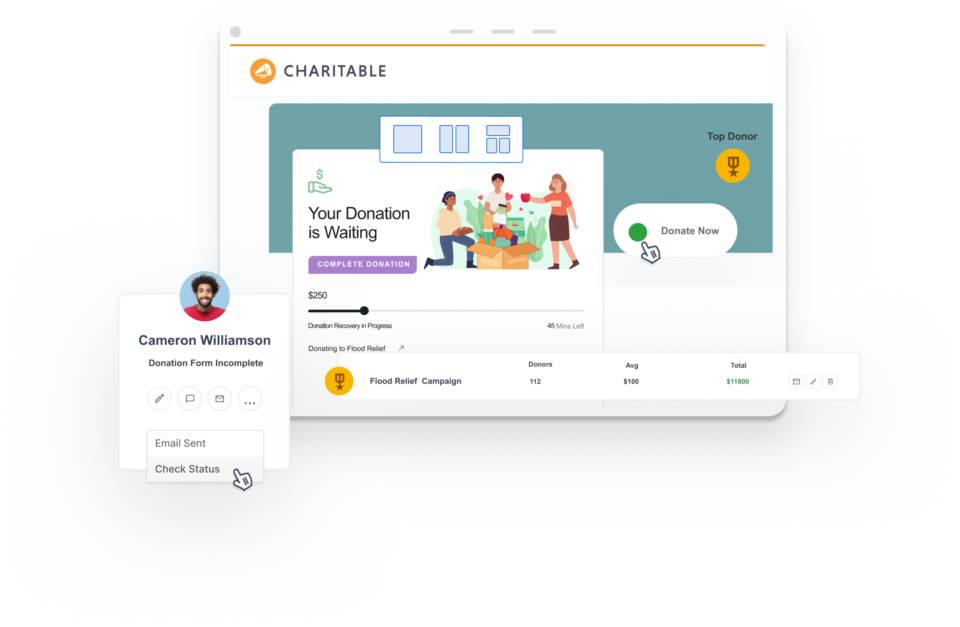
Charitable detects when a donor leaves without completing their gift.

A personalized recovery email is sent automatically about one hour after abandonment.

Donors return to their exact form with name, email, and amount already filled in.

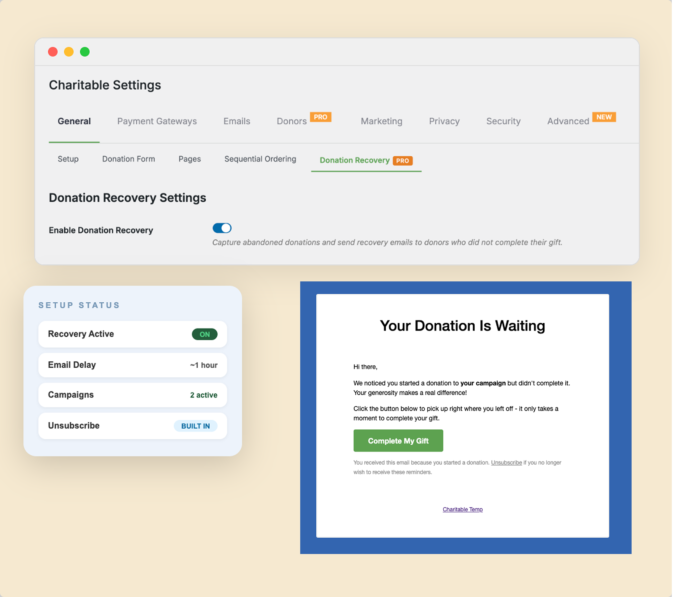
Enable donation recovery in under two minutes – no developer needed.

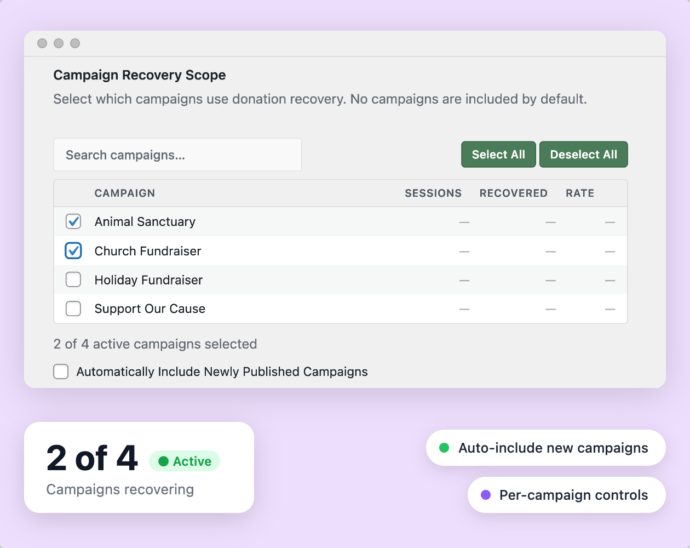
Choose exactly which campaigns participate in recovery tracking.

Every recovery email includes a one-click unsubscribe with automatic suppression.

See tracked sessions, recovered donations, and total revenue in one clear dashboard.

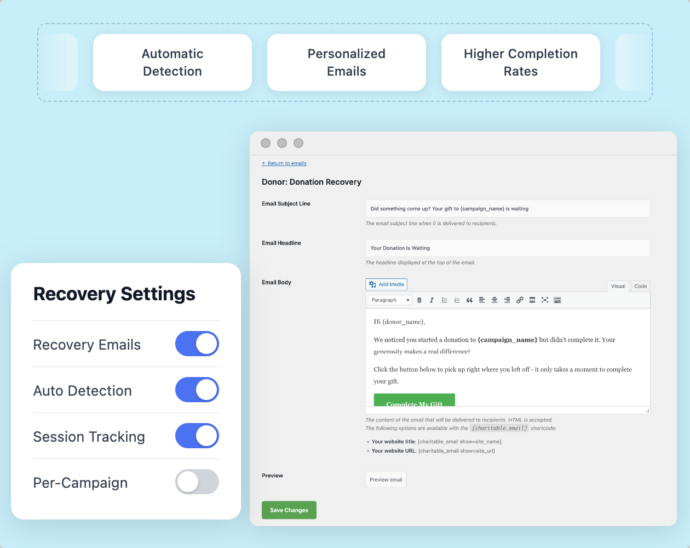
Override the default recovery email to match your organization’s branding and voice.

Everything runs inside Charitable – no external services or complicated integrations needed.

Why You’ll Love Donation Recovery with Charitable

Charitable offers a simple, affordable way to automatically recover lost donations and boost your fundraising results.

Abandoned Donation Recovery

Turn Abandoned Donations Into Completed Gifts

Between 50 and 70% of donors who start a form never finish it. That’s not a small number – that’s a significant chunk of revenue walking out the door.

Donation Recovery automatically catches those moments and brings donors back. You don’t have to do anything after setup. Charitable handles every step in the background.

The donor gets a friendly, personalized email with a direct link back to their pre-filled form. One click, a few seconds to confirm, and the gift is complete.

Automatic Detection

Personalized Emails

Higher Completion Rates

lp-donation-recovery-customize
enable donation recovery

Quick Setup

Get Up and Running in Under Two Minutes

You shouldn’t need a developer to recover lost donations. With Charitable, you don’t.

Head to Charitable → Settings → General → Donation Recovery, check one box, select your campaigns, and save. That’s the entire setup process.

There are no integrations to configure and no third-party accounts to create. It works right out of the box.

One-Click Activation

No Developer Needed

Zero Ongoing Maintenance

Campaign Control

Keep Full Control Over Every Campaign

Not every campaign needs recovery tracking. Charitable lets you choose exactly which ones participate.

Check the ones you want or enable automatic inclusion for new campaigns going forward.

You stay in control without doing extra work. Everything is visible and manageable from one simple panel.

Campaign-Level Settings

Auto-Include New Campaigns

Clear Recovery Metrics

Donation-recovery-benefit-3
Donation-recovery-benefit-4

Recovery Reporting

See Exactly What You’re Recovering

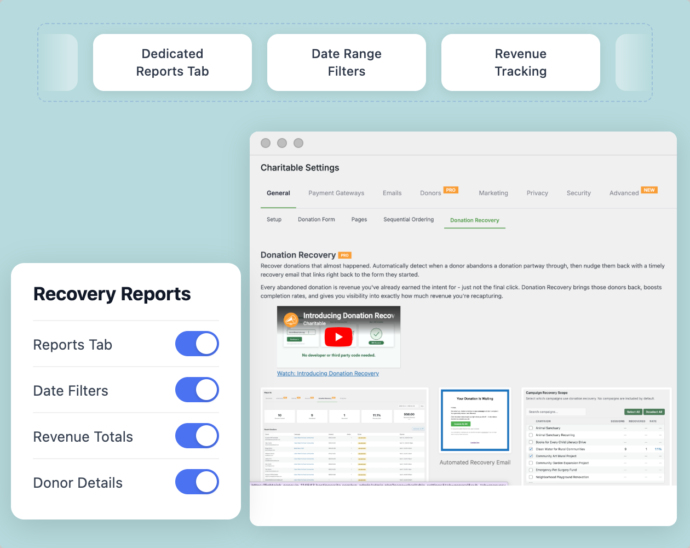
You can’t improve what you can’t measure. Charitable’s dedicated Donation Recovery reports tab gives you the full picture.

See how many sessions were tracked, how many were abandoned, how many donors returned, and how much revenue was recovered. Filter by date range or drill into individual donor session details.

A recovery summary also appears on the main Reports Overview tab. Your recovered revenue is always visible right alongside your total donation numbers.

Dedicated Reports Tab

Date Range Filters

Revenue Tracking

Donor Trust

Protect Donor Trust at Every Step

Donors trust you with their information. Charitable’s Donation Recovery was built with that trust in mind.

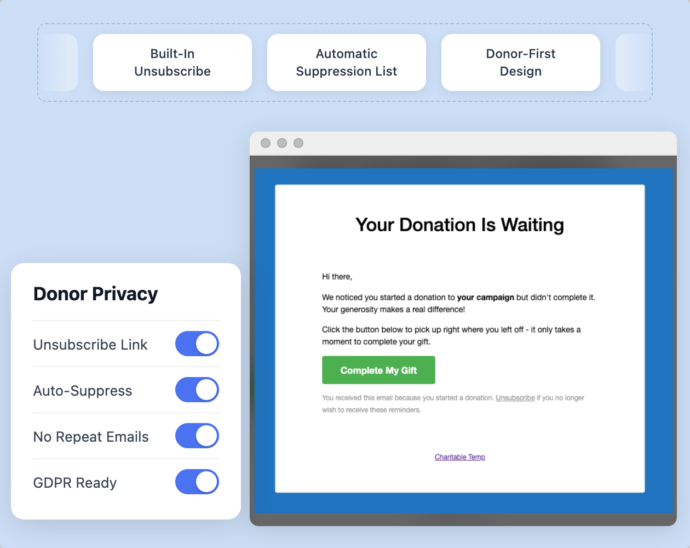
Every recovery email includes a one-click unsubscribe link. Donors who opt out are added to a suppression list automatically. You never have to manage it manually.

No donor is ever contacted again after opting out. It’s respectful, compliant, and completely hands-off for your team.

Built-In Unsubscribe

Automatic Suppression List

Donor-First Design

Donation-recovery-benefit-5

✓ 14-day money-back guarantee   ✓ No transaction fees   ✓ Keep 100% of your donations

Tutorial

Tutorial icon

Enable donation recovery in under a minute with our step by step tutorial. Learn about everything this feature has to offer and how to use it to maximize your donations.

Keep Using All Your Favorite Apps

Donation Recovery
Frequently Asked Questions

Do you have a question about Charitable’s Donation Recovery? See the list below for our most frequently asked questions. If your question is not listed here, please contact us.

Get the best WordPress fundraising plugin today

Join over 10,000+ smart website owners who trust Charitable for their donation websites.
What's New In Charitable

View The Latest Updates
🔔 Subscribe to get our latest updates
📧 Subscribe to Emails

Email Subscription

Join our Newsletter

We won’t spam you. We only send an email when we think it will genuinely help you. Unsubscribe at any time!

Improvement Payments

💰 Accept Recurring Donations with Windcave and Charitable

A donor sets their gift up once on Windcave’s secure payment page, and Charitable bills every renewal after that on schedule. Why this is important:

🏦 Organizations banked in New Zealand or Australia: monthly giving on the gateway your bank already set you up with, with no second processor to onboard.
⛪ Churches taking regular tithes and offerings: congregants set their own schedule once, which is the simplest way to launch recurring church giving without a separate platform.
🌏 Groups with donors in several currencies: Windcave handles more than 20, so a supporter can give in the currency they actually hold.
📅 Operating funds rather than one-time campaigns: switch on Recurring Only mode and the one-off option disappears, so every gift to that campaign is a subscription.
🧾 Teams with no developer on staff: 3 sets of credentials pasted into a settings page, and no code anywhere.

Check out our announcement here.

automation update

⚡ Visual Automation Builder: Drag and Drop With No Code!

Charitable Automation Connect 2.3.0 introduces the Visual Automation Builder, a full-screen canvas that lays each automation out as a flow of connected cards: a trigger, optional conditions, and a list of actions that run in order.

🧩 Many actions, one trigger: Tag a donor, send an email, add a note, and fire a webhook from a single event, dragged into any order.

✉️ Act inside Charitable: New Send Email, Tag Donor, and Add Donor Note actions run with no external service required.

🔤 Merge tags: Personalize emails and notes with live fields like {first_name}, {total}, and {campaign_name}.

🔁 Apply to existing donors: Run Tag Donor and Add Donor Note against the donors you already have.

🖥️ Canvas or Simple: Switch views anytime, and automations built before 2.3.0 keep working unchanged.

Read more here.

Integration updated

📬 Introducing Brevo for Charitable: Turn Donors into Subscribers Automatically

The moment a supporter makes a gift is when they are most engaged. With the new Brevo integration for Charitable, you can automatically turn those one-time donors into long-term subscribers without touching a single spreadsheet.

Simply collect donor consent right on your donation form and start your welcome series immediately.

What’s New:

🔄 Automated Subscriber Sync: New donors who opt in are added straight to your Brevo contact list as soon as their payment clears—no manual exports or CSV imports required.

🎯 Granular Consent & Opt-In Control: Customize your checkbox label, choose whether it defaults to checked or unchecked, or turn on Brevo double opt-in to keep your list clean and compliant.

📋 Per-Campaign List Mapping: Route supporters to your global email list or map specific campaigns to targeted Brevo lists to tailor your follow-up messaging.

⚡ 5-Minute Setup: Connect instantly by pasting your Brevo API key into the Newsletter settings, map your contact fields, and start building your email list on autopilot.

Ready to grow your mailing list? Brevo is available now starting on the Charitable Plus plan—connect your account today!

recurring donations updated

💳 Introducing Card Updates: Fix Expired Cards Without Losing Subscriptions!

newExpired or updated credit cards are one of the biggest silent leaks in recurring fundraising. With Card Updates in the Recurring Donations extension, donors can now refresh their payment details directly—keeping their subscription, schedule, and giving history completely intact.

No canceled plans, no lost history, and zero administrative headache for your team.

What’s New:

⚡ 30-Second Self-Service: Donors get a dedicated “Update Card” button in their dashboard that opens Stripe’s secure, PCI-compliant Customer Portal to update card details instantly.

🔒 Scoped & Safe Access: Scoped exclusively to card updates by default, donors can’t accidentally cancel or alter their plans from inside the portal, keeping your webhooks and data in sync.

🤝 Admin-Assisted Support: Helping a donor on the phone? Open their secure Stripe portal in one click from your admin screen or generate a single-use update link to email them.

📋 Automatic Audit Trail: Every payment method update is recorded automatically with a timestamp in both system-wide logs and the individual donor’s profile.

Ready to protect your recurring revenue? Get the Plus or Pro plan and update Recurring Donations to 2.3.0+ and enable “Update Payment Method” under your Settings today!

Integration page builder

Divi Fans Rejoice! Native Divi 5 Campaign Progress Bar Module!

With our new native Divi 5 module, you can anchor your microsites with real-time fundraising stats directly on the visual canvas. Here’s how it works, and why it’s worth turning on today.

Create campaign updates that are VISUAL AND LIVE. You can also:

📊 Campaign Progress Bar: Drop a live progress bar into any Divi 5 layout and show goal progress in real time.

🎨 Deep styling controls: Easily customize the bar and track color, height, and radius to match your brand perfectly.

👁️ Visual Builder ready: Configure and preview everything directly on the Divi canvas as a first-class module.

🔁 Identical rendering: The same exact engine powers this module, meaning consistent design without legacy shims.

✅ Faster launches: Never leave the Divi 5 interface to configure shortcodes or guess how your goal labels will look.

Learn more here.