
As a nonprofit, your mission is to make a difference. But to do that, you need a strong online presence. A website that not only looks great but also functions effectively can be the difference between a successful campaign and a missed opportunity.
That’s where WordPress comes in.
Why WordPress? Let me share a personal story. When I first started working with a nonprofit organization, we struggled with our website. It was clunky, hard to update, and didn’t really reflect our mission. We couldn’t really change much of the design either. We switched to WordPress, and it was like a breath of fresh air. Suddenly, we had a website that was:
- Easy to update: No more technical headaches. I could quickly add new blog posts, event listings, and donation pages.
- Visually appealing: With thousands of themes to choose from, we found a design that perfectly matched our brand.
- Search engine friendly: WordPress makes it easy to optimize your website for search engines, so more people can find your cause.
That said, WordPress was right for us but it may not be right for you. In this guide, I intend to help you see both the pros and cons of WordPress to figure out if it’s the right platform for you.
Here are some specific ways WordPress can help your nonprofit:
- A Stunning Website: With WordPress, you can create a beautiful website without hiring a web developer. Themes like SeedProd, Divi and Astra offer drag-and-drop builders, making it easy to design stunning pages.
- Effective Fundraising: There are plenty of plugins to help you! You can use Charitable to raise funds, Easy Digital Downloads to sell merchandise, and MemberPress to run membership programs.
- Engaging Your Community: BuddyBoss can turn your website into a social network, allowing your community to connect, share, and collaborate.
- Powerful Blogging: WordPress is a blogging powerhouse. You can share stories, updates, and impact reports to keep your supporters engaged.
- Easy Event Management: With Sugar Calendar plugin, you can create event calendars, sell tickets, and manage RSVPs.
And the best part? You don’t need to be a tech whiz to use WordPress. It’s incredibly user-friendly, and there’s a huge community of users and developers ready to help.
So, if you’re ready to take your nonprofit’s online presence to the next level, consider WordPress. It’s the perfect tool to help you share your mission, inspire your supporters, and make a real difference in the world.
That said, let’s explore in detail the top 10 reasons why WordPress is great for non-profits and charities.
Note, I’m talking about WordPress.org here, the free open-source software. WordPress.com is a different platform that’s fully hosted which is perfect for those who want a simpler, hands-off website solution without managing technical details. The downside is that it’s more expensive and gives you less control over your site.
1. Flexibility and Customization
One of the greatest advantages of WordPress is its incredible flexibility and customization options. You can tailor your website to your specific needs, whether you’re a small local charity or a large international organization.
With thousands of themes and plugins available, you can easily create a unique and professional website. Also, you can use page builders like SeedProd, ThriveThemes, Divi, Elementor or Beaver Builder to create stunning, custom layouts without writing a single line of code.
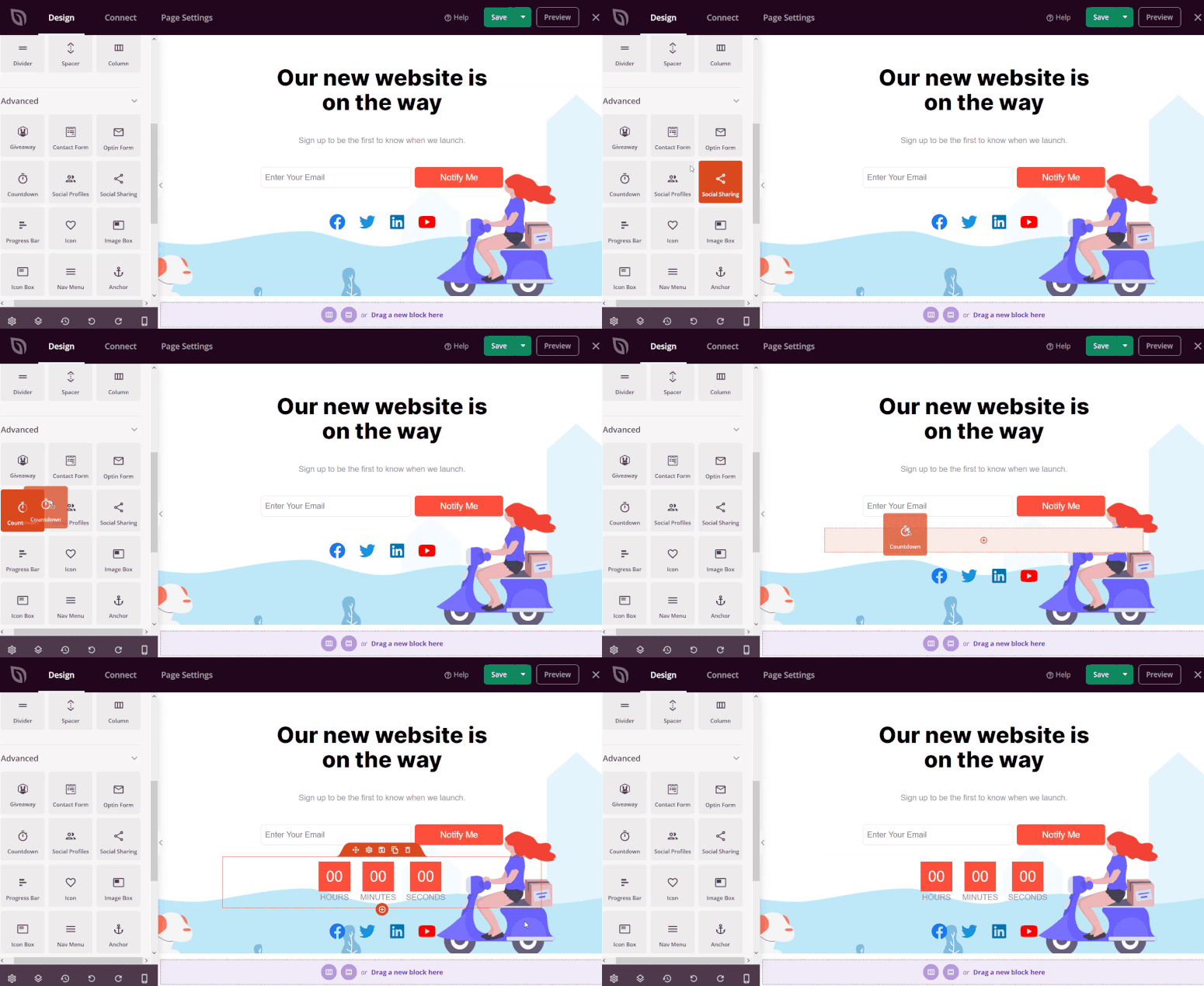
Whether you need a simple one-page site or a complex, multi-page website, WordPress can handle it.
2. User-Friendliness
WordPress is renowned for its user-friendly interface, making it easy for even non-technical users to create and manage their websites. You don’t need to be a web development expert to get started. With WordPress, you can easily:
- Create and edit pages and posts
- Add images and videos
- Customize your website’s design
- Manage comments and feedback
WordPress also offers a wide range of drag-and-drop page builders, make the website creation process really easy.
3. Budget-Friendly Solution
One of the most significant advantages of WordPress is its affordability. Unlike traditional website development methods, which can be quite expensive, WordPress offers a cost-effective solution.
- Free Core Software: The core WordPress software is free to download and use.
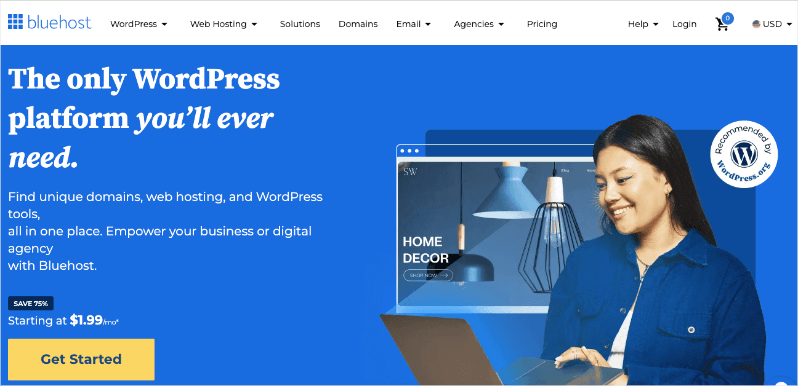
- Low-Cost Hosting: You can find reliable web hosting plans like Bluehost for as low as $1.99 per month.
- Affordable Themes and Plugins: While premium themes and plugins can cost a bit, there are thousands of high-quality free options available.
- DIY Capability: With WordPress’s user-friendly interface, you can often build and maintain your website yourself, saving on development costs.
By opting for WordPress, you can allocate more of your budget to your core mission and programs, making a greater impact with your limited resources.
4. SEO Optimization
A well-optimized website is crucial for attracting organic traffic from search engines like Google. WordPress makes it easy to improve your website’s search engine visibility.
- Built-in SEO Features: WordPress comes with built-in SEO features like customizable title tags, meta descriptions, and permalinks.
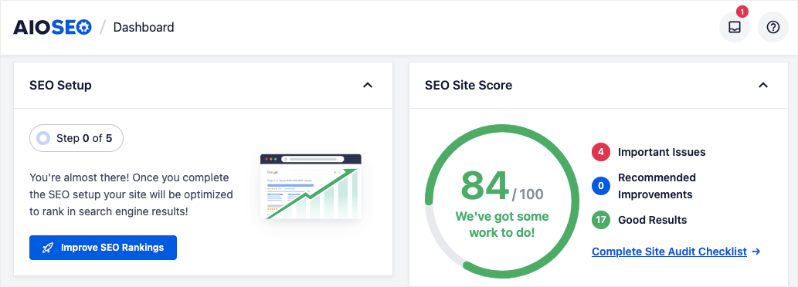
- SEO Plugins: Popular plugins like All in One SEO (AIOSEO) can help you further optimize your website’s SEO. AIOSEO makes it simple to add on-page and technical SEO measures to your site. There’s a setup wizard as well as a site scanner that will recommend the steps you need to take to optimize your site.
Personally, I’ve seen the power of SEO firsthand. By optimizing our nonprofit’s WordPress website, we were able to increase organic traffic by over 30% in just six months. This led to a significant increase in donations and volunteer sign-ups.
5. Strong Community and Support
WordPress boasts a large and active community of users and developers. This means you’ll always have access to a wealth of resources, tutorials, and support. Whether you’re a beginner or an experienced user, you can find help and advice from fellow WordPress users.
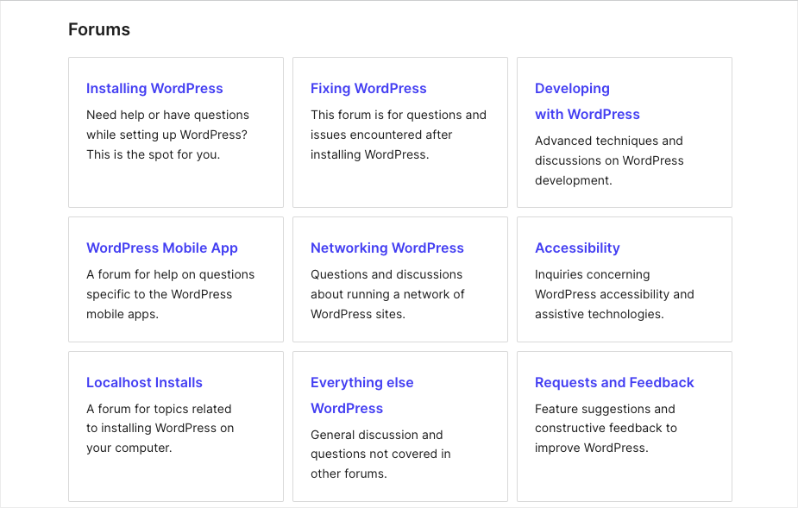
When I first started building my nonprofit’s website, I encountered a few challenges. I would ask for help on WordPress forums and consult with other users. There are also helpful blogs like WPBeginner which has a thriving community and expert team that helps with everything related to WordPress!
6. Thousands of Plugins and Themes
One of the biggest advantages of WordPress is the vast ecosystem of plugins and themes. These tools can add a wide range of features and functionality to your website, without requiring any coding knowledge.
Plugins
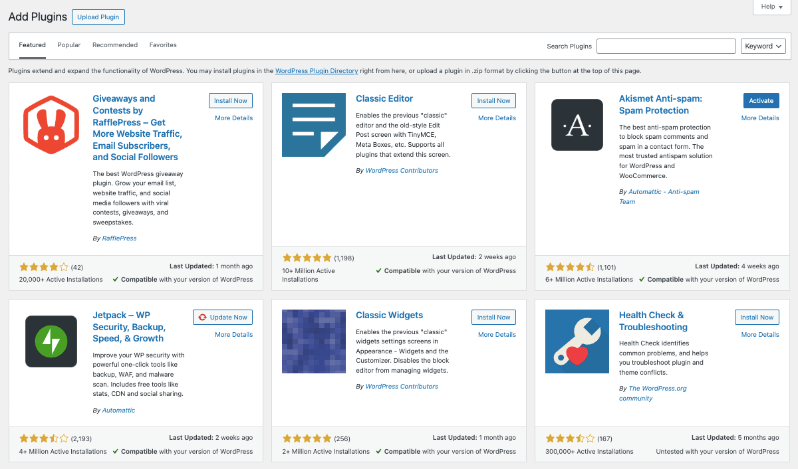
- Donation Plugins: Easily set up donation forms on your website, process payments, and track donations.
- Event Calendar Plugins: Create and manage event calendars, allowing you to promote upcoming events and encourage attendance.
- Email Marketing Plugins: Integrate with email marketing services to help you build and maintain your email list and send targeted campaigns.
- Social Media Plugins: Integrate your social media feeds into your website, increasing engagement and brand awareness.
See our list of the Best WordPress Plugins for Non-Profits »
For example, I used a plugin called WPForms to create a custom donation form on my nonprofit’s website. This allowed us to easily collect donations and track donor information. Additionally, I used a plugin called Smash Balloon to integrate our social media feeds, which helped us to increase engagement and attract new followers.
Themes
WordPress themes determine the overall look and feel of your website. With thousands of themes available, you can find a design that suits your nonprofit’s brand and mission. You can choose from free themes or premium themes that offer more advanced features and customization options.
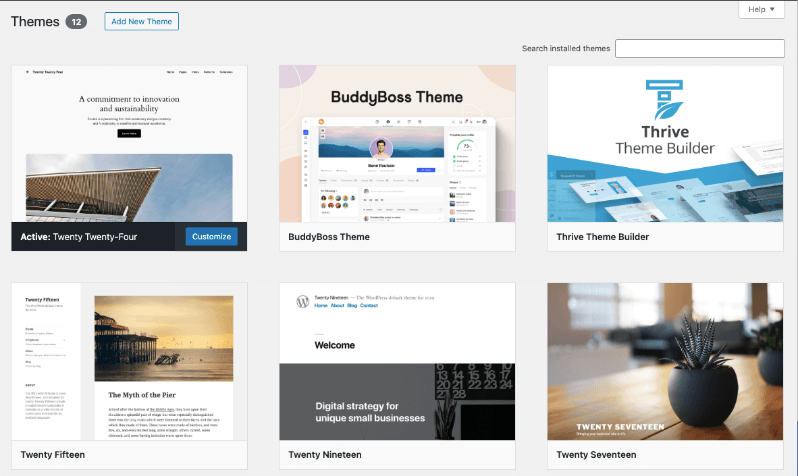
Here are some popular theme options for nonprofits:
- SeedProd: Known for its drag-and-drop page builder, SeedProd allows you to create stunning, custom landing pages and websites without coding knowledge.
- Thrive Themes: This suite of high-performance themes offers a range of designs, including sleek and modern options that are perfect for nonprofits.
- Divi: A powerful theme and page builder, Divi gives you complete control over your website’s layout and design.
- Astra: A lightweight and versatile theme, Astra offers excellent performance and a wide range of customization options.
See our selection of the Best Non-Profit Thems for WordPress »
By selecting the right theme, you can ensure that your website is visually appealing, easy to navigate, and effectively communicates your message.
7. Security and Regular Updates
WordPress is a highly secure platform, but it’s important to keep your website up-to-date with the latest security patches. WordPress and its plugins are regularly updated to address security vulnerabilities. By keeping your website up-to-date, you can protect your website from hackers and malicious attacks.
What I love is that WordPress makes this process as easy as clicking a few buttons. You don’t have to worry about coding and any configurations. If an update is available, it will appear in your dashboard. You can simply click the update button to get the latest version installed.
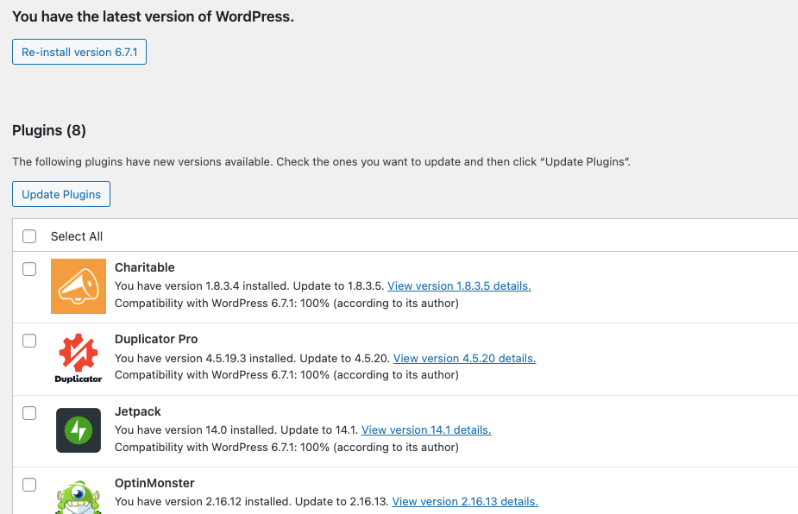
You can further enhance your website’s security by using advanced security plugins like Sucuri. These plugins offer a range of features, including firewall protection, malware scanning, and intrusion detection. I also recommend using a backup plugin like Duplicator. This plugin will automatically create backups of your website for you. When things go wrong such as a human error or malware attack, you can quickly restore your backup to get your site back.
By prioritizing security and staying up-to-date with the latest updates, you can ensure that your nonprofit’s website remains safe and protected from cyber threats.
8. Donation Management
Fundraising is a cornerstone of nonprofit operations. WordPress, combined with powerful plugins like Charitable, can significantly streamline your donation process, making it easier for your supporters to contribute. First, you can create stunning campaigns using templates and a drag-and-drop visual builder:
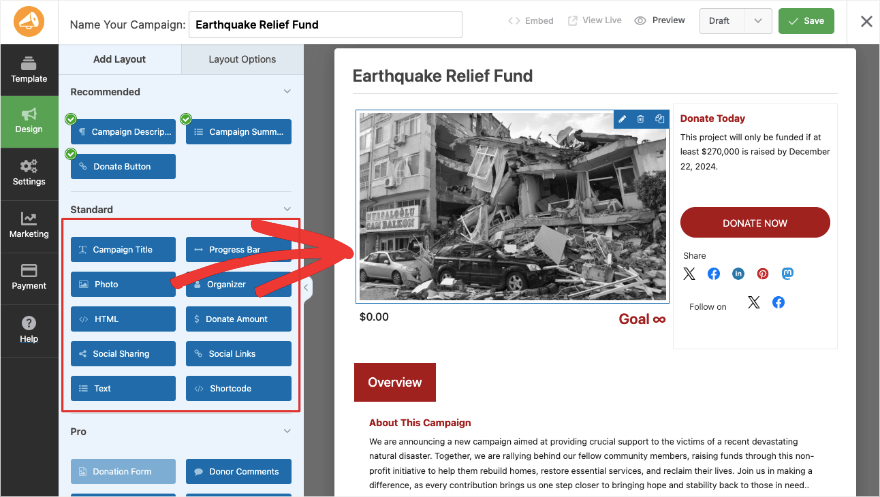
Added to that, Charitable has a wide range of features, including:
- Flexible Donation Forms: Create customizable donation forms to suit your specific needs, including one-time, recurring, and peer-to-peer fundraising.
- Seamless Payment Processing: Integrate with popular payment gateways like PayPal, Stripe, and others to ensure secure transactions.
- Efficient Donor Management: Track donor information, send personalized receipts, and manage donor relationships effectively.
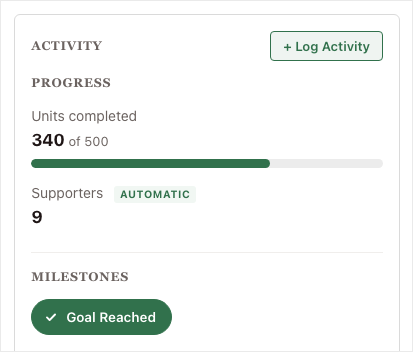
- Targeted Fundraising Campaigns: Launch and manage fundraising campaigns, set goals, and track progress.
- Robust Reporting: Generate detailed reports on donations, donors, and campaigns to inform your strategy.
You can optimize your donation process, increase donor retention, and ultimately, maximize your fundraising efforts.
9. Event Management
Nonprofits often rely on events to rally their community, raise funds, and spread awareness. WordPress, coupled with the right tools, can significantly streamline your event planning process.
With the right tools, you can manage:
- Event Calendars: Create visually appealing event calendars to showcase upcoming events and their details.
- Event Registration: Allow attendees to register online, collect essential information, and process payments.
- Ticket Sales: Sell tickets directly from your website, manage inventory, and generate reports.
- Email Marketing: Send automated email reminders and updates to attendees.
- Volunteer Management: Coordinate volunteer efforts and track volunteer hours.
Imagine effortlessly creating beautiful event calendars, automating registration and ticket sales, and effortlessly managing volunteers. With WordPress, you can focus on the bigger picture – your event’s impact, while the platform handles the logistical details.
10. Volunteer Management
Remember the last time you spent hours manually scheduling volunteers or tracking their hours? With WordPress, you can automate these tasks and focus on what truly matters – inspiring your volunteers.
I’ve personally experienced the challenges of managing volunteers, especially when coordinating large-scale events. I know first-hand how quickly things can become too much to handle. That’s where WordPress, combined with the right tools, has been a game-changer.
Here are some key benefits of using WordPress for volunteer management:
- Volunteer Recruitment: Create online volunteer application forms and track applicant information.
- Volunteer Scheduling: Easily schedule volunteers for different tasks and events.
- Volunteer Tracking: Monitor volunteer hours and generate reports.
- Communication Tools: Use built-in communication tools to send updates, reminders, and thank-you messages.
- Volunteer Recognition: Recognize and reward volunteers for their contributions.
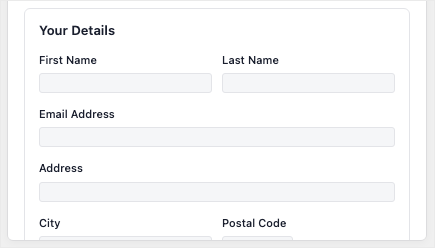
Below is a volunteer form I set up in under 2 minutes with a WordPress form builder called WPForms:
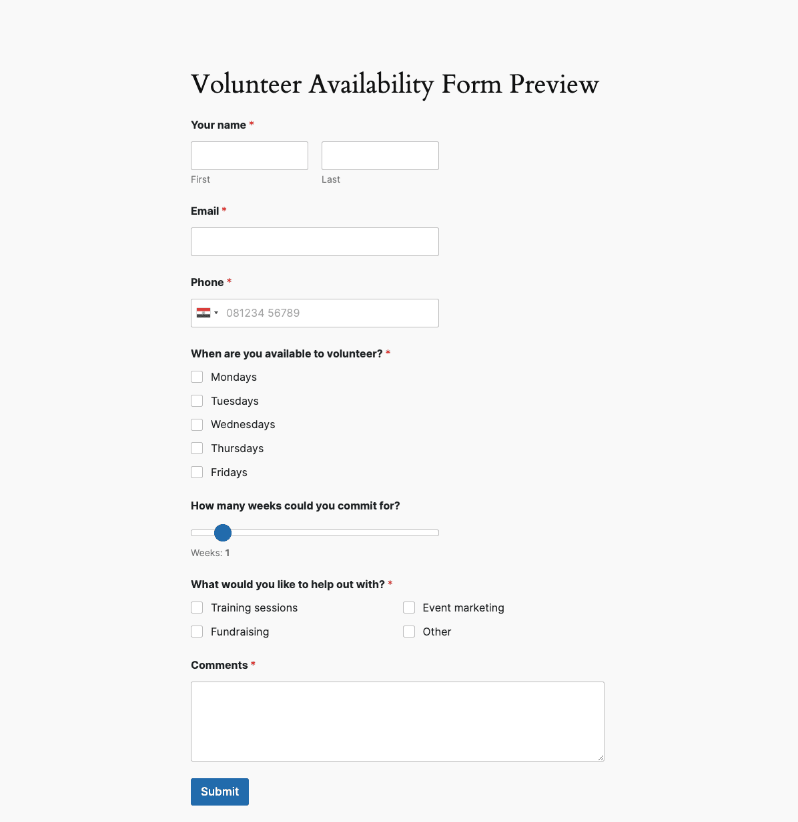
Overall, you can set up WordPress in a way that makes it easy to manage your volunteer program and foster a strong volunteer community.
11. Community Building
Building a strong community around your nonprofit’s mission is crucial for long-term success. With WordPress, there are so many options to attract and create a community. Here are a few ways:
- Blogs and News: Share stories, updates, and insights through a blog.
- Comments: Let users leave comments on campaigns, blog posts, and more to be active on your site
- Forums and Discussion Boards: Create spaces for community members to discuss topics and share ideas.
- Social Media Integration: Connect with your audience on social media platforms.
- Email Newsletters: Send regular newsletters to keep your community informed and engaged.
- Online Communities: Build online communities using membership plugins to offer exclusive content and benefits.
By leveraging WordPress’s powerful community-building features, you can strengthen your organization’s impact and create a loyal supporter base.
Overall, WordPress is more than just a content management system; it’s a powerful tool that can help your nonprofit:
- Reach a Wider Audience: A well-optimized WordPress website can attract more visitors and potential donors.
- Share Your Story: Showcase your impact and inspire others through compelling storytelling.
- Raise Funds: Create effective fundraising campaigns and accept donations directly on your website.
- Engage Your Community: Build a strong community around your cause through blogs, forums, and social media integration.
- Manage Your Volunteers: Organize and coordinate volunteer efforts efficiently.
With its user-friendly interface and extensive customization options, WordPress empowers you to create a website that truly reflects your organization’s mission and values.
How to Use WordPress To Raise Funds Online?
If you’re new to WordPress, it can be a bit overwhelming at first. But don’t worry! With a little guidance and practice, you’ll be have an amazing website in no time.
Here are some helpful resources to get you started:
- WPBeginner: A great resource for beginners, offering step-by-step tutorials and tips.
- IsItWP: Provides in-depth reviews of WordPress themes, plugins, and hosting providers.
- BlogTyrant: Offers a variety of WordPress blogging tutorials, from beginner to advanced.
- WP101: Teaches you how to use WordPress in under 2 hours with step by step video tutorials.
Remember, the best way to learn WordPress is by doing. Start with a simple project, experiment with different themes and plugins, and don’t be afraid to ask questions in the WordPress community forums.
Next, WordPress, combined with the right tools, can be a powerful platform to supercharge your nonprofit’s fundraising efforts. One such tool Charitable is a comprehensive donation plugin specifically designed for WordPress.
It’s incredibly user-friendly, and the flexibility it offers is unmatched.
With Charitable, you can:
- Create Custom Donation Forms: Design forms that match your brand and guide donors through a seamless giving experience.
- Set Up Recurring Donations: Encourage long-term support by allowing donors to set up monthly or annual donations.
- Manage Donor Relationships: Track donor information, send personalized thank-you notes, and cultivate lasting relationships.
- Run Successful Campaigns: Launch targeted campaigns with specific goals and deadlines, and track their progress in real-time.
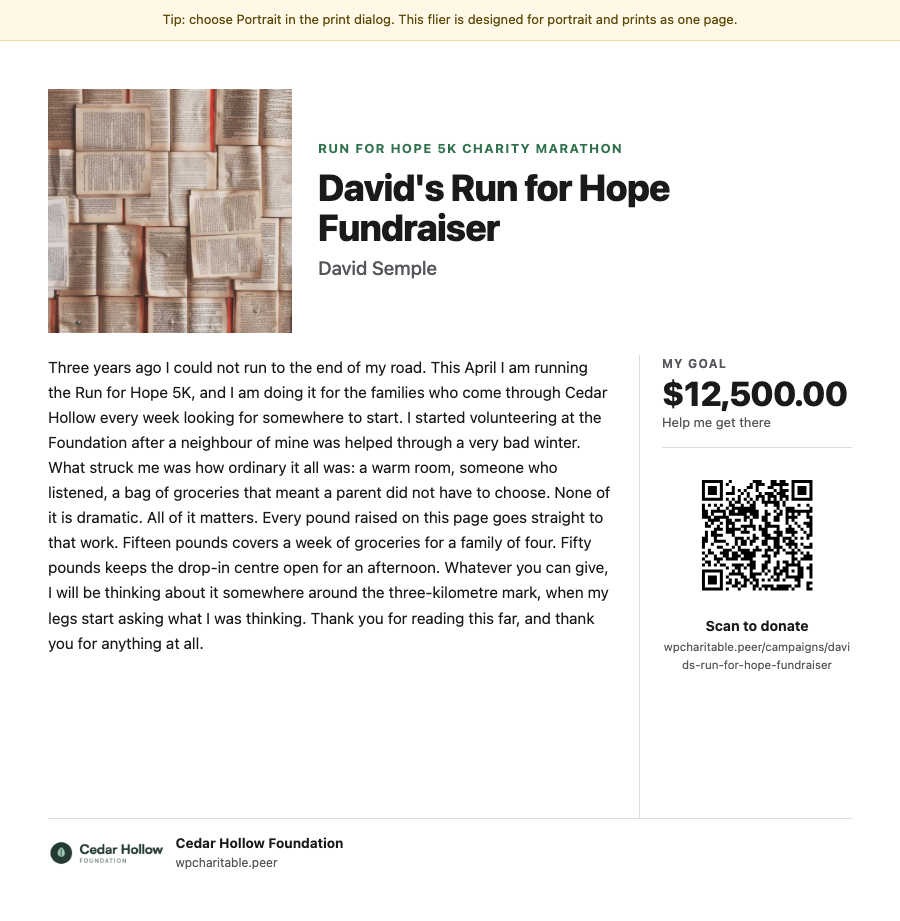
- Peer-to-Peer Fundraising: Empower your supporters to fundraise on your behalf. Create a personalized fundraising page for each participant, and provide them with the tools and resources they need to succeed.
Beyond Charitable, other WordPress strategies for online fundraising include:
- Crafting Compelling Donation Pages: Use powerful storytelling to connect with your audience. Share impact stories, use high-quality visuals, and make your donation process as simple as possible.
- Leveraging Social Media: Utilize platforms like Facebook, Instagram, and Twitter to promote your fundraising campaigns. Engage with your followers, share inspiring stories, and encourage donations.
- Mastering Email Marketing: Build a strong email list and send targeted campaigns to your supporters. Share updates, thank-you messages, and fundraising appeals to keep them engaged.
From building a beautiful website that reflects your mission to streamlining your volunteer management and maximizing your fundraising efforts, WordPress has the tools you need to succeed.
Are you ready to start raising funds for your non-profit with WordPress?
Get Charitable Now »


Leave a Reply