
Charitable Blog

Everything you need to know about Charitable and our team.

Introducing the Divi Integration with Charitable Pro

Introducing Divi Integration in Charitable Pro

Last updated on

  • By

If you’ve been building your nonprofit website with Divi and wished for a seamless way to add donation functionality, this update is for you.

We’re excited to announce native Divi integration for Charitable!

Starting with Charitable Pro 1.8.12, you can now create stunning campaign pages, embed donation forms, and add donate buttons – all from within Divi’s Visual Builder.

Why Divi Integration?

Divi is one of the most popular WordPress page builders, powering millions of websites, including countless nonprofit organizations. Until now, adding Charitable campaigns to Divi-built pages required workarounds like shortcode modules or custom code.
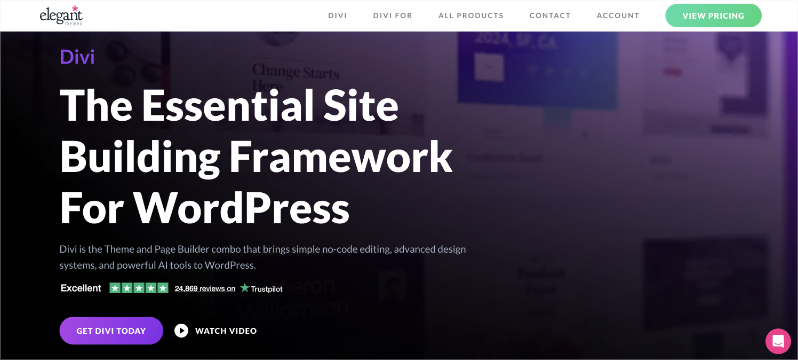
Divi theme builder

We heard your feedback loud and clear. You wanted:

  • Native modules that feel like part of Divi
  • Live previews while building your pages
  • Full styling controls that match Divi’s design system
  • A simple, intuitive experience

That’s exactly what we’ve built.

Four Purpose-Built Modules

We know that building a fundraising site requires more than just functionality; it needs to look professional and trustworthy. That is why the new integration includes four modules designed specifically for fundraising.

We wanted to make sure your workflow remains uninterrupted, so we made these modules incredibly easy to find.

All four modules are grouped under their own Charitable category in the module selector, complete with the Charitable logo. No more searching through dozens of generic modules to find what you need – just look for Charitable, and you are ready to go.
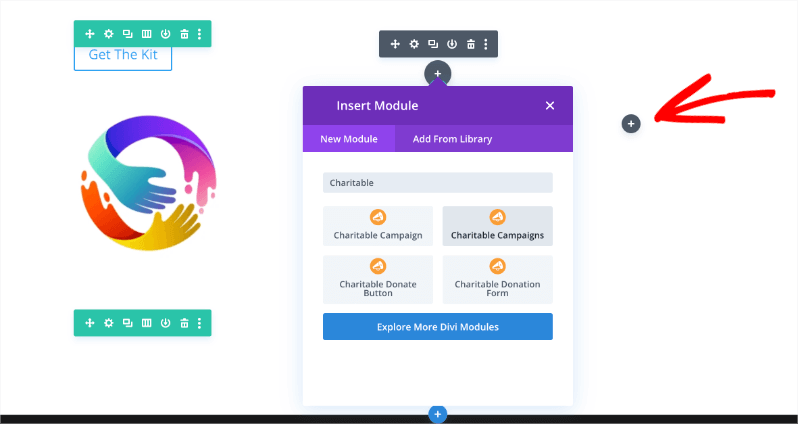
Select Divi modules

To get started, all you have to do is open the Divi page builder on any post or page.

Simply click on the gray plus sign to open the Modules menu. From there, you can search for “Charitable,” and you will see the readymade modules available for immediate use.

Here is a look at the four new modules you can use to build your site:

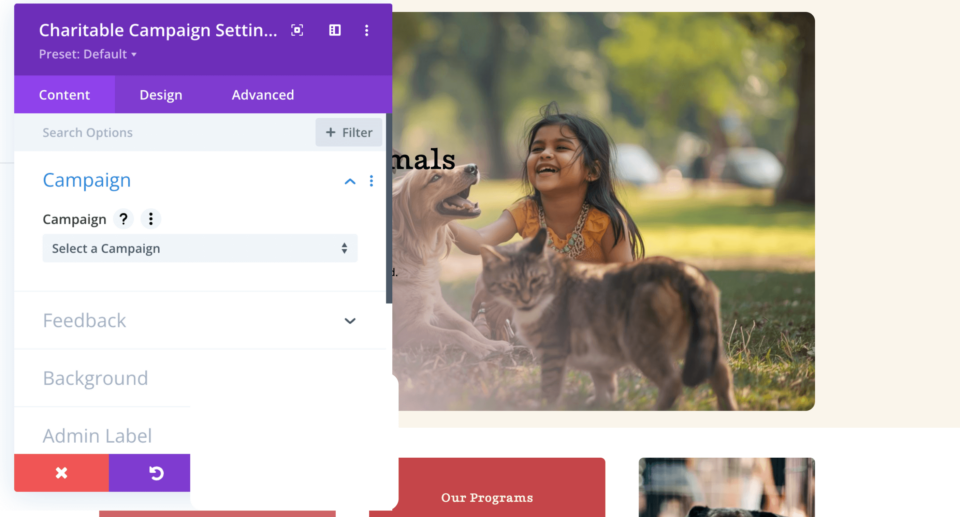
Charitable Campaign

This module allows you to display a single campaign complete with the title, description, progress bar, and donation statistics.

It is perfect for featuring your primary fundraising initiative on your homepage or creating dedicated campaign landing pages that highlight a specific cause.
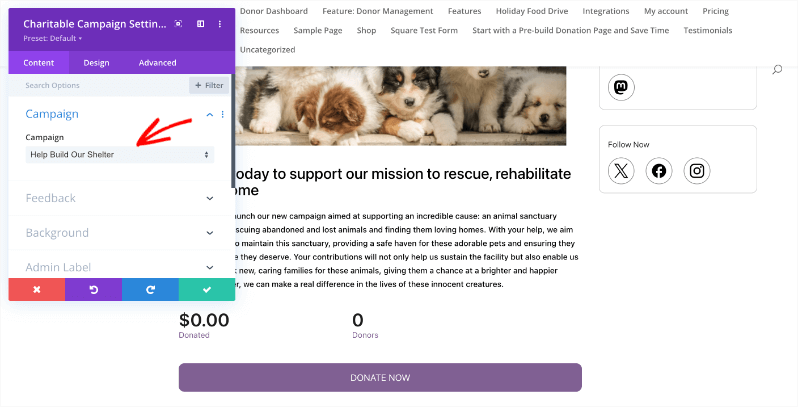
Charitable campaigns settings in Divi

Charitable Campaigns

Want to showcase multiple causes at once? This module lets you show a grid of multiple campaigns with flexible layout options.

You can choose from 1 to 4 columns, filter the results by category or tag, and control the sort order. Plus, the responsive column controls let you optimize the layout for every device, ensuring your grid looks great on mobile phones and tablets.
Charitable Divi campaign settings

Charitable Donation Form

With this module, you can embed a complete donation form anywhere on your site.

You can select the specific campaign and choose between full or minimal form styles. This allows your visitors to donate immediately without leaving the page, which can significantly boost your conversion rates.
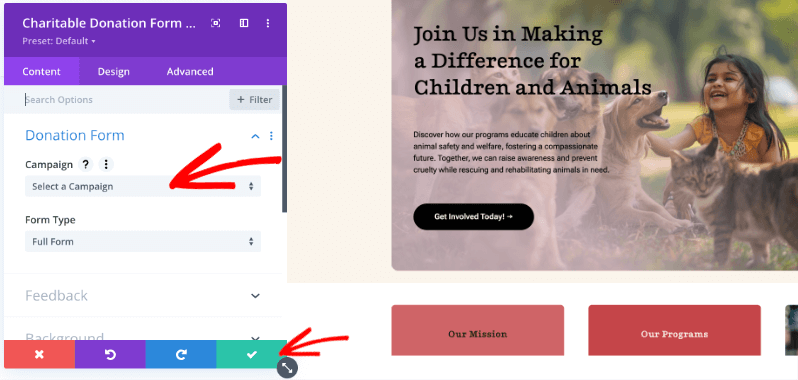
Charitable donation form select a campaign in divi

Charitable Donate Button

Sometimes you just need a simple call to action. This module lets you add donation buttons throughout your site.

You can customize the button text, choose between button or link styles, and use Divi’s full button styling system to match your brand perfectly.
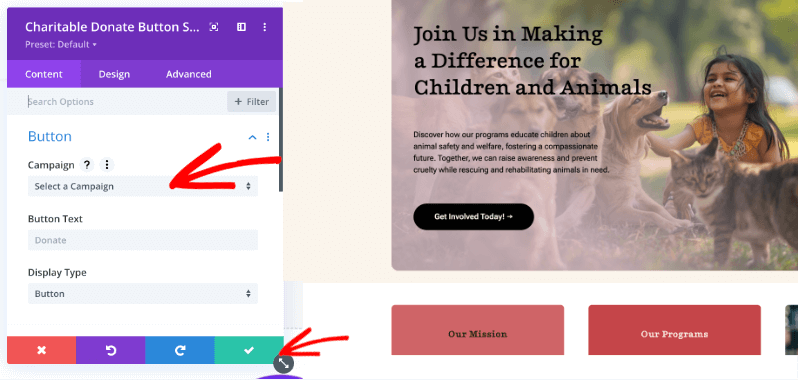
Charitable donate button select campaigns

Once you have configured the module to your liking, make sure you click on the Green Tick button to add the module to your page and save your changes.

Full Styling Control

These aren’t just basic shortcode wrappers. Each module integrates with Divi’s design system, giving you access to:

  • Typography controls for titles, body text, labels, and statistics
  • Background options including colors, gradients, and images
  • Border and shadow effects for depth and visual interest
  • Spacing controls for precise margin and padding adjustments
  • Button styling with hover states for donate buttons
  • Responsive settings to optimize for desktop, tablet, and phone
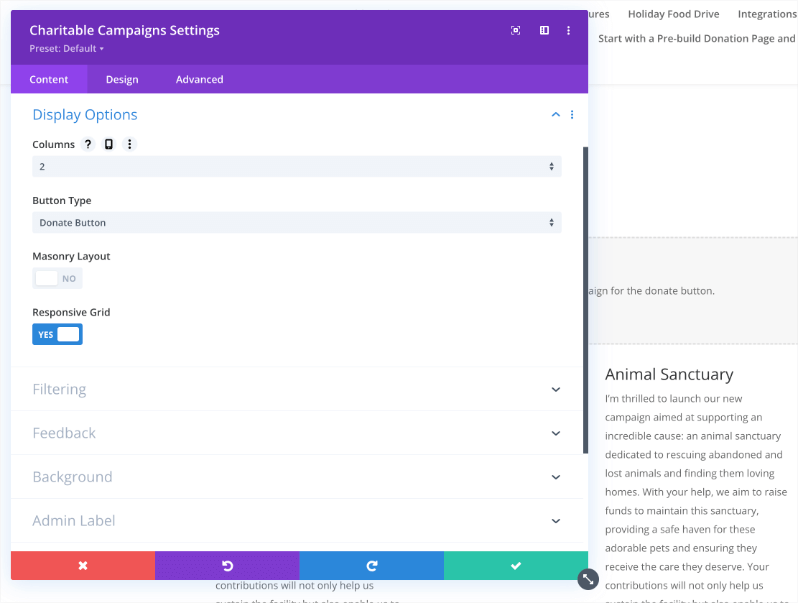
Campaigns divi content display options

Live Preview in the Visual Builder

See your campaigns come to life as you build. The Campaign and Campaigns modules render live previews right in the Visual Builder, so you can fine-tune your layout without constantly switching to the frontend.

Getting Started

Using the new Divi modules is straightforward:

  1. Update to Charitable Pro 1.8.12 (or later)
  2. Open any page with the Divi Visual Builder
  3. Add a module and look for the Charitable category
  4. Select a module and configure your settings
  5. Style to match your site using the Design tab

That’s it! Your donation functionality is now seamlessly integrated with your Divi design.

What’s Next?

We’re committed to making Charitable work beautifully with the tools you already use. This Divi integration joins our existing support for Elementor and WPBakery, ensuring you have options no matter which page builder you prefer.

Have feedback on the Divi integration? Each module includes a Feedback section where you can share your thoughts directly with our team. We’d love to hear what’s working well and what you’d like to see improved.

Try It Today

The Divi integration is available now in Charitable Pro 1.8.12. Update your plugin and start building beautiful donation pages with the power of Divi and Charitable together.

Read the full documentation on Divi + Charitable →

Not yet a Charitable Pro user? Sign up today and get up to 50% off on your plan. We’re confident you’ll love raising funds with Charitable. If for any reason Charitable is not the right fit for you, we’ll refund your purchase with our 14-day money-back guarantee.

Stay Connected for More Nonprofit Resources

For more tutorials and videos tailored to nonprofits, subscribe to our YouTube channel. We regularly publish expert tips, step-by-step guides on migrations like this GiveWP to Charitable switch, fundraising strategies, and practical resources to help your organization succeed.

🗞️ Get weekly tips and exclusive guides in your inbox
Join our newsletter →  

🎥 Watch step-by-step tutorials and success stories
Subscribe to our YouTube channel →  

👩🏽‍💻 Connect with our community and get daily nonprofit insights
Follow us on LinkedIn →

🥳 Fun reels and non-profit insights
Follow us on Instagram → 

👀 Insightful & fun videos to help you grow your cause
Follow us on TikTok→  

🌎 Subscribe and follow for general fundraiser tips
Get Fundraiser Tips on TikTok → 

author avatar
David Bisset Project Manager
David is the project manager of Charitable since 2022. David works with several non-profits (one operated by his wife) along with managing and developing features, support, and marketing for Charitable. Has been with WordPress since 2006 and has been lead organizer of multiple conferences, events, and meetups.

Disclosure: Our content is reader-supported. This means if you click on some of our links, then we may earn a commission. We only recommend products that we believe will add value to our readers.

Leave a Reply

Your email address will not be published. Required fields are marked *

Get free tips and resources right in your inbox, along with 60,000+ others

Join our Newsletter

We won’t spam you. We only send an email when we think it will genuinely help you. Unsubscribe at any time!

Featured Video:

Watch more videos on our YouTube channel.

What's New In Charitable

🔔 Subscribe to get our latest updates
📧 Subscribe to Emails

Email Subscription

Join our Newsletter

We won’t spam you. We only send an email when we think it will genuinely help you. Unsubscribe at any time!

donation form Donations New

💵 Mini Donation Widget: Show The Impact Of Every Dollar!

Not every donor who wants to give will navigate to your campaign page. Meet them exactly where they are by placing a fully functional giving experience directly on any page or post.

💬 Show the impact of every dollar: Attach custom messages to each preset amount so donors understand exactly what their gift provides.
🔄 Monthly and one-time giving: Supports a tabbed interface with independent amounts and impact statements for recurring giving programs.
🎨 Match your brand: Easily set accent colors and control size or alignment to fit the widget naturally into your layout without CSS.
⚡ Reduce donor friction: Open the donation form in a modal overlay to keep donors on the page and reduce drop-off.

author avatar
David Bisset Project Manager
David is the project manager of Charitable since 2022. David works with several non-profits (one operated by his wife) along with managing and developing features, support, and marketing for Charitable. Has been with WordPress since 2006 and has been lead organizer of multiple conferences, events, and meetups.
Donations Live New

👉🏻 Showcase Real Momentum with the Donations Feed

Give your donors a reason to trust. Our new feed lets you display a living, breathing record of people showing up for your cause.

🤝 Build instant trust: Overcome donor hesitation by showing a proven track record of community support.
💬 Highlight donor stories: Display real donor comments and locations to show the human side of your fundraising.
🛠️ Drop it anywhere: Easily add the block to your homepage, campaign pages, or confirmation screens in seconds.
📈 Curate your feed: Group multiple donations from the same person or sort by highest amounts to encourage larger gifts.

author avatar
David Bisset Project Manager
David is the project manager of Charitable since 2022. David works with several non-profits (one operated by his wife) along with managing and developing features, support, and marketing for Charitable. Has been with WordPress since 2006 and has been lead organizer of multiple conferences, events, and meetups.
Campaigns New

🎨 Campaign Showcase: Pro Level Display, No Coding Needed.

Display your causes with style and make it easier than ever for donors to find the right campaign. We are excited to announce the brand-new Campaign Showcase, a powerful, no-code tool designed to help you create beautiful, high-converting campaign grids and carousels.

The Ultimate Discovery Experience

Your mission deserves to be seen. With the Campaign Showcase, you can move beyond simple lists and create dynamic displays that highlight your most urgent needs, helping donors connect with the causes they care about most.

⚡ No-Code Customization: Effortlessly change layouts, columns, and styles with a single click. Whether you want a clean grid or an interactive carousel, you can match your organization’s look without any CSS or JavaScript.

🎯 Advanced Search & Filter: Empower your supporters with real-time filtering. Donors can quickly sort through campaigns by tags, popularity, or “ending soon,” making it easy to find exactly where their help is needed.

💰 Quick Donate Integration: Boost your conversions with instant giving. The Showcase allows donors to contribute via a modal popup directly from the display, featuring pre-selected amounts for a faster, friction-free experience.

author avatar
David Bisset Project Manager
David is the project manager of Charitable since 2022. David works with several non-profits (one operated by his wife) along with managing and developing features, support, and marketing for Charitable. Has been with WordPress since 2006 and has been lead organizer of multiple conferences, events, and meetups.
Addon New

🤯 New Addon: Campaign Updates

Keep your supporters informed and engaged with every step of your progress! Share the ongoing impact of your mission and build lasting trust with your donor community!

The Ultimate Engagement Tool

Fundraising is a journey, not a one-time event. Now, you can easily provide real-time updates directly on your campaign pages, ensuring your donors stay connected to the causes they care about most.

📣 Easy Storytelling: Quickly post text updates, milestones, or field reports to show exactly how donations are being put to work, keeping the momentum alive throughout your fundraiser.

🏗️ Visual Builder Integration: Seamlessly add the Updates block anywhere on your page using our drag-and-drop builder, or use a simple shortcode to display news in widgets and sidebars.

📩 Build Donor Trust: By consistently sharing progress and success stories, you create a transparent giving experience that encourages recurring support and deeper community involvement.

author avatar
David Bisset Project Manager
David is the project manager of Charitable since 2022. David works with several non-profits (one operated by his wife) along with managing and developing features, support, and marketing for Charitable. Has been with WordPress since 2006 and has been lead organizer of multiple conferences, events, and meetups.
Integration New

Build Beautiful Fundraising Pages Visually with WPBakery Integration

We are excited to announce our brand-new integration with WPBakery, one of the most popular WordPress page builders, designed to help you create stunning layouts for your campaigns without touching a single line of code.

The Ultimate Design Experience

Designing your nonprofit’s website should be as simple as your mission is powerful. Now, you can bring Charitable functionality directly into your WPBakery workflow, using native elements to build high-converting donation pages and campaign grids in seconds.

🖱️ Drag-and-Drop Building: Easily add donation forms, campaign progress bars, and “Donate Now” buttons to your layouts using the WPBakery elements you already know and love.

🎨 Total Creative Control: Customize the look and feel of your fundraising elements using WPBakery’s native design options. Adjust margins, padding, and borders to ensure your campaigns fit perfectly with your site’s branding.

📱 Seamlessly Responsive: Every element is built to be fully responsive and mobile-friendly, ensuring your donors have a smooth, professional experience whether they are giving from a phone, tablet, or desktop.

author avatar
David Bisset Project Manager
David is the project manager of Charitable since 2022. David works with several non-profits (one operated by his wife) along with managing and developing features, support, and marketing for Charitable. Has been with WordPress since 2006 and has been lead organizer of multiple conferences, events, and meetups.






