

Instagram is seen as a creative avenue for great photography, vacation pictures and the occasional meme. But it’s so much more than that – organizations all over the world are tapping into this network to share news and promote their services. Non-profits too are starting to recognize its worth – creating content around important causes and showing audiences how they can help.
Below, we’ll be touching on the value of Instagram for non-profits, as well as showing a few pointers on how to get your cause across to people on the platform.
Why should non-profits use Instagram?
Most social channels are useful for non-profits, but Instagram stands out because of its heavy emphasis on visuals.
It’s not just a place to post pictures, but as somewhere to share initiatives, spread the word and run campaigns. Thanks to the kinds of content you can put out – from image and album posts right through to videos, Stories and even AI filters – content can be creatively enriched and deployed strategically to people you want to reach.
And it’s worth noting that peer-to-peer fundraising initiatives can be driven natively through Instagram, especially where people can share how they’re helping and solicit donations through their own audiences.
Ultimately, Instagram can help you:
- Gain visibility across a range of communities and audiences – especially younger donors.
- Increase awareness for the work you’re doing.
- Complement non-profit fundraising techniques, such as peer-to-peer fundraising.
- Pinpoint your non-profit as a trusted brand, in order to build trust and become recognizable among others.
6 steps to start using Instagram for your non-profit
1. Register as a business profile
How your profile is set up is important — it’s the first thing viewers will see when they head to your page. Once you register as a business profile, you’ll be able to identify yourself as a non-profit, which is something your audience should know, especially if you’re asking for donations.
Instagram will then be able to offer insights on key social media metrics: impressions, engagement and reach on all of your posts and stories. If you decide to put an ad or sponsored post out, Instagram will also help you analyze your reach and offer some tips on making your posts go even further.
2. Include a link in your profile
Instagram should be used as a creative tool to supplement your causes, so it’s important you direct them to a link where they can see what your page is all about and learn more. In your stories and post captions, you can encourage viewers to go to that link by saying “head to our link in bio”. From there, they can go to your website to understand what your non-profit is all about and why it’s worth supporting.
3. Decide your objectives
Instagram’s unparalleled opportunity to reach and connect with people is something you should try and leverage as much as you can. It makes sense to develop your organization’s goals and decide which objectives matter most to you. What do you want to get out of this platform?
Here are some common non-profit goals for Instagram:
- Brand awareness — who you, your charity or NGO are – and what you value.
- Community management or engagement — reaching out to the wider community and connecting with people who will care about the same causes you do.
- Fundraising and donations — raising money for your charity.
- Volunteer recruitment — onboarding volunteers to help out with your missions.
It’s possible you can have more than one goal, but make sure you know which ones are right for your Instagram account. For example, if one of your key goals is to raise donations, you can run an ad on your post to show how you’re helping people and include a “Donate Now” call-to-action button, so your audience understands straight away how they can get involved.
4. Create a strategy to reach your goals
Depending on your goal, it’s a good idea to think about tactics to reach out to your audience.
For example, if one of your key goals in using Instagram is to recruit for volunteers, there’s plenty you can do around content and strategy to make your mission heard.
- Create video content around existing volunteers who have been on missions – hearing their stories and showcasing how they’re helping out.
- Create infographic posts about upcoming opportunities.
- Create paid ads to invite people to learn more about your mission.
- Re-post volunteer Instagram Stories on your page to create a sense of authenticity.
On the other hand, if your key goal is raising funds, these tactics work better to reach donors.
- Create videos that show how money is being spent and where.
- Set up a Livestream or Instagram TV post to answer common questions about why this initiative is so important.
- Create paid ads and target people who are more likely to donate using the Audience tool.
- Create Instagram Feed posts and Stories showcasing before-and-after mission work.
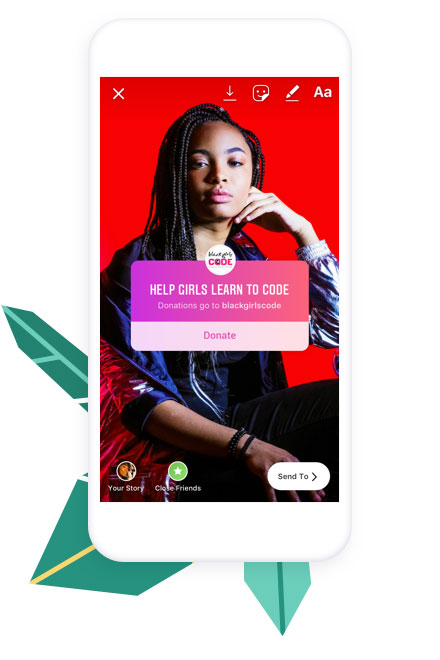
Instagram actively supports non-profits and ensures they receive 100% of donations raised through their platform. It’s definitely worth using Stories to encourage people to donate, as you can add the donation sticker in Stories to create a fundraiser directly.
5. Follow hashtags to stay in the loop
When you post content along with hashtags, your content will show up in trending posts using the same ones. Similarly, you can follow other hashtags, and those will start to appear in your Instagram feed, mixed in with the regular posts of the accounts you follow.
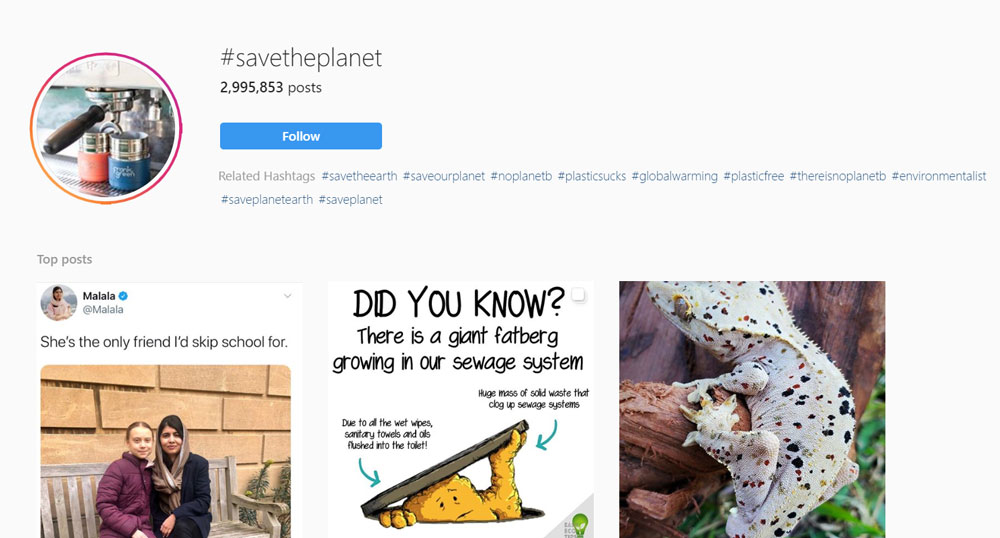
Instead of seeing a username in the feed, you’ll see the hashtag listed next to the current photo for that hashtag and the colored hashtag symbol. The user who uploaded the post on the hashtag and any location tag used are listed beneath the hashtag itself.
Hashtags can also be added to Instagram stories, but it’s a good idea to make sure that the font is large enough as the platform’s algorithm does not recognize hashtags that are too small.
6. Use the below as inspirations for the look and feel of your content
Strong images and messaging – along with a consistent brand and tone of voice – will show people what causes you care about and who you are as a non-profit. This will ultimately increase your reach on Instagram and creates deeper connections with donors and supporters.
Take a look at some great case examples of non-profits using different content approaches to raise awareness.
PETA
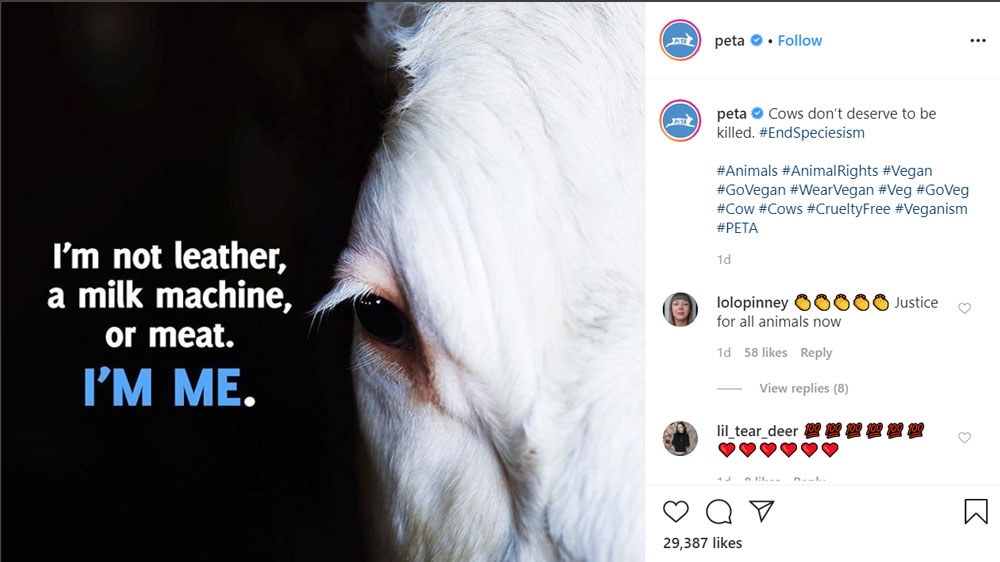
People for the Ethical Treatment of Animals (PETA) is the largest animal rights organization in the world, with more than 6.5 million members and supporters.
PETA usually places text directly on its images, merging a call to action as part of the design. That way, advocates can share their campaigns while retaining the original messaging.
The Salvation Army (Australia)
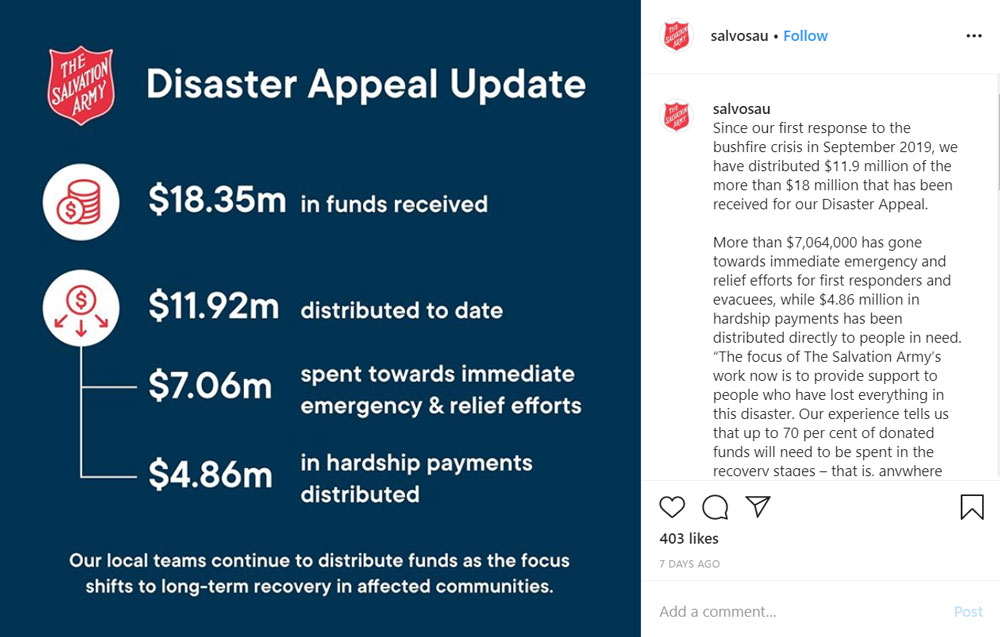
The international charity, the Salvation Army, also uses its branding and text as part of its imagery — in this example, stating important facts and figures around their relief efforts. This is particularly important to keep audiences informed about where their donations are going and who they are helping.
Direct Relief
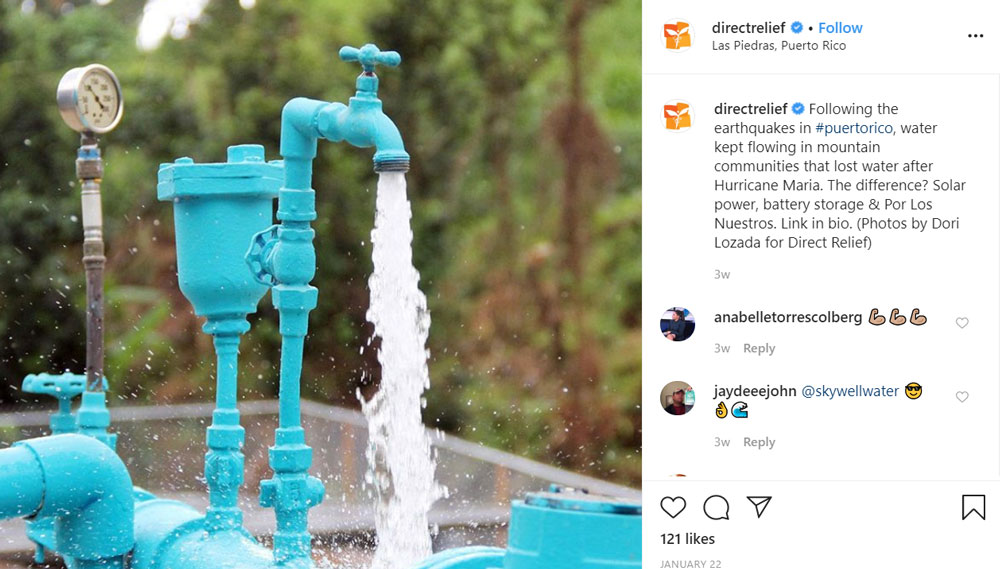
Direct Relief’s mission is to improve the health and lives of people affected by poverty and disaster, both in the U.S. and internationally. Instead of using branded designs in the images themselves, they’ve used high-quality photography to represent the work they’re doing. Here, they’ve showcased water pumps they’ve installed in this Puerto Rican community.
Mayo Clinic
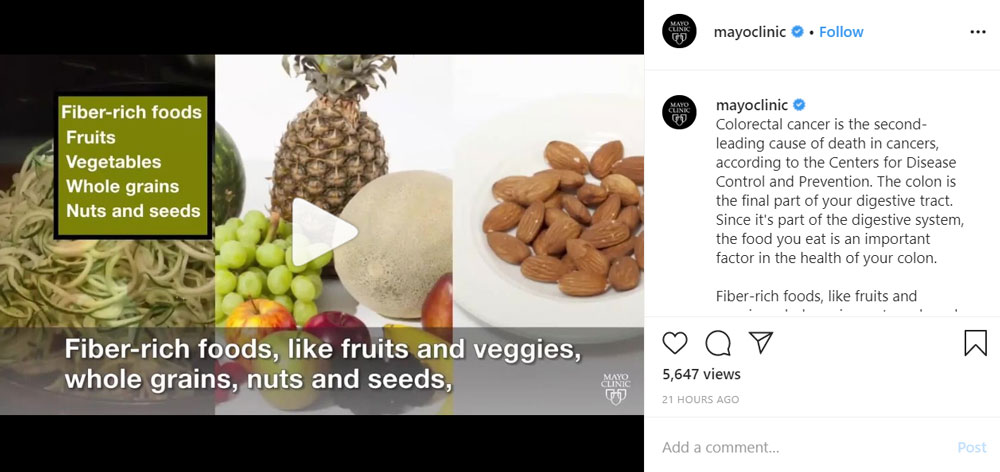
The Mayo Clinic is an American non-profit academic medical center based in the U.S., focused on integrated clinical practice, education, and research. And that’s exactly what this Instagram post – in this case, a video rather than an image – is doing. Using bold asset captions to capture key details around health topics, they’re using their content to creatively inform and inspire their audience to eat better.
Human Rights Watch

Human Rights Watch is an NGO advocating human rights. The group pressures some governments, policy makers and human rights abusers to denounce abuse and respect human rights, and the group often works on behalf of refugees, children, migrants and political prisoners. They also have opted for imagery that speak to their causes without additional design — here, you see them giving credit to lawyers in Yemen fighting against holding secret prisons.
Conclusion
We hope this article has provided guidance on how non-profits can leverage Instagram to make their causes go further.
Remember, to raise funds effectively, you need to invest in the social community — through great content and some kind of strategy, be it paid ads or tapping into charity trends. Stay connected with your audience by following trends, responding to comments and creating engaging content – and follow our blog for more.
Enjoyed this article? Read this next:





Leave a Reply