
Email open rates keep sliding, ad costs keep climbing, and most nonprofits don’t have the budget to run a proper donor re-engagement program.
Charitable Pro 1.8.16 introduces a new answer to that problem: a built-in PushEngage integration that lets you reach donors with timely, personalized messages at exactly the right moment, without email, without SMS fees, and without developer time.
What Is PushEngage?

PushEngage is a web push notification service. When a visitor opts in to notifications on your site, they’ll receive pop-up alerts directly on their desktop or mobile device, even when they’re not on your website. Think of it like a text message, but free and without needing a phone number.
The free PushEngage plugin handles the browser opt-in prompt and stores your subscriber list. Charitable handles the campaign-specific triggers: when to send, what to say, and which campaign to connect it to. Set it up once and Charitable handles the rest.
Four Built-In Triggers
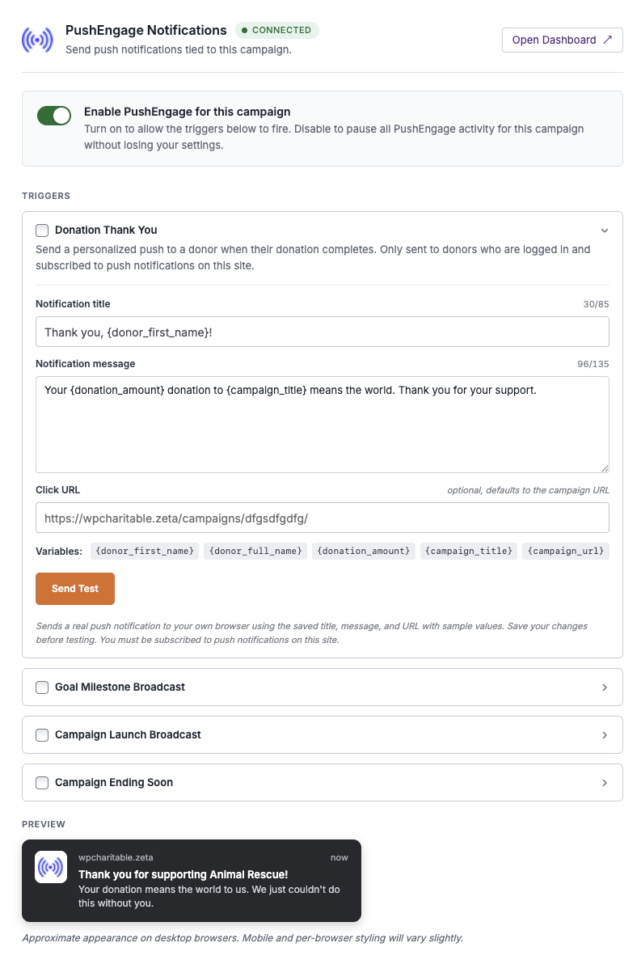
Four built-in triggers cover the moments that actually matter for a donation campaign.
- Donation Thank You fires the instant a donation completes and goes to that one donor, so the thanks lands seconds after the gift, not buried in their inbox tomorrow.
- Goal Milestone broadcasts to your full subscriber list when the campaign crosses 50%, 75%, and 100% of goal, turning private momentum into a public win.
- Campaign Launch announces a new campaign to everyone who has opted in across your site.
- Ending Soon nudges your list when a campaign is about to close.
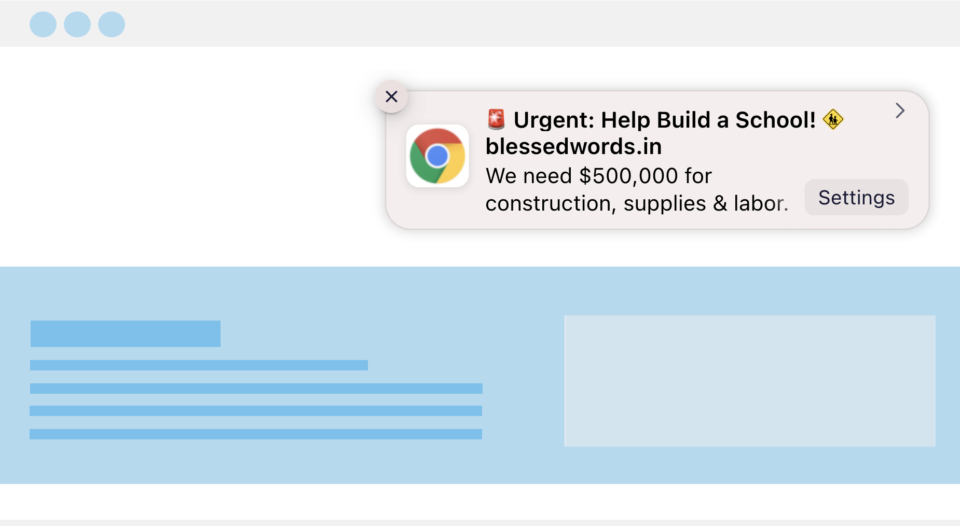
Here’s a sample of what a push notification can look like in your donor’s browser:
Customizing Your Notifications
Every trigger has its own editable title and message. You can personalize messages with placeholders for the donor’s name, campaign title, amount raised, and progress toward goal. Each trigger lets you set a custom link, and there’s a Send Test button so you can preview exactly what subscribers will see before anything goes live. Your analytics automatically track where that traffic comes from, with no extra configuration needed.
Where to Set It Up
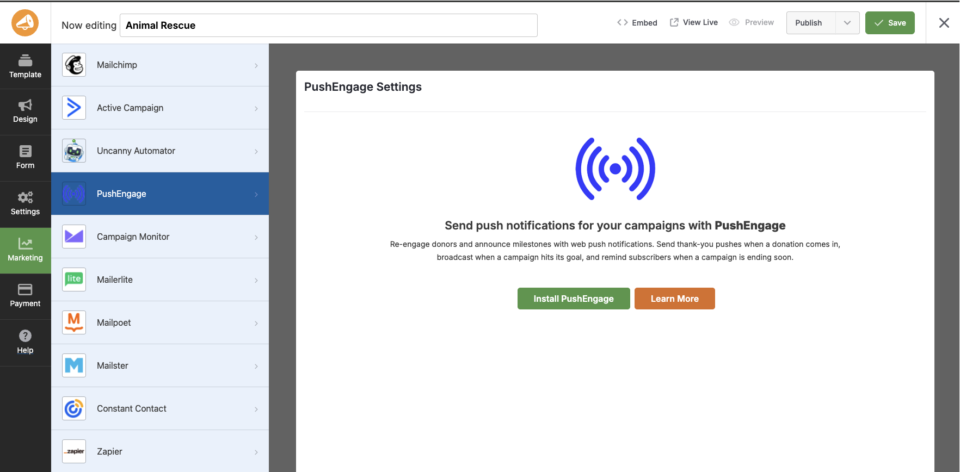
You configure everything per-campaign at Campaigns » [your campaign] » Campaign Builder » Marketing » PushEngage. The global account connection lives in the free PushEngage plugin’s own settings.
Follow the Step by Step Tutorial Here »
Also New in Charitable Pro 1.8.16
The PushEngage integration is part of the 1.8.16 release, which also includes a number of other new features worth knowing about.
🛡️ DonationGuard: Watches your donation forms around the clock for suspicious bot activity, flags attacks with a clear priority rating, and includes two invisible traps that catch basic bots before they cause any damage. Read the full announcement »
💳 PayPal Commerce Account Type: Tell PayPal whether you’re a nonprofit or a standard business so it applies the right fees, dispute handling, and reporting. Nonprofits unlock PayPal’s discounted donation fee tier.
🗺️ Campaigns Map Block: Show one or all of your campaigns on an interactive map, with custom pins, campaign photo popups, and an optional search box so visitors can find campaigns near them.
🌍 Geolocation Upgrades: Choose between Google Maps and OpenStreetMap, follow a guided setup if you use Google, set your preferred distance units, and use free maps with no account or API key required.
✏️ Donor Comments on Offline Donations: Add a donor comment, with an optional Anonymous toggle, when entering or editing a manual donation.
🛡️ Cloudflare Turnstile Hidden Mode: A new option that keeps your spam filter completely invisible to donors unless it’s actually needed, under Settings » Security » Captcha.
On the improvements side, this release also adds WP-Optimize to the list of supported caching plugins, with automatic detection in both the payment gateway health monitor and the Site Health check.
Get Started with PushEngage
If you are already running Charitable Pro, head to your WordPress dashboard and run the 1.8.16 update.
In your Charitable account, you can go to the Downloads tab and find PushEngage. Download it to your computer.
Then install the plugin inside your WordPress account under Plugins » Add New » Upload.
Once activated, connect your account, and head to any campaign’s builder to set up your first trigger.
You can also install and connect to PushEngage inside the campaign builder. Open any campaign and inside the builder, head to the Marketing tab. Choose PushEngage and follow the onscreen instructions to install the plugin and then connect to your PushEngage account.
Not Yet a Charitable Pro User?
Charitable powers donation forms for nonprofits, churches, schools, and grassroots campaigns across the world. Charitable Pro adds payment gateways, detailed reporting, the full campaign builder, and now PushEngage web push notifications, all in one plugin with no per-donation fee taken from your contributions.
Charitable Has 1+ Million Downloads!
Trusted by millions to power successful fundraising campaigns. Try Charitable risk-free today.
✅ 14-day money-back guarantee
✅ Transparent pricing
✅ Code-free setup
Stay Connected for More Nonprofit Resources
For more tutorials and videos tailored to nonprofits, subscribe to our YouTube channel. We regularly publish expert tips, step-by-step guides on online donations, fundraising strategies, and practical resources to help your organization succeed.
🗞️ Get weekly tips and exclusive guides in your inbox
Join our newsletter →
🎥 Watch step-by-step tutorials and success stories
Subscribe to our YouTube channel →
👩🏽💻 Connect with our community and get daily nonprofit insights
Follow us on LinkedIn →
🥳 Fun reels and non-profit insights
Follow us on Instagram →
👀 Insightful & fun videos to help you grow your cause
Follow us on TikTok→
🌎 Subscribe and follow for general fundraiser tips
Get Fundraiser Tips on TikTok →
Powerful Fundraising Resources
⬇️ Download proven strategies, campaign ideas, and expert tools
Get the Fundraising Kit →
💸 Get Free Fundraising Resources
Head to the Charitable Fundraising Hub →
🤔 Got questions about Charitable?
Charitable FAQs →
🏎️ Take Charitable for a spin
Create your Charitable Demo →
Understand non-profit terms and jargon
Non-Profit Glossary →
% Looking for non-profit deals and discounts?
Best Non-Profit Deals and Discounts →





Leave a Reply