
Not every donor who wants to give will navigate to your campaign page. They’re reading your blog, browsing your homepage, or landing on a specific cause, and that moment of motivation is fleeting.
The Mini Donation Widget, new in Charitable Pro 1.8.13.1, lets you meet donors exactly where they are by placing a fully functional giving experience directly on any page or post.
Not yet a Charitable Pro user? Sign up today and get up to 50% off on your plan. We’re confident you’ll love raising funds with Charitable. If, for any reason, Charitable is not the right fit for you, we’ll refund your purchase with our 14-day money-back guarantee. Get Charitable Pro Now »
Why Removing Extra Steps Changes Everything
The Mini Donation Widget works on a simple principle: the shorter the distance between a donor’s impulse and their completed gift, the more gifts you collect.
Every redirect introduces friction – a new URL, a new page load, a new context to get oriented in. In fundraising, friction has a dollar value. A donor reading your post about the 200 kids your food bank served this fall is already primed to give. Ask them to navigate somewhere else and you’re asking them to hold that feeling through another click, another wait, another decision. Most won’t make it.
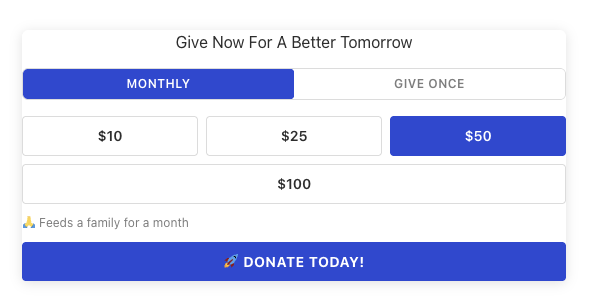
The widget captures the moment right where it lives. The donor sees three or four preset amounts, clicks one, and reads an impact statement telling them exactly what that gift does. They hit donate. The form opens, either in a modal overlay on the page they’re already reading, or on the campaign page with their amount pre-filled, and all they have to enter is their name and payment method.
Picture a supporter browsing your organization’s end-of-year impact report. They get to the section about the community garden you planted. Right next to it is the Mini Donation Widget: $15, $30, $75.
At $30 it says: “Buys seeds for three raised beds.” They click. They give. That’s a gift that happens because you were ready when they were – not because they went looking for a way to donate.
See It In Action
What the Mini Donation Widget Can Do
Preset Amounts That Tell a Story
The widget centers around a row of preset donation amounts, but what makes it powerful is what you can attach to each one. Impact statements update in real time as donors click different amounts, turning an abstract dollar figure into something tangible.
💬 Show the impact of every dollar: Attach a custom message to each amount (“feeds a family for a month” at $25, “sponsors a child’s education” at $50) so donors understand exactly what their gift does.
🎯 Set a pre-selected default: Highlight the amount you want donors to choose most by setting it as the default. A smart default nudges giving upward without removing donor choice.
✅ Add a custom amount option: Enable the “Other” field so donors who want to give more, or a specific amount, are never turned away.
One-Time and Monthly Giving in a Single Widget
For organizations running recurring giving programs, the Mini Donation Widget supports a Monthly / Give Once tab interface. Both tabs have fully independent amount sets, defaults, and impact statements, so you can fine-tune the experience for each giving type.
🔄 Separate amounts for each tab: Configure a different set of preset amounts for monthly and one-time donors, because what makes sense at $25/month looks different as a one-time $25 gift.
🏷️ Custom label tabs: Replace “Monthly” and “Give Once” with language that fits your organization’s voice.
⚡ Powered by Charitable Recurring: The tabs appear automatically when Charitable Recurring is active. No additional configuration required.
Place It Anywhere, Style It Your Way
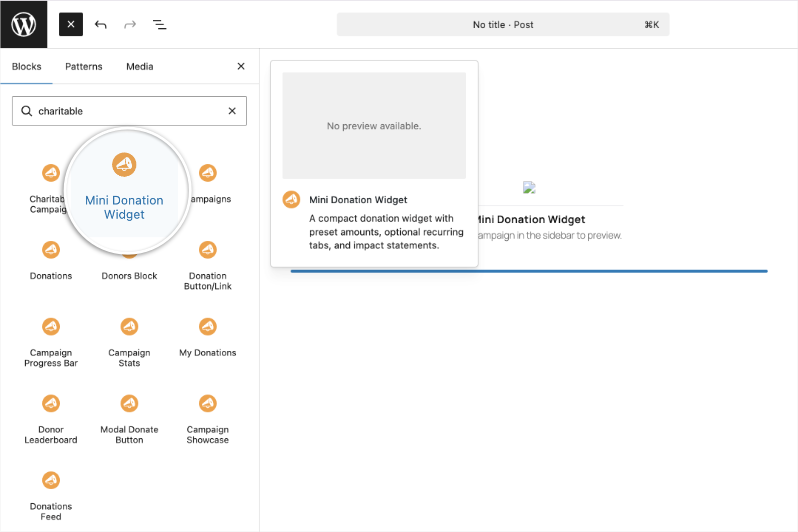
The widget is available as a native Gutenberg block and a shortcode, so it works in the editor, in page builders, in widget areas, and anywhere else WordPress accepts content.
🎨 Match your brand in seconds: Set an accent color to align the widget with your site’s palette. No CSS required.
📐 Control size and alignment: Define a max-width and choose left, center, or right alignment to fit the widget naturally into your layout.
📣 Add a dynamic title: Use {{campaign_title}} in the widget title, and it automatically displays the campaign name, which is useful when the same template powers multiple campaigns.
Open in a Modal or Redirect to the Campaign Page
The donate button has two modes. Redirect sends the donor straight to the campaign’s donation page with their selected amount pre-filled. Modal opens the full donation form in a popup overlay, keeping donors on the page and reducing drop-off.
For Agencies and Developers
The Mini Donation Widget is built with developers in mind. From filter hooks to template overrides, you have the tools to take full control of the widget’s output and tailor it to any client’s branding or workflow requirements.
Hooks, Filters, and Full Customization
The charitable_mini_widget_shortcode_output filter gives you full control over the widget’s HTML output before it’s rendered.
Template Overrides
Copy charitable-pro/shortcodes/mini-widget.php to your theme at yourtheme/charitable-pro/shortcodes/mini-widget.php to take over the markup entirely.
Built for Multi-Site and Client Deployments
The widget works out of the box in multi-site environments. The shortcode is safe to include in client-editable content areas. Invalid campaign IDs show an error only to editors, not to visitors.
The Mini Donation Widget is designed to stay out of your way. Drop it in, hook into it where you need to, and let your clients focus on fundraising while you focus on building.
Get Started with the Mini Donation Widget
Update Charitable Pro to version 1.8.13.1 and the widget is ready immediately – no additional setup, no new settings to configure.
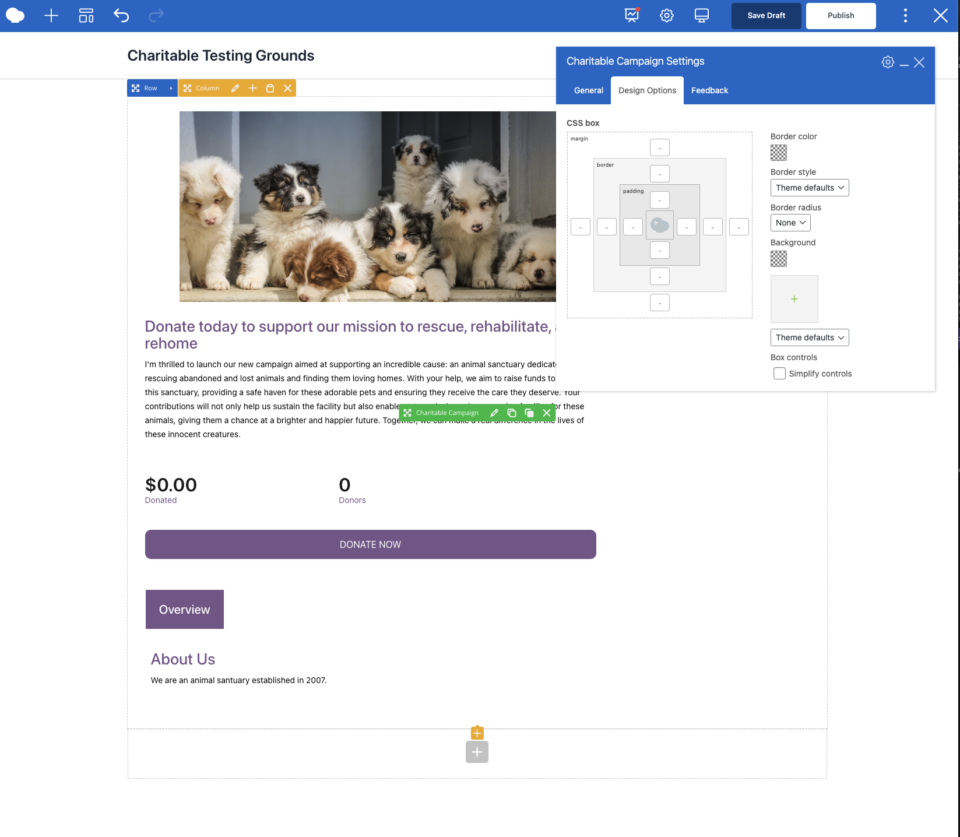
Open a page or post with the block editor. Add a new block and look for “Mini Donation” and you’ll see the widget appear. Add it to you page or post and then you can select the campaign you want to showcase from the right hand menu.
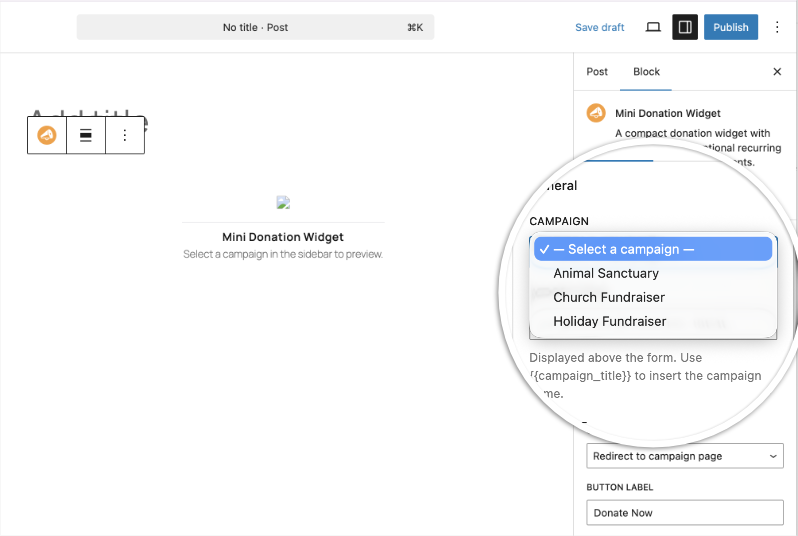
You can configure all the settings you need in the same menu.
Alternatively, you can also drop the shortcode[charitable_mini_widget campaign_id="YOUR_ID"] into any page to get started.
No developer needed. Most setups take under three minutes.
Read the Mini Donation Widget Documentation →
Not Yet a Charitable Pro User?
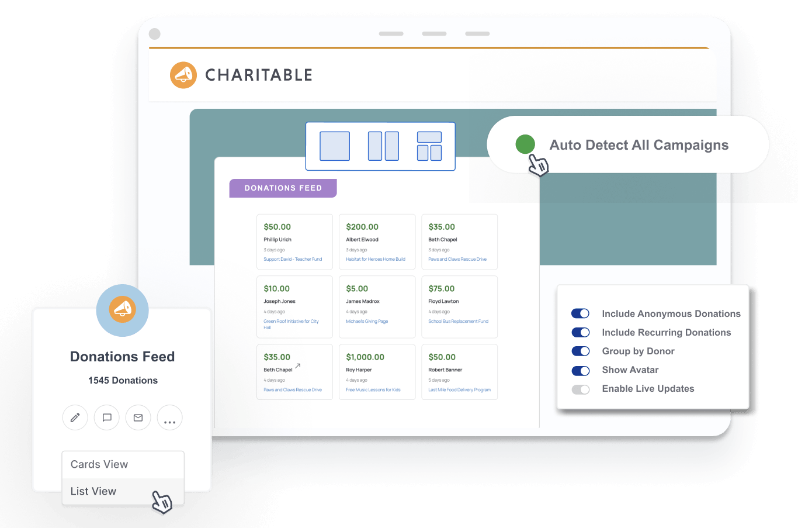
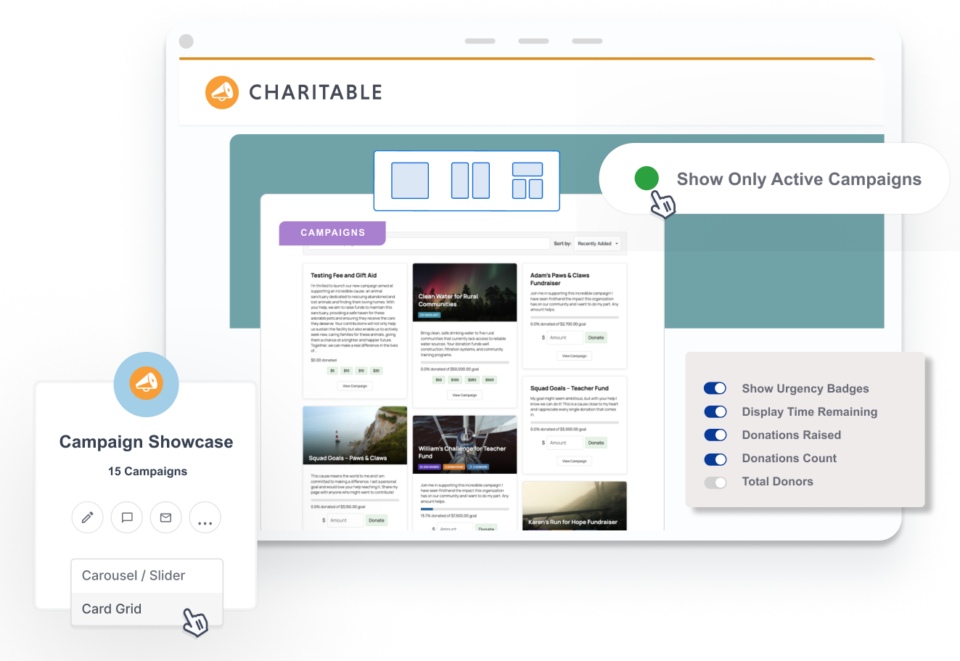
Charitable powers fundraising for over 1 million WordPress sites! With Charitable Pro you get the Mini Donation Widget, Campaign Showcase, Donations Feed, recurring giving, and much more, all without platform fees.
Every dollar your donors give goes directly to your cause – not to a platform taking a cut. You own your data, your donor relationships, and your fundraising experience, all from within WordPress. No third-party dashboards, no surprise fees, and no lock-in. And if it’s not the right fit, we offer a 14-day money-back guarantee – no questions asked.
Stay Connected for More Nonprofit Resources
For more tutorials and videos tailored to nonprofits, subscribe to our YouTube channel. We regularly publish expert tips, step-by-step guides on migrations like this GiveWP to Charitable switch, fundraising strategies, and practical resources to help your organization succeed.
🗞️ Get weekly tips and exclusive guides in your inbox
Join our newsletter →
🎥 Watch step-by-step tutorials and success stories
Subscribe to our YouTube channel →
👩🏽💻 Connect with our community and get daily nonprofit insights
Follow us on LinkedIn →
🥳 Fun reels and non-profit insights
Follow us on Instagram →
👀 Insightful & fun videos to help you grow your cause
Follow us on TikTok→
🌎 Subscribe and follow for general fundraiser tips
Get Fundraiser Tips on TikTok →





Leave a Reply