
We’re thrilled to announce a brand new update that’s bound to leave a striking impression on your campaign pages: Introducing Featured Images for your campaigns!
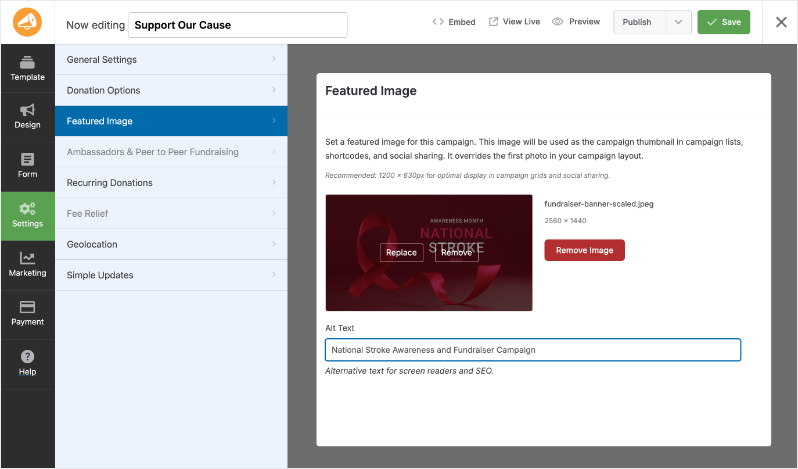
The Featured Image functionality allows you to set a prominent image for each of your campaigns effectively. Once you’ve set a featured image, it will be used as the campaign thumbnail across campaign lists, shortcodes, and social sharing platforms.
This is designed to drive more clicks and engagement so you get more donations for your cause.
Why You’ll Love Featured Images:
- Boost Your Campaign’s Visibility: 📸 By presenting a captivating image for your campaign, you’ll improve its visibility in different listings.
- Enhance Engagement: 🖼️ Capture the hearts of potential donors by utilizing compelling visuals that evoke emotion and tell your campaign’s story.
- Optimized for Sharing: 🔗 Recommended size of 1200 × 630px ensures your campaigns look great on grids and social platforms.
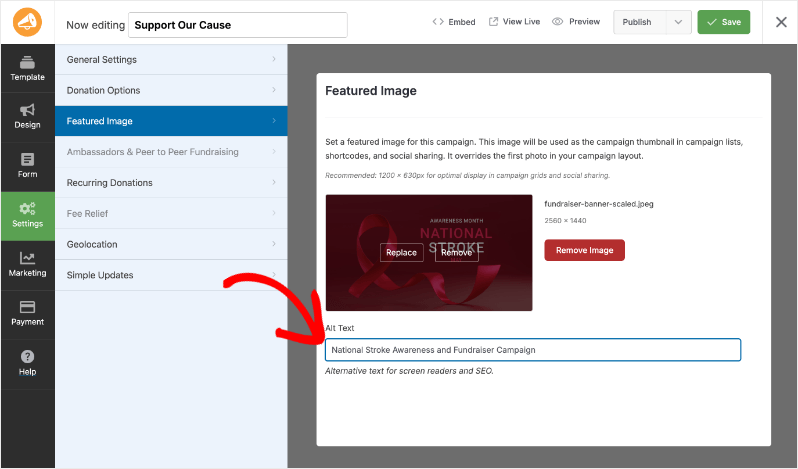
- SEO Friendly: 🧑💻 Add Alt Text to your images for better SEO and accessibility, making sure your message reaches everyone.
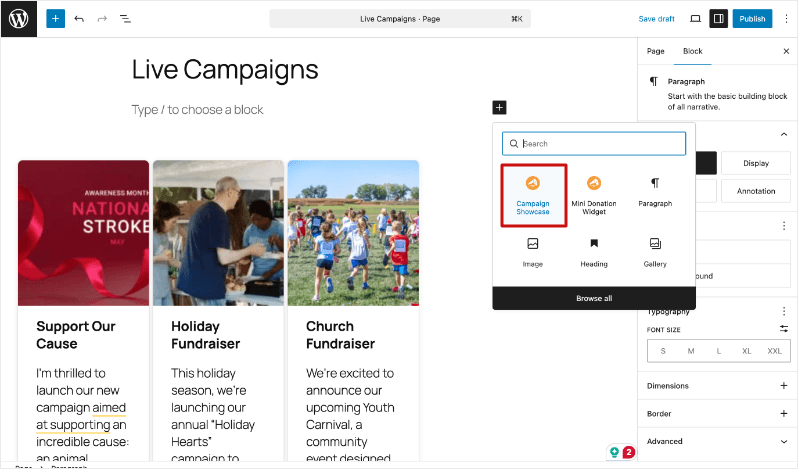
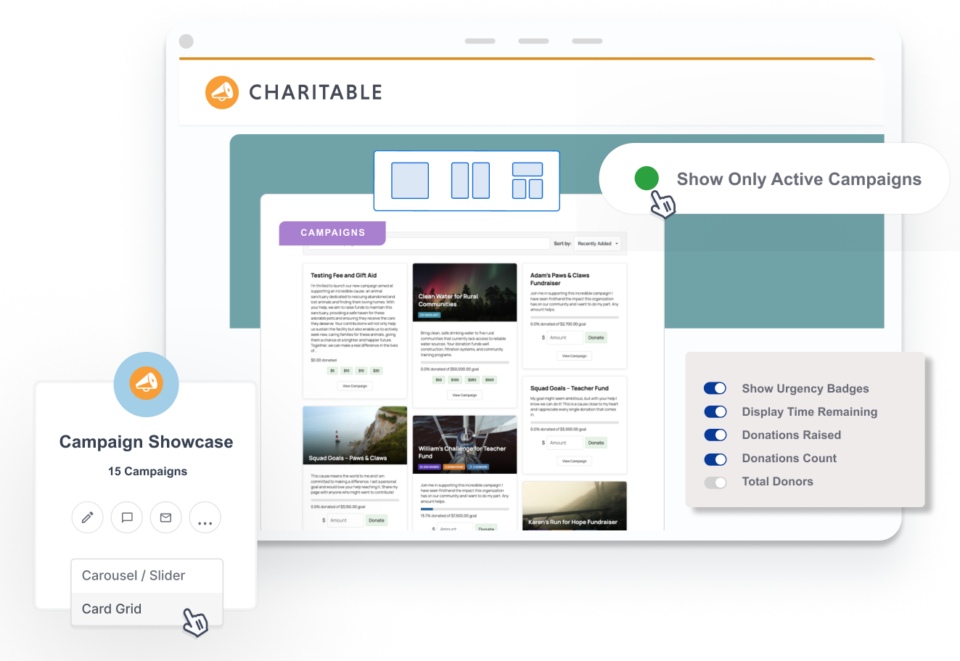
Plus, when you add a campaign showcase to any page or post, these featured images will appear, making your featured content visually compelling and engaging.
How to Use Featured Images:
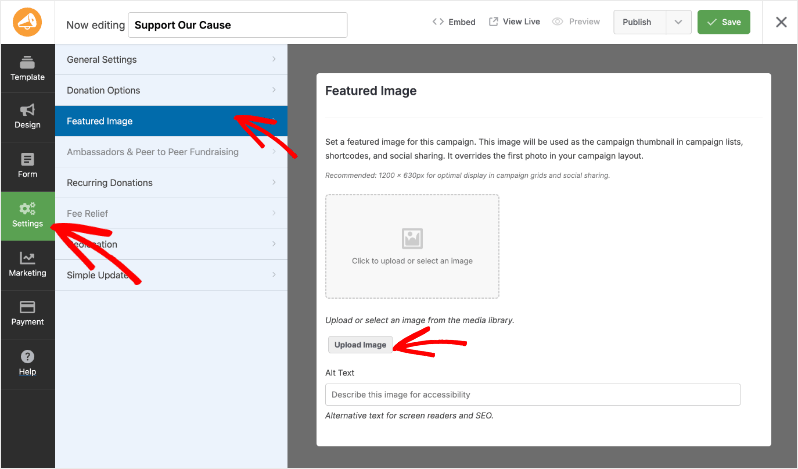
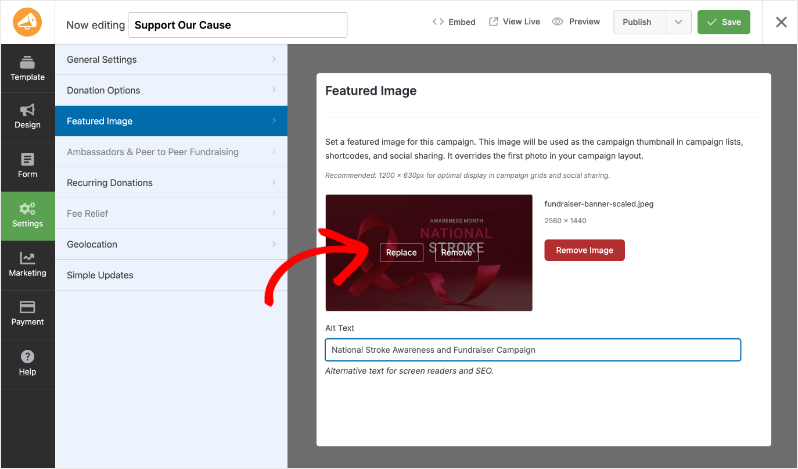
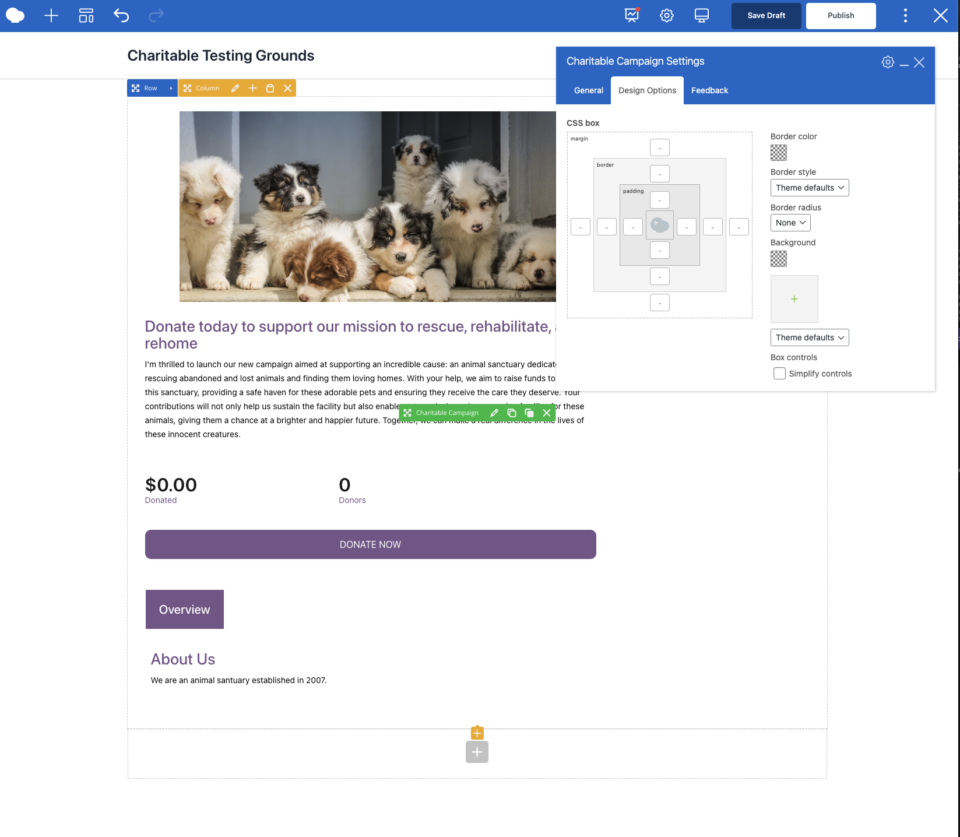
Go to the Campaign Builder section of your Charitable dashboard. Click on the Settings tab and then select Featured Images.
Add your chosen image (recommended size: 1200 × 630px) for the campaign.
You can come back to this page and replace this image at any time by hovering over the existing image and using the “Replace” button that appears.
We’ve also added an “Alt text” box so you can optimize the image for screen readers and SEO (search engine optimization).
Once your image is set, it will automatically appear as the campaign thumbnail and on social sharing previews.
Make the most of this update by using impactful images that resonate with your potential donors, encouraging them to support your cause. Your featured image is the first step in building trust and creating an emotional connection. So, what are you waiting for?
Start enhancing your campaigns today with a featured image that speaks a thousand words! If you have any questions or need assistance, our documentation is just a click away or feel free to reach out to our support team for help.
Not yet on Charitable Pro? You can get up to 50% off when you sign up for or upgrade to Charitable Pro. We want to ensure that you can try the advanced fundraising features like Recurring Donations 2.0 at a significantly reduced cost.
Join over a million satisfied Charitable Pro users today. Every purchase comes with a 14-day money-back guarantee, ensuring you’re supported every step of the way.
If you have any questions or need assistance, our support team is ready to help you make the most of these new features.
FAQs About Featured Images
What happens if I don’t set a featured image?
Your campaign will default to using the first image from your campaign layout, so setting a featured image is crucial for maintaining control over your visual narrative.
Can I change the featured image later?
Absolutely! Update or swap out images anytime to reflect the latest updates or achievements in your campaign.
Do I need technical skills to set this up?
Not at all! Our intuitive interface ensures you can easily upload and manage featured images without any technical hassle.
How does the featured image differ from other campaign images?
The featured image is specifically used as a thumbnail in campaign lists, shortcodes, and social sharing. It overrides the first image in your campaign layout and is optimized for engagement and visibility.
Can I add Alt Text to my featured images for SEO?
Yes, you can and should add Alt Text to your featured images to improve both accessibility for screen readers and search engine optimization.
Charitable Has 1+ Million Downloads!
Trusted by millions to power successful fundraising campaigns. Try Charitable risk-free today.
✅ 14-day money-back guarantee
✅ Transparent pricing
✅ Code-free setup
Stay Connected for More Nonprofit Resources
For more tutorials and videos tailored to nonprofits, subscribe to our YouTube channel. We regularly publish expert tips, step-by-step guides on migrations like this GiveWP to Charitable switch, fundraising strategies, and practical resources to help your organization succeed.
🗞️ Get weekly tips and exclusive guides in your inbox
Join our newsletter →
🎥 Watch step-by-step tutorials and success stories
Subscribe to our YouTube channel →
👩🏽💻 Connect with our community and get daily nonprofit insights
Follow us on LinkedIn →
🥳 Fun reels and non-profit insights
Follow us on Instagram →
👀 Insightful & fun videos to help you grow your cause
Follow us on TikTok→
🌎 Subscribe and follow for general fundraiser tips
Get Fundraiser Tips on TikTok →





Leave a Reply