
Is AI good or bad? Should you be using it or not?
You’ve heard how it can save time, but you’ve also heard the conspiracies about how bad AI is.
Does your non-profit even need it?
Here’s what I’ve found is the main pain point among nonprofits like yours – you face enough daily challenges without adding tech confusion to the mix.
There are a lot of misconceptions about AI, which makes most people want to stay away from AI. But let’s break it down and see what the facts are.
AI can help nonprofits like yours save hours on emails, reports, and donor outreach. I’ve been using AI and I can give you advice from my hands-on experience of what it’s like.
The key is to start simple to avoid overwhelm. In this guide, I’m going to break down why I think you absolutely should use AI – and how to use it wisely. I’ll give you tips, the right tools, and what works.
What’s in this Guide
- What Exactly is AI, and Why Does It Matter for your Nonprofit?
- Practical Ways to Use AI in Your Nonprofit
- Tips for Using AI Effectively
- Getting the Right AI Tools for Your Nonprofit
- Make Use of AI Features in Your Favorite WordPress Tools
- Getting Started with AI: A Smart Investment for Your Nonprofit
- Common Questions About AI for Nonprofits
What Exactly is AI, and Why Does It Matter for your Nonprofit?
As you may know, AI stands for artificial intelligence. It refers to computer systems that perform tasks requiring human intelligence, such as understanding language, recognizing patterns, or making predictions.
You already use AI every day without realizing it. Think about spam filters in your email or recommendations on Netflix. These systems learn from data to improve over time.
Core Types of AI
Three main types of AI fit nonprofit work.
- Machine learning analyzes data to spot trends, like which donors give most around holidays.
- Natural language processing handles text and speech, perfect for drafting emails or chatbots.
- Generative AI creates new content, such as social posts or grant proposals from simple prompts.
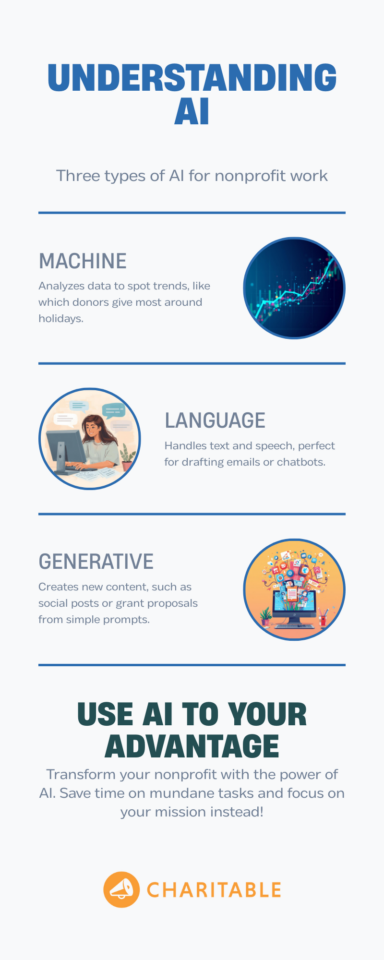
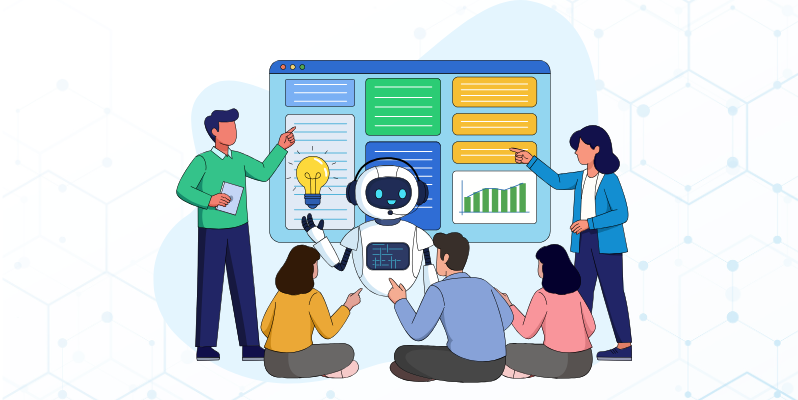
The image above is AI-generated – but here’s the thing. I gave it the right prompt and the text it needed to create the image.
So the content is mine. AI simply put it together in a neat image. But this saved me tons of time in designing a graphic and finding stock images.
I would recommend starting with generative tools since they deliver quick wins. You can use them to personalize thank-you notes based on gift amounts and past support. Again, always review outputs to add your voice and ensure accuracy.
My Advice to Non-Profits Starting With AI
Most nonprofits have limited staff and that means every hour counts. This is where AI can really help by handling routine work so you focus on relationships and strategy.
I’ve saved so much time on admin tasks. But you need to experiment with AI. It does take some time out of your day to day. Is it worth it? Absolutely.
Keep an open mind – be ready to succeed, be ready to fail. Sometimes AI just doesn’t work the way you want it to, and that’s okay. AI may not be there yet. So try and test different models and AI tools to see where it can help you.
One more thing to note is that AI is computer-generated. You need to read and verify AI results. If you rely on AI completely, it can go wrong. AI can give you wrong answers, so don’t blindly trust the results.
For AI-generated content, it has telltale signs that people can easily spot if you’ve used AI without reviewing. AI content needs human touch – editing and read-overs.
If you’re going to skip the human intervention, you’re better off without AI.
Watch How Nonprofits and Charities Can Start Using AI Practically
Now, let’s dive into areas where AI has proven to work.
Practical Ways to Use AI in Your Nonprofit
Most nonprofits use AI for everyday tasks that eat up your time. This section breaks down specific strategies with clear examples so you can apply them right away.
✉️ Draft Donor Communications
AI tools help you write thank-you emails or newsletters in just minutes. For instance, you can copy a donor’s name, their gift amount, and details about their past support into a free tool like ChatGPT. Then ask it to create a personal message that feels warm and specific. You can tell AI what kind of tone you want – casual, friendly, or formal. You can also give it sample emails so it has a base as a foundation.
Always edit it to add your own voice before sending. You can save hours each week and see higher open rates from these tailored notes.
📊 Analyze Donor Data
Spot patterns in your donor lists to predict who might renew. For instance, if you’re using Charitable or a CRM, you can export your data and reports.
Then upload them to an AI tool and ask which supporters might lapse, or for insights on your campaigns. This helps you analyze and see things you otherwise would not have noticed.
Just make sure you aren’t uploading any sensitive data to these AI tools.
📱Create Social Media Content
Generate posts for your campaigns or events quickly. For example, you give it details about your event and your audience.
It then suggests captions, hashtags, and even a posting schedule. You review and tweak them to match your tone before sharing. This way, you fill your content calendar in minutes instead of hours.
You can even generate images you need using Canva AI, Google Imagen 3, and Midjourney.
📄 Streamline Grant Writing
Make grant writing less daunting by building outlines or drafts for you. Start by feeding it your mission, goals, and past successes. It pulls together a strong structure that you refine with your real stories and data.
Your grant teams can cut prep time by half while keeping applications authentic and compelling.
👥 Match Volunteers to Tasks
Use AI to pair volunteers with roles based on their skills from signup forms. You input their listed abilities and your event needs. It suggests the best matches to make coordination smoother. You always confirm the fits yourself to ensure everything runs well.
📋 Summarize Board Reports
Condense long meeting notes or annual reports into clear key points. You paste the full text and ask for a one-page summary. Board members can read and discuss faster because you spend less time on formatting.
Google Meet comes with the Gemini AI that summarizes your meetings. Zoom has an AI companion as well.
A few other tools I can suggest here are Evernote AI, Otter AI, and Notion AI to organize donor notes, create summaries, and gather insights.
🎉 Generate Event Descriptions
Craft engaging pages for your fundraisers or workshops. Provide the date, location, and goals, and it writes copy with strong calls to action. You tweak it for your brand and post it live, helping events fill up quicker.
💰 Personalize Fundraising Appeals
Customize your asks based on each donor’s history. Input their past gifts and interests, and it suggests the right amount and timing to give. Your response rates will go up because the messages feel truly one-to-one.
❓Automate FAQ Responses
AI tools handle common questions through chatbots on your site. Train it on donation or volunteer info, and visitors get answers anytime. Your team only steps in for complex cases, saving daily interruptions.
LiveChat AI resolves queries instantly during peaks, integrates with Charitable for lead capture.
📅 Plan Campaign Schedules
Map out your email sequences or social blasts step by step. List your goals and timeline, and it creates a full plan with dates and ideas. Campaigns stay on track without constant manual planning.
🔍 Research Foundation Prospects
AI can scan public data to find grant matches for you. Enter your focus area, and it lists funders with similar priorities and recent giving. You save weeks of manual searches this way.
🔧 Optimize Donation Forms
Test headlines or button text on your Charitable pages. Run a few A/B ideas, pick the winners, and watch conversions improve. Small changes make a big difference without major redesigns.
These uses keep AI as your helpful assistant, not a replacement. Pick one task this week to see quick results in your work.
Tips for Using AI Effectively
You want AI to boost your work without anyone noticing it helped. Here’s what I’ve learnt from my experience with AI:
✅ Write clear prompts with specifics. Tell AI your audience, tone, and key details upfront. For example, say “Write a thank-you email for a $100 donor who supports animal rescue. Use warm, conversational language like a friend.” Vague prompts lead to generic output you have to fix later.
✅ Always edit for your voice. AI content often sounds too polished or repetitive. Read it aloud, cut extra words, and add personal stories or your nonprofit’s real examples. This makes it feel human and builds trust with readers.
✅ Break tasks into steps. Do not ask AI for a full blog post at once. Start with an outline, then sections, then polish. This gives you control and avoids long blocks of unnatural text.
✅ Fact-check everything. AI pulls from old data and can invent details. Verify donor stats, dates, or links yourself before using. Pair it with your Charitable reports for accurate insights.
✅ Vary sentence lengths and structure. AI loves uniform sentences. Mix short punches with longer explanations. Swap words like “utilize” for “use” to sound natural. Readers spot robotic patterns fast otherwise.
✅ Test small first. Run AI drafts by a colleague or send to a test email list. Ask if it feels off. Tweak based on feedback before going live with campaigns or newsletters.
✅ Use AI for rough drafts only. Let it handle the grunt work, but your expertise shapes the final piece. This way, you save time without losing your unique perspective that donors connect with.
Bonus Tip: Track Your Results
Now here’s a really important step that most people skip.
Measure what AI improves in your work. After using it for emails or posts, check open rates or donations against past campaigns. Note what worked and adjust prompts next time. This also builds your confidence and shows real impact on your team or board.
Getting the Right AI Tools for Your Nonprofit
You need tools that fit your budget and workflow without steep learning curves. I’ll cover popular choices everyone talks about, plus lesser-known gems that deliver strong results. Most offer free tiers so you can test them risk-free.
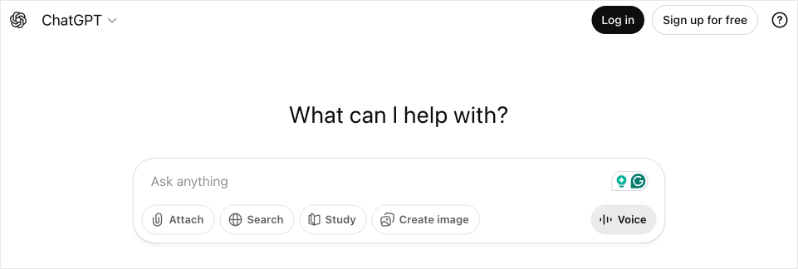
🏁 Start with ChatGPT or Google Gemini
For everyday tasks like emails and content. These handle prompts well and integrate easily with WordPress sites. Nonprofits use them daily for donor notes and social posts because they feel familiar and fast.
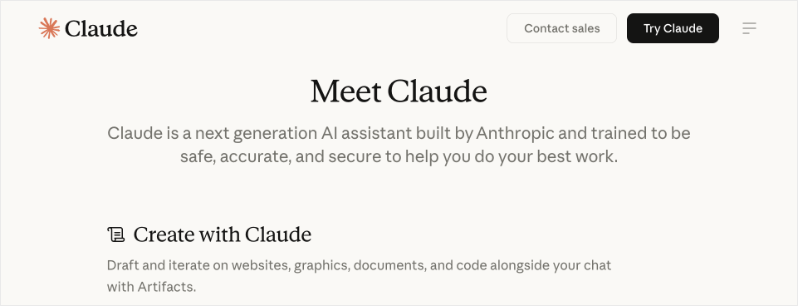
Claude by Anthropic
Stands out for longer writing like grants. It keeps context better than others, so you build full documents step by step. Pair it with your Charitable data exports for detailed donor insights without losing track.
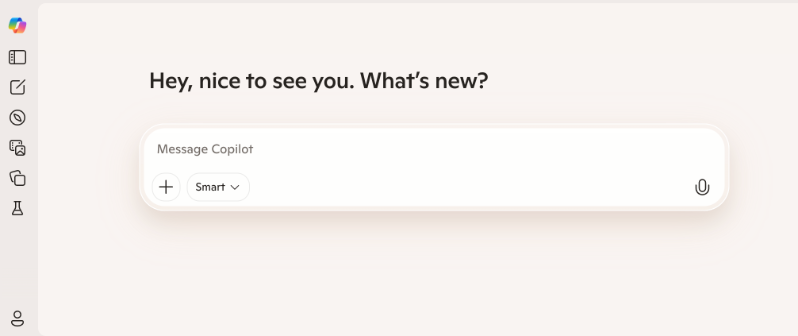
Microsoft Copilot
Works inside Office apps you already use. Draft emails in Outlook or analyze Sheets data right there.
Lesser-known but powerful:
Perplexity.ai answers research questions with sources. Ask about grant trends or donor behaviors, and it cites real data. Save it for prospecting foundations instead of endless Google searches.
Notion AI embeds inside your workspace for notes and wikis. Summarize meetings or generate volunteer schedules on the fly. Small teams love how it organizes campaign ideas without switching apps.
For chatbots, Tidio or ManyChat connect to your Charitable forms. Train them on FAQs, and they answer donation questions 24/7. Visitors convert faster when queries resolve instantly.
Funraise AI or DonorSearch focuses on fundraising specifics. They predict gift amounts or score prospects from your lists. Export Charitable reports first, then run analyses for targeted appeals.
Grammarly’s AI goes beyond checks to rewrite sentences naturally. Run your AI drafts through it to eliminate those giveaway phrases. The free version catches most issues for emails and posts.
Jasper or Copy.ai target marketing teams, but work for nonprofits too. They specialize in campaign copy and A/B tests. Use sparingly for high-stakes appeals, then edit heavily.
Spend a few hours every week dedicated to testing AI tools. Sign up for free trials and see how each tool performs. Then you can pick two or three that match your top tasks.
Need more information on these tools? Check out The Best AI Tools for Non Profits »
Make Use of AI Features in Your Favorite WordPress Tools
If you’re using WordPress to run your website, you may already use WordPress plugins like WPForms, AIOSEO, and MonsterInsights.
Most now pack built-in AI features that save you time on forms, SEO, and research.
WPForms includes AI form builder suggestions. It scans your campaign details and recommends fields, labels, or layouts for donation or volunteer pages. Pick what fits, tweak it, and connect straight to Charitable payments. You launch polished forms faster than starting from scratch.
AIOSEO’s AI content writer generates meta titles, descriptions, and even blog outlines optimized for keywords like “AI for nonprofits.” Feed it your post topic, and it suggests SEO-friendly copy you refine. Pair this with Charitable blog posts to drive more traffic to campaigns.
Semrush ContentShake AI creates full articles or social captions from keywords. Enter “nonprofit fundraising tips,” and it builds drafts with headings, stats, and calls to action. Edit for your voice, then publish on your site to attract donors searching for help.
RankMath offers AI title generators and content insights too. It analyzes your Charitable campaign page and suggests improvements for better search rankings. Quick wins like this bring more visitors ready to give.
These built-in features mean no extra logins or costs beyond your current plugins. Test one today on a live page to see traffic or conversions climb right away.
Getting Started with AI: A Smart Investment for Your Nonprofit
I understand you and your team are already juggling multiple priorities, and like most nonprofits, you’re working within tight budget constraints. Adding AI training to your plate might seem overwhelming or unrealistic right now.
The good news? There are quick, free courses available that require just a few hours of your time, and they’re worth it. Think of it as a small upfront investment that will pay off through major time savings down the road.
By spending a few hours now to learn AI basics, you’ll give yourself and your team the tools to work faster and get more done with less. It’s about spending a little time today to save much more time tomorrow.
- Coursera and edX offer courses on AI and sometimes have free audit options so you can learn without spending a dime.
- Google AI Essentials through Goodwill teaches fundamentals anyone can grasp. No experience needed, and it includes nonprofit scenarios for reports and outreach.
- NetHope and Microsoft offer “Unlocking AI for Nonprofits.” It covers basics, tools like Copilot, and ethics through bite-sized modules. Non-tech teams finish in a week and apply tips right away.
- LinkedIn Learning provides a free AI series for nonprofits. Videos teach prompt engineering and strategy in 10-20 minutes each. Perfect for lunch breaks, with real examples for donor emails and posts.
- Data.org has AI skills paths designed for beginners. You focus on prompts for program planning and campaigns. Practice with your own data, like Charitable exports, for immediate use.
- Nonprofit Tech for Good offers an AI certificate on marketing applications. Short lessons show how to boost engagement without big budgets.
I’d recommend verifying current availability and checking recent reviews before signing up for any course, as the landscape changes quickly.
There are many courses out there by people who want to make a quick buck. My own friend signed up for a course like and I saw that she felt completely discouraged and steered away from AI, simply because it wasn’t explained well, was full of fluff, and was a waste of time and money.
So I strongly suggest doing your research before paying for a course. Make sure you’re getting your money’s worth.
You have the basics, strategies, tools, and courses now. Pick one simple task like drafting a donor email. Spend 15 minutes with a free tool and see the time you save right away.
Track your first results after a week. Note higher opens or quicker grant outlines. Share wins with your team to build momentum together.
My advice would be to start small, be ready to make mistakes, and prepare to stick with AI long-term.
Pick one course today and spend 30 minutes. You’ll gain confidence to use AI comfortably in your daily work.
If you’re looking for great deals for non-profits on tools & software, head to Best Non-Profit Deals & Discounts »
Common Questions About AI for Nonprofits
What is AI and how can it help my nonprofit?
AI (Artificial Intelligence) is technology that can do tasks that normally need human thinking, like writing, sorting information, or answering questions. For nonprofits, AI can help you write emails faster, create social media posts, organize donor data, and handle routine tasks. This frees up your time to focus on your mission and the people you serve.
Do we need tech experts on staff to use AI?
No! Many AI tools today are made for regular people to use. If you can use email or social media, you can use basic AI tools. They work like having a conversation – you type what you need, and the AI helps you. No coding or special tech skills required.
How much does AI cost? Can small nonprofits afford it?
Many AI tools offer free versions that work great for nonprofits. Tools like ChatGPT, Google’s AI features, and others have free options you can start using today. Some tools offer nonprofit discounts too. You can start with free tools and only upgrade if you need more features later.
What are some easy ways to start using AI right now?
Start small:
- Use AI to write or edit your emails and newsletters
- Create social media post ideas and captions
- Draft grant applications or reports
- Summarize long documents or meeting notes
- Answer common donor questions
- Brainstorm fundraising ideas
Pick one task that takes up a lot of your time and try using AI for that first.
Will AI replace our staff or volunteers?
No. AI is a tool to help your team, not replace them. Think of it like a helpful assistant that handles boring, repetitive tasks so your team can focus on work that needs a human touch, like building relationships with donors, serving your community, and making important decisions. AI can’t replace the heart and passion your team brings to your mission.
Is AI safe? What about data privacy for our donors?
This is an important concern. Here are some safety tips:
- Don’t put sensitive donor information (like credit card numbers or social security numbers) into AI tools
- Use AI for general tasks like writing and brainstorming
- Check if the AI tool you’re using has good privacy policies
- When in doubt, remove personal details before using AI
Always treat AI like a public tool, don’t share anything you wouldn’t want others to see.
How much time does it take to learn AI tools?
Most people can start using basic AI tools in under 30 minutes. Free courses take just a few hours to complete. The learning curve is gentle, you get better as you practice. Think of it like learning to use a smartphone. At first it feels new, but soon it becomes second nature.
What tasks can AI actually help us with?
AI can help with many daily tasks:
- Writing emails, newsletters, and social media posts
- Creating event descriptions and invitations
- Drafting blog posts or website content
- Organizing and sorting data
- Making to-do lists and schedules
- Translating content into other languages
- Coming up with creative ideas for campaigns
- Summarizing long reports or articles
- Creating simple graphics or images
Do we need special equipment or software?
No special equipment needed! If you have a computer or smartphone with internet access, you’re all set. Most AI tools work through your web browser, just like checking email or browsing websites. No downloads or installations required for most tools.
What if we make mistakes while learning AI?
Mistakes are part of learning, and that’s okay! You can always try again, rephrase your question, or start over. There’s no penalty for experimenting. The more you practice, the better you’ll get. Start with low-stakes tasks like brainstorming ideas or writing first drafts. That way, you can learn without pressure.
How do other nonprofits use AI successfully?
Nonprofits are using AI in creative ways:
- Small animal rescues use AI to write adoption posts that get more shares
- Food banks use AI to organize volunteer schedules
- Youth programs use AI to create engaging social media content
- Community centers use AI to translate materials for families who speak different languages
- Environmental groups use AI to write compelling grant applications
You don’t need to be a big organization to benefit from AI.
Can AI help us with fundraising?
Yes! AI can help with many fundraising tasks:
- Write compelling donation appeals
- Create personalized thank-you messages for donors
- Draft grant proposals and reports
- Generate ideas for fundraising campaigns
- Write social media posts that inspire giving
- Create email subject lines that get opened
- Brainstorm creative fundraising event ideas
AI handles the writing and planning, so you can focus on connecting with donors.
What about AI bias? How do we avoid problems?
AI can sometimes reflect biases from its training data. Here’s how to stay aware:
- Always review what AI creates – don’t use it blindly
- Check that AI-generated content is inclusive and respectful
- Make sure images and examples represent diverse communities
- Use your human judgment to catch anything that feels off
- Edit AI content to match your nonprofit’s values
Think of AI as a starting point, not the final word. Your human review is crucial.
Where do we start if we know nothing about AI?
Start here:
- Try a free AI tool like ChatGPT, just ask it a simple question
- Pick one small task at work that takes time (like writing an email) and try using AI for it
- Take a short free course (just a few hours) to learn the basics
- Share what you learn with your team
- Start small, experiment, and build from there
Remember: everyone starts as a beginner. The key is to just start somewhere.
I hope you liked this guide. If you’re new to Charitable, take a minute to know who we are and what we can do for you.
About Charitable
We’re the team behind Charitable, the top-rated WordPress donation plugin with 1+ million downloads. You get everything needed to launch campaigns without coding or high fees.
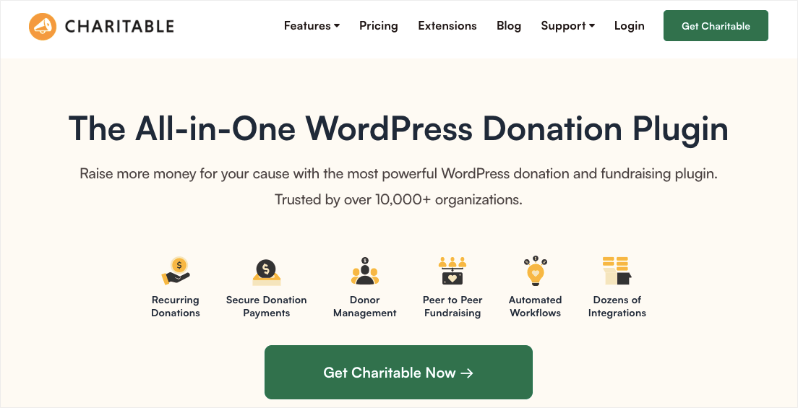
Our lite version gives you access to all the essential fundraising tools that include
- Customizable Forms
- Templates + Visual Builder
- Stripe, PayPal, Square, and Offline Donations
- Donation Management
Get the Lite version or see Charitable Pro vs Lite to get the full picture.
Our Charitable Pro plugin gives you access to premium features that include:
- Readymade Reports
- PDF Receipts & Custom Emails
- Donor Dashboard
- Comments & Leaderboards
- Recurring Donations
- Fee Relief
- Email Integrations
- Peer-to-Peer & Crowdfunding
…and so much more! Want to give Charitable Pro a try?
Sign up today and get up to 50% off on your plan. We’re confident you’ll love raising funds with Charitable. If, for any reason, Charitable is not the right fit for you, we’ll refund your purchase with our 14-day money-back guarantee.
Using another fundraising software and want to make the switch? It’s easy. See our guide on migrating to Charitable »
Stay Connected for More Nonprofit Resources
For more tutorials and videos tailored to nonprofits, subscribe to our YouTube channel. We regularly publish expert tips, step-by-step guides on fundraising strategies, and practical resources to help your organization succeed.
🗞️ Get weekly tips and exclusive guides in your inbox
Join our newsletter →
🎥 Watch step-by-step tutorials and success stories
Subscribe to our YouTube channel →
👩🏽💻 Connect with our community and get daily nonprofit insights
Follow us on LinkedIn →
🥳 Fun reels and non-profit insights
Follow us on Instagram →
👀 Insightful & fun videos to help you grow your cause
Follow us on TikTok→
🌎 Subscribe and follow for general fundraiser tips
Get Fundraiser Tips on TikTok →
You’ll also definitely want to download our free fundraising kit that’s packed with tips, campaign ideas, strategies, recommended tools, and free resources.
Download The Ultimate Fundraising Kit Now »



Leave a Reply