
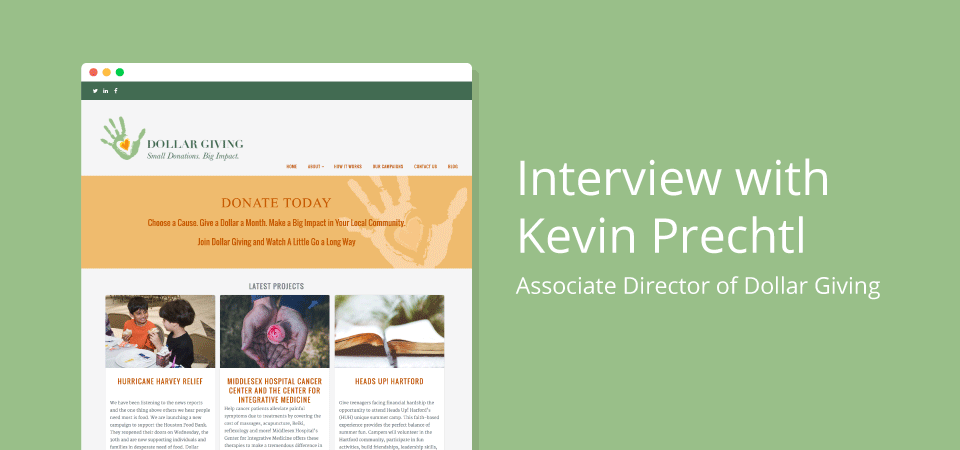
An interview with Kevin Prechtl, Associate Director of Dollar Giving
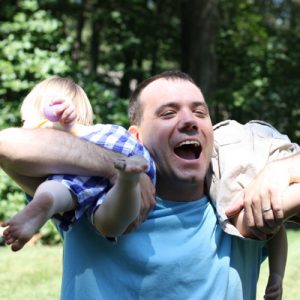 Dollar Giving is a 501(c)(3) nonprofit public charity focused on small donations that give back in a big way to the local community. The Dollar Giving network features fundraising campaigns with attainable goals and a focus on quickly and easily raising money through the power of social networking and crowdfunding.
Based in Connecticut, USA, Dollar Giving is a passionate team of three friends who wanted to do more to help those in need in their community.
I chatted to Kevin Prechtl, Dollar Giving’s Associate Director, to find out more about the impact that Dollar Giving is having, and why they chose to use Charitable for their crowdfunding platform.
Can you tell me how Dollar Giving got started?
A friend and I started Dollar Giving based on the idea of helping small nonprofits fundraise.
Both of us have been fairly successful with MBA’s and building our careers at Cigna, but both of us wanted to do more. My friend went back to school and received a certificate in nonprofit management. I have a tiny amount of knowledge in web development.
So we bounced around a few ideas on what we could to do to help small nonprofits that bring in $100-500K a year. Would an amount of $1000 or $2500 make a difference to them? The answer was yes – nonprofits will take anything.
After researching this, we realized that we ourselves needed to be a nonprofit to show we were not in it for the money.
We didn’t want to be known as a gofundme, although our model is loosely based on that one.
So we conceived the idea of giving small donations in a crowdfunding atmosphere using social media, and Dollar Giving was formed.
I love the idea! Can you explain a bit more about how the Dollar Giving concept works?
We reach out to small nonprofits in the Hartford, Connecticut, area and determine their support of being featured on our website. When they determine that they are interested, we move forward with a campaign based on an immediate need they have.
Here is an example:
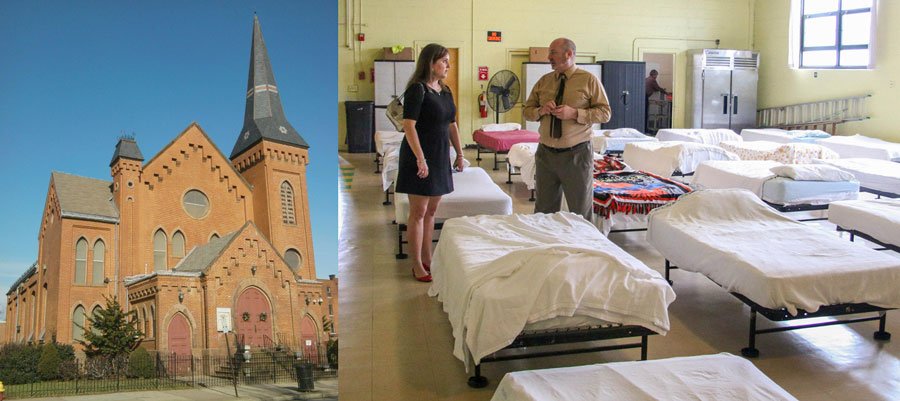
South Park Inn is a homeless shelter for families. They have a special grant from the state for veterans, who can stay for up to two years. South Park Inn provides services for these vets, such as resumé workshops, job training, etc.
We work with South Park Inn to determine there is a need for resumé writing skills, so we fundraise an amount to bring in a couple specialists to help the vets write a resumé.
We then promote this campaign via the Dollar Giving website to our network of donors, with the hope that we quickly reach the goal we set to bring in the resumé specialists.
Once the goal has been met, we send a cheque and then also attend the event, to help out or video it. Then we promote it, to build momentum for the next campaign.
South Park Inn, and all of our nonprofit partners, are in this for the long haul. We want to support them by continuously giving money for their cause via recurring donations.
Your donors are giving $1 per month. How does giving such a small amount make an impact?
Impact is a good question, and one we have had to answer a lot lately.
Think of it as a network of 500 people giving $1.
$500 per month for three months = $1500.
$1500 for a short campaign to help a small number of people is significant.
Our mission is not to support the fundraising in its entirety, but to help in small ways that add up to something large.
Using the resumé workshop as an example:
If we were able to help three vets write a solid resumé, and two were able to find work. Over time, the $1500 gives back in the form of moving a vet into the workforce and out of unemployment. Out of homelessness and on to being a productive citizen themselves. Based on those that we have spoken with, this is exactly what they want.
But the funding limits of a small nonprofit like South Park Inn are limited, and can only do so much. Dollar Giving wants to help fill those gaps.
Do you have plans to expand the reach of Dollar Giving?
Originally, the idea behind this was to go with a narrow focus, but we soon realized that this is fairly scalable using your platform (Charitable).
Right now we are dollargiving.org, but we could easily expand to Boston.dollargiving.org or NewYork.dollargiving.org.
That is the plan right now, but as with any startup we are having our challenges. Conversion of visitors to donors is our primary focus right now, and we’re working with some consultants to help us design content that will help convert visitors to becoming donors.
We have been relying on our networks, but are quickly finding that our own networks are simply not big enough. We are starting to branch out to other modalities/mediums in order to expand the reach.
Sounds like you’ve got your fair share of challenges, but there’s an exciting future ahead for Dollar Giving!
Can you tell me why you chose Charitable over other options for setting up your crowdfunding site?
A couple of main reasons.
First, we wanted a solution that was oriented specifically around donations to multiple campaigns. Many other solutions are an all in one solution bringing in the website along with other functionality (e.g. sermons, causes, projects, staff, documents, news, etc). While these solutions would work, they were not specifically designed just for donations and this was something we wanted.
While Charitable is the plugin, what sold us was the combination of the plugin and the Reach theme. Both, when combined, work extremely well together and look great.
When I did an initial mockup and asked for feedback from some of our core advisors, the response was overwhelmingly positive with regard to not only functionality, but the look and feel as well. This is why we chose Charitable, and why we chose to go with Reach as well.
The second main reason was the low cost to get up and running. Outside of the recurring functionality, there was no other costs that we absolutely required for our solution to get up and running. Since getting started, we have purchased the Stripe capability, but all in all the cost is very reasonable for what you get.
Had you set up a website like this before?
Nope, first time. I had dabbled in a few websites previously, but nothing as complex as payments and google analytics, SEO, etc. The WordPress platform makes setup incredibly easy and with great plugins and themes the scalability becomes possible.
What were the challenges you faced getting your site up and running?
My own learning curve. While HTML was a language I briefly studied as part of a class in school over 15 years ago, I had not touched it since. Relearning the basics was time consuming.
Then other components such as terms of service, FAQ, and some of the logic I worked on with Eric (Charitable’s lead developer) around the credit card processing fees and how they would total with regard to donation totals on the campaign tabs.
These were all time consuming and slowed me down, and were amplified as I was using a combination of the WordPress platform and my own HTML.
Then adding plugins for other components of the site, such as staff. The formatting, picture editing, etc., all takes time and when you are a novice simplicity definitely helps.
Given your experience with Dollar Giving, do you have any advice for someone setting up their own crowdfunding site?
Seek out help from experts when you are stumped.
I oftentimes found myself trying to figure stuff out on my own through reading forums, but many times all I needed to do was ask. This especially came to light when I was trying to figure out some stuff with Reach, when I finally broke down and asked Eric for help he was quick to reply and that made all the difference to allowing me to keep moving forward. I then went to some forums for help and asked a family member and friend for help.
My own pride wants me to figure it out on my own, but for someone with little to no experience, finally asking for help allowed me to jump forward quickly and keep things moving.
Any final thoughts you’d like to share?
The Charitable plugin and Reach theme are amazing, and we (my team, board of directors, and supporters) are extremely satisfied with how it turned out. The platform is extremely flexible and has allowed us to bring our ideas to fruition and do more in our community for the many great nonprofits out there.
Thanks again for all the work you and the Charitable team have done, and we look forward to the continued development of Charitable and Reach.
We hope you enjoyed the interview with Kevin! If you enjoyed this interview, subscribe to our newsletter to receive future blog posts like this directly in your email inbox.
If you would like to find out how you can use Charitable and Reach on your website, we would love to hear from you.







Leave a Reply