Charitable Documentation

Learn how to make the most of Charitable with clear, step-by-step instructions.

How to Set a Minimum Donation Amount

Setting a minimum donation amount in Charitable helps you make sure every donation is big enough to support your fundraising goals.

This way, you avoid very small payments that could cost too much in processing fees and keep your campaign running smoothly. This also helps avoid confusion during checkout and keeps your fundraising smooth by stopping payments that are too small to process cost-effectively.

Table of Contents

Setting a Minimum Donation Amount

Setting a minimum donation amount is easy with Charitable. With just a few clicks, you can create your campaign, go to the donation settings, and set the minimum amount donors must give. This simple feature helps ensure that every donation supports your goals while keeping your fundraising process smooth and efficient.

If you haven’t set up Charitable yet, follow this guide: Get Started With Charitable »

Step 1: Create a Campaign

To set a minimum donation amount in Charitable, first create a campaign by going to Charitable » Add New and pick a template. This opens the campaign builder so you can customize your campaign.
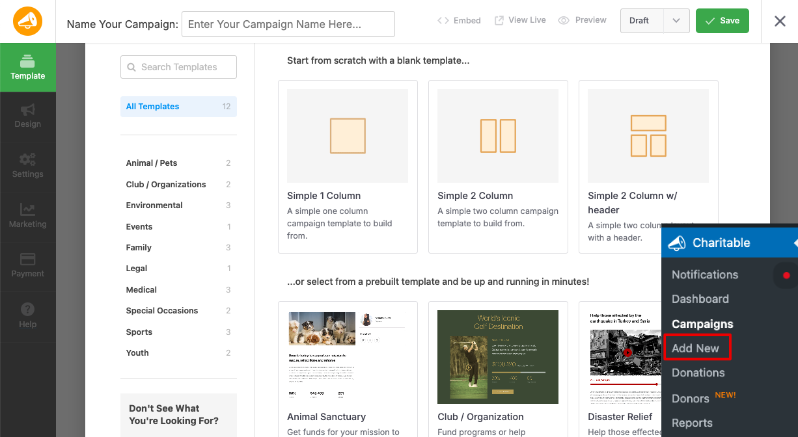
Add new campaign in Charitable

Not sure how to create a campaign? See our guide: How to Create Your First Campaign »

Step 2: Set Donation Options

Next, go to the Settings tab in the left menu and open Donation Options.

Donation options settings

Here, you can set suggested donation amounts, such as $5, $10, or $25, which makes it easier for donors to choose an amount.

Just below this, you’ll find the option to set a minimum donation amount—type in your preferred minimum, like $5 or $100, based on what makes sense for your fundraiser.
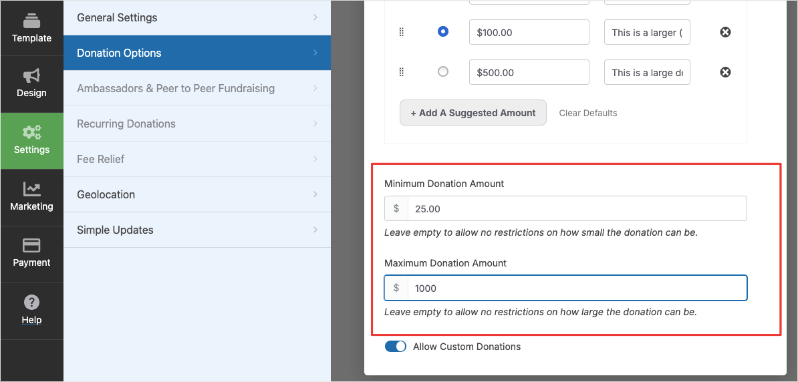
Set minimum and maximum donation amount

You can also enable custom donation amounts so donors can type in their own numbers above your minimum.

Step 3: Publish Your Campaign

Finally, save and publish your campaign. Now, when a donor tries to make a donation for a lower amount, they’ll see an alert box like this:
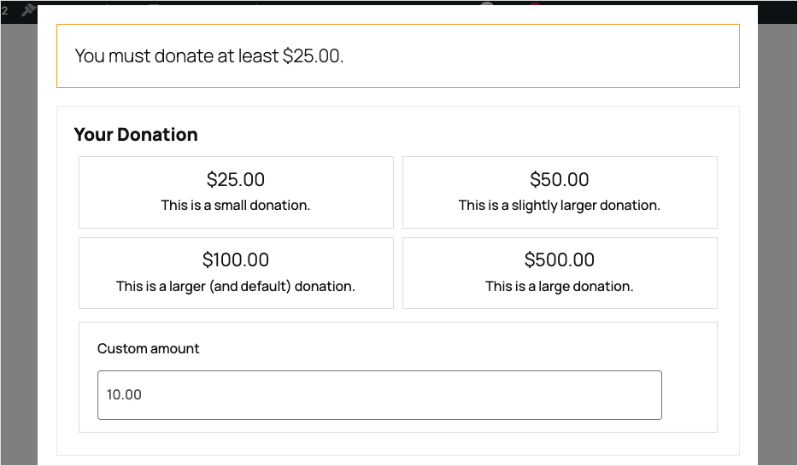
Minimum donation alert

This gives donors a clear message on your campaign form letting them know the smallest amount they can give.

Setting Minimum Donation Amount With Shortcodes

By default, Charitable will accept any donation over $0.

You can customize the minimum donation amount with a little bit of code, using the charitable_minimum_donation_amount filter:

add_filter( 'charitable_minimum_donation_amount', function() { 
    return 2;
} );

The above code sets a minimum donation amount of $2; any donation of $2 or more will be accepted.

Permitting $0 donations

As mentioned before, Charitable will by default allow any donations over $0.

If you would like to also allow $0 donations, you can use the charitable_permit_0_donation filter:

add_filter( 'charitable_permit_0_donation', '__return_true' );

Allowing $0 donations with the charitable_permit_0_donation filter is helpful for organizations that want to let supporters show interest, pledge support, or join a campaign without giving money right away.

Sometimes, nonprofit campaigns focus on gathering signatures, volunteer sign-ups, or other actions that aren’t strictly about money, so this option makes it easy for people to participate with a “symbolic” donation.

It can also help track engagement or allow donors to try the donation process with no financial commitment before making a real contribution.

Interested in boosting your fundraising with features designed to help you grow? Upgrade to Charitable Pro for tools like recurring donations, advanced donor management, peer-to-peer campaigns, and detailed reporting to unlock your nonprofit’s full potential.
Still have questions? We’re here to help!

Last Modified:

What's New In Charitable

🔔 Subscribe to get our latest updates
📧 Subscribe to Emails

Email Subscription

Join our Newsletter

We won’t spam you. We only send an email when we think it will genuinely help you. Unsubscribe at any time!

Integration New

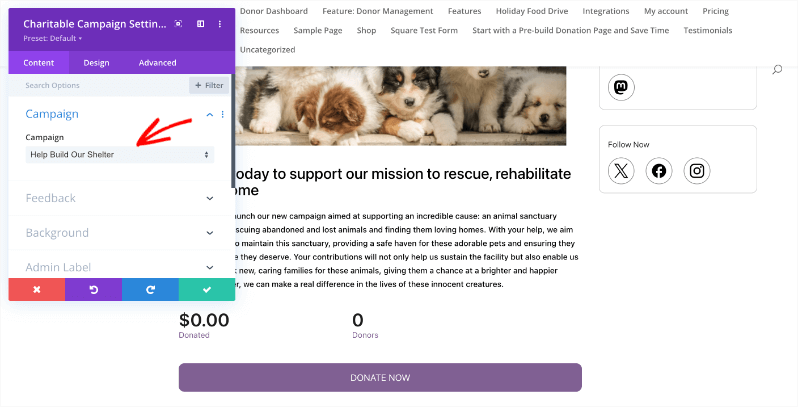
👉🏻 New Divi Integration In Charitable Pro

Bring the power of Charitable directly into your favorite page builder and maintain total creative control with our brand-new Divi integration.

The Ultimate Design Experience

No more switching back and forth or relying on complex shortcodes. Use dedicated Divi modules to build, style, and launch high-converting donation pages without ever leaving the Divi Builder.

⚡ Native Divi Modules: Effortlessly drag and drop your donation forms, progress bars, and campaign details exactly where you want them.

⚙️ Visual Customization: Tweak colors, fonts, and spacing using Divi’s familiar design settings to ensure your fundraiser matches your brand perfectly.

🚀 Live Visual Editing: See your changes in real-time. What you see in the builder is exactly what your donors will see, ensuring a seamless giving experience every time.

donation form New

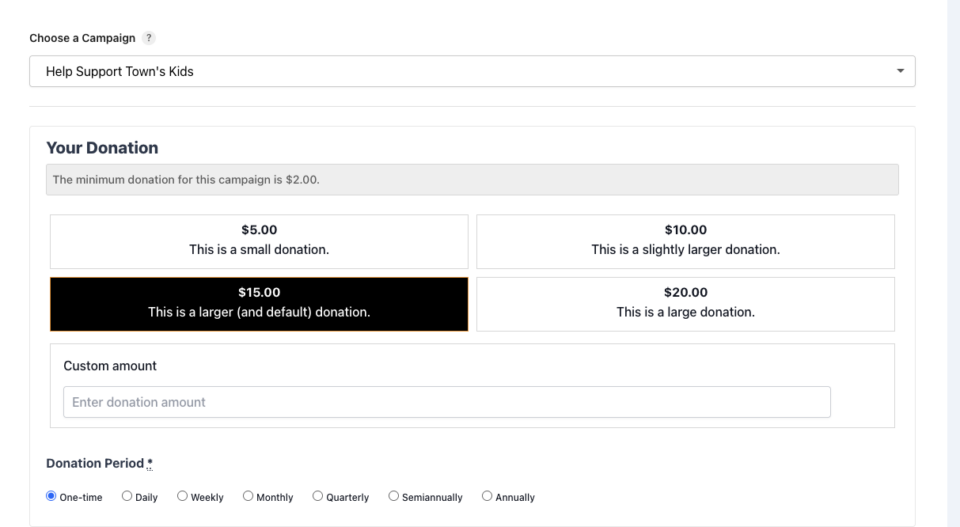
👉🏻 New Campaign Selector For Donation Forms

Take your campaign management to the next level. Find the perfect fundraiser for any page and stay in your creative flow with our new Campaign Selector integration.

The Ultimate Selection Tool

No more hunting for IDs or creating one page for every donation form. Use the new Campaign Selector to allow users to switch to a campaign with no code.

⚡ Instant Search: Quickly find any campaign leaving your page or post.

⚙️ Editor Agnostic: Whether you’re using the Block Editor, Elementor, or WPBakery, selecting your campaigns is now a unified experience.

🚀 Real-Time Previews: See exactly which campaign you’ve selected instantly, ensuring your donors always see the right cause.

Integration New

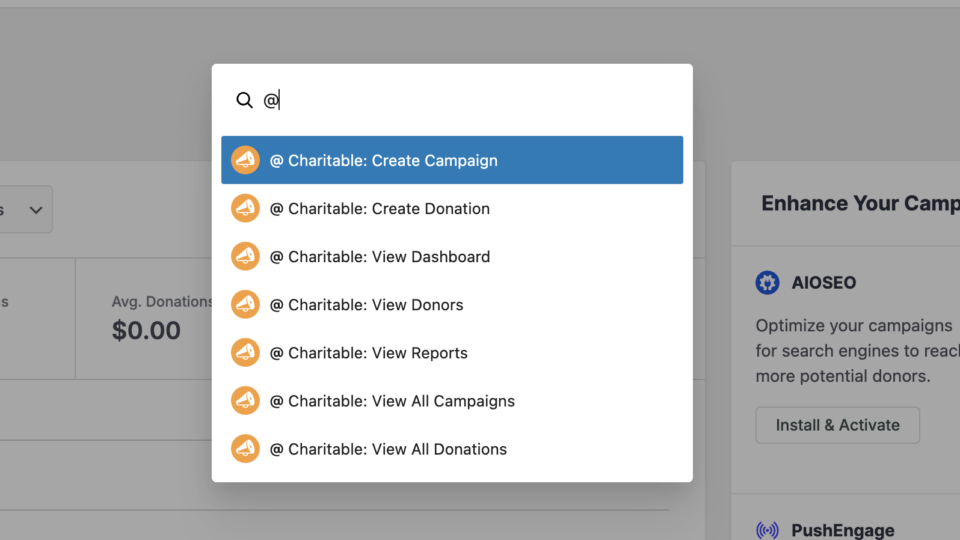
WordPress Command Palette Integration

Take your fundraising workflow to the next level. Speed up your site management and stay in your creative flow with our new WordPress Command Palette integration.

Supercharge Your Workflow
Navigate your fundraising dashboard faster than ever.

The Ultimate Keyboard Shortcut Hit Cmd + K (or Ctrl + K) to launch the Command Palette and manage your campaigns instantly.

⚡ Instant Navigation: Jump directly to your Campaigns, Donations, or Settings from anywhere in the editor.

➕ Quick Create: Start a new fundraising campaign or add a manual donation with a single command.

Efficiency Redefined
The tools you need, exactly when you need them.

⚙️ Contextual Actions: See relevant Charitable commands based on whether you’re editing a page or viewing your reports.

🚀 Seamless Integration: Built directly into the WordPress core experience for a lightweight, native feel.

Improvement New Security

📣 New Security Features

We’ve introduced a suite of new security tools to give you total control over who accesses your forms, plus a new way to tidy up your database.

Advanced Security Suite

Layered protection: Cloudflare, ReCAPTCHA, IP Controls, and Rate Limiting.

We have overhauled our security settings to stop bots without blocking real donors.

  • 🤖 Flexible Protection: Choose between Google reCAPTCHA v3 or the privacy-first Cloudflare Turnstile to block bots invisible.

  • 🚦 Rate limiting: Stop spam floods by limiting how many submissions an IP address can make in a set timeframe.

  • 🛑 Total control: Use the new IP Blacklist to block bad actors instantly, or the IP Whitelist to let your team bypass checks during testing.

The Clean Donation Tool

Go from “Testing” to “Live” in seconds.

Finished setting up your site and need to get rid of all those test transactions?

  • 🧹 Sweep it clean: Bulk delete test donations and donor records with a single click.

  • 📉 Accurate reporting: Ensure your revenue stats are 100% accurate for launch day.

  • ⚙️ Reset sequences: Automatically resets sequential invoice numbering.

donation form New

🏗️ Visual Donation Form Builder

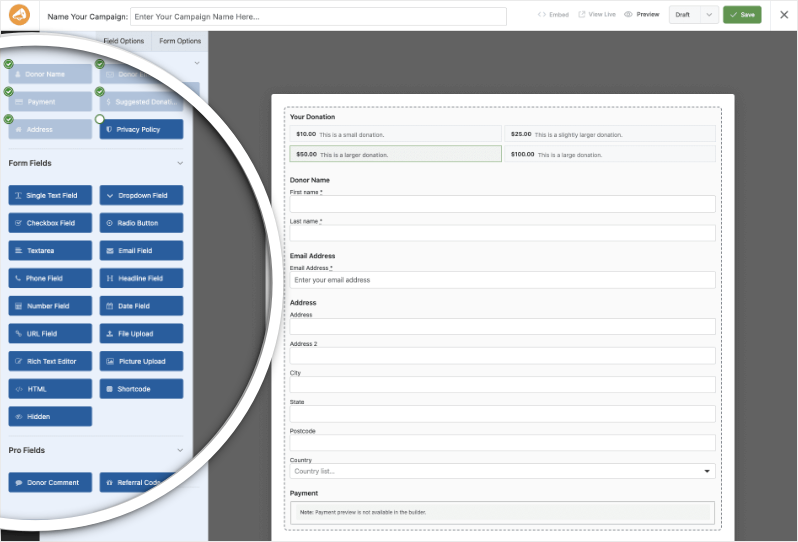
Building the perfect donation form just got easier. We have completely reimagined how you create forms with a new drag-and-drop interface.

Design Visually, in Real-Time

No coding, no guessing. Just point, click, and build.

Say goodbye to confusing settings pages. You can now edit your form and see exactly what your donors will see, instantly.

  • 🖱️ Drag & Drop: Easily add fields like names, addresses, or file uploads by dragging them exactly where you want them.

  • 🎨 Customize everything: Click any field to tweak labels, placeholders, and requirement settings on the fly.

  • 👁️ Live preview: See your changes immediately as you make them—ensure your form flows perfectly before you hit publish.

Flexible & Powerful

Works with all your existing campaigns.

  • 🧩 Deep customization: Add custom HTML, shortcodes, or CSS classes for advanced branding.

  • ⚙️ Smart fields: Collect exactly what you need with support for dropdowns, checkboxes, dates, and hidden fields.