
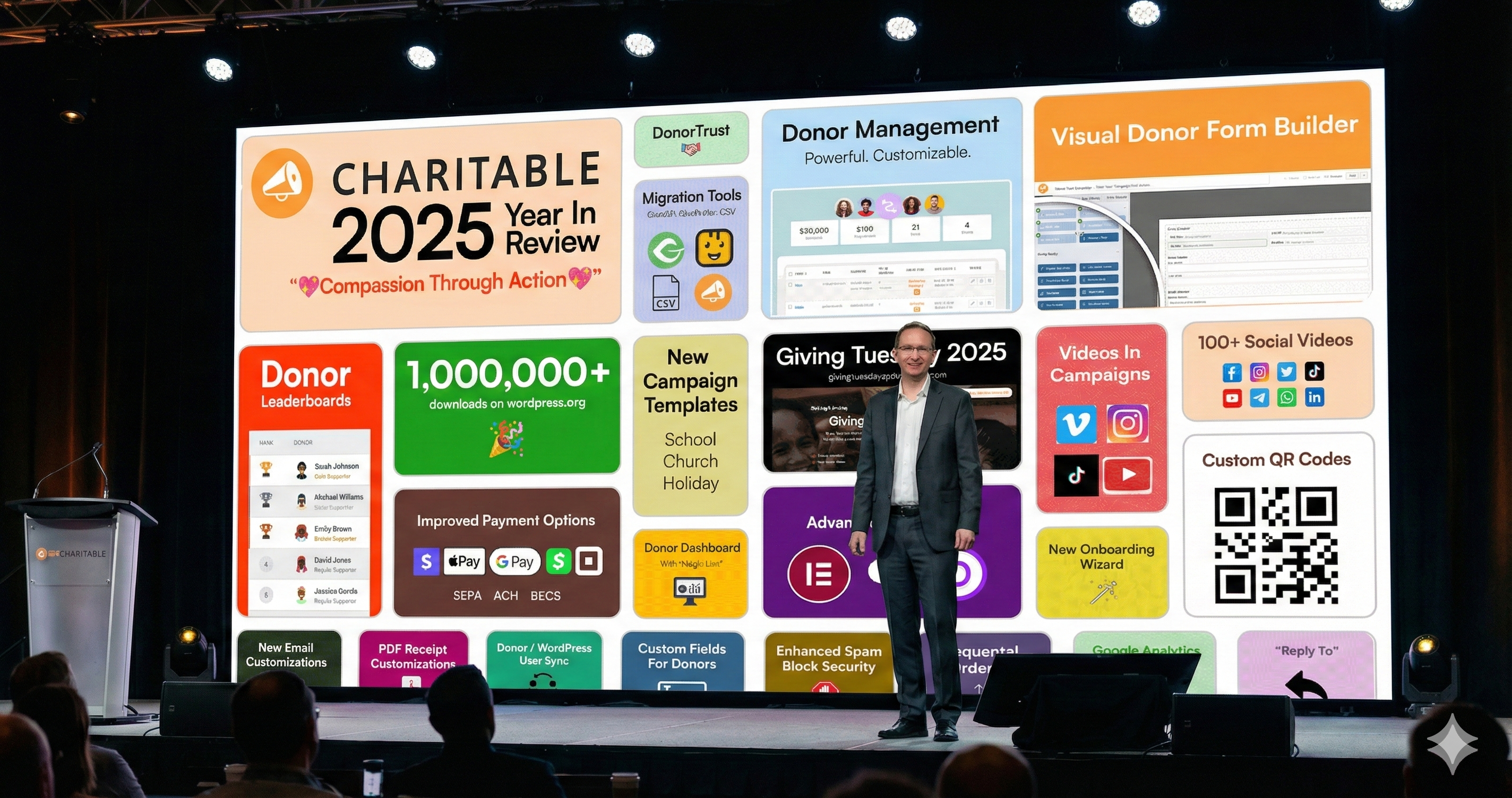
As 2025 comes to a close, it’s a time to reflect on a truly momentous year for Charitable. We’ve always been driven by a single mission: to democratize fundraising and provide nonprofits with the professional tools they need to make a real difference, regardless of their technical expertise. This year, we didn’t just make incremental changes; we fundamentally reimagined how organizations can use our platform to achieve their goals.
Our focus for 2025 was ambitious: to empower nonprofits to raise more, manage donors more effectively, and engage their communities in new and exciting ways. Looking back, I’m incredibly proud of what we’ve accomplished together.
Introducing Charitable Pro: A New Era for Fundraising
The single biggest change in Charitable’s history this year was the launch of Charitable Pro. We integrated our most popular add-ons directly into a single, powerful plugin, making it easier than ever for users of all experience levels to access advanced features.
Charitable Pro laid the foundation for many of the year’s other major releases. It brought together a new Donor Management System, a self-service Donor Dashboard, customizable PDF receipts, and integrated features like video embeds and geolocation directly into the core plugin experience. This consolidated approach has streamlined the fundraising workflow for thousands of organizations.
The “Big Three” Game-Changers
Building on the foundation of Charitable Pro, we shipped numerous updates throughout the year. For me personally three releases stand out as true game-changers, directly addressing some of the biggest challenges nonprofits face.
1. Visual Building & No-Code Design
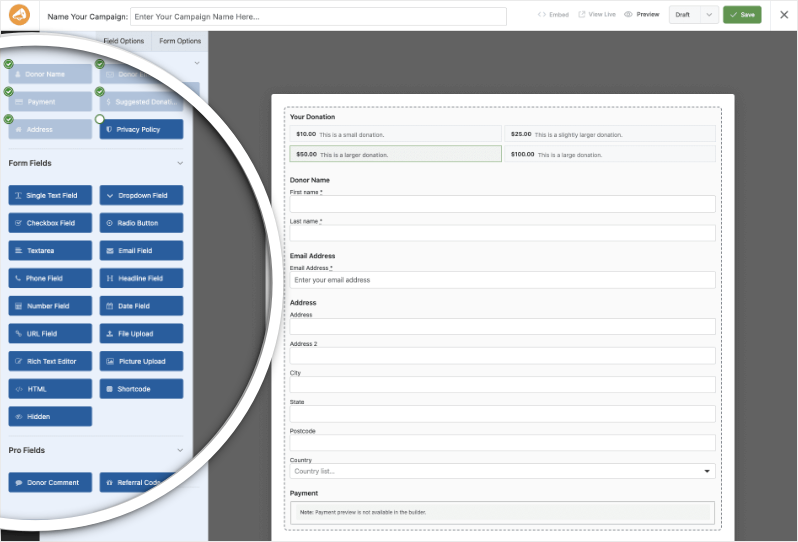
We finally made coding optional for those looking for a wide range of customizations. The introduction of our Visual Donation Form Builder was a massive step forward. This drag-and-drop editor allows you to design beautiful, custom donation forms with live previews, so you can see exactly what your donors will see. You can add fields, adjust layouts, and customize styling without writing a single line of code.
We didn’t stop there. We also rolled out a deep, native integration for WPBakery and Elementor. Now, you can build stunning campaign pages, donation forms, and campaign grids directly within the these visual editors and page builders. This integration includes four powerful new elements – Charitable Campaign, Donation Form, Campaigns Grid/List, and Donate Button – all with extensive customization and filtering options. This means you can create professional-grade fundraising pages that match your site’s design perfectly, all within a familiar drag-and-drop interface.
2. A Complete Donor Management Ecosystem
We moved beyond just collecting donations to provide a full-fledged Donor Management System. This centralized hub allows you to view donor history, manage profiles, and track interactions, giving you a 360-degree view of your supporters.
To empower donors and save you administrative time, we launched the self-service Donor Dashboard. This personalized portal lets donors log in, view their donation history, download receipts, manage their profiles, and even track the campaigns they support.
Migrating to Charitable became easier than ever with our new CSV Importer. You can now import donors from virtually any platform or spreadsheet in minutes, mapping your data to Charitable fields for a smooth transition.
3. Gamification & Social Proof
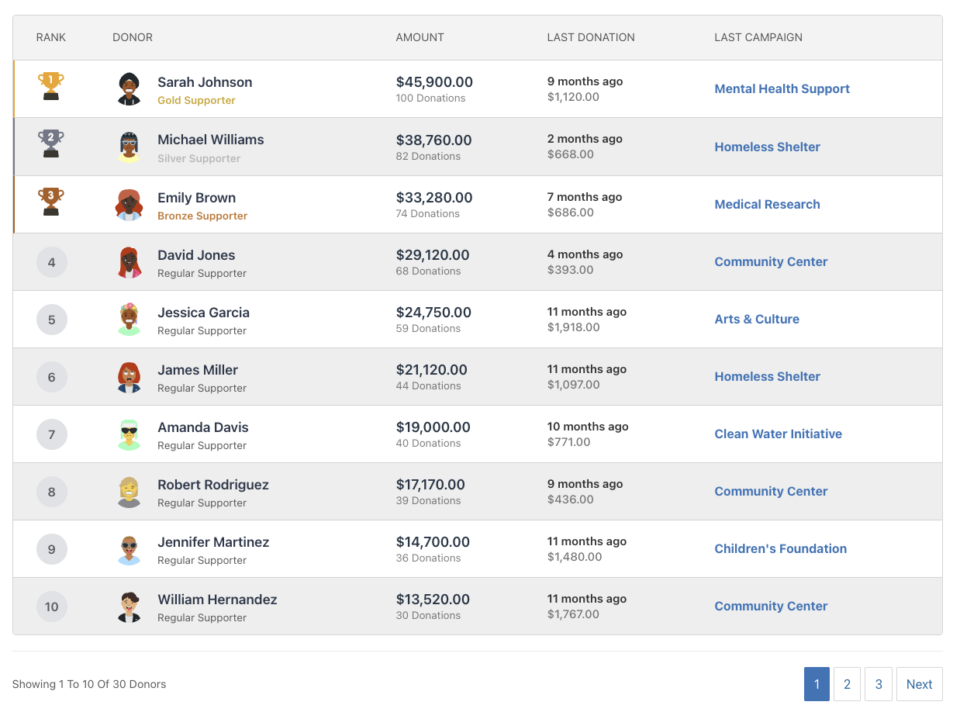
We introduced features to help you engage donors on a deeper level and leverage the power of community. The new Donor Leaderboard adds a fun, competitive element to your campaigns, allowing you to publicly recognize your top supporters and inspire others to give. You can display leaderboards in list or card views, filter by time frame, and even highlight top donors with special icons.
We also added DonorTrust, a feature that leverages social proof to increase donations. By displaying real-time notifications of recent donations on your website, you can build trust with visitors and encourage them to contribute.
More Milestones and Features
Beyond these major releases, we also:
- Hit 1 Million Downloads: The Charitable plugin officially crossed 1,000,000 downloads on the WordPress.org repo. This is a huge milestone that speaks to the trust the nonprofit community places in our tools.
- Built-in Square Payments: We integrated Square payments directly into Charitable, supporting Apple Pay and Google Pay for a modern, seamless donation experience.
- Google Analytics 4 Integration: We made it easy to connect your campaigns to Google Analytics 4, providing you with automatic tracking of donation button clicks, form views, and completed transactions.
- New Onboarding & User Experience: We launched a new “5-minute setup” onboarding wizard to help you get your first campaign running quickly, along with a refreshed dashboard and auto-color contrast for better accessibility.
- Hosted a Successful Giving Tuesday: Our “Ripple Effect” campaign for Giving Tuesday showcased 24 incredible charities and provided thousands of nonprofits with free resources, workshops, and a fundraising toolkit to help them succeed.
- Fortifying Your Fundraising: New Security Tools: We rolled out additional security enhancements to protect your campaigns without adding friction for real donors. We introduced a Global Minimum Donation setting to prevent low-dollar card testing attacks site-wide, along with Advanced Email Validation to block known spam patterns automatically. These tools work silently in the background, ensuring your donor data stays clean and your payment gateway stays happy.
- Professional-Grade Accounting Tools: To make your accountants happier, we introduced Sequential Ordering. This feature ensures your donation IDs follow a strict, unbroken numerical sequence (like #1001, #1002), rather than the random IDs WordPress assigns by default. This small but mighty update ensures your records meet strict financial compliance standards and makes auditing your donation history seamless.
A Strategy for 2026: Escaping the “Burnout Trap”
As Product Manager at Charitable, I spend a lot of time thinking about efficiency. But I know that for you – the nonprofit directors, the volunteer fundraisers, and the developers supporting them – efficiency isn’t just a buzzword; it’s survival.
In the nonprofit world, there is always more to do than there is time to do it. There is always a new social media trend to chase, a new grant to write, or a new website feature to tweak. Trying to do it all is a fast track to burnout.
In 2025, I relied heavily on a simple prioritization framework that I believe is critical for any fundraising team heading into the new year. It’s a four-quadrant grid: Impact (Y-axis) vs. Effort (X-axis).
If you want to try this out, here is how you can apply this to your organization:
- High Impact, Low Effort (The Quick Wins): Do these immediately. These are changes that take minutes but drastically improve results.
- Example: Enabling Apple Pay/Google Pay or even offline payments. It takes moments to set up but immediately reduces friction for donors.
- Example: Turning on the Donor Leaderboard to gamify your campaign.
- High Impact, High Effort (Major Projects): Schedule these. These are your game-changers that require focus.
- Example: Planning your Giving Tuesday strategy or migrating your offline donor database into our Donor Management System. (Note: We built the CSV Importer specifically to help move this task toward “Lower Effort”!)
- Low Impact, Low Effort (The Fill-ins): Batch these. Do them when you have low energy, but don’t let them steal your prime time.
- Example: Tweaking the background color of a button, donation receipt or organizing your media library.
- Low Impact, High Effort (The Traps): Eliminate these. This is where nonprofits lose the most time.
- Example: Manually sending individual receipts (automate this with our PDF Receipts).
- Example: Trying to code a complex donation form from scratch when you could use the Visual Builder to drag and drop it in minutes.
My goal for Charitable in 2026 is to help you move more of your “High Effort” tasks into the “Low Effort” column, so you can spend less time wrestling with technology and more time fueling your mission.
Looking Ahead: The “Human-First” AI Shift in 2026
If 2025 was the year we all experimented with AI, I believe 2026 will be the year we learn to govern it.
We’ve seen tools like ChatGPT and Gemini revolutionize content creation, but they’ve also introduced a new risk for nonprofits: “The Sea of Digital Sameness”. As generative AI remixes existing content from the web, there is a real danger of nonprofit messaging becoming homogenized – where every appeal letter sounds vaguely efficient but emotionally flat.
My prediction for 2026? The most successful nonprofits won’t be the ones using AI to write everything. They will be the ones adopting a “Human-First, AI-Forward” mindset.
- Escape the Echo Chamber: Use AI for the analytical heavy lifting – segmenting donors, optimizing send times, and drafting outlines. But keep the storytelling human. AI can analyze data, but it cannot feel the urgency of your mission or the gratitude for a donor’s gift.
- Out-Care the Machine: In an automated world, personal connection is your premium currency. The goal for 2026 isn’t to use AI to outsmart the competition; it’s to use it to free up your time so you can “out-care” them.
Gratitude!
None of this year’s success would be possible without the incredible support and hard work of the entire team at Awesome Motive. A special thank you goes to those on the Charitable team – Syed Balkhi and Melinda Bartley for their invaluable guidance and partnership in shaping the Charitable in 2025.
Finally, I want to express my deepest gratitude to my wife, Peta-Gaye. Working from home means the lines between work and life can often blur. She is the operational backbone of our family, managing the household and buying me the mental bandwidth to focus on my work. She might not be on the org chart, but this whole operation would collapse without her. I thank her for the unwavering love, support, and partnership.
As we look ahead to 2026, we at Charitable more committed than ever to building the best fundraising tools for nonprofits. Thank you for being part of the Charitable community and for the incredible work you do. Here’s to creating even more ripples of good in the year to come!
Note: The featured image for this post was not an actual image (I wish I looked that good!) but my experiment with Google Nana Banana Pro.





Leave a Reply