
PayUMoney est une passerelle de paiement permettant aux organisations à but non lucratif indiennes d'accepter des dons.
Installation
PayUMoney est disponible en tant qu'extension payante pour Charitable. Si vous ne l'avez pas encore achetée, cliquez ici pour voir les options de tarification.
Une fois que vous avez acheté le plugin, l'installation de Charitable PayUMoney est la même que l'installation de toute autre extension Charitable. Si vous n'êtes pas sûr de la manière de procéder, nous vous recommandons d'abord de lire notre guide d'installation des extensions Charitable.
Configuration
Après avoir installé et activé PayUMoney, il ne reste que quelques étapes pour commencer. Nous supposons que vous avez déjà créé un compte marchand chez PayUMoney.
- Allez dans Charitable > Paramètres.
- Cliquez sur l'onglet Passerelles de paiement .
- Vous verrez PayUMoney listé comme l'une des options de passerelle. Cliquez sur Activer la passerelle pour l'activer.
- Après le rechargement de la page, vous verrez un nouveau bouton appelé Paramètres de la passerelle. Cliquez dessus.
- Sur la page suivante, vous pouvez ajouter vos clés de licence, ainsi que définir le libellé de la passerelle (c'est ce que les donateurs verront lorsqu'ils choisiront leur méthode de paiement) :
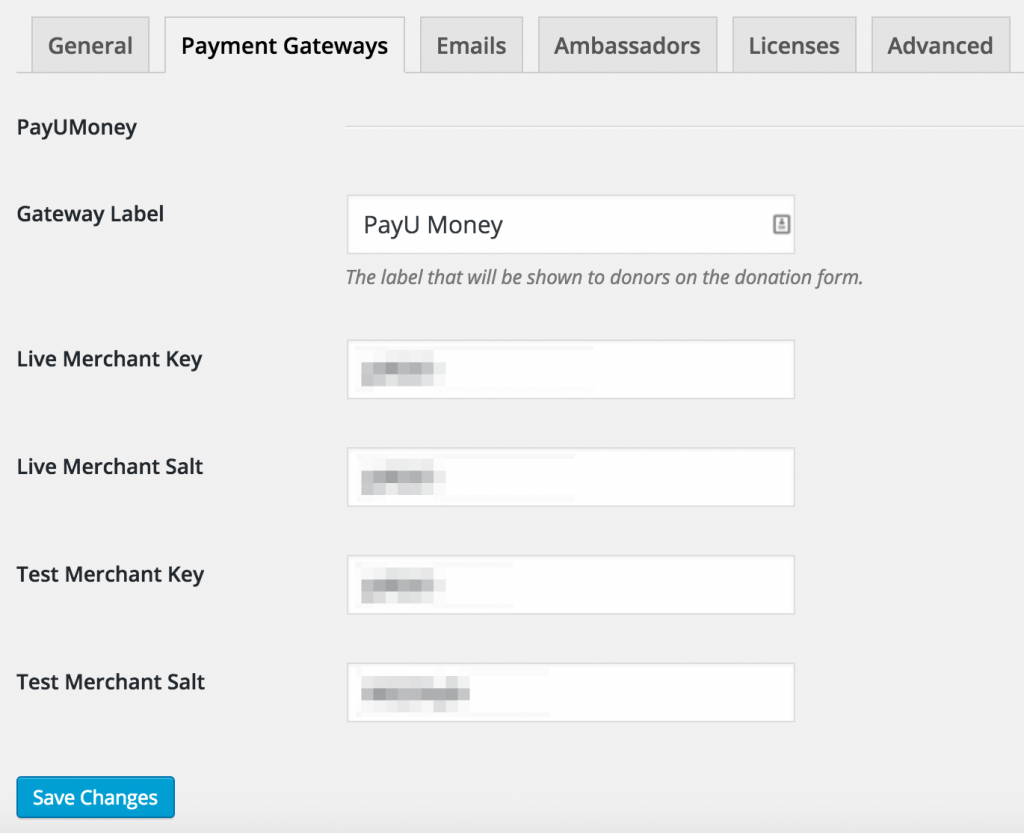
Paramètres de la passerelle PayUMoney dans Charitable - Lorsque vous avez terminé d'ajouter vos paramètres, cliquez sur Enregistrer les modifications.
Remarque : Pour utiliser PayUMoney, votre devise doit être définie sur la Roupie Indienne, car PayUMoney traitera tous les dons comme s'ils étaient en Roupies. Si votre devise n'est pas encore définie sur INR, vous serez invité à la modifier sur la page des paramètres.


