
Voy a ser sincero contigo, la IA me asustó al principio. Me surgían preguntas como: «¿Sonará robótico y ahuyentará a los donantes?» o «¿Tengo tiempo de aprender otra herramienta?».
Pero después de probarla en una docena de campañas, desde agradecimientos a donantes hasta borradores de subvenciones, la IA se convirtió en la ayudante silenciosa que redujo mi tiempo administrativo a la mitad. Se encarga del trabajo pesado para que tú dediques tu energía a lo que solo tú puedes hacer: contar tu historia con corazón y conectar uno a uno.
¿La verdad? La IA no reemplazará tu experiencia; la amplificará si la usas de forma inteligente.
No se requiere codificación, solo instrucciones sencillas con tus datos reales.
Recomendaría que cualquiera que empiece con la IA, lo haga a pequeña escala. Asegúrate de editar todo para que suene a tu voz, y verás cómo aumentan las tasas de apertura o mejoran las conversiones de los formularios.
He dedicado una cantidad significativa de tiempo a registrarme en herramientas de IA, probarlas y llevarlas al límite.
En esta guía, comparto mis 10 herramientas favoritas que hacen que la recaudación de fondos sea más rápida y fácil, sin exageraciones.
Comprender la IA: Lo que puede y no puede hacer
Antes de lanzarnos a las herramientas, aclaremos las fortalezas y límites reales de la IA. Esto te ayudará a usarla sin frustración ni pérdida de tiempo.
La IA destaca en el manejo rápido de tareas repetitivas. Redacta correos electrónicos a partir de datos de donantes, detecta patrones en hojas de cálculo o genera ideas de contenido en segundos. Esto puede significar generar agradecimientos personalizados para enviar a los donantes. O puede ser esquemas de campañas sin empezar de cero cada vez.
Aquí está el resumen:
📊 La IA analiza grandes cantidades de datos rápidamente. Aliméntala con tus exportaciones de donantes y detectará a los principales donantes o predecirá abandonos más rápido que una revisión manual. Tomarás decisiones más inteligentes sobre a quién contactar a continuación.
🧍🏼 Lo que la IA no puede hacer bien es reemplazar el juicio o la emoción humana. Carece de tu historia, de los matices del historial de donantes o de la pasión por la misión. Los resultados a menudo suenan genéricos o repiten frases hasta que los editas mucho.
⚠️ La IA a veces inventa hechos o pierde el contexto. Siempre verifica los hechos con tus informes reales. Se basa en patrones, no en una memoria perfecta, así que verifica fechas, cantidades o detalles específicos.
🎯 La IA necesita buenas instrucciones para brillar. Las preguntas vagas obtienen respuestas vagas. «Dame una carta de agradecimiento» no funciona bien simplemente porque la herramienta de IA no puede leer tu mente. Los detalles específicos dan mejores resultados, como «Escribe una carta de agradecimiento para un donante de un refugio de animales de 50 $, que donó el año pasado. Hazle saber que gracias a su donación, pudimos ayudar a 25 perros más. Invítale a apoyarnos de nuevo».
🤝 La IA funciona mejor como un asistente inteligente, no como un reemplazo. Acelera el trabajo preliminar para que te centres en el toque humano que genera lealtad. Empieza con expectativas claras y se convertirá en tu mejor ayudante.
El truco está en entender dónde la IA puede ayudar realmente y dónde no, al menos por ahora.
Para una comprensión más profunda, lee nuestra Guía Definitiva de IA para Organizaciones sin Ánimo de Lucro (Estrategias, Herramientas, Cursos Gratuitos)
¿Prefieres un vídeo a una lectura? Entonces visita nuestro canal de YouTube o mira aquí.👇🏼
Mira cómo las organizaciones sin ánimo de lucro y las organizaciones benéficas pueden empezar a usar la IA de forma práctica
Reseña de las mejores herramientas de IA para organizaciones sin ánimo de lucro
Estas herramientas resuelven los puntos débiles exactos que enfrenté en campañas reales: interminables correos electrónicos de donantes que llevaban horas, listas de donantes donde los patrones se escondían a simple vista y páginas de campaña que necesitaban ajustes constantes.
Te beneficias más del tiempo recuperado para lo que importa: construir relaciones, refinar tu mensaje y alcanzar esos objetivos ambiciosos. No más mirar pantallas en blanco u hojas de cálculo.
En cambio, la IA redacta el trabajo preliminar mientras tú añades el corazón en el que los donantes confían. Las campañas se lanzan más rápido, las subvenciones se consiguen más fácilmente y tu equipo se siente menos agotado.
Nota: Donde estén disponibles, he incluido enlaces directos a las páginas de descuentos para organizaciones sin ánimo de lucro de estas herramientas. Muchas ofrecen generosas ofertas como acceso Pro gratuito o grandes descuentos para organizaciones 501(c)(3) verificadas y equivalentes en todo el mundo. Estos ahorros te permiten desbloquear funciones premium para amplificar tu misión sin forzar tu presupuesto. Simplemente haz clic para solicitar y verificar tu elegibilidad. ¿Buscas ofertas exclusivas para organizaciones sin ánimo de lucro? Echa un vistazo a 👉🏼 Mejores ofertas, descuentos y software gratuito para organizaciones sin ánimo de lucro.
Asistentes Generales de IA 💬
1. ChatGPT
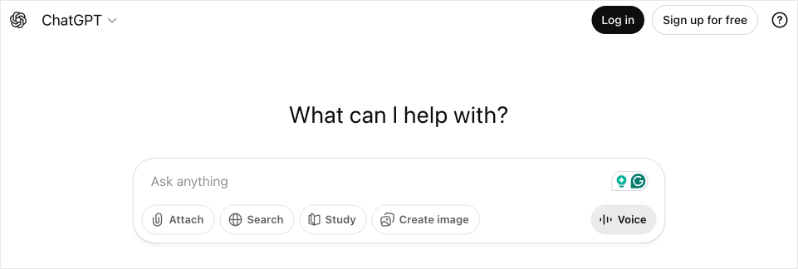
ChatGPT se convirtió en mi opción principal cuando me di cuenta de cuánto tiempo perdía en comunicaciones repetitivas con los donantes. El escenario que lo cambió todo: tenía que agradecer a 47 donantes después de una campaña, cada uno con diferentes historiales de donación y puntos de conexión. Lo que me habría llevado toda la tarde, me llevó unos 30 minutos.
Aquí tienes un ejemplo de cómo puedes usarlo: Pega los detalles de los donantes de las exportaciones de Charitable (nombre, importe de la donación, historial de donaciones, cualquier nota sobre su conexión con nuestra causa) y pídele que redacte un agradecimiento personalizado. La clave es ser específico. En lugar de "escribe un agradecimiento", diría "escribe un agradecimiento cálido para Sarah, que donó 250 € a nuestro banco de alimentos, su tercera donación este año, mencionando que es voluntaria los sábados".
El borrador que te da no es perfecto, pero está un 80% hecho. Tú añades tus toques personales, quizás un recuerdo específico de un evento o un detalle sobre el impacto, y de repente tienes comunicaciones genuinas saliendo en una fracción del tiempo.
El nivel gratuito maneja bien la mayoría de las tareas cotidianas. Si tu equipo colabora en la recaudación de fondos, ChatGPT Team por 25 $/usuario/mes te ofrece espacios de trabajo compartidos para que todos trabajen con las mismas indicaciones y estilos.
OpenAI ofrece descuentos para organizaciones sin ánimo de lucro. Consulta ChatGPT para organizaciones sin ánimo de lucro.
2. Claude.ai
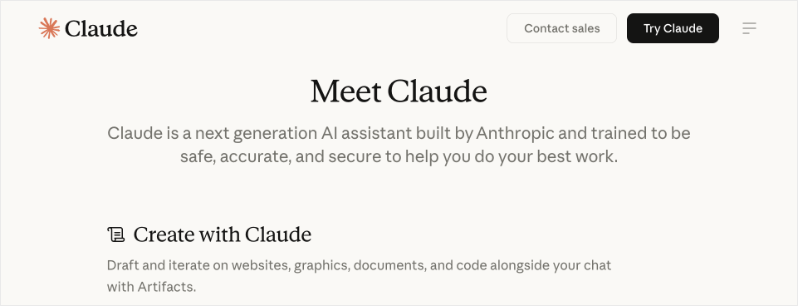
Claude se convirtió en mi arma secreta para escribir subvenciones. Otras herramientas de IA empezaban fuerte pero perdían el foco a mitad de una propuesta de 10 páginas. Claude mantiene el hilo.
Lo que puedes hacer: Sube la declaración de misión de tu organización, nuestro plan estratégico, subvenciones anteriores exitosas y las directrices del financiador específico. Luego pídele a Claude que te ayude a delinear la propuesta sección por sección. Lo recuerda todo: datos de resultados, preferencias de lenguaje, incluso cómo formulas tu teoría del cambio.
La mayor victoria fue tener publicaciones de blog sobre cada evento en muy poco tiempo. Simplemente le proporcioné los detalles que tenía y me dio un informe que pude editar y publicar rápidamente.
La versión gratuita maneja la mayor parte del trabajo de redacción de subvenciones. Pro por $20/mes vale la pena si presentas varias subvenciones al mes.
Ver Claude para organizaciones sin fines de lucro »
3. Google Gemini

Gemini brilla en el análisis de datos sin la molestia de fórmulas complejas. Exporta tus informes benéficos, cárgalos y haz preguntas directas. "¿Qué donantes dieron el diciembre pasado pero no este año?" "¿Quién tiene el potencial de ascender en nivel de donación?" "¿Cuál es nuestra donación promedio de las campañas de correo electrónico frente a las redes sociales?"
No reemplazará la generación de informes de un CRM adecuado, pero cubre el vacío cuando necesitas información rápida y no tienes tiempo para aprender tablas dinámicas.
El acceso gratuito cubre la mayoría de las necesidades de análisis. Gemini Advanced por $20/mes profundiza si trabajas con conjuntos de datos más grandes.
Google para organizaciones sin fines de lucro desbloquea acceso premium gratuito además de descuentos en Workspace, una decisión obvia si ya usas Gmail u Hojas de cálculo.
Ver Google Workspace para organizaciones sin fines de lucro con Gemini »
4. Perplexity.ai
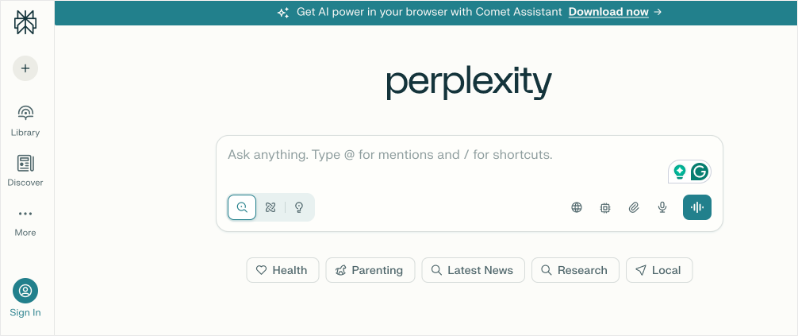
He usado Perplexity para una variedad de cosas. Para ser honesto, no prefiero el estilo de salida, pero funciona muy bien para la investigación de tendencias. Antes de escribir la narrativa de una subvención, pregunta sobre investigaciones o estadísticas actuales relacionadas con tu causa. Extrae estudios e informes recientes que puedes citar en las propuestas.
El plan gratuito ofrece búsquedas rápidas ilimitadas. Pro por $20/mes maneja consultas de investigación más complejas.
Las organizaciones sin fines de lucro obtienen descuentos - Consulta nuestro Perplexity para organizaciones sin fines de lucro »
De estas cuatro herramientas, recomendaría probarlas todas y ver cuál te conviene más. Los resultados de Claude me dan el mejor estilo y tono que necesito. Pero Gemini me da una salida más precisa. Así que después de meses de usar las cuatro, combino Claude y Gemini porque me funciona mejor.
Herramientas de IA para WordPress 🛠️
5. WPForms AI
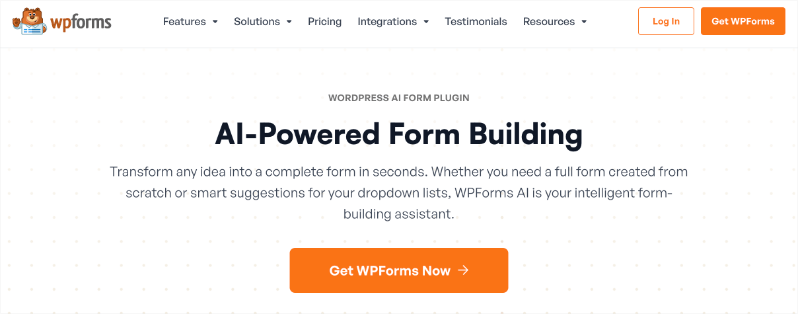
WPForms ha estado en cada sitio web que he construido durante años; más de 6 millones de usuarios no pueden estar equivocados. Pero el constructor de formularios con IA lo llevó a otro nivel.
Esto es lo que realmente sucede: describes lo que necesitas en lenguaje claro. Escribí "formulario de donación con opción de recurrencia mensual, campo de cantidad personalizada y un menú desplegable preguntando cómo se enteró el donante de nosotros". La IA construyó el formulario completo en segundos.
Lo que más me impresionó fue el manejo de la lógica condicional. Dije "mostrar una sección de tributo solo cuando la donación esté marcada como 'en honor a' o 'en memoria de'", algo que solía requerir una configuración manual cuidadosa. Las reglas se agregaron al instante.
Para equipos sin una persona técnica, esto elimina la barrera por completo. Describes lo que quieres, ajustas la vista previa y publicas. La garantía de devolución de dinero de 14 días significa que puedes probarlo en una campaña real sin ningún riesgo.
¡Las organizaciones sin fines de lucro obtienen un descuento! Saber más »
6. SeedProd AI
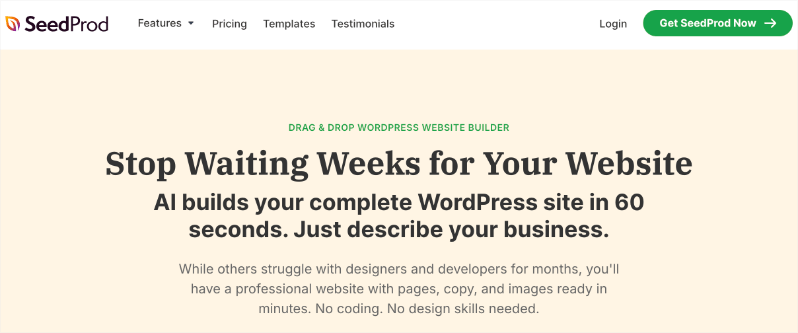
SeedProd soluciona el problema de la página en blanco para las páginas de destino de campañas. Lo he usado para páginas de Giving Tuesday, campañas de Black Friday, solicitudes de emergencia y registros de eventos.
Regístrate en el creador de sitios web de IA: solo tienes que introducir tu dirección de correo electrónico. Luego puedes introducir el título y la descripción de tu sitio. Puedes dejar que SeedProd elija los colores por ti. Luego generará un sitio web para ti.
Puedes ver el sitio o descargarlo como una plantilla de SeedProd.
El sitio web viene con las páginas estándar: inicio, acerca de, contacto, blog. También tiene imágenes de marcador de posición, contenido, llamadas a la acción como botones, opciones de donación, todo lo cual puedes editar rápidamente. (Para personalizarlo, necesitarás usar el plugin SeedProd Pro para eso)
Crea una base excelente que puedes usar como cimiento para tu sitio web.
La desventaja honesta: las funciones de IA están vinculadas a planes superiores y, si estás creando muchas páginas, agotarás los créditos. Presupuesta para eso.
Si aún no has creado tu sitio web sin fines de lucro, consulta nuestro tutorial paso a paso que es fácil de seguir para cualquiera: Cómo crear un sitio web de caridad sin fines de lucro usando WordPress (7 pasos fáciles) »
7. Divi AI
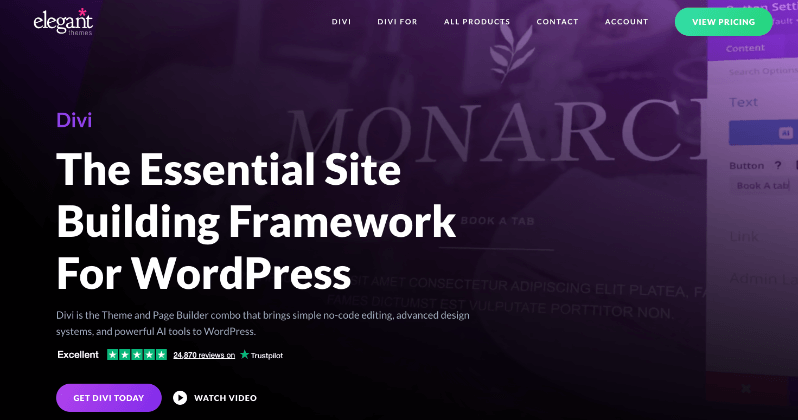
Si ya estás usando el tema Divi, añadir Divi AI se siente como mejorar tu kit de herramientas de la noche a la mañana.
Lo que lo diferencia: aprende del contenido existente de tu sitio. Cuando le pido que escriba un titular para una página de donaciones, extrae el lenguaje de mi organización, las palabras clave de la misión y el tono. Las sugerencias suenan como nosotros, no como un lenguaje de marketing genérico.
La edición de imágenes rivaliza con el trabajo básico de Photoshop. Puedes extender imágenes, eliminar fondos o ajustar elementos visuales sin abrir otra aplicación. Para organizaciones sin fines de lucro sin personal de diseño, esto es enorme.
La generación de código funciona muy bien para toques personalizados: pequeños ajustes de CSS para que los botones de donación destaquen o para ajustar los diseños móviles. Escribe código específicamente para el framework de Divi, por lo que realmente funciona.
Generaciones ilimitadas significan cero ansiedad por créditos durante las temporadas de campañas intensas.
8. Elementor AI
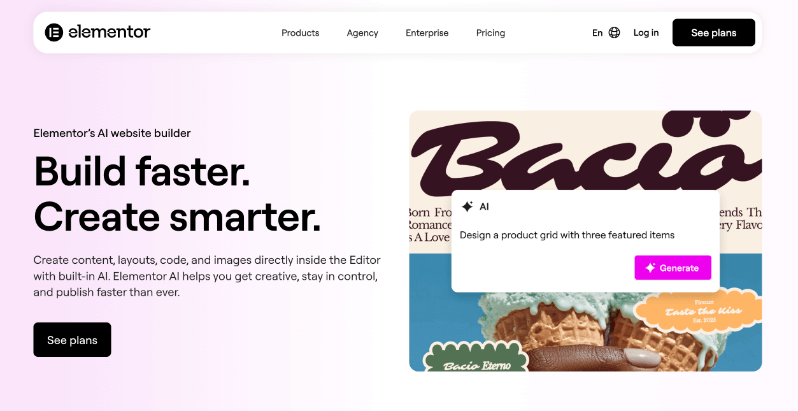
Elementor AI funciona directamente dentro del editor de Elementor, lo que significa que no hay cambio de contexto. ¿Estás creando tu página y necesitas un mejor texto para una sección? Resáltalo, pídele a la IA y las sugerencias aparecen allí mismo.
La función AI Context marcó una diferencia real. Le di ejemplos de nuestros titulares de correo electrónico y textos de páginas de donaciones de mejor rendimiento. Ahora sus sugerencias coinciden con nuestra voz en lugar de un lenguaje de marketing genérico.
Para necesidades de código personalizado, el Asistente de Código genera CSS o HTML con los selectores de Elementor correctos, un detalle que suena pequeño pero ahorra tiempo real de depuración.
Los créditos son generosos para un año de uso. Hay una prueba gratuita con cualquier sitio de Elementor, para que puedas probar antes de comprometerte.
Ver cómo Charitable se integra con Elementor »
9. AIOSEO AI
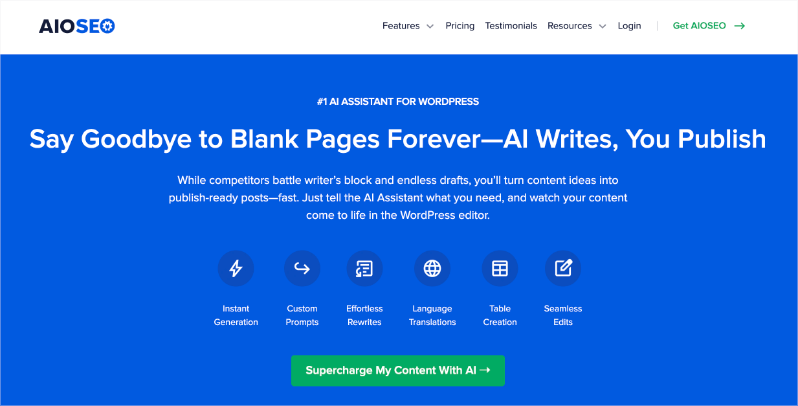
AIOSEO ha sido una constante en mis sitios de WordPress durante años: más de 100 millones de descargas hablan de lo esencial que es un buen SEO. El Asistente de IA en AIOSEO está diseñado específicamente para ayudar con la optimización de contenido SEO. Esto es lo que hace realmente:
Generador de Títulos y Descripciones con IA
- Genera títulos y meta descripciones optimizados con un solo clic
- Crea 5 sugerencias a la vez basadas en el contenido de tu página
- Utiliza IA para incorporar palabras clave relevantes de forma natural
- Te ahorra el tedioso trabajo de crear manualmente metaetiquetas para cada página
Herramientas de Contenido con IA
- Títulos de publicaciones: genera titulares optimizados para SEO
- Meta descripciones: escribe fragmentos atractivos para los resultados de búsqueda
- Títulos y descripciones para redes sociales: optimiza tu contenido Open Graph para compartir en Facebook, Twitter, etc.
El Generador de Títulos/Descripciones resuelve un cuello de botella real. Durante el lanzamiento de una campaña, creo varias páginas y publicaciones rápidamente. Detenerme a crear meta descripciones optimizadas para cada una rompe mi flujo. Ahora hago clic en un botón, obtengo cinco opciones, elijo la mejor y sigo adelante.
El Asistente de Enlaces encontró oportunidades que había pasado por alto durante años. Escaneó mi sitio e identificó más de 20 publicaciones de blog sin enlaces internos a sus páginas de donación. Las arreglamos en una tarde y esas publicaciones comenzaron a generar donaciones reales en lugar de solo tráfico.
Los fragmentos enriquecidos hacen que tus resultados de búsqueda destaquen con calificaciones, información de la organización o detalles de eventos: pequeñas ventajas que se suman con el tiempo.
Hay una garantía de devolución de dinero de 14 días que te permite probarlo sin riesgos.
¡Las organizaciones sin fines de lucro obtienen un descuento! Saber más »
Asistentes de Escritura con IA ✍️
10. Jasper.ai
Jasper se vuelve valioso cuando quieres producir contenido a escala: múltiples publicaciones de blog, secuencias de correo electrónico y cartas de apelación, todo funcionando simultáneamente.
Lo que hace bien: le das un resumen y genera borradores completos rápidamente. Para una serie de correos electrónicos de recaudación de fondos, proporcioné el objetivo de la campaña, los puntos clave y los detalles de la audiencia. Produjo cinco correos electrónicos en la secuencia que luego pude editar y personalizar.
Los controles de tono ayudan a mantener la profesionalidad sin dejar de sonar humano. Las sugerencias de SEO integradas en el proceso de escritura significan que tus publicaciones de blog tienen una mejor oportunidad de clasificarse.
No es barato, pero la prueba gratuita de 7 días te permite probarlo en un proyecto real. Lo mejor para organizaciones que producen contenido constante y necesitan moverse más rápido.
11. Grammarly AI
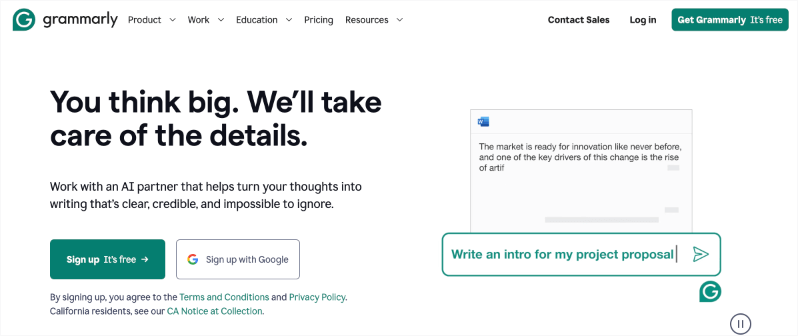
Grammarly hace algo que ninguna de las otras herramientas logra del todo: hace que el contenido generado por IA suene humano.
Puedes redactar comunicaciones para donantes con ChatGPT o Claude, y luego pasarlas por Grammarly. Detecta los signos sutiles de escritura de IA: frases repetidas, transiciones torpes, lenguaje demasiado formal, y sugiere alternativas naturales.
Más allá de la edición de IA, mejora todo lo que escribes. Las sugerencias de tono de correo electrónico te ayudan a encontrar el equilibrio adecuado entre profesionalidad y calidez. Detecta errores que te hacen parecer descuidado.
La versión gratuita cubre la mayoría de las necesidades. Premium por 12 $/mes añade sugerencias más avanzadas.
Planificación y Organización 📊
12. Notion AI

Notion se convirtió en nuestro centro de mando de campañas, y las funciones de IA lo hicieron más inteligente.
Todo vive en un solo lugar: notas de donantes, cronogramas de campañas, fechas límite de subvenciones, horarios de voluntarios y notas de reuniones. Cuando necesitas resumir una larga reunión de junta para tu boletín, la IA lo hace en segundos. Cuando te preparas para una llamada con un donante, reúne todo lo que sabes sobre esa persona en todas tus notas.
Las funciones de exportación funcionan limpiamente con WordPress, por lo que los planes de campaña se trasladan sin problemas a la ejecución.
El plan gratuito funciona para equipos pequeños. El plan Plus por 10 $/usuario/mes añade funciones de IA y más almacenamiento.
Chatbots 🤖
13. HelpJet
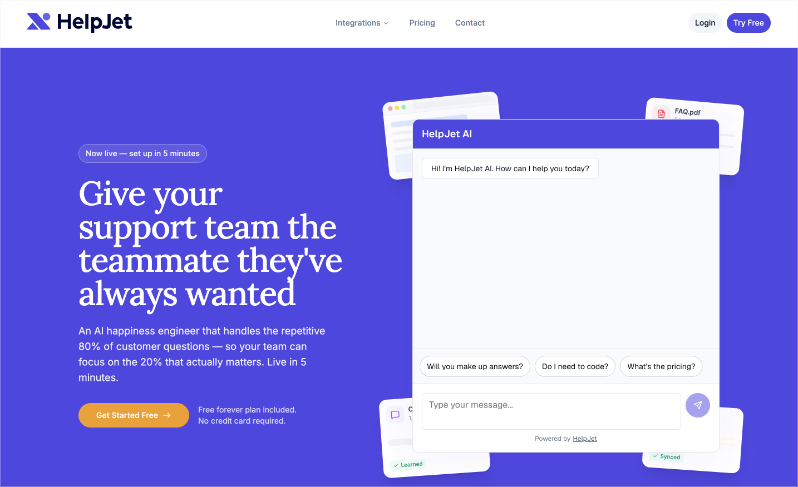
HelpJet es un plugin de soporte de IA, y para las organizaciones sin fines de lucro, esto importa mucho. Tu personal y voluntarios probablemente están al límite. Cuando los donantes, simpatizantes o voluntarios llegan a tu sitio con preguntas sobre tus programas, el proceso de donación o próximos eventos, HelpJet interviene y maneja la conversación al instante, a cualquier hora del día.
La configuración tarda unos cinco minutos. Simplemente apunta HelpJet a tu documentación existente: PDFs, artículos de ayuda, tu sitio web, y lo absorbe todo. A partir de ese momento, puede responder preguntas sobre tu organización con precisión real, no con respuestas genéricas de chatbot.
Lo que lo hace destacar es cómo maneja los matices. Lee entre líneas, capta la urgencia y responde con empatía genuina, haciendo que se sienta mucho menos como un bot y más como un miembro del equipo conocedor. Cuando una pregunta es demasiado compleja o sensible para la automatización, la escala limpiamente a un humano.
También se vuelve más inteligente con el tiempo. Cada conversación que tiene y cada actualización que haces a tus materiales se retroalimentan automáticamente en su base de conocimiento.
Para las organizaciones sin fines de lucro que reciben las mismas cinco preguntas de donantes cada semana, HelpJet maneja silenciosamente toda esa carga de trabajo, liberando a tu equipo para que se concentre en las conversaciones que realmente requieren un toque humano.
14. LiveChat AI
LiveChat funciona de manera similar a Tidio pero con una integración más sólida en los flujos de trabajo de CRM. Durante nuestra última campaña, manejó docenas de preguntas en tiempo real sobre donaciones coincidentes y donaciones recurrentes mientras nuestro pequeño equipo se concentraba en llamadas con donantes importantes.
El análisis de conversaciones te ayuda a comprender qué preguntas tiene la gente, información que mejora la copia de tu sitio web y las preguntas frecuentes con el tiempo.
La prueba gratuita de 14 días te permite probarlo durante una campaña.
Empezar
Cada herramienta empieza siendo gratuita o de bajo coste y se integra en tu flujo de trabajo de WordPress existente. Mi consejo: elige la que aborde tu mayor pérdida de tiempo en este momento.
- ¿Ahogado en comunicaciones con donantes? Empieza con ChatGPT.
- ¿Atascado en propuestas de subvención? Prueba Claude.
- ¿Necesitas páginas de donación mejores y rápidas? Prueba WPForms AI o SeedProd.
- ¿Faltan información en tus datos? Sube a Gemini.
Empieza con una herramienta esta semana. Una vez que veas que recuperas horas en tu horario, encontrarás la combinación adecuada para tu organización.
¿Preguntas frecuentes sobre herramientas de IA para organizaciones sin fines de lucro❓
¿La IA reemplaza a mi equipo de la organización sin fines de lucro?
No, la IA se encarga de tareas repetitivas como redactar correos electrónicos o analizar datos para que tu equipo se centre en las relaciones y la estrategia. Amplifica lo que haces mejor, como compartir tu historia de misión en la que los donantes confían.
¿Los datos de las organizaciones sin fines de lucro están seguros con estas herramientas?
Sí, cuando se usan correctamente. Exporta resúmenes de Charitable sin detalles completos de los donantes. Elimina chats en herramientas gratuitas y anonimiza la información primero. La mayoría cumple con los estándares de privacidad.
¿Cuánto tiempo me ahorrará la IA semanalmente?
Los equipos ahorran entre 10 y 20 horas en correos electrónicos, formularios y contenido después de una breve curva de aprendizaje. Empieza con una herramienta como ChatGPT para notas de donantes y haz un seguimiento de tus propios resultados.
¿Necesito habilidades tecnológicas para usarlas?
En absoluto. Funcionan como hablar con un ayudante. Describe lo que necesitas en palabras sencillas, edita el resultado y listo. Los cursos gratuitos enseñan a crear indicaciones en menos de una hora.
¿Los donantes detectarán la IA en mis correos electrónicos o páginas?
No si editas bien. Añade tus historias reales, lee en voz alta y pásalo por Grammarly. El toque humano marca la diferencia con la que los donantes conectan.
¿Qué herramienta debería probar primero?
El nivel gratuito de ChatGPT para obtener victorias rápidas en correos electrónicos o apelaciones.
Eso es todo. Espero que esta guía te haya sido útil. También puedes consultar nuestras otras guías 30+ formas probadas de recaudar dinero en línea para tu organización benéfica sin fines de lucro y Por qué la recaudación de fondos basada en datos supera a la intuición en todo momento (+ cómo rastrear datos).
¿Aún no usas Charitable Pro?
Obtén herramientas potentes para recaudar fondos en línea con facilidad. No necesitas codificación ni desarrollador. Es tan fácil de configurar que puedes hacerlo tú mismo. Tendrás acceso a funciones como:
- Formularios personalizables
- Plantillas + Constructor Visual
- Gestión de Donaciones
- Informes listos para usar
- Recibos en PDF
- Correos Electrónicos Personalizados
- Panel del Donante
- Comentarios y Tablas de clasificación
- Donaciones recurrentes
- Alivio de comisiones
- Integraciones de correo electrónico
- Peer-to-Peer y Crowdfunding
… ¡y mucho más! ¿Listo para probar Charitable Pro?
Regístrate hoy y obtén hasta un 50% de descuento en tu plan. Estamos seguros de que te encantará recaudar fondos con Charitable. Si por alguna razón Charitable no es la opción adecuada para ti, te reembolsaremos tu compra con nuestra garantía de devolución de dinero de 14 días.
¡Charitable tiene más de 1 millón de descargas!
Confiado por millones para impulsar campañas de recaudación de fondos exitosas. Prueba Charitable sin riesgos hoy mismo.
✅ Garantía de devolución de dinero en 14 días
✅ Precios transparentes
✅ Configuración sin código
¿Usas otra plataforma y quieres migrar a Charitable? Sigue nuestra guía aquí »
Mantente conectado para más recursos para organizaciones sin fines de lucro
Para más tutoriales y vídeos adaptados a organizaciones sin fines de lucro, suscríbete a nuestro canal de YouTube. Publicamos regularmente consejos de expertos, guías paso a paso sobre donaciones en línea, estrategias de recaudación de fondos y recursos prácticos para ayudar a tu organización a tener éxito.
🗞️ Recibe consejos semanales y guías exclusivas en tu bandeja de entrada
Únete a nuestro boletín →
🎥 Mira tutoriales paso a paso e historias de éxito
Suscríbete a nuestro canal de YouTube →
👩🏽💻 Conecta con nuestra comunidad y obtén información diaria sobre organizaciones sin fines de lucro
Síguenos en LinkedIn →
🥳 Reels divertidos e información sobre organizaciones sin fines de lucro
Síguenos en Instagram →
👀 Vídeos interesantes y divertidos para ayudarte a hacer crecer tu causa
Síguenos en TikTok→
🌎 Suscríbete y sigue para recibir consejos generales de recaudación de fondos
Obtén consejos de recaudación de fondos en TikTok →
Potentes recursos de recaudación de fondos
⬇️ Descarga estrategias probadas, ideas de campañas y herramientas de expertos
Obtén el Kit de Recaudación de Fondos →
💸 Obtén recursos gratuitos de recaudación de fondos
Ve al Centro de Recaudación de Fondos de Charitable →
¿Tienes preguntas sobre Charitable?
Preguntas frecuentes de Charitable →
🏎️ Prueba Charitable
Crea tu demostración de Charitable →
Comprende la terminología y la jerga de las organizaciones sin fines de lucro
Glosario de organizaciones sin fines de lucro→
% ¿Buscas ofertas y descuentos para organizaciones sin fines de lucro?
Las mejores ofertas y descuentos para organizaciones sin fines de lucro →
Tus comentarios hacen que Charitable avance. Gracias por ser parte de la comunidad Charitable. ¡Estamos emocionados de seguir construyendo mejores herramientas contigo!





Deja una respuesta