
PayUMoney ist ein Zahlungs-Gateway für indische Non-Profit-Organisationen, um Spenden anzunehmen.
Installation
PayUMoney ist als kostenpflichtige Erweiterung für Charitable erhältlich. Wenn Sie diese noch nicht erworben haben, klicken Sie hier, um die Preisoptionen anzuzeigen.
Sobald Sie das Plugin erworben haben, ist die Installation von Charitable PayUMoney dieselbe wie die Installation jeder anderen Charitable-Erweiterung. Wenn Sie sich nicht sicher sind, wie das geht, empfehlen wir Ihnen, zuerst unseren Leitfaden zur Installation von Charitable-Erweiterungen zu lesen.
Einrichtung
Nachdem Sie PayUMoney installiert und aktiviert haben, sind nur noch wenige Schritte erforderlich, um loszulegen. Wir gehen davon aus, dass Sie bereits ein Händlerkonto bei PayUMoney erstellt haben.
- Gehen Sie zu Charitable > Einstellungen.
- Klicken Sie auf den Tab Zahlungs-Gateways.
- Sie sehen PayUMoney als eine der Gateway-Optionen aufgeführt. Klicken Sie auf Gateway aktivieren, um es zu aktivieren.
- Nachdem die Seite neu geladen wurde, sehen Sie eine neue Schaltfläche namens Gateway-Einstellungen. Klicken Sie darauf.
- Auf der folgenden Seite können Sie Ihre Lizenzschlüssel hinzufügen sowie die Gateway-Bezeichnung festlegen (dies ist das, was Spender sehen, wenn sie ihre Zahlungsmethode auswählen):
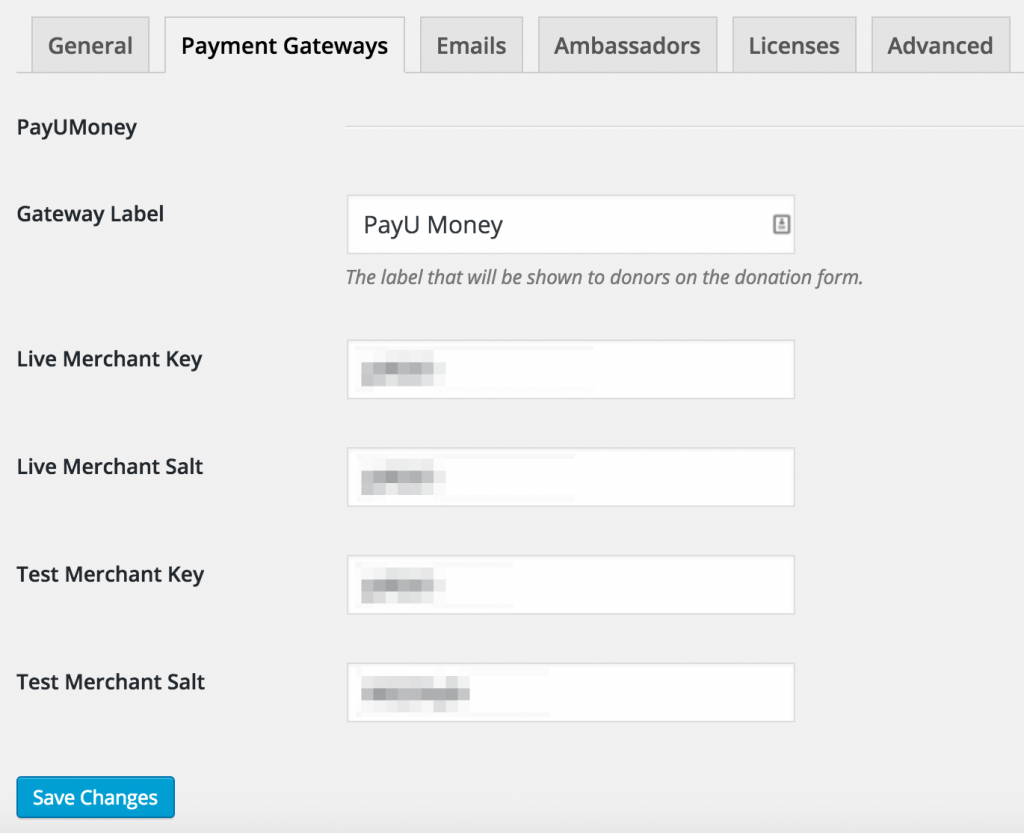
PayUMoney-Gateway-Einstellungen in Charitable - Wenn Sie Ihre Einstellungen vorgenommen haben, klicken Sie auf Änderungen speichern.
Hinweis: Um PayUMoney nutzen zu können, muss Ihre Währung auf Indische Rupien eingestellt sein, da PayUMoney alle Spenden so behandelt, als wären sie in Rupien. Wenn Ihre Währung noch nicht auf INR eingestellt ist, werden Sie aufgefordert, dies auf der Einstellungsseite zu ändern.


