
Ya sea que administre su propia organización benéfica o recaude fondos para una que apoye, crear un sitio web multilingüe de donaciones benéficas puede ayudarlo a ampliar su alcance a clientes potenciales en todo el mundo. Sin mencionar que es una excelente manera de construir una plataforma donde donantes, patrocinadores y voluntarios puedan obtener información y colaborar entre sí.
Además de mejorar la experiencia del usuario, un sitio web multilingüe de donaciones benéficas también puede ayudarlo a mejorar la visibilidad en línea de su organización benéfica. Teniendo esto en cuenta, en este artículo, explicaremos cómo puede configurar y configurar un sitio web multilingüe de donaciones benéficas utilizando dos complementos: Weglot y Charitable.
Por qué la localización de idiomas es importante para los sitios web de caridad
El beneficio clave de crear un sitio web multilingüe de donaciones benéficas es que le permite aumentar el alcance de su organización benéfica. Como resultado, puede generar efectivamente una mayor conciencia para su organización benéfica o causa.
Además de esto, también vale la pena mencionar que un sitio multilingüe facilita que más personas en todo el mundo conozcan su causa. De hecho, de los 7.5 mil millones de habitantes del mundo, solo 1.5 mil millones (casi el 20%) hablan inglés. De estos, solo 360 millones hablan inglés como su primer idioma.
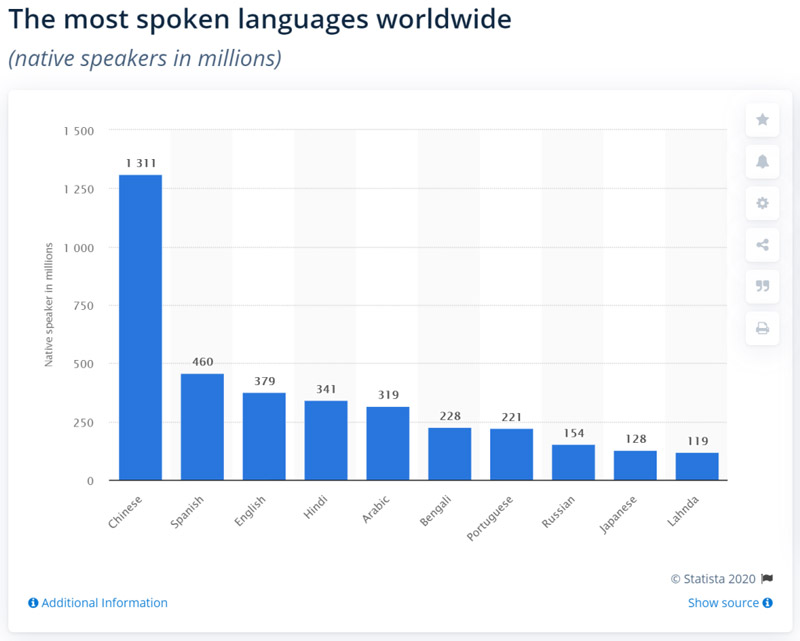
Cuando traduce el contenido del sitio de su organización benéfica a varios idiomas, facilita que los donantes y patrocinadores existentes participen en eventos y actividades y permite que los nuevos donantes potenciales aprendan más sobre su causa.
Además de esto, las personas que buscan organizaciones benéficas en su idioma nativo a través de los motores de búsqueda también podrán encontrar su sitio web de donaciones benéficas. Esta es una excelente manera de aumentar la visibilidad en los motores de búsqueda.
Por supuesto, es importante asegurarse de traducir el contenido de su sitio web al idioma no inglés correcto. El mejor lugar para comenzar es analizando su tráfico existente. Por ejemplo, si recibe mucho tráfico de América del Sur, podría considerar ofrecer traducciones al español y al portugués.
Cómo crear un sitio web multilingüe de donaciones benéficas
Weglot es un complemento de traducción de WordPress que le permite crear un sitio web multilingüe traduciendo todo su contenido a varios idiomas. Esto incluye el contenido generado por cualquier tema, complemento o complemento de WordPress que esté utilizando en su sitio web, incluidos los complementos de formularios.
Weglot se integra perfectamente con el complemento Charitable, lo que facilita la creación de un sitio web multilingüe de donaciones benéficas. Viene con un conmutador de idioma incorporado que permite a los visitantes elegir entre los diferentes idiomas que decida ofrecer.
Weglot utiliza la traducción automática para traducir el contenido de su sitio a 108 idiomas diferentes. Además de esto, le permite administrar manualmente sus traducciones directamente desde el panel de Weglot.
Esto es lo que necesita hacer para crear un sitio web multilingüe de donaciones benéficas:
Paso n.º 1: Instale el complemento Charitable
La forma más sencilla de instalar el plugin Charitable es a través del panel de WordPress. Inicia sesión en tu sitio web y dirígete a Plugins > Añadir nuevo. A continuación, escribe Charitable en la barra de búsqueda.
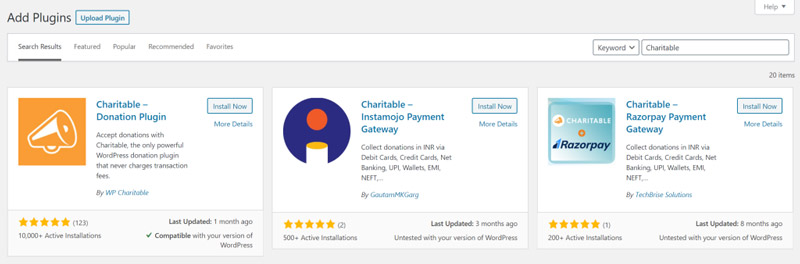
Deberías ver Charitable – Donations Plugin en los resultados de la búsqueda. Haz clic en el botón Instalar ahora para continuar. Una vez que hayas instalado el plugin, deberás activarlo. Haz clic en el botón Activar una vez completada la instalación.
El plugin Charitable te permite aceptar donaciones (a través de PayPal y métodos de pago sin conexión) para el sitio web de tu organización benéfica. Una vez que tengas configurado el plugin, puedes crear una nueva campaña, añadir un objetivo de recaudación de fondos y establecer importes de donación sugeridos. El plugin Charitable también te permite gestionar las donaciones directamente desde tu sitio web de WordPress.
Paso #2: Configurar el plugin Weglot y elegir idiomas
Ahora que has instalado y activado correctamente el plugin Charitable, veremos cómo puedes configurar el plugin Weglot y los idiomas que deseas ofrecer a los visitantes del sitio.
Lo primero que debes hacer es instalar el plugin Weglot en tu sitio web de WordPress y activarlo. Una vez hecho esto, regístrate en una cuenta de Weglot. Obtendrás una clave API que conecta tu sitio de WordPress con el servicio Weglot.
A continuación, navega a la sección Weglot desde el menú lateral y configura los siguientes ajustes en la pantalla de Configuración principal.
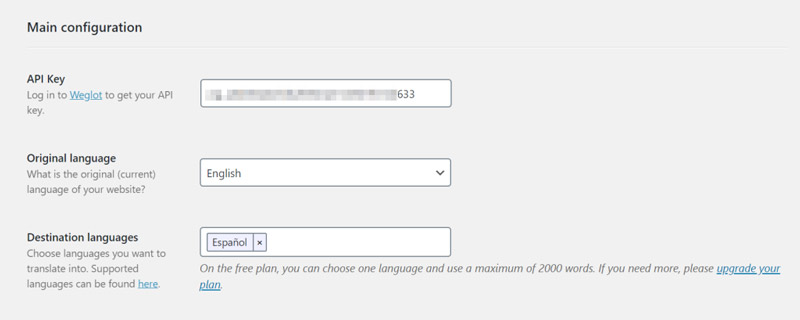
- Copia y pega la clave API que recibiste en el cuadro de texto Clave API.
- Selecciona el Idioma original de tu sitio web benéfico. Este es el idioma en el que publicas el contenido originalmente, por ejemplo, inglés.
- Elige los idiomas a los que deseas traducir el contenido de tu sitio web en la sección Idiomas de destino. Aquí tienes una lista completa de idiomas disponibles para elegir.
Cuando hayas terminado, haz clic en el botón Guardar cambios en la parte inferior de la pantalla para continuar. Weglot traducirá automáticamente todo el contenido de tu sitio web, incluido el contenido generado por temas y plugins, a tus idiomas de destino elegidos.
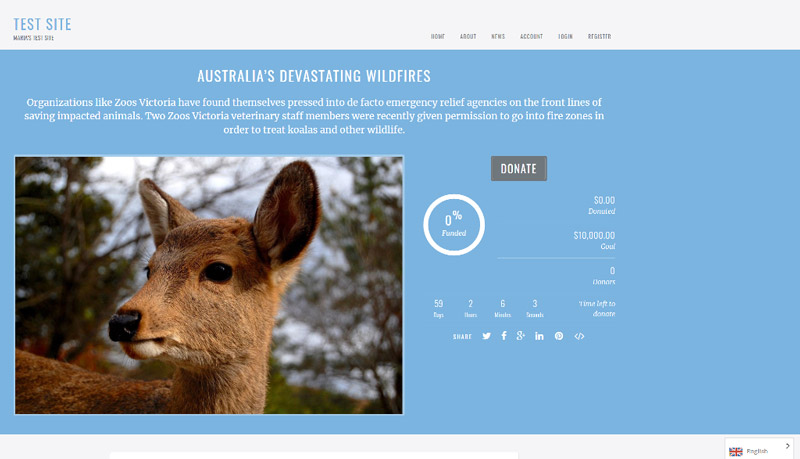
Además de esto, se añadirá un selector de idioma en la esquina inferior derecha del front-end de tu sitio web benéfico. Los visitantes de tu sitio pueden usar el selector de idioma para elegir su idioma preferido (o nativo).
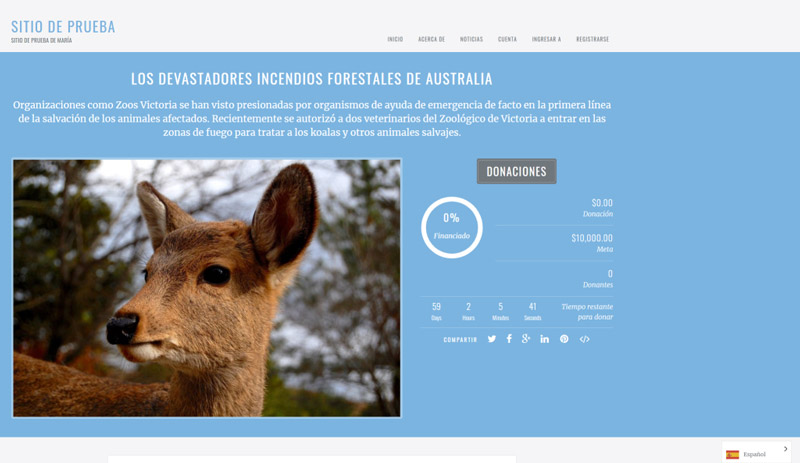
Paso #3: Refinar traducciones
Weglot traduce automáticamente todo tu sitio web a los idiomas de destino seleccionados una vez que lo configuras. Sin embargo, también te permite cambiar manualmente las traducciones generadas automáticamente de dos maneras diferentes: utilizando el editor de listas o el editor visual.
Puedes acceder al editor de listas iniciando sesión en tu panel de Weglot y dirigiéndote a la pestaña Traducciones. Debería verse algo así:
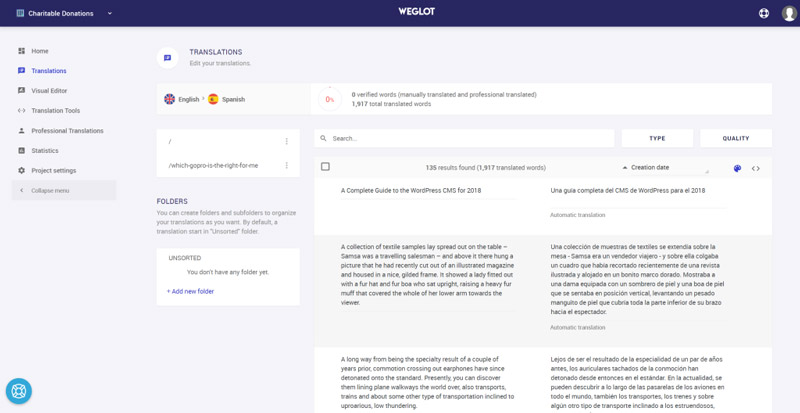
El editor de listas te ofrece una vista lado a lado del contenido original de tu sitio junto con el contenido traducido. Puedes modificar una traducción manualmente haciendo clic y escribiendo o puedes usar un servicio de traducción profesional de terceros para que lo haga por ti.
Alternativamente, puede usar el editor visual de Weglot navegando a la pestaña Editor visual. Esto le mostrará una vista previa en vivo del front-end de su sitio web.
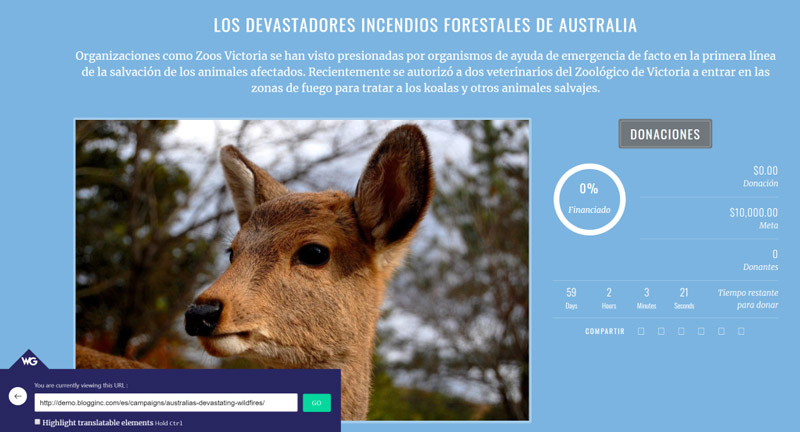
Puede traducir cualquier contenido pasando el cursor sobre él y haciendo clic en el icono del lápiz. Hacer clic en el icono del lápiz verde abre una ventana emergente que le permite cambiar la traducción.
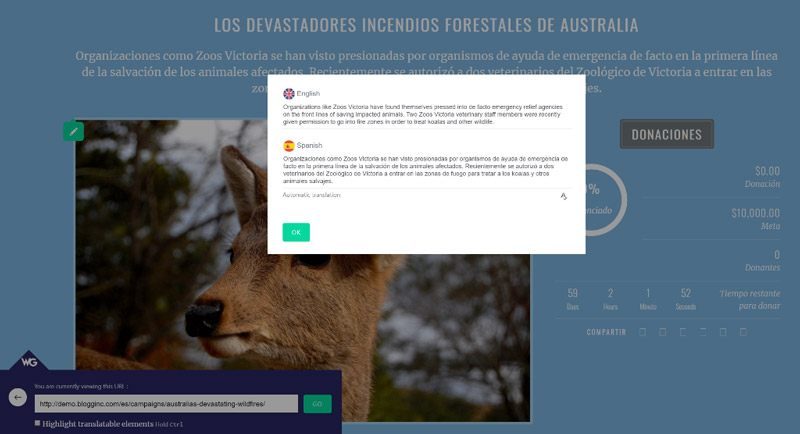
Independientemente del método de traducción que elija, todas sus traducciones se sincronizarán automáticamente con su sitio web de WordPress de donaciones benéficas multilingüe.
Paso #4: Personalizar el selector de idiomas del front-end
Una vez que active el plugin de WordPress Weglot, se agregará automáticamente un selector de idiomas flotante en la esquina inferior derecha de su sitio web. También tiene la opción de cambiar su ubicación eligiendo una de las cuatro opciones de colocación que ofrece Weglot:
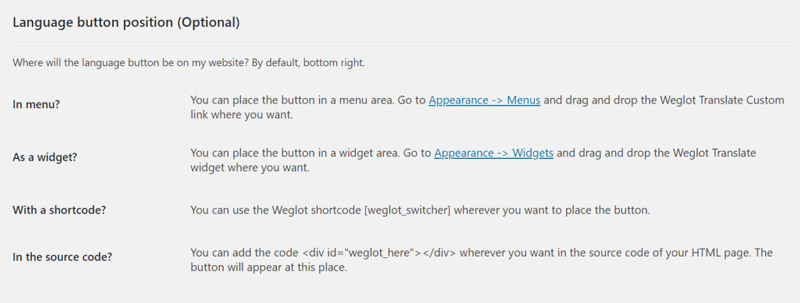
- Como elemento de menú (en su navegación principal)
- En el código fuente de su sitio web
- Como un widget en un área de widgets
- En un shortcode en su sitio web
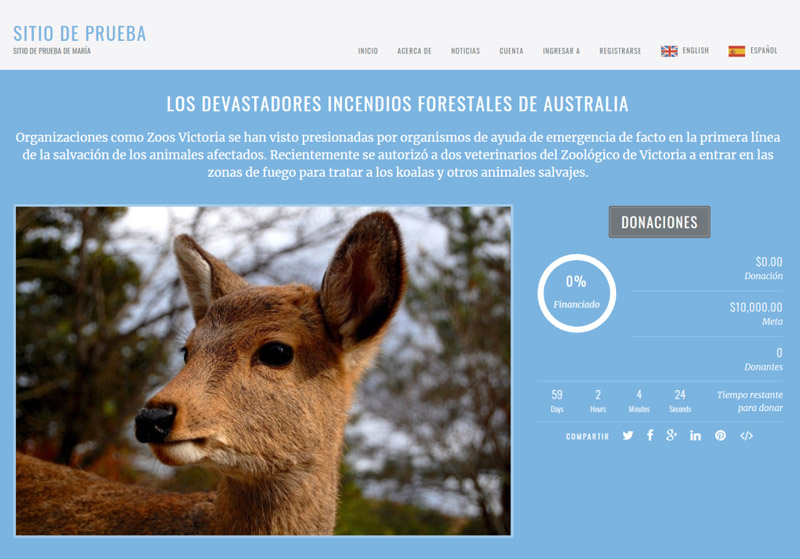
Por ejemplo, así es como aparecerá el selector de idiomas si lo mueve al menú de navegación de su sitio web.
Conclusión
Tener un sitio web de caridad multilingüe es una excelente manera de conectarse con posibles donantes, asegurar nuevos patrocinadores y crear conciencia sobre su causa. Además de esto, también mejora la experiencia del usuario de su sitio, ya que las personas pueden optar por leer su contenido e interactuar con su sitio web en su idioma preferido.
Usando el plugin Charitable para WordPress junto con Weglot, puede comenzar en la dirección correcta. Charitable le permite crear un sitio web de caridad y el plugin Weglot traduce automáticamente su contenido (incluido el contenido generado por temas y plugins).
¿Qué idiomas ofrecerá en su sitio web de donaciones benéficas multilingüe? Háganos saber comentando a continuación.
Sobre la autora: Elizabeth Pokorny es la Gerente de Contenido en Weglot.





Deja una respuesta