Charitable Documentation

Search results for: “Newsletter Connect”

  • Charitable Newsletter Connect

    With Charitable Newsletter Connect, your donors can opt-in to join your newsletter when they make their donation. Compatible with MailChimp, Campaign Monitor, MailerLite, Mailster and MailPoet (including MailPoet 3). Installation Installing Charitable Newsletter Connect is the same as installing any other Charitable extension. If you’re not sure how to do that, we recommend first reading our guide…

  • How to Connect to Brevo in Charitable Newsletters

    Connect Charitable to Brevo (formerly Sendinblue) so donors who opt in on your donation forms are added to your Brevo contact list automatically, with their details mapped to Brevo contact attributes. Available in the Charitable Newsletter Connect extension, version 2.4.0 and later. Key Features You Should Know About Why Use Brevo? Every donation is a chance to…

  • Automation Connect 1.x (Legacy Webhook Subscriptions)

    This page is for sites still running Automation Connect 1.x. Version 2.0 (May 2026) replaced webhook subscriptions with automations you build in the Visual Automation Builder. If you are on 2.0 or later, start with Getting Started with Automation Connect instead. To see which version you have, go to Plugins in your WordPress dashboard and…

  • Automation Connect: Visual Automation Builder

    Do you want to see exactly what an automation will do before it runs? The Visual Automation Builder gives you a full-screen canvas where every automation is laid out as connected cards, so you can build a complete flow without writing any code. Available in Pro plans and higher (Pro plugin), with Charitable Automation Connect…

  • Automation Connect 2.0

    Using Automation Connect 2.3 or later? Automations are now built in the Visual Automation Builder, and 2.5 adds recipes, Post to Slack, and automation health. Automation Connect turns every donation, campaign event, or form submission into a real-time trigger that sends data to any app or service via webhooks. Connect Charitable with Zapier, Make.com, Slack,…

  • How to Connect your Square Test Account in Charitable

    Testing your Square payment gateway before going live ensures donations work smoothly when you launch. This guide walks you through connecting your Square sandbox (test) account to Charitable. Prerequisites Before you begin, make sure you have: In this Guide Quick answers I clicked “Connect to Square (Sandbox)” and got a blank white screen. What happened?…

  • Getting Started with Automation Connect

    Charitable Automation Connect lets you automate what happens after someone gives: thank-you emails, donor tags and notes, Slack alerts, and sending donation data to Zapier, Make.com, n8n, HubSpot, and thousands of other apps. Available in Pro plans and higher (Pro plugin), with Charitable Pro 1.8.13 or later. This guide covers Automation Connect 2.5. Still on…

  • Charitable Ambassadors

    Installation Installing Charitable Ambassadors is the same as installing any other Charitable extension. If you’re not sure how to do that, we recommend first reading our guide to installing Charitable extensions. Setup Once you have Charitable Ambassadors installed and activated, there are a few final steps required before your supporters can start creating peer to…

  • Donation Fields API

    The Donation Fields API is provides a powerful, flexible way to add, remove and edit your donation fields. What are donation fields? How do I get the value for a particular field? How do I add a new field to my donation form? How do I change an existing donation field? How do I add…

  • Charitable & User Privacy

    Charitable stores personal data about donors and registered users in your website’s database, as well as providing personal data to third party providers such as payment gateways (PayPal, Stripe, Authorize.Net, etc.) or newsletter providers (MailChimp, Campaign Monitor, MailerLite, etc.). All or some of the following data may be collected and stored about a donor when they…

What's New In Charitable

View The Latest Updates
🔔 Subscribe to get our latest updates
📧 Subscribe to Emails

Email Subscription

Join our Newsletter

We won’t spam you. We only send an email when we think it will genuinely help you. Unsubscribe at any time!

ambassadors New

🔑 Introducing Passwordless Fundraisers: Sign Up With Just an Email!

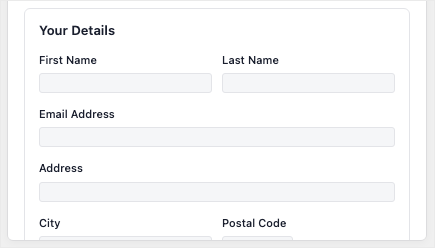
Supporters arrive wanting to help, and then the form asks them to invent a password for a website they may only visit twice. A lot of them stop right there. Passwordless Fundraiser Accounts, new in Charitable Ambassadors 3.5.0, let a supporter start a peer to peer fundraiser with nothing but an email address. Why this is important:

  • 🔑 No password step to lose them at: Switch it on in Charitable » Ambassadors » Templates » Submit Form and the create-fundraiser form asks only for a name, an email address and a page title.
  • 👤 Still a real WordPress account: One click in one email confirms the address, signs them in and creates the account, so they can come back later to edit their story, change their photo and see who has donated.
  • 🎚️ Your call on every campaign: Each peer to peer campaign can follow the site default or override it, which matters when a campaign pays fundraisers through Stripe Connect and those people do need a password.
  • 📋 See who has not clicked yet: The Charitable » Ambassadors » Directory » Awaiting Sign-In tab lists everyone still waiting, with the campaign they joined and a Resend button, so a typo or a spam folder is something you can spot and fix.
  • 🛡️ Links a scanner cannot use up: Opening the link only shows a page, and your fundraiser is signed in when they press the button on it, so corporate email scanners never burn the link. Each one works once, expires on its own and is stored only as a hash.
Check out our announcement here.

ambassadors New

🏃 Introducing Activity: Show Progress on More Than Money!

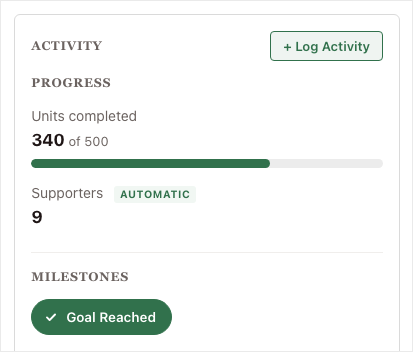
Most peer-to-peer fundraisers are about more than the money. A read-a-thon is about minutes read, a walkathon is about miles walked, and a food drive is about meals packed. Activity for Charitable Ambassadors lets your fundraisers show that effort right beside the dollars they raise. Why this is important:

  • 🎯 Progress on what you actually count: A progress bar shows each thing you count against its own target, sitting right beside the money raised.
  • 🏅 Milestones for the yes or no things: A milestone badge marks the efforts that are simply done or not done, with no number to chase.
  • ✍️ Fundraisers log their own numbers: Your supporters enter their totals from their own pages, so the effort stops living in a spreadsheet, a comment, or nowhere at all.
  • 🤖 Some numbers count themselves: An AUTOMATIC tag appears wherever the site worked the figure out from completed donations, so you can see at a glance what nobody typed in.
  • 🧩 Set it up once, use it anywhere: You decide what gets counted one time, then choose which campaigns count it. Available now in Charitable Ambassadors 3.4.7, with no new plugin and no developer.

Check out our announcement here.

ambassadors New

🖨️ Introducing Fliers and Posters: Raise Money Away From the Screen!

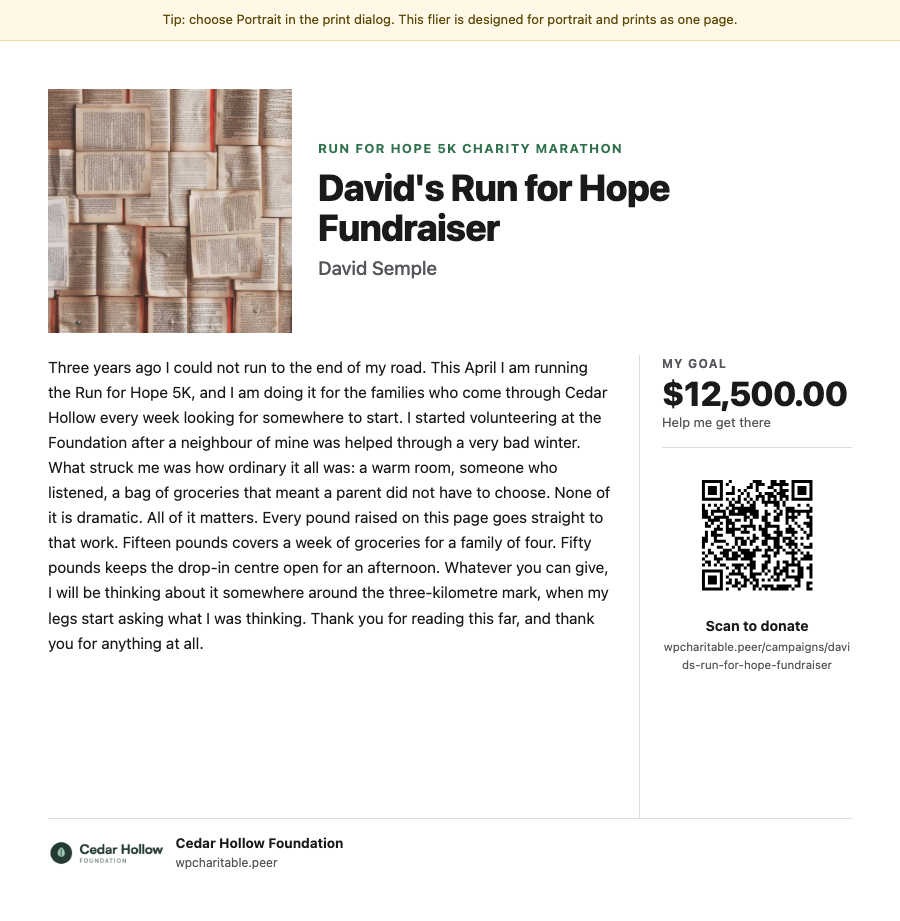
A lot of peer-to-peer fundraising happens away from a screen: at the finish line of a 5K, on a school noticeboard, in an office kitchen. Charitable Ambassadors 3.4.7 adds 2 printables, a fundraiser flier carrying each fundraiser’s own story and QR code, and a recruitment poster that signs new fundraisers up. Both open as a normal web page and print straight from the browser. Why this is important:

  • 🏁 A flier for every fundraiser: Each one carries that fundraiser’s own photo, story and goal, with a QR code that opens their page rather than your main campaign.
  • 📌 A poster that recruits: It shows “Now Recruiting” above your campaign name with a large QR code that opens your sign-up form, so someone can start fundraising without waiting on a link from you.
  • 🪄 No design tool needed: Both printables render as a normal web page and print from the browser, with no PDF plugin and no designer.
  • 📄 2 flier layouts: Hand out carries the full story for giving to friends and family, and Post up carries a short hook with 5 tear-off tabs for a noticeboard.
  • 🛡️ Off until you switch it on: Fliers stay off after the update until you enable them under Charitable » Ambassadors » Other » Fliers, and only the owner or an administrator can open one.

Check out our announcement here.

Improvement Payments

💸 Introducing Tiered Rates for Fee Relief: Match the Ask to the Gift!

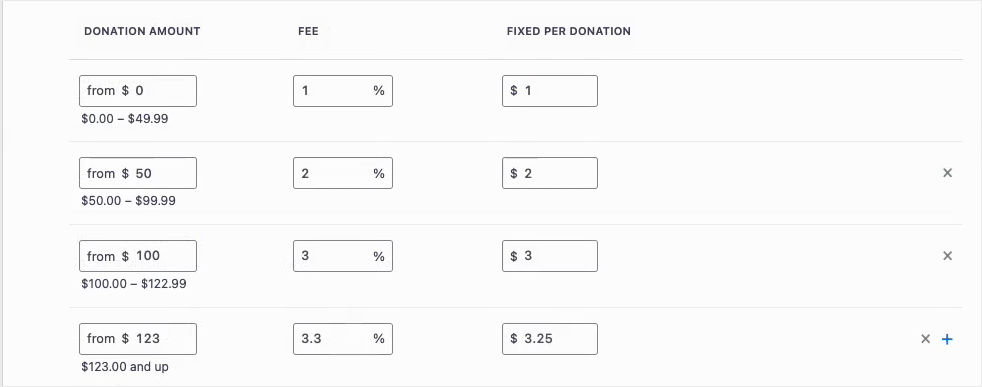
Fee Relief asks your donors one short question at checkout: would you like to cover the processing fee on this gift? Until now that question used a single rate for every donation on a gateway, so a $10 gift and a $500 gift were asked for the same percentage. Fee Relief 1.3.0 lets you set as many donation bands as you like, each carrying its own rate. Why this is important:

  • 🪙 Gentler on small gifts: A fixed transaction cost is a far bigger share of a $10 donation than a $500 one, so bands let you ask for less at the bottom.
  • 🎚️ As many bands as you need: Each band carries its own percentage and its own fixed amount, and the top band runs on with no upper limit.
  • 🛑 An optional ceiling: A Maximum fee field stops any donor being asked for more than a number you choose, however large the gift.
  • 🔌 Set per payment gateway: Stripe can run on four bands while Windcave and Payfast stay on a single rate, because bands belong to a gateway and not to your whole site.
  • 🛡️ Nothing changes until you say so: Your current rates stay exactly as they are until you switch Use Tiered Rates on under Charitable » Settings » Advanced » Fee Relief.

Check out our announcement here.

Donations Improvement

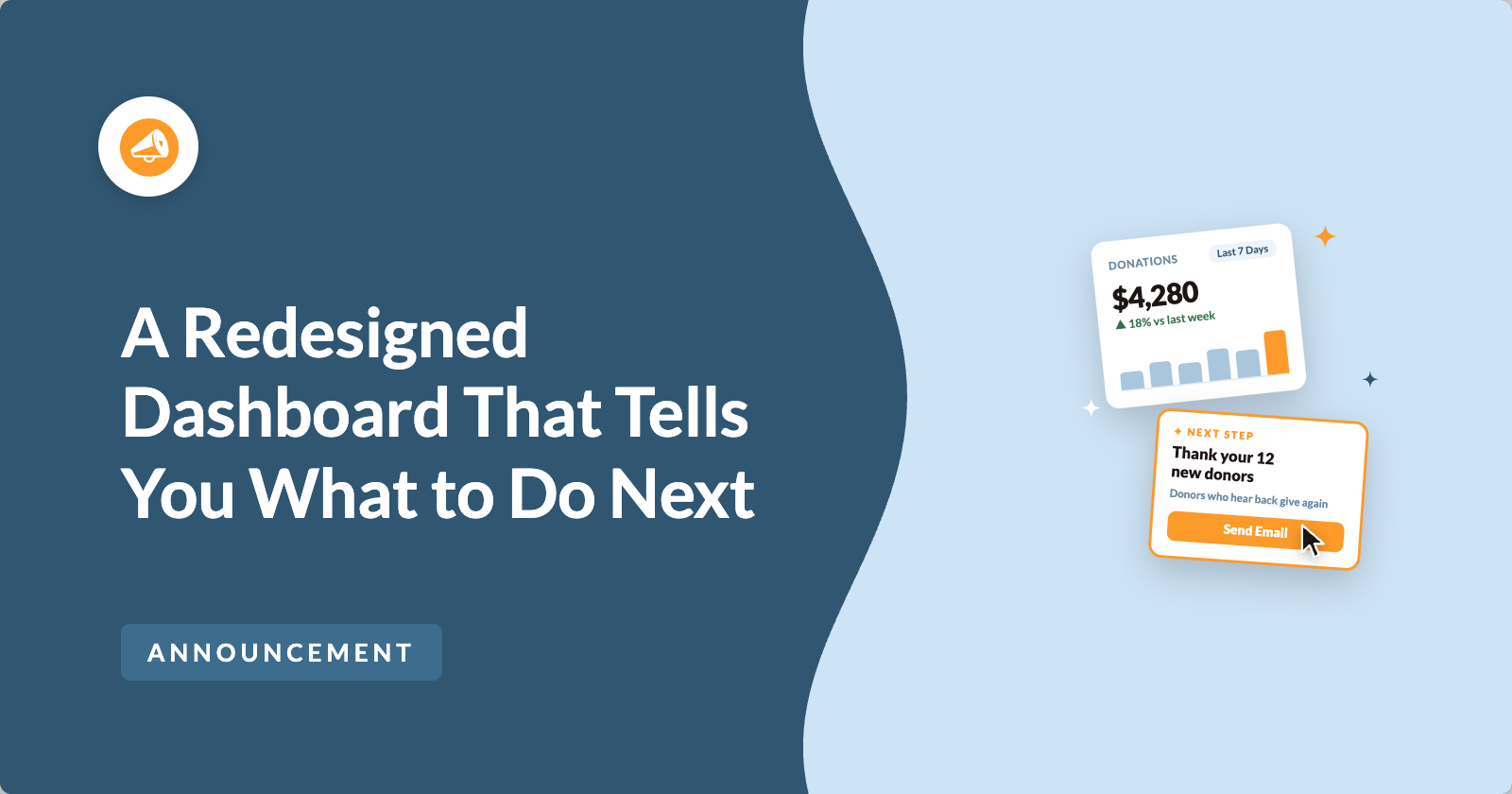
📊 Your Pro Dashboard Can Now Compare, Export, and Score!

Most fundraising dashboards only tell you how much you have raised. Charitable Pro 1.8.19 rebuilds the dashboard and the Reports Overview around the harder questions: whether anything is broken, whether this period beat the last one, and which single change would make the most difference today. Why this is important:

  • 📈 Every figure has a trend: Pick a period and the tiles and the chart move together, with each total shown against the previous period.
  • 🗓️ Charts that stay readable: Short ranges group donations day by day, while longer ranges group by week or month, so a full year reads as a curve instead of a flat line.
  • 🔀 Compare any 2 periods: Not just consecutive ones, so you can ask how this December did against last December. That matters because fundraising is seasonal.
  • 📤 Export the whole summary: Send the full overview out as CSV or PDF, ready for a board pack or a funder report.
  • 🎯 Score your setup for free: Have your fundraising setup scored, so the one change worth making next is the one you can see.

Check out our announcement here.